搜索插件、代码仓与 APP 分类

插件详情v0.1.18

auto_app_translate

这是一个可将应用程序翻译成80种语言并自动设置的库。

AndroidiOSmacOSWindowsLinux
近 30 天下载
94
喜欢数
38
Pub 分数
115

安装插件

flutter pub add auto_app_translate

插件介绍

基于插件公开信息、社区数据与项目使用情况整理的选型参考。

Auto App Translate 是一个 Flutter/Dart 包,可将应用程序自动翻译成 80 种语言,并简化本地化设置。它通过处理语言检测、翻译工作流和跨平台配置管理,简化了国际化。专为寻求高效多语言支持的开发者设计,可无缝集成到 Flutter 项目中,并支持 Android、iOS、macOS、Windows 和 Linux。该库减少了管理翻译的手动工作量,提升了应用程序的全球可访问性。

适合场景

  • 多语言应用程序部署
  • 自动化翻译工作流程
  • 跨平台本地化
  • 实时语言切换
  • 简化的国际化设置
  • 全球用户基础支持

主要特点

  • 支持80种语言
  • 自动化翻译设置
  • 跨平台兼容性
  • 无缝的 Flutter 集成
  • 语言检测
  • 轻松配置

适合对象

  • 开发全球应用的开发者
  • 管理多种语言的团队
  • 需要快速国际化设置的项目
  • 面向不同地区的应用
  • 初创企业国际化扩张
  • 需要动态语言更新的应用

使用建议

  • 依赖外部翻译服务
  • 可能需要设置 API 密钥
  • 翻译质量取决于源文本
  • 不适合高度敏感的内容
  • 有限的离线功能
  • 实时翻译中的潜在延迟

原始 README

以下为关联源码仓库的 README 原文快照,最新内容请访问源码仓库。

Auto App Translate

Pub

It is a library that translates apps into 80 languages and automates settings.

"Buy Me A Coffee"

How to Use?

1. Setup the config file
dependencies:
  easy_localization: ^3.0.3
  easy_localization_loader: ^2.0.0
  auto_app_translate:
  
flutter:
  assets:
    - assets/localization.csv
2. Create the asset folder and insert the localization.csv file.


lozalization.csv file download

3. Config easy_localization library. Please refer to the official documentation.
import 'package:auto_app_translate/callable/core_my/my_language_code/entity/flutter_support_language_locale.dart';
import 'package:easy_localization/easy_localization.dart';
import 'package:easy_localization_loader/easy_localization_loader.dart';
import 'package:flutter/material.dart';

void main() async {
  WidgetsFlutterBinding.ensureInitialized();
  await EasyLocalization.ensureInitialized();
  runApp(
    EasyLocalization(
        supportedLocales: flutterLocalizeSupportLanguagesLocale,
        path: 'assets/localization.csv',
        assetLoader: CsvAssetLoader(), // <- important option for translation
        fallbackLocale: const Locale('en', 'US'),
        child: MyApp()
    ),
  );
}

class MyApp extends StatelessWidget {
  @override
  Widget build(BuildContext context) {
    return MaterialApp(
        localizationsDelegates: context.localizationDelegates,
        supportedLocales: context.supportedLocales,
        locale: context.locale,
        home: MyHomePage()
    );
  }
}
4. Fill in the localization file.

Fill in str for the key value and the standard language (start translate language) column.

5. use tr() in your code for localization.

import 'package:easy_localization/easy_localization.dart';

tr('hello world')
6. Create a dart file in your project and paste the code below.

create auto_translation folder in your project root, and create auto_translation.dart file. and then copy paste code below.

import 'package:auto_app_translate/auto_app_translate.dart';

main() {
  AutoAppTranslate.translateAppCsvFile(
    // start translate language
    startLanguageCode: 'en',
    
    // language code to skip translation
    skipLanguageCodes: [],
    
    // str to skip translation
    skipStr: [],
    
    // csv file path
    appAssetsCsvPath: 'assets/localization.csv',
    
    // google translate api key (https://translatepress.com/docs/automatic-translation/generate-google-api-key/)
    apiKey: 'INPUT_YOUR_GOOGLE_TRANSLATE_API_KEY');
}

It works even if you don't put the Google Translate api key, but you will soon reach the free limit.
For a guide to getting the Google Translate api key, please refer to this document.

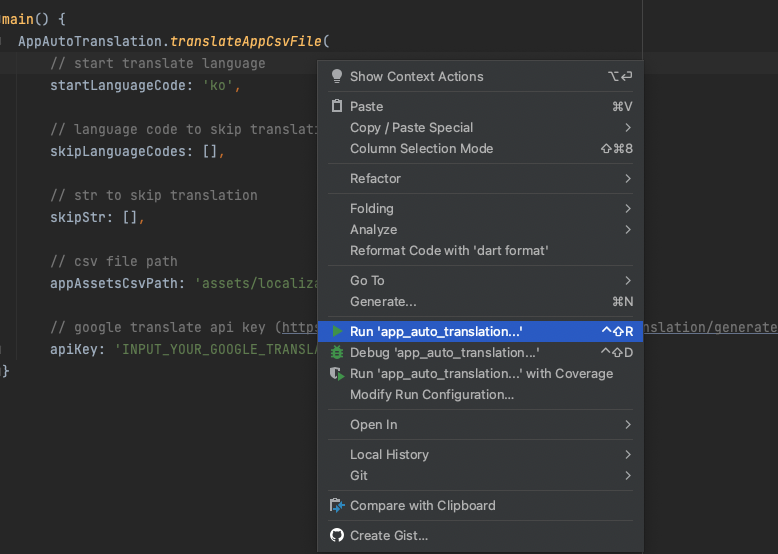
7. Run the file. The translation will be completed in the csv file.

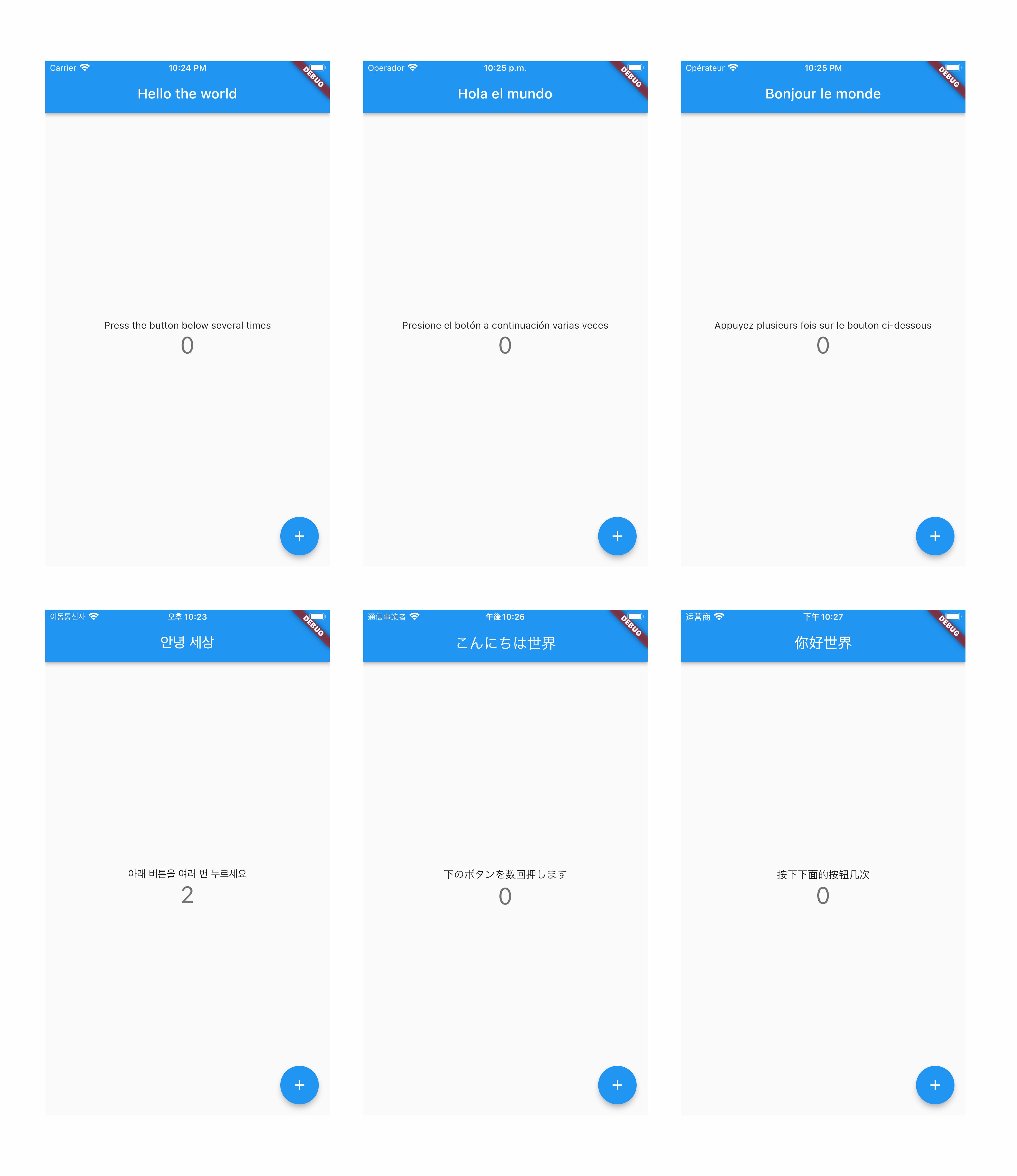
8. Check out apps translated into more than 80 languages :)

所属分类

依赖

依赖清单 6 项

源码仓库

使用此插件的项目

暂无相关数据。