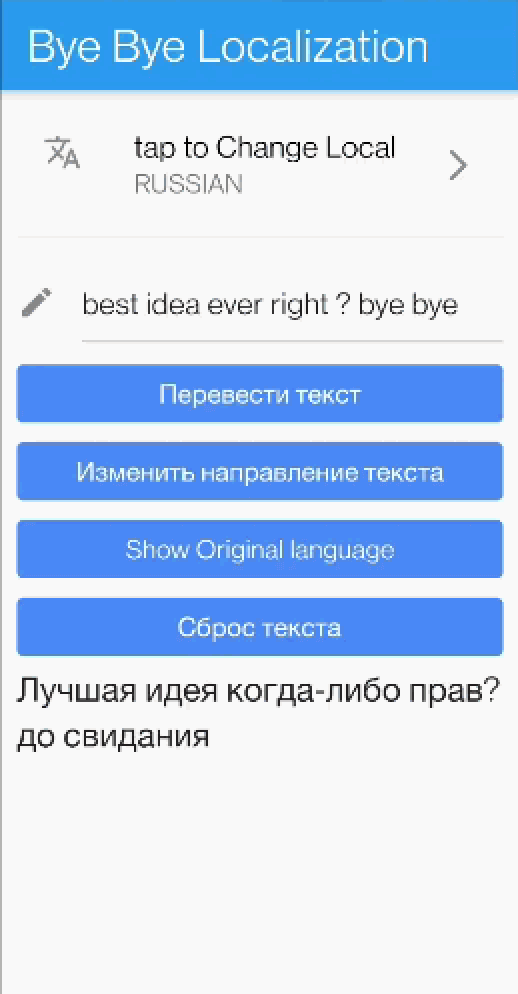
bye_bye_localization 包通过在 Text 小部件内直接在设备上进行翻译,简化了 Flutter 中的国际化。它使用嵌入式 AI 模型自动将文本翻译成任何目标语言,无需手动创建本地化文件或管理翻译。开发者只需提供源文本和所需语言,小部件即可处理其余工作。非常适合需要动态、实时翻译且无需外部依赖的应用。
适合场景
应用中的实时文本翻译
减少对翻译文件的依赖
快速原型设计,支持多语言
需要设备本地隐私的App
简化小型项目的国际化
主要特点
设备端AI翻译
无需外部 API
自动语言检测
简单文本小部件集成
支持多种语言
适合对象
寻求多语言应用程序最小化设置的开发者
注重用户隐私的项目
需要即时翻译的原型
应用避免使用服务器端翻译服务
没有专职翻译的团队
使用建议
由于嵌入了AI模型,应用体积更大
限于支持的语言
对旧设备的潜在性能影响
翻译质量取决于模型的准确性
不适合用于内容复杂的规模化生产
原始 README
以下为关联源码仓库的 README 原文快照,最新内容请访问源码仓库。
Bye Bye Localization 👋
Its just a simple Text widget that will provide automatic fast translation for any text. it supports 59 languages.
No more boring Localization configuration files, all you have to do is change your old Text() widget to TranslatedText() and enjoy the sweet sweet life without Localization
PS: the translation will be fast as it uses translation model deployed to the device under the hood.
Demo 📹
How to use ?
Step 1: All you have to do is call the widget
TranslatedText('your text')
Step2: don't forget to call init the widget using the Manager
WidgetbuildWidget(){
returnFutureBuilder(
future: initTranslation(),
builder: (context, snapshot) {
if (snapshot.hasError) {
returnText('${snapshot.error}');
}
if (snapshot.connectionState == ConnectionState.done) {
returnTranslatedText('I am a text that will be translated always');
}
returnCircularProgressIndicator();
},
);
}
Future<bool> initWidget() async {
returnawaitTranslationManager().init(
originLanguage: Languages.ENGLISH,
/// Change here the language to change the translation, and re run./// For example Languages.RUSSIAN.
translateToLanguage: Languages.ARABIC,
);
}
Live Demo 🔆
below you will find a link to APK contains live demo