c_material 是一个现代的 Flutter 颜色系统,提供预定义的颜色、语义标记和 Material 3 主题。它使开发者能够在各个平台上构建一致、可扩展且视觉上协调的用户界面。通过利用语义颜色标记,它支持动态主题设置,并增强了设计系统的可维护性。该包与 Flutter 的 UI 工具包无缝集成,并遵循 Material Design 3 指南,为 Android、iOS、Web、macOS、Windows 和 Linux 提供精致、响应迅速的体验。
适合场景
在多个平台上构建一致的用户界面
实施 Material 3 设计标准
创建可扩展的设计系统
启用动态主题切换
在大型应用中简化颜色管理
通过语义颜色支持可访问性
主要特点
预定义的 Material 3 颜色方案
语义颜色标记以提高清晰度
跨平台兼容性
与 Flutter 的轻松集成
支持浅色和深色主题
可扩展的颜色系统
适合对象
设计系统开发者
使用 Material 3 的 Flutter 团队
需要一致主题的应用程序
专注于可访问性的项目
寻求可重用颜色逻辑的开发者
构建多平台应用的团队
使用建议
需要熟悉 Material 3 设计原则
可能需要针对非 Material 设计进行自定义
依赖于 Flutter 的主题系统
仅限颜色相关功能
不适合复杂的UI组件库
最好在结构化设计工作流程中使用
原始 README
以下为关联源码仓库的 README 原文快照,最新内容请访问源码仓库。
c_material_colors_flutter
A new package for choosing colors. It is very powerful and supports all operating systems, including iPhone, Android, the web, and many platforms. It helps in direct access to colors.
_ Simple package helps you to use all colors to direct code and flexible and eazy use when use class it found over 100 colors
Support = [**[ Android , IOS and WEB(soon) ] **];
Support All Platform in flutter
Ease of use and flexibility in accessing colors directly
It has a strong advantage, which is that it contains almost all colors
It is also easy to use in any mobile project and supports all platforms
Features
It is a very powerful package that includes around 140 colors and more. Its features include being filled with a wide variety of colors, being easy to use, and allowing developers to access the desired color through the MaterialColors class. It is also distinguished by its attractiveness across all colors.
Setup
iOS
Opt-in to the embedded views preview by adding a boolean property to the app's Info.plist file
with the key io.flutter.embedded_views_preview and the value YES.
iOS (only support> 11.0) you need to add this line in your ios/Podfile
platform :ios, '11.0'
Getting Started
To use C_Material_Colors in your project, add the c_material package to pubspec.yaml:
dart pub add c_material or flutter pub add flex_color_scheme
import it
Import the package to use it:
import'package:c_material/c_material.dart';
Usage :
Explaining of how to use this package
/// You Can use Any Widgets in flutter like this :/// Container(
color: MaterialColors.blue;
/// )/// But Note Very Important :/// you can use class MaterialColors just type proberity class Color/// Not use MaterialAllProberity ....
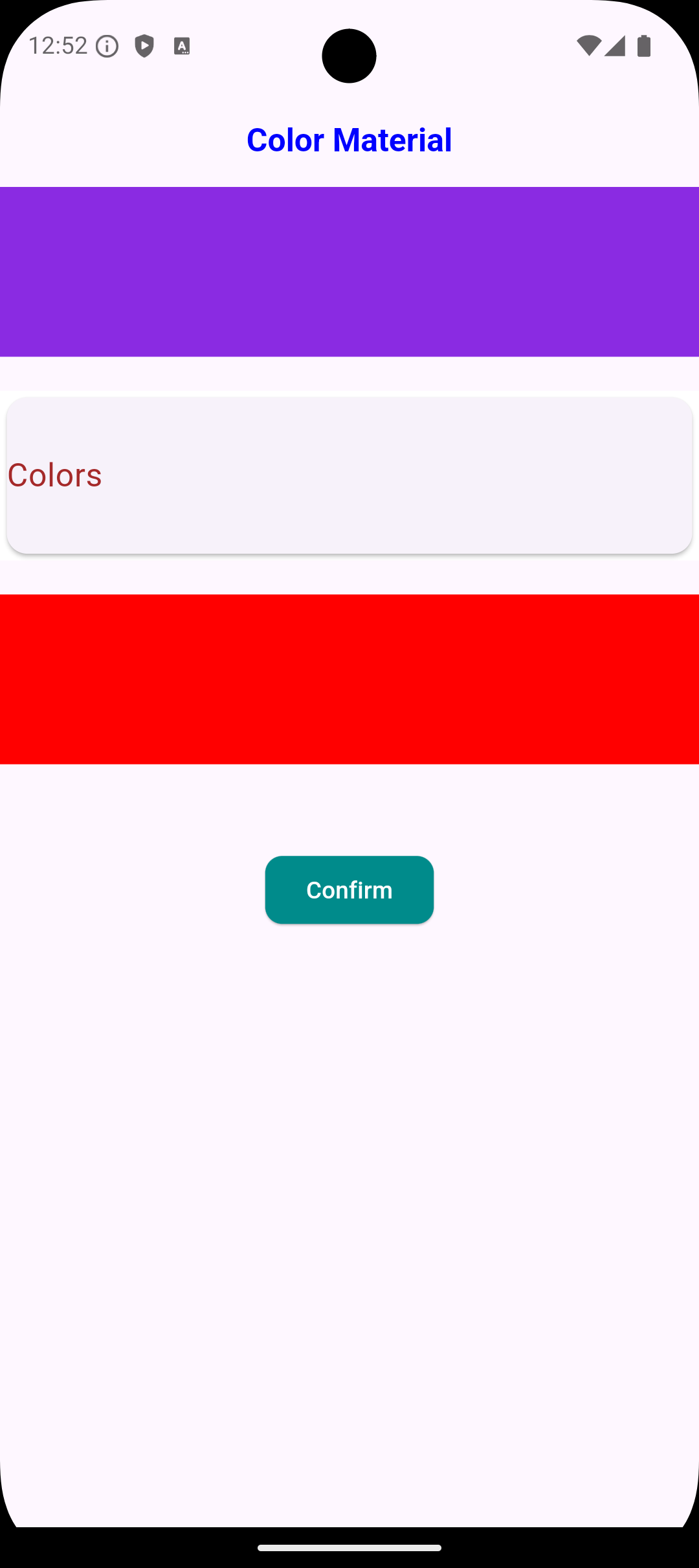
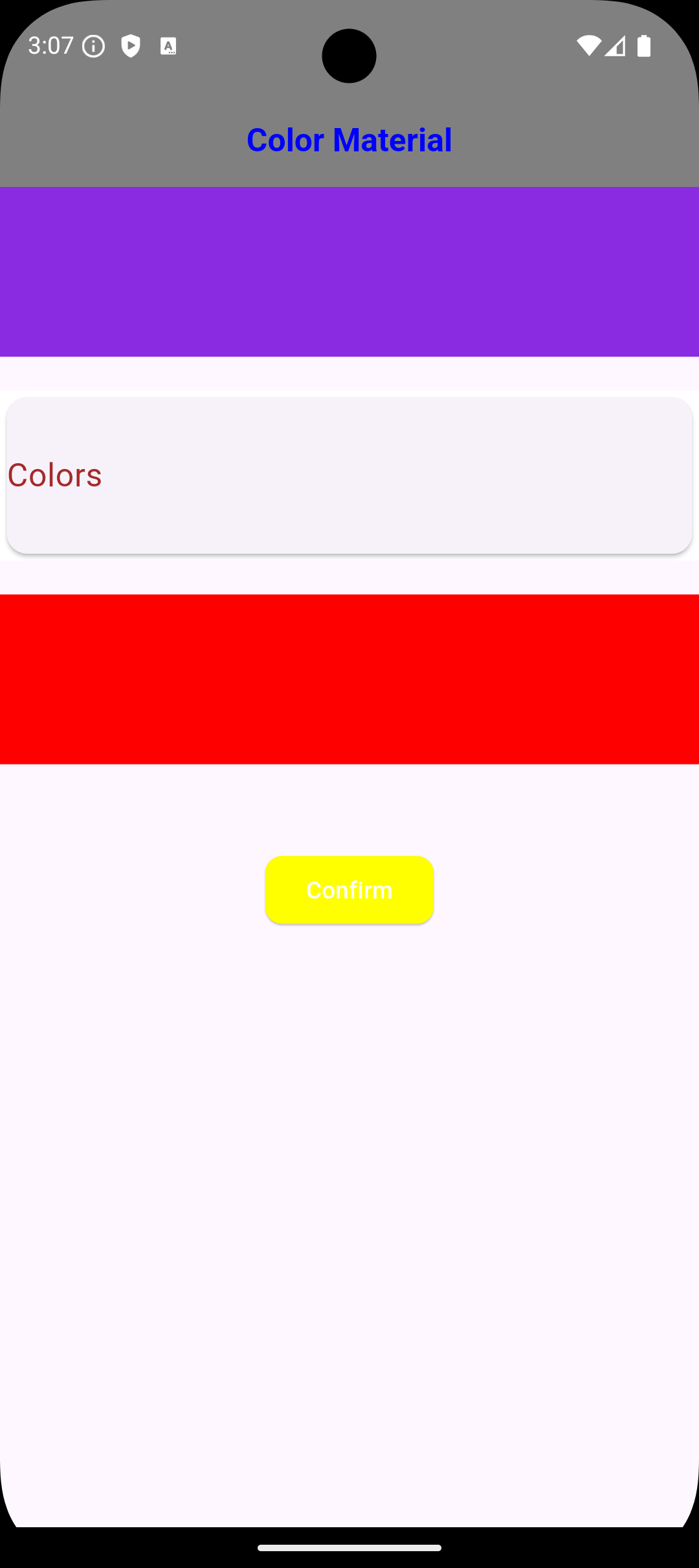
عرض الصور
Usage Just Class Color Type Not Type Class WidgetStateProperty<Colors?>
/// You Can use Any Widgets in flutter like this :/// Container(
color: MaterialColors.blue;
/// ),/// Container(
color: MaterialColors.offWhite;
/// )/// AppBar(
backgroundColor: MaterialColors.green
/// )/// But Note Very Important :/// you can use class MaterialColors just type proberity class Color/// Not use MaterialAllProberity ....
Using Widgets in Flutter
/// Example :/// Scaffold Widget => Scaffold(backgroundColor: MaterialColors.red,
) ,
/// Card Widget => Card(color: MaterialColors.blue ,
),
Notes :
/// The most important thing about the package is that it does not accept a class of type WidgetStateProperty because it has a different type; it only accepts the type Color. ///
Global access to [Colors] from any Project :
///If you need any thing from [Color Blue]///you can use it MaterialColors class to access Many Colors :MaterialColors.aliceBlue;
///If you need any thing from [Color Red]///you can use it MaterialColors class to access Many Colors :MaterialColors.red;
///If you need any thing from [Color Yellow]///you can use it MaterialColors class to access Many Colors :MaterialColors.yellow;
///If you need use color black [Color Black]///you can use it MaterialColors class to access Many Colors :MaterialColors.black;
///If you need use color sandyBrown [Color Brown]///you can use it MaterialColors class to access Many Colors :MaterialColors.sandyBrown;
Global access to [All Colors ] using class [MaterialColors Class]
///If you need any thing from [Color blanchedAlmond]///you can use it MaterialColors class to access Many Colors :MaterialColors.blanchedAlmond,
///If you need any thing from [Color blueViolet]///you can use it MaterialColors class to access Many Colors :MaterialColors.blueViolet,
///If you need any thing from [Color cornflowerBlue]///you can use it MaterialColors class to access Many Colors :MaterialColors.cornflowerBlue,
///If you need any thing from [Color chocolate]///you can use it MaterialColors class to access Many Colors :MaterialColors.chocolate,
///If you need any thing from [Color saddleBrown]///you can use it MaterialColors class to access Many Colors :MaterialColors.saddleBrown,
///If you need any thing from [Color fireBrick]///you can use it MaterialColors class to access Many Colors :MaterialColors.fireBrick,
///If you need any thing from [Color wheat]///you can use it MaterialColors class to access Many Colors :MaterialColors.wheat,
///If you need any thing from [Color darkGoldenrod]///you can use it MaterialColors class to access Many Colors :MaterialColors.darkGoldenrod,
///If you need any thing from [Color lightBlue]///you can use it MaterialColors class to access Many Colors :MaterialColors.lightBlue,
///If you need any thing from [Color darkRed]///you can use it MaterialColors class to access Many Colors :MaterialColors.darkRed,



 [ammarmatarieh2@gmail.com]

 [GitHub Profile](https://github.com
Ammar2000-Matarieh)