搜索插件、代码仓与 APP 分类

card_scanner 封面
插件详情v1.0.4

card_scanner

适用于 Flutter 的快速、准确且安全的信用卡和借记卡扫描库。

AndroidiOS
近 30 天下载
975
喜欢数
124
Pub 分数
130

安装插件

flutter pub add card_scanner

插件介绍

基于插件公开信息、社区数据与项目使用情况整理的选型参考。

Card Scanner 是一个快速、准确且安全的 Flutter 库,专为扫描信用卡和借记卡而设计。它利用设备摄像头功能来检测卡片边界,以高精度提取卡号、有效期和 CVV。该库注重隐私保护,所有数据均在本地处理,不会将敏感信息发送到外部服务器。适用于支付表单、结账流程以及需要无缝卡片输入的金融应用。该包支持 Android 和 iOS 平台,并可通过简单的 pub add 命令轻松集成。

适合场景

  • 支付表单自动化
  • 结账流程优化
  • 金融应用集成
  • 卡数据提取
  • 使用卡片输入的用户入门

主要特点

  • 实时卡牌检测
  • 本地数据处理
  • 高精度扫描
  • 安全处理卡片信息
  • 跨平台支持(Android 和 iOS)

适合对象

  • 电子商务应用
  • 银行和金融应用
  • 移动支付解决方案
  • 需要快速卡片输入的应用程序
  • 注重安全和速度的开发者

使用建议

  • 需要相机权限
  • 可能需要校准以获得最佳性能
  • 仅限信用卡/借记卡格式
  • 取决于设备摄像头质量
  • 不支持非标准卡牌形状

原始 README

以下为关联源码仓库的 README 原文快照,最新内容请访问源码仓库。

Fast, Accurate and Secure Credit & Debit card scanner for Flutter

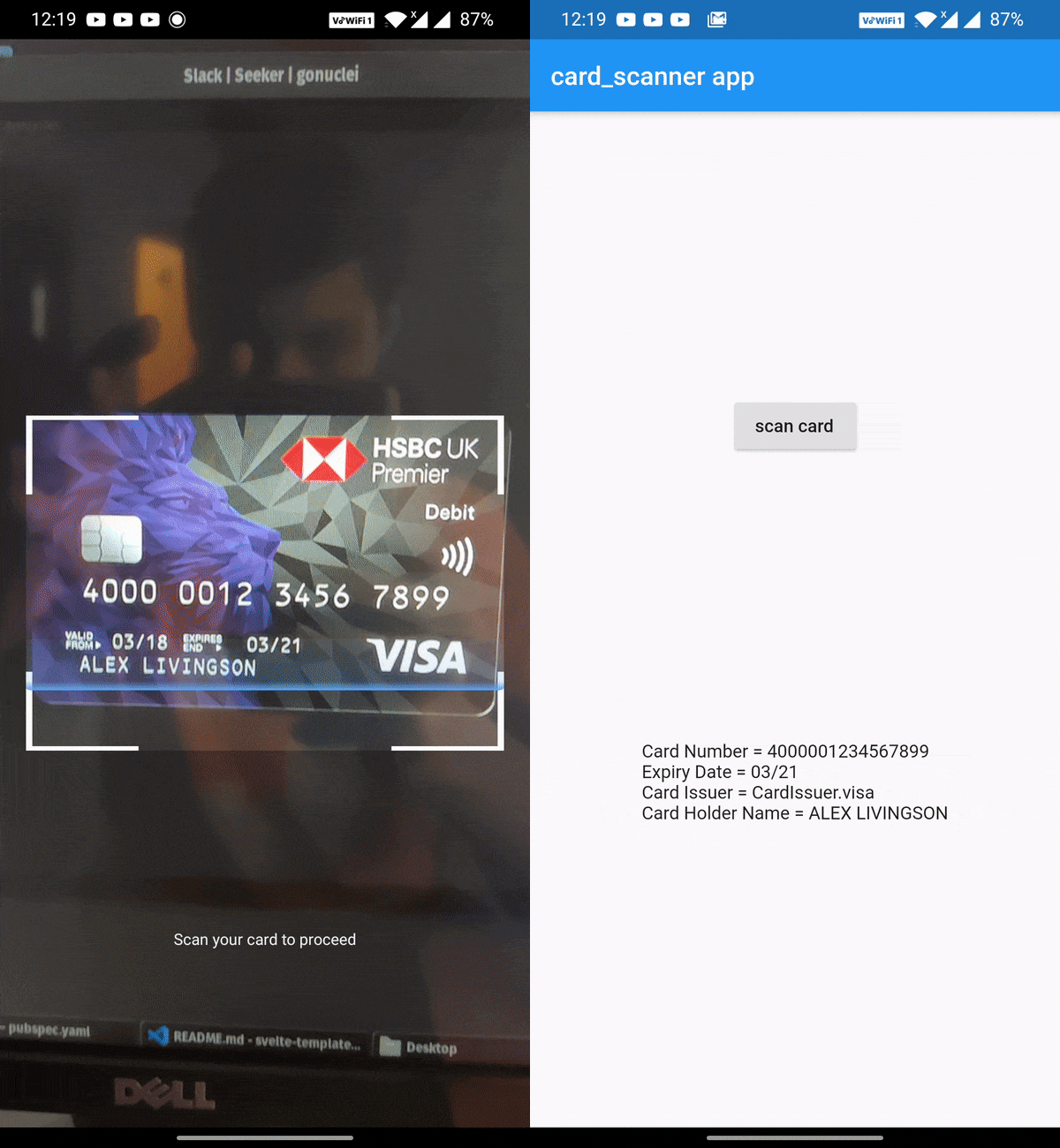
card_scanner is a flutter plugin for accurately and quickly scanning debit and credit cards.

Features

  • 🔒Fully OFFLINE scan makes it a completely secure scanner !
  • 🎈 Can scan Expiry date , Card Holder name and Card Issuer (lacked by other scanners) along with the Card number✨
  • 🔋Powered by Google's Machine Learning models
  • ⚡ Great performance and accuracy
  • 🧹Auto checks the card number for errors using card checksum algorithms
  • 🎚Supports controlling parameters that determine the balance between speed and accuracy
  • ❤️ Simple, powerful, & intuitive API
Get Demo App Here :

Vision App

Install

Add this to your package's pubspec.yaml file:

dependencies:
  card_scanner: <latest-version>

get the latest version number here

Usage

Just import the package and call scanCard:

import 'package:card_scanner/card_scanner.dart';
var cardDetails = await CardScanner.scanCard();

print(cardDetails);

Example Output:

Card Number = 5173949117389006
Expiry Date = 11/26

The above code opens the device camera, looks for a valid card and gets the required details and returns the CardDetails object.


Scan Options

If you wish to obtain the card holder name and card issuer, you can specify the options:

import 'package:card_scanner/card_scanner.dart';
var cardDetails = await CardScanner.scanCard(
    scanOptions: CardScanOptions(
        scanCardHolderName: true,
        scanCardIssuer: true,
    ),
);


print(cardDetails);

Example Output :

Card Number = 5173949117389006
Expiry Date = 11/26
Card Issuer = mastercard
Card Holder Name = PAUL SAMUELSON

iOS Requirements

  • The minimum target for iOS should be >= 12.0.0
  • Comment out the use_frameworks! line from under Podfile of your Flutter project. You can find this Podfile under your_flutter_project/ios/Podfile
Documentation & Samples 📖

所属分类

源码仓库

使用此插件的项目

暂无相关数据。