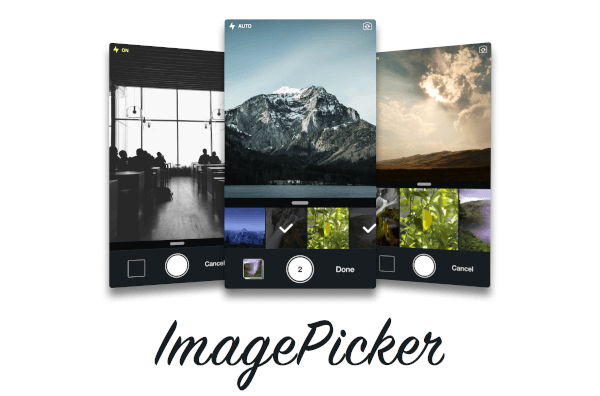
Christian Picker Image 是一个 Flutter 插件,可在 Android 和 iOS 上从设备相册中选择图片或使用相机拍摄新照片。它为 Flutter 应用程序中的图像输入提供无缝的跨平台解决方案。该插件将原生图像选择功能与简单的 API 集成,使需要上传照片或收集媒体的应用程序易于实现。支持单张和多张图片选择,并可自定义选择器界面。专为寻求可靠图像处理且无需复杂设置的开发者设计,它简化了跨平台的媒体集成。
适合场景
图像上传表单
用户个人资料图片选择
应用中的照片记录
社交媒体内容分享
文档扫描工作流程
主要特点
跨平台支持(Android 和 iOS)
相机和相册集成
多图选择
用于快速实现的简单 API
可自定义的选取器 UI
适合对象
移动应用开发人员
需要用户照片上传的应用程序
需要媒体输入的表单
内容创作工具
用户身份验证流程
使用建议
需要平台特定权限
iOS 可能需要额外配置
仅限图像选择
无内置图像编辑
依赖于原生图像选择器的行为
原始 README
以下为关联源码仓库的 README 原文快照,最新内容请访问源码仓库。
christian_picker_image
Flutter plugin that allows you to upload multi image picker on iOS & Android.
Getting Started
ChristianImagePicker is an all-in-one camera solution for your iOS app. It lets your users select images from the library and take pictures at the same time. As a developer you get notified of all the user interactions and get the beautiful UI for free, out of the box, it's just that simple.
ImagePicker has been optimized to give a great user experience, it passes around referenced images instead of the image itself which makes it less memory consuming. This is what makes it smooth as butter.
iOS
Add the following keys to your Info.plist file, located in <project root>/ios/Runner/Info.plist:
NSPhotoLibraryUsageDescription - describe why your app needs permission for the photo library. This is called Privacy - Photo Library Usage Description in the visual editor.
NSCameraUsageDescription - describe why your app needs access to the camera. This is called Privacy - Camera Usage Description in the visual editor. visual editor.