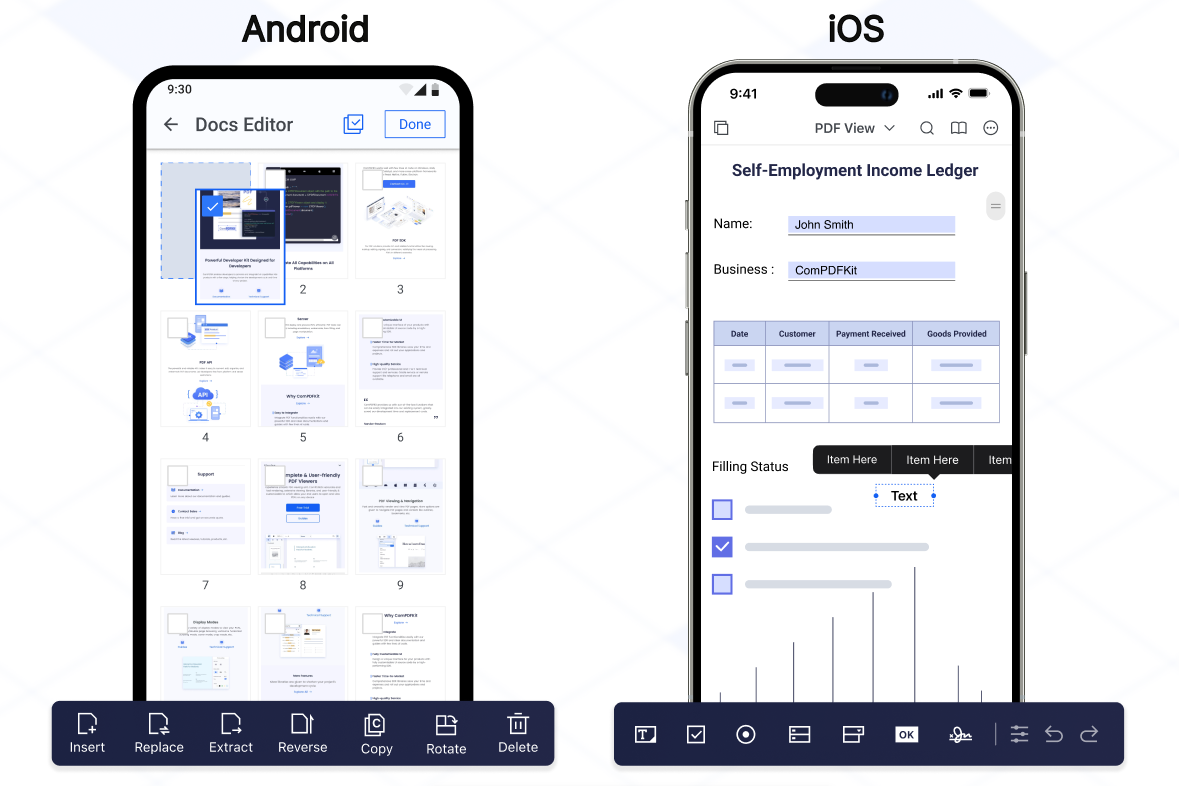
ComPDFKit for Flutter 是一个功能强大的 SDK,旨在将高级 PDF 功能无缝集成到 Android 和 iOS 上的 Flutter 应用程序中。它使开发者能够在其应用内直接查看、注释、编辑和管理 PDF 文档。该 SDK 专注于性能和易用性,提供了一套丰富的工具来处理 PDF 文件,而无需外部依赖。该包支持常见的文档操作,如渲染、文本提取、表单填写和数字签名。基于 Flutter 的跨平台优势构建,确保在各个平台上行为一致。
适合场景
在移动应用中嵌入PDF查看器
在PDF上启用用户注释
创建文档编辑功能
集成表单填写工作流
支持数字签名功能
主要特点
跨平台 PDF 渲染
交互式注释工具
文本提取和搜索
表单处理和填写
安全文档签名
适合对象
使用 Flutter 的移动应用开发者
需要PDF操作的应用程序
企业文档管理系统
电子学习和电子签名平台
使用建议
需要原生平台设置才能实现完整功能
由于嵌入了 SDK,可能会增加应用大小
仅限 Android 和 iOS 平台
取决于第三方许可条款
原始 README
以下为关联源码仓库的 README 原文快照,最新内容请访问源码仓库。
ComPDF SDK for Flutter
As part of the KDAN ecosystem, ComPDF SDK for Flutter helps developers integrate PDF viewing, annotation, editing, form, and signing capabilities into cross-platform mobile apps.
It provides a production-ready Flutter wrapper around native ComPDF SDK capabilities for both Android and iOS projects.
If you find ComPDF SDK useful, please consider giving us a ⭐ Star on GitHub — it helps us grow and improve! Got questions or ideas? Join the conversation in our Discussions.
Why ComPDF SDK for Flutter?
Easy to Integrate: Integrate PDF functionalities easily with our powerful SDK and clear documentation and guides with few lines of code.
Fully Customizable UI: Design a unique interface for your products with fully customizable UI source code by a high-performing SDK.
Comprehensive PDF Features: Supports generation, viewing, annotation, page editing, content editing, conversion, OCR, redaction, signing, forms, parsing, measurement, compression, comparison, color separation, batch processing, and more.
Faster Time-to-Market: Comprehensive SDK libraries save your time and expenses and roll out your applications and projects.
High-quality Service: We provide 24/7 professional one-to-one technical support, including onsite service and remote assistance via phone and email.
Open the project’s main activity class, android/app/src/main/java/com/example/compdfkit/flutter/example/MainActivity.java, Change the base Activity to extend FlutterFragmentActivity:
- import io.flutter.embedding.android.FlutterActivity;+ import io.flutter.embedding.android.FlutterFragmentActivity;- public class MainActivity extends FlutterActivity {+ public class MainActivity extends FlutterFragmentActivity {
}
Alternatively you can update the AndroidManifest.xml file to use FlutterFragmentActivity as the launcher activity:
Note:FlutterFragmentActivity is not an official part of the Flutter SDK. If you need to use CPDFReaderWidget in ComPDF for Flutter, you need to use this part of the code. You can skip this step if you don't need to use.
Note: If SSL network requests fail to download the ComPDFKit library when you run pod install, you can see the processing method in Troubleshooting).
Update the platform to iOS 12 and add the ComPDF Podspec:
- platform :ios, '9.0'+ platform :ios, '12.0'
...
target 'Runner' do
use_frameworks!
use_modular_headers!`
flutter_install_all_ios_pods File.dirname(File.realpath(__FILE__))
+ pod 'ComPDFKit', :git => 'https://github.com/ComPDFKit/compdfkit-pdf-sdk-ios-swift.git', :tag => '3.0.0'+ pod 'ComPDFKit_Tools', :git => 'https://github.com/ComPDFKit/compdfkit-pdf-sdk-ios-swift.git', :tag => '3.0.0'
end
Go to the example/ios folder and run the pod install command:
pod install
Add the PDF documents you want to display in the project
create a pdf directory
mkdir pdfs
Copy your example document into the newly created pdfs directory and name it PDF_Document.pdf
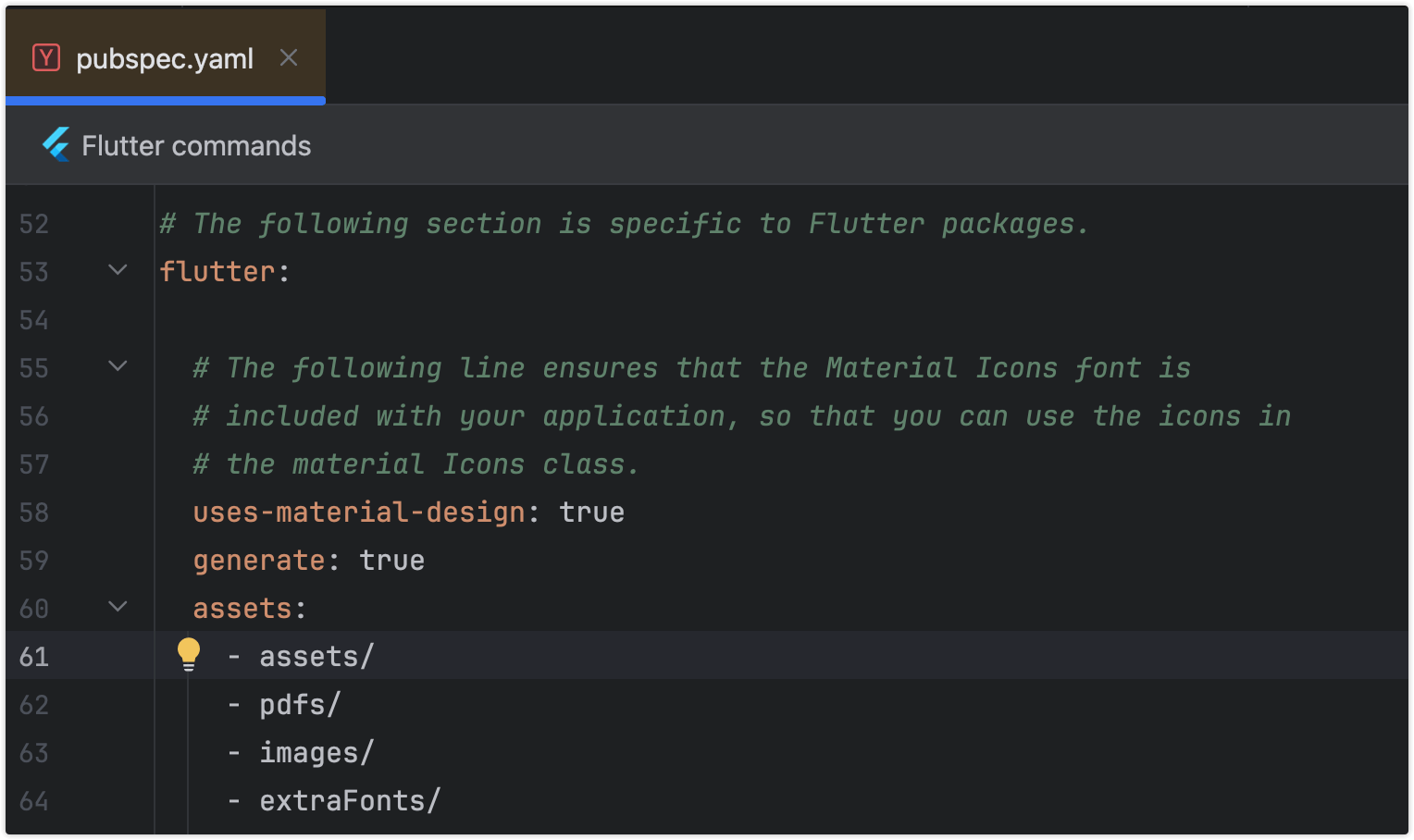
Specify the assets directory in pubspec.yaml
flutter:
+ assets:+ - pdfs/
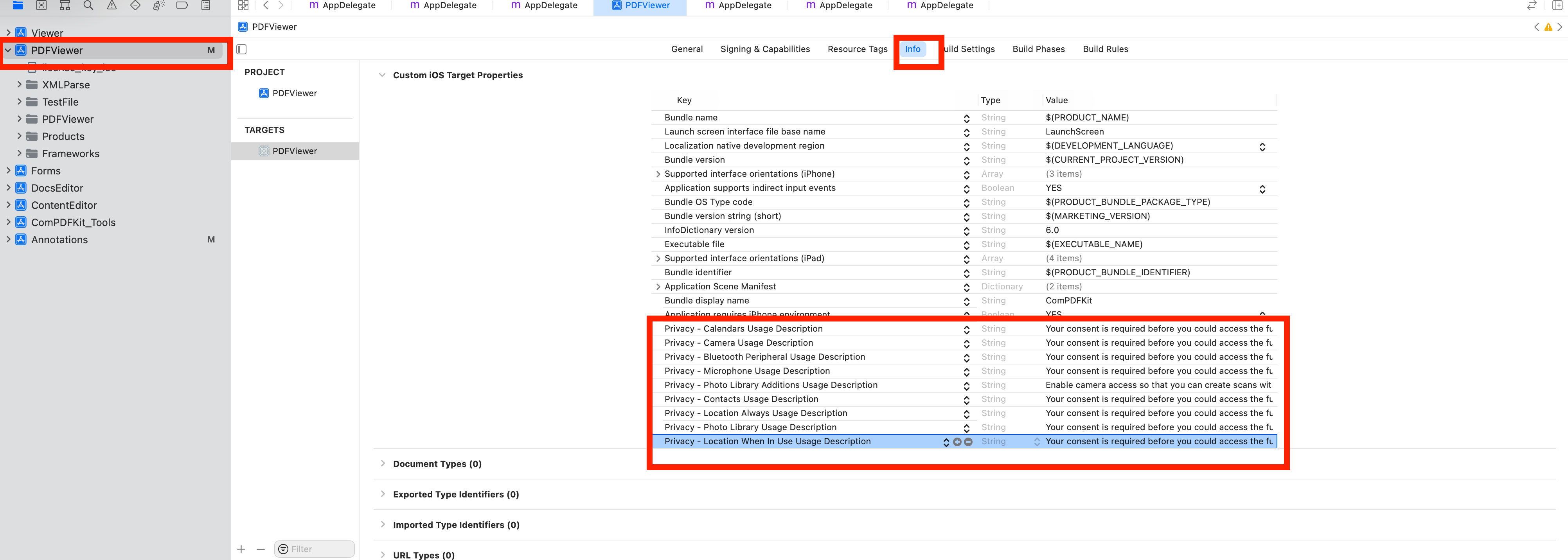
To protect user privacy, before accessing the sensitive privacy data, you need to find the "*Info*" configuration in your iOS 10.0 or higher iOS project and configure the relevant privacy terms as shown in the following picture.
<key>NSCameraUsageDescription</key>
<string>Your consent is required before you could access the function.</string>

<key>NSMicrophoneUsageDescription</key>
<string>Your consent is required before you could access the function.</string>

<key>NSPhotoLibraryAddUsageDescription</key>
<string>Your consent is required before you could access the function.</string>

<key>NSPhotoLibraryUsageDescription</key>
<string>Your consent is required before you could access the function.</string>

<key>NSAppTransportSecurity</key>
    <dict>
        <key>NSAllowsArbitraryLoads</key>
        <true/>
    </dict>
From the terminal app, run the following command to get all the packages:
flutter pub get
Apply the License Key
ComPDF SDK currently supports two authentication methods to verify license keys: online authentication and offline authentication.
Accurately obtaining the license key is crucial for the application of the license.
In the email you received, locate the XML file containing the license key.
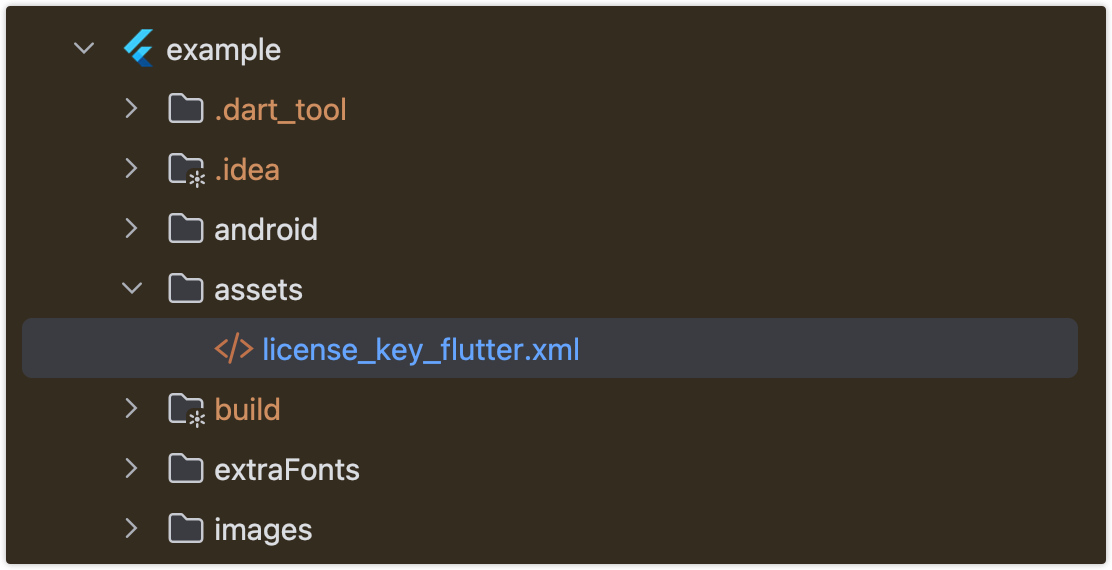
Copy the License.xml file into the assets directory of your Flutter project.
Open the pubspec.yaml file of your project and configure the flutter: section to enable the assets directory.
Initialize the SDK:
// Include the license in Flutter assets and copy to device storage// Add `license_key_flutter.xml` to your Flutter project’s assets directory;File licenseFile = awaitCPDFFileUtil.extractAsset(context, 'assets/license_key_flutter.xml');
ComPDFKit.initWithPath(licenseFile.path);
Alternative methods (optional)
// Android// Copy the license_key_flutter.xml file into the `android/app/src/main/assets` directory of your Android project:ComPDFKit.initWithPath('assets://license_key_flutter.xml');
// iOS// Copy the license_key_flutter.xml file into your iOS project directory (or a readable location):ComPDFKit.initWithPath('license_key_flutter.xml');
Run Project
There are 2 different ways to use ComPDF Flutter API:
Present a document via a plugin.
Show a ComPDF document view via a Widget.
Usage Plugin
Open lib/main.dart,replace the entire file with the following:
Showing a PDF document inside your Flutter app is as simple as this:
/// First. Please replace it with your ComPDFKit license// Include the license in Flutter assets and copy to device storage// Add `license_key_flutter.xml` to your Flutter project’s assets directory;File licenseFile = awaitCPDFFileUtil.extractAsset('assets/license_key_flutter.xml');
ComPDFKit.initWithPath(licenseFile.path);
/// open pdf documentComPDFKit.openDocument(tempDocumentPath, password: '', configuration: CPDFConfiguration());
/// Here’s how you can open a PDF document using CPDFReaderWidget:Scaffold(
resizeToAvoidBottomInset: false,
appBar: AppBar(title: constText('CPDFReaderWidget Example'),),
body: CPDFReaderWidget(
document: widget.documentPath,
configuration: CPDFConfiguration()
));
Free Trial and License
ComPDF SDK for Flutter offers a 30-day free trial so you can evaluate core PDF capabilities in your own application.
Review supported trial features and licensing details
Follow the integration and license steps above to activate the SDK in your project
For custom deployments, advanced features, or volume licensing, please contact our sales team
Support
ComPDF has a professional R&D team that produces comprehensive technical documentation and guides to help developers. Also, you can get an immediate response when reporting your problems to our support team.
For detailed information, please visit our Guides page.
For technical assistance, please reach out to our Technical Support.
To get more details and an accurate quote, please contact our Sales Team or [send an email](mailto:support@compdf.com).
Changelog
Keep up with the latest updates, improvements, and bug fixes for ComPDF SDK for Flutter: View Flutter Changelog