搜索插件、代码仓与 APP 分类

cool_stepper 封面
插件详情v1.2.1

cool_stepper

CoolStepper 是一个显示逐步操作序列的部件。它对于表单向导或入门引导非常有帮助。

AndroidiOSWebmacOSWindowsLinux
近 30 天下载
1270
喜欢数
147
Pub 分数
130

安装插件

flutter pub add cool_stepper

插件介绍

基于插件公开信息、社区数据与项目使用情况整理的选型参考。

CoolStepper 是一个可自定义的 Flutter 小部件,旨在引导用户完成顺序流程,例如表单向导或入门流程。它以清晰、交互式的方式直观展示步骤,支持在各个阶段之间实现平滑过渡。该小部件支持所有主要平台——Android、iOS、Web、macOS、Windows 和 Linux,确保用户体验的一致性。该小部件轻量且易于集成,非常适合需要分步导航的应用程序。

适合场景

  • 引导教程
  • 多步骤表单
  • 结账流程
  • 引导式设置向导
  • 用户注册流程

主要特点

  • 可自定义的步骤指示器
  • 平滑过渡动画
  • 跨平台兼容性
  • 与现有 UI 的轻松集成
  • 支持水平和垂直布局
  • 可配置的激活/非激活状态

适合对象

  • 开发人员构建引导式工作流
  • 需要直观导航的应用
  • 寻求现代步进器组件的设计人员
  • 需要最少样板代码的项目
  • 面向多个平台的团队

使用建议

  • 有限的内置验证逻辑
  • 需要手动管理状态
  • 复杂设计可能需要自定义样式
  • 未针对非常大的步数计数进行优化
  • 依赖外部依赖项以实现高级功能

原始 README

以下为关联源码仓库的 README 原文快照,最新内容请访问源码仓库。

cool_stepper

CoolStepper is a widget that displays a step by step sequence of operations. it could be helpful for a form wizard or onboarding.

Usage

To use this package, add cool_stepper as a dependency in your pubspec.yaml file. And add this import to your file.

import 'package:cool_stepper/cool_stepper.dart';

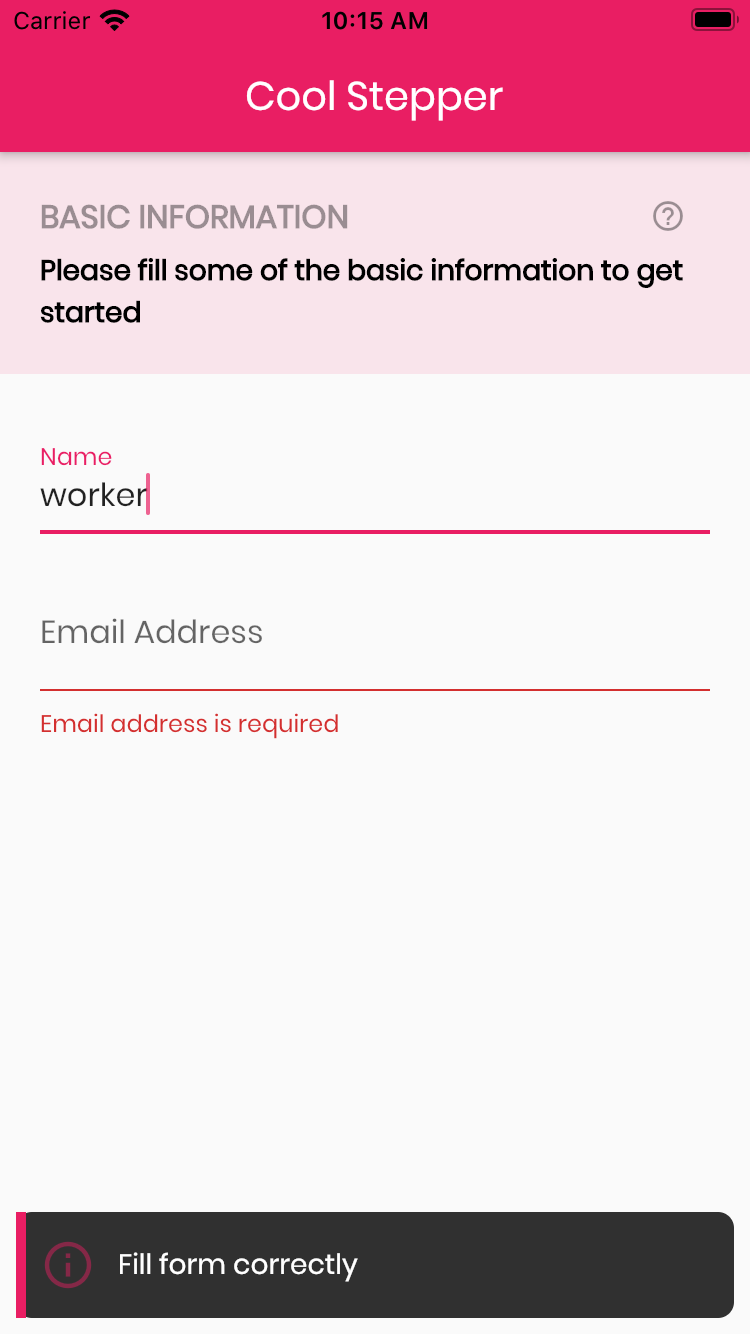
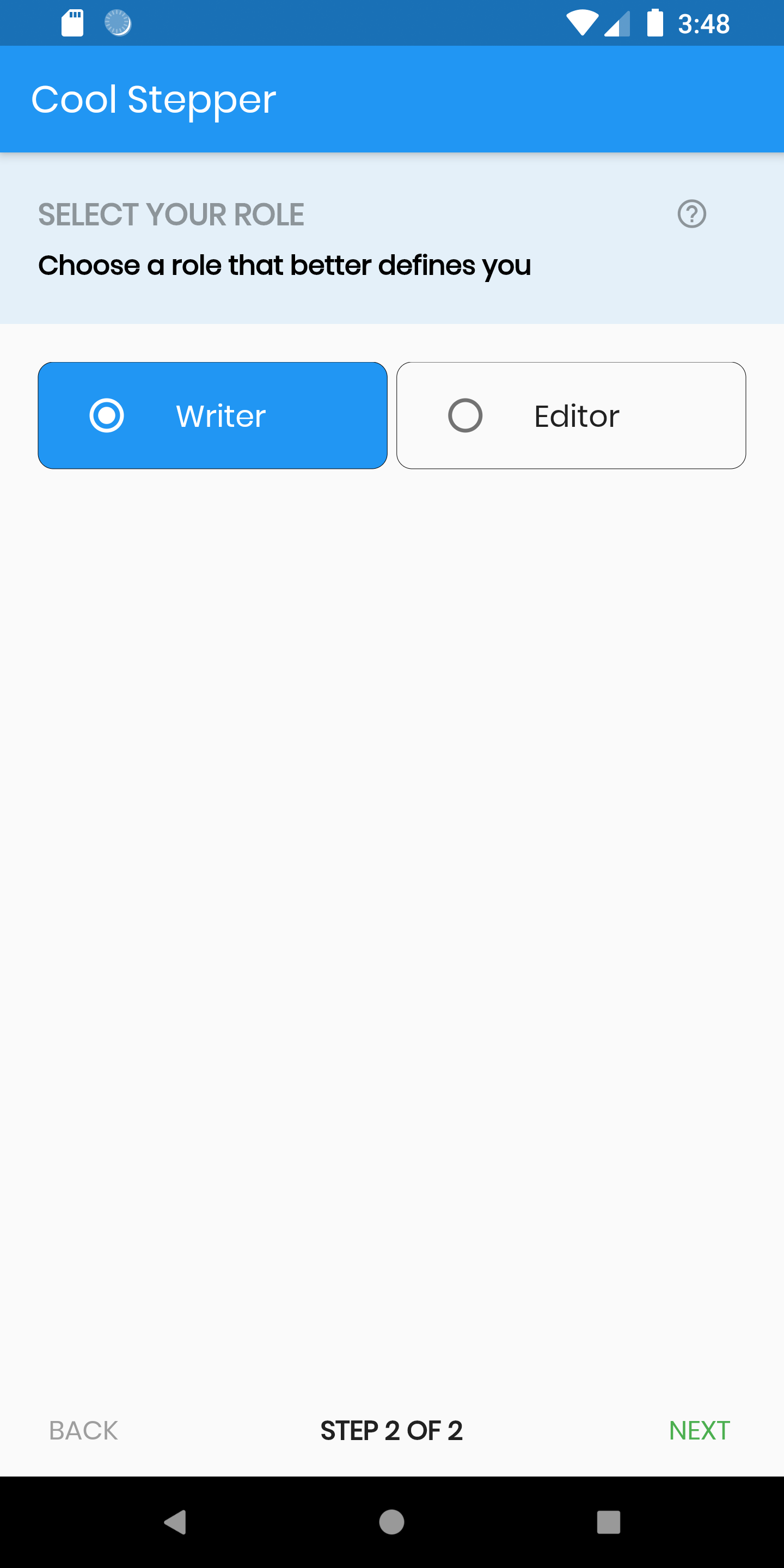
Screenshots

Example
CoolStepper(
   onCompleted: () {},
   steps: List<CoolStep>[
       CoolStep(
        title: "Basic Information",
        subtitle: "Please fill some of the basic information to get started",
        content: Container()
       ),
   ],
);

For each step, return a null, if you want the validation to pass or a String message which would be displayed if you set the showErrorSnackbar attribute to true.

validation: () {
          if (!_formKey.currentState!.validate()) {
            return 'Fill form correctly';
          }
          return null;
        },
CoolStepper Class
Attribute Data type Description Default Value
onCompleted Void Function() @required - A function that is triggers when all steps have been completed Null
steps List @required Null
config CoolStepperConfig Helps to customize your stepper CoolStepperConfig(backText: "BACK", nextText: "NEXT", stepText: "STEP", ofText: "OF")
showErrorSnackbar boolean Shows a snakbar at the bottom of the page when a step validation fails if set to true false
CoolStepperConfig Properties
Attribute Data type Description Default Value
backText String The text that should be displayed for the back button BACK
nextText String The text that should be displayed for the next button NEXT
finalText String The text that should be displayed for the next button on the final step FINISH
stepText String The text that describes the progress STEP
ofText String The text that describes the progress OF
headerColor Color This is the background color of the header Theme.of(context).primaryColor.withOpacity(0.1)
iconColor Color This is the color of the icon Color.black38
icon Icon This icon replaces the default icon Icon(Icons.help_outline,size: 18,Colors.black38)
titleTextStyle TextStyle This is the textStyle for the title text TextStyle(fontSize: 16.0,fontWeight: FontWeight.bold,color: Colors.black38)
subtitleTextStyle TextStyle This is the textStyle for the subtitle text TextStyle(fontSize: 14.0,fontWeight: FontWeight.w600,color: Colors.black)
backTextList List A List of string that when supplied will override 'backText'. Must be one less than the number of steps since for the first step, the backText won't be visible null
nextTextList List A List of string that when supplied will override 'nextText'Must be one less than the number of steps since the 'finalText' attribute is able to set the value for the final step's next button null

所属分类

依赖

依赖清单 1 项

源码仓库

使用此插件的项目

暂无相关数据。