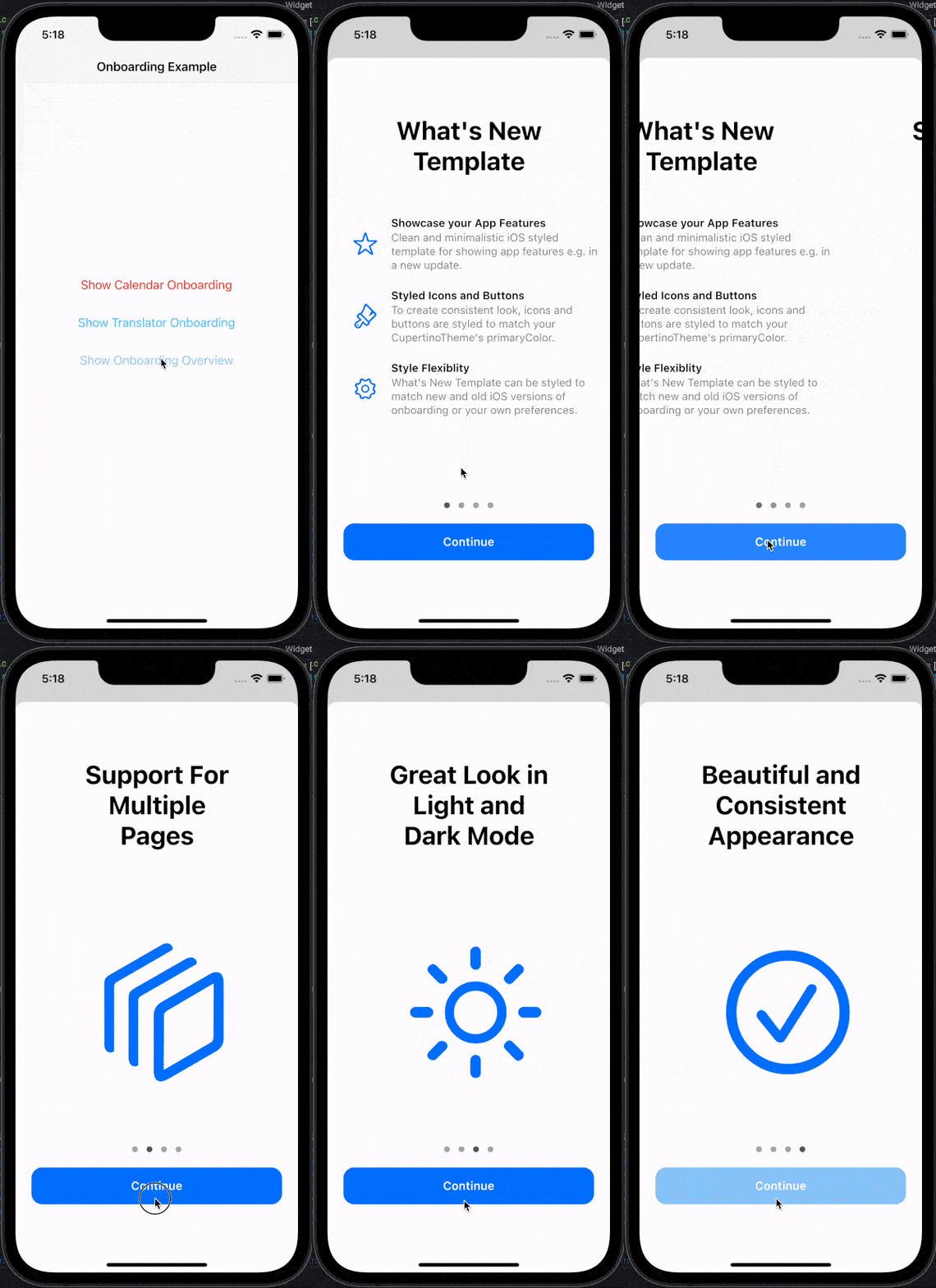
Create CupertinoOnboarding widget and pass your pages as parameter:
@overrideWidgetbuild(BuildContext context) {
returnCupertinoOnboarding(
onPressedOnLastPage: () => Navigator.pop(context),
pages: [
// To create What's New page like Calendar or Translator// examples in the readme, use `WhatsNewPage` widget:// Actual code from the Calendar example:WhatsNewPage(
title: constText("What's New in Calendar"),
features: [
// Feature's type must be `WhatsNewFeature`WhatsNewFeature(
icon: Icon(
CupertinoIcons.mail,
color: CupertinoColors.systemRed.resolveFrom(context),
),
title: constText('Found Events'),
description: constText(
'Siri suggests events found in Mail, Messages, and Safari, so you can add them easily, such as flight reservations and hotel bookings.',
),
),
WhatsNewFeature(
icon: Icon(
CupertinoIcons.time,
color: CupertinoColors.systemRed.resolveFrom(context),
),
title: constText('Time to Leave'),
description: constText(
"Calendar uses Apple Maps to look up locations, traffic conditions, and transit options to tell you when it's time to leave.",
),
),
],
),
// To create custom onboarding page, use// `CupertinoOnboardingPage` widget:// Actual code from the GIF example:constCupertinoOnboardingPage(
title: Text('Support For Multiple Pages'),
body: Icon(
CupertinoIcons.square_stack_3d_down_right,
size: 200,
),
),
constCupertinoOnboardingPage(
title: Text('Great Look in Light and Dark Mode'),
body: Icon(
CupertinoIcons.sun_max,
size: 200,
),
),
],
);
}
CupertinoOnboarding can be shown as any other widget, but to match native feel, consider using modal_bottom_sheet package or other modal view.
See API reference for more information about customizing look and feel of the onboarding.
Features, bugs and contributions
Feel free to contribute to this project.
Please file feature requests and bugs at the issue tracker.
If you fixed a bug or implemented a feature by yourself, feel free to send a pull request.
Sponsoring
I am working on my packages in my free time.
If this package is helping you, please consider buying me a coffee, so I can keep updating and maintaining this package.