搜索插件、代码仓与 APP 分类

cupertino_sidebar 封面
插件详情v1.0.1

cupertino_sidebar

为 Flutter 带来 iOS 风格的侧边栏和浮动标签栏,为您的应用提供流畅、原生的 iPadOS 风格导航体验。

AndroidiOSWebmacOSWindowsLinux
近 30 天下载
629
喜欢数
63
Pub 分数
150

安装插件

flutter pub add cupertino_sidebar

插件介绍

基于插件公开信息、社区数据与项目使用情况整理的选型参考。

cupertino_sidebar 包通过提供 iOS 风格的侧边栏和浮动标签栏,增强了 Flutter 应用程序的体验,带来原生 iPadOS 类似的导航感受。专为希望在多个平台上复现苹果简洁界面的开发者设计,该包可无缝集成到 Android、iOS、Web、macOS、Windows 和 Linux 的 Flutter 项目中。凭借直观的手势操作和响应式布局,它支持紧凑和展开两种侧边栏模式,非常适合生产力和内容丰富的应用程序。该包轻量且易于实现,符合 Cupertino 设计原则。

适合场景

  • iPadOS 风格的应用程序导航
  • 带有侧边栏的生产力应用
  • 内容管理界面
  • 桌面端的多窗格布局
  • 面向苹果生态系统用户的App

主要特点

  • iOS 风格的浮动标签栏
  • 响应式侧边栏布局
  • 支持所有主要平台
  • 手势驱动的导航
  • 库比蒂诺设计合规性
  • 紧凑模式和展开模式

适合对象

  • 面向iPadOS用户的开发者
  • 需要多窗格导航的应用
  • 寻求原生 iOS 美学的设计人员
  • 跨平台桌面应用程序
  • 强调可用性的Flutter项目

使用建议

  • 最适合大屏幕
  • 可能需要在小型设备上调整布局
  • 超出Cupertino风格的自定义功能有限
  • 不适合传统的仅移动应用

原始 README

以下为关联源码仓库的 README 原文快照,最新内容请访问源码仓库。

Cupertino Sidebar

cupertino_sidebar brings iOS-style sidebars and floating tab bars to Flutter, providing a sleek, native feel for iPadOS-style navigation in your app.

Features

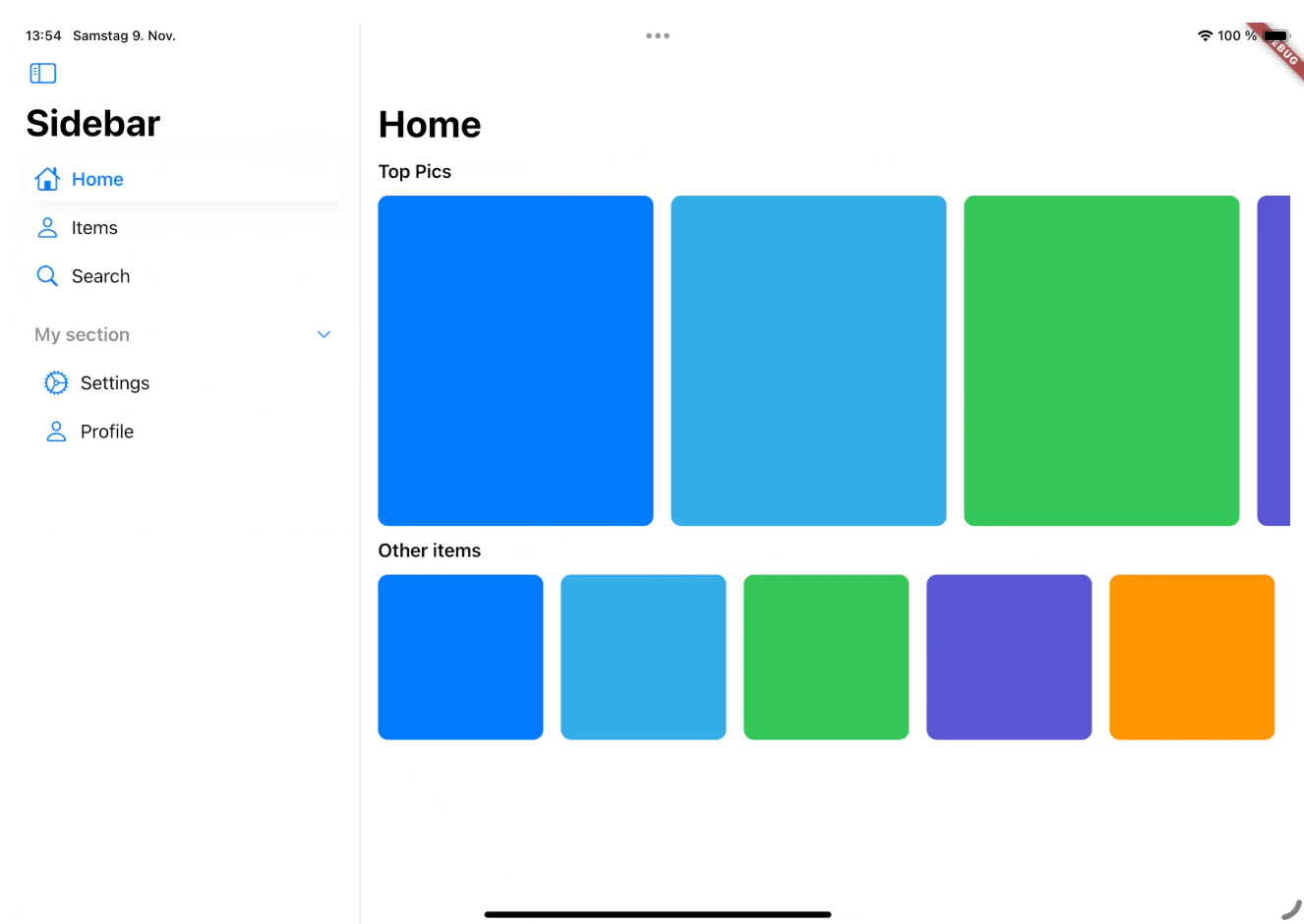
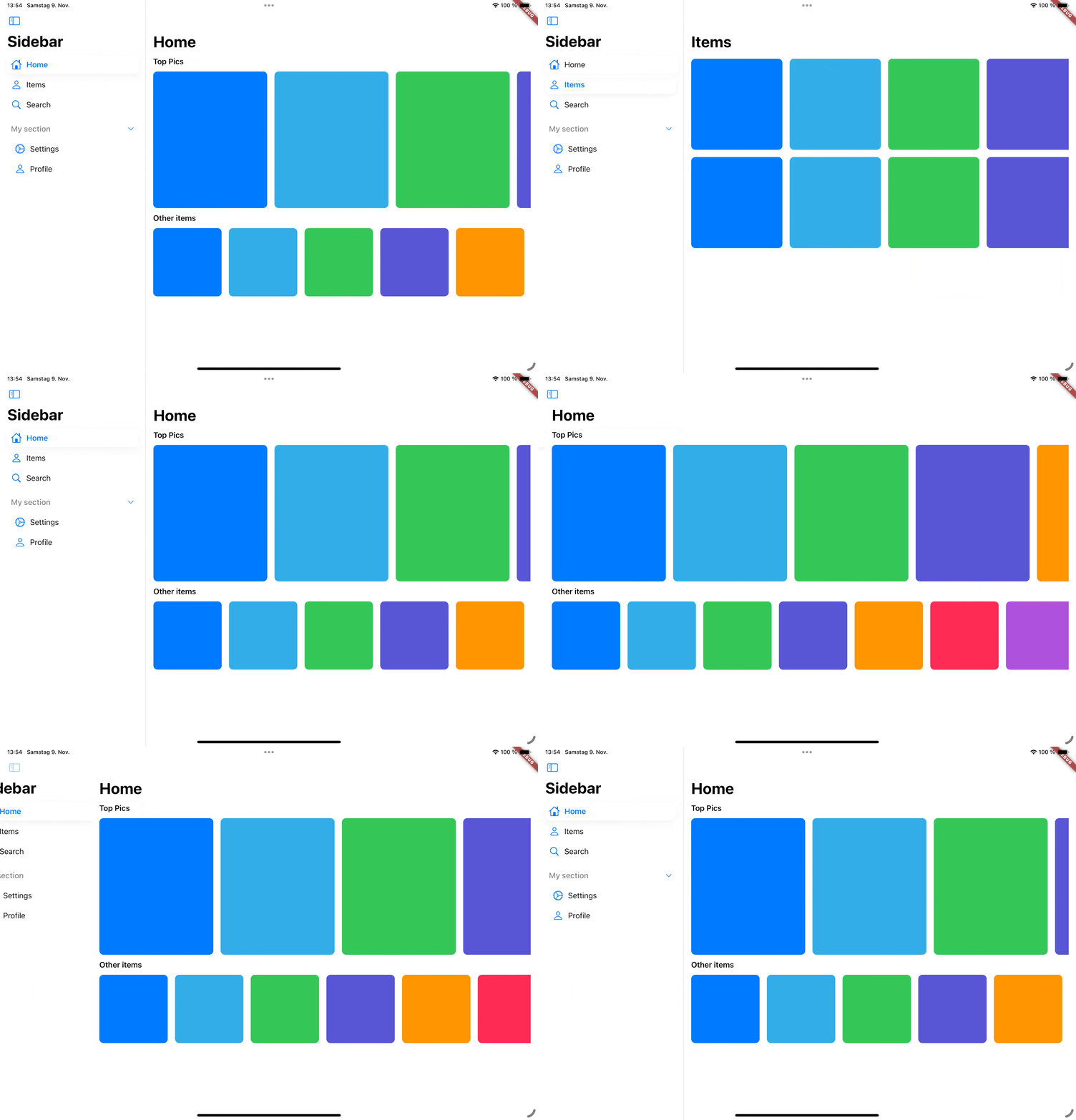
Cupertino Sidebar

Cupertino Sidebar

A iOS-style sidebar that can be used to navigate through your app.

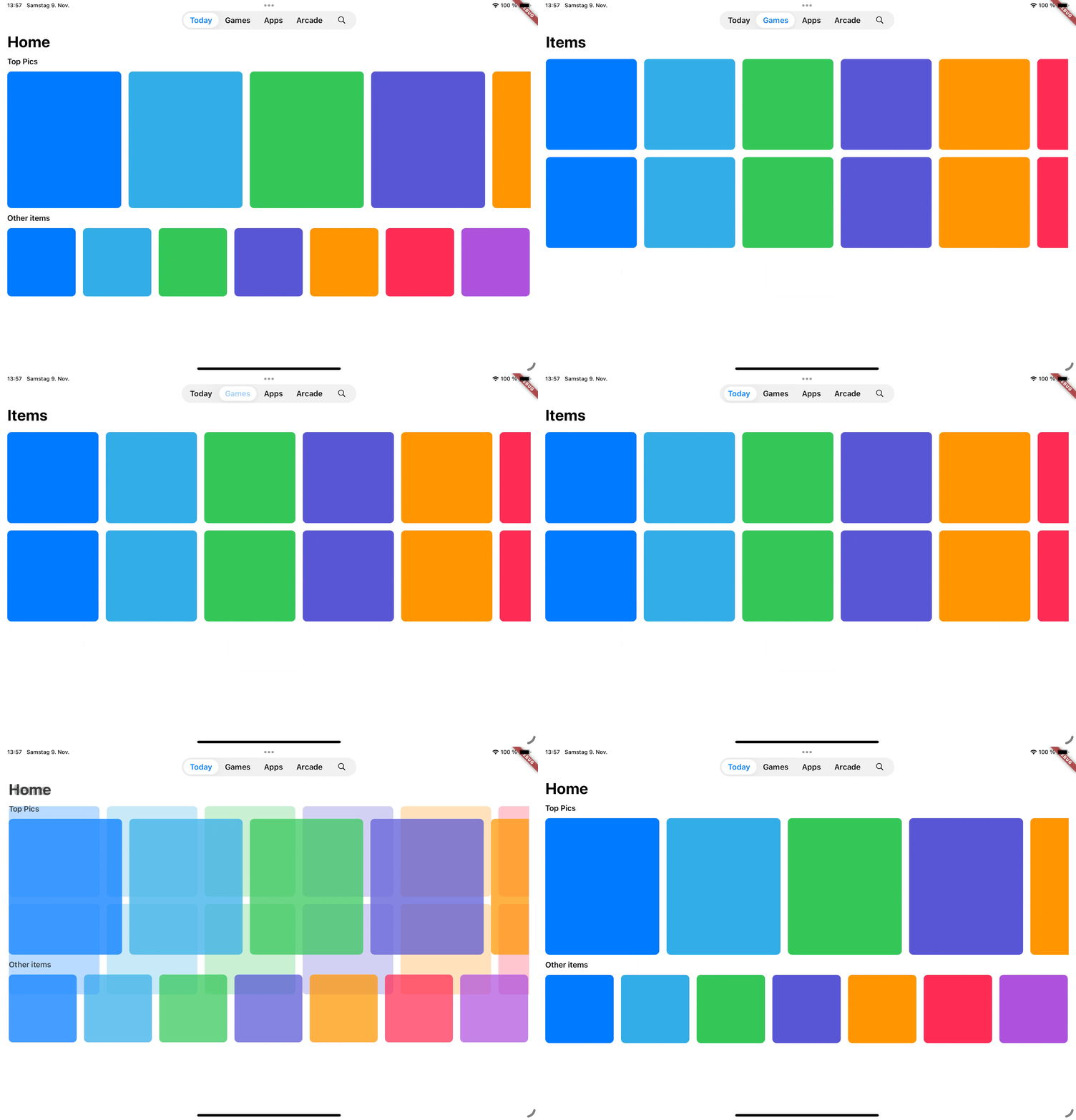
Cupertino Floating Tab Bar

Cupertino Floating Tab Bar

A iPadOS-style floating tab bar that can also be used to navigate through your app.

📖 Usage

Sidebar

The CupertinoSidebar works very similar to Flutter's NavigationDrawer. It accepts a list of destinations, a selected index, and a callback function triggered when a destination is tapped.

CupertinoSidebar(
  selectedIndex: _selectedIndex,
  onDestinationSelected: (value) {
    setState(() {
      // Update the selected index when a destination is selected.
      _selectedIndex = value;
    });
  },
  children: [
    // index 0
    SidebarDestination(
      icon: Icon(CupertinoIcons.home),
      label: Text('Home'),
    ),
    // index 1
    SidebarDestination(
      icon: Icon(CupertinoIcons.person),
      label: Text('Items'),
    ),
    // index 2
    SidebarDestination(
      icon: Icon(CupertinoIcons.search),
      label: Text('Search'),
    ),
  ],
);

CupertinoSidebar also supports expandable sections, allowing you to group destinations.

...
children: [
    ...
   SidebarSection(
      label: Text('My section'),
      children: [
        SidebarDestination(
          icon: Icon(CupertinoIcons.settings),
          label: Text('Settings'),
        ),
        ...
      ],
    ),
]

For a full example, see the Sidebar example.

Floating Tab Bar

The CupertinoFloatingTabBar is managed by a TabController, with options to add tabs and specify a callback function.

CupertinoFloatingTabBar(
  onDestinationSelected: (value) {},
  controller: _myTabController,
  tabs: const [
    CupertinoFloatingTab(
      child: Text('Today'),
    ),
    CupertinoFloatingTab(
      child: Text('Library'),
    ),
    CupertinoFloatingTab.icon(
      icon: Icon(CupertinoIcons.search),
    ),
  ],
)

For a full example, see the Tab Bar example.

Additional examples

📅 Roadmap

This package is actively being developed. Planned features include:

  • Tab bar to sidebar transition
  • Adaptive scaffold that switches between a sidebar and a floating tab bar and a bottom tab bar depending on the screen size.

🤝 Contributing

Contributions are welcome! Feel free to submit issues, ideas, or pull requests. Together, we can make cupertino_sidebar even better!

所属分类

源码仓库

使用此插件的项目

暂无相关数据。