搜索插件、代码仓与 APP 分类

customizable_space_bar 封面
插件详情v0.2.0

customizable_space_bar

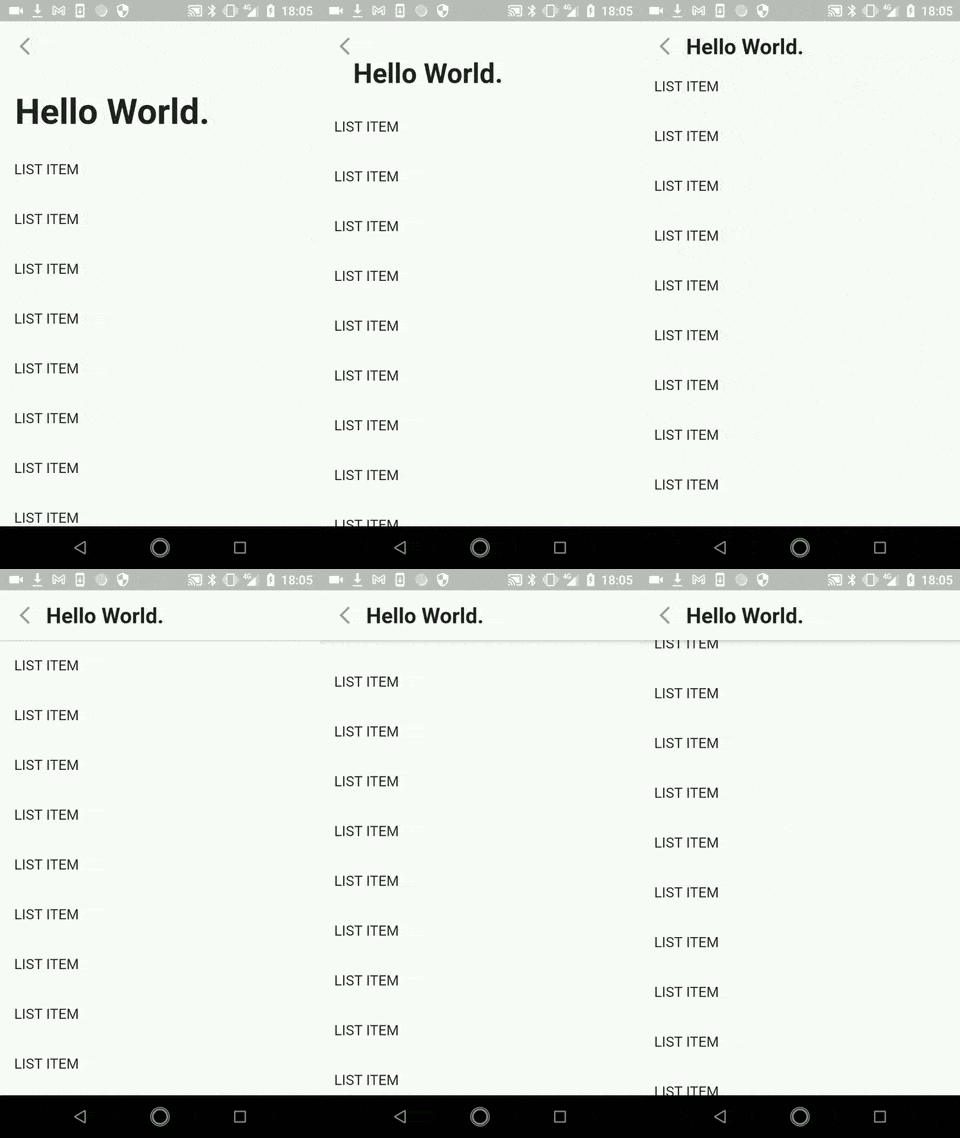
AppBar,随着滚动速度改变内容。可实现“大标题”效果。

AndroidiOSWebmacOSWindowsLinux
近 30 天下载
682
喜欢数
67
Pub 分数
140

安装插件

flutter pub add customizable_space_bar

插件介绍

基于插件公开信息、社区数据与项目使用情况整理的选型参考。

一个可自定义的 AppBar,可根据滚动速度动态调整其内容,从而实现“大标题”效果。非常适合创建沉浸式、响应式的应用界面,让用户在浏览内容时,应用栏会随之变化。该包支持多个平台,包括 Android、iOS、Web、macOS、Windows 和 Linux,跨设备提供一致的行为。它在展开和折叠状态之间提供流畅的过渡,通过微妙的视觉反馈提升用户体验。

适合场景

  • 在可滚动列表中实现大标题效果
  • 创建随滚动位置动态调整的应用栏
  • 增强移动和桌面应用中的用户界面沉浸感
  • 设计响应式导航标题
  • 构建自定义滚动驱动的过渡效果

主要特点

  • 基于滚动速度的内容变化
  • 支持大标题动画
  • 跨平台兼容性
  • 可自定义的外观和行为
  • 平滑状态转换
  • 与标准 ScrollViews 的集成

适合对象

  • 开发 Material Design 应用的开发者
  • 寻求滚动驱动交互的UI设计师
  • 需要动态标题行为的应用程序
  • 跨平台 Flutter 项目
  • 使用高级滚动模式的资深Flutter开发人员

使用建议

  • 需要与 ScrollView 或 CustomScrollView 集成
  • 可能需要额外的样式才能获得最佳视觉效果
  • 最适合内容密集且垂直滚动的屏幕
  • 性能影响取决于动画内容的复杂程度
  • 仅限应用栏特定用例,不适用于通用布局组件

原始 README

以下为关联源码仓库的 README 原文快照,最新内容请访问源码仓库。

customizable_space_bar

pub package License: MIT

AppBar which changes the content with scrolling rate. Enables to implement "Large Title"

13063567123474

Usage

This package is expected to be used with flexibleSpace: in SliverAppBar, which means you also need to use CustomScrollView.

    CustomScrollView(
        slivers: [
          SliverAppBar(
            pinned: true,
            leading: IconButton(icon: Icon(Icons.arrow_back_ios_sharp)),
            backgroundColor: Theme.of(context).scaffoldBackgroundColor,

            /// This is the part you use this package
            flexibleSpace: CustomizableSpaceBar(
              builder: (context, scrollingRate) {
                /// Example content
                return Padding(
                  padding: EdgeInsets.only(
                      bottom: 13, left: 12 + 40 * scrollingRate),
                  child: Align(
                    alignment: Alignment.bottomLeft,
                    child: Text(
                      "Hello World.",
                      style: TextStyle(
                          fontSize: 42 - 18 * scrollingRate,
                          fontWeight: FontWeight.bold),
                    ),
                  ),
                );
              },
            ),
            /// End of the part

            expandedHeight: 150,
          ),
          SliverList(
            delegate: SliverChildBuilderDelegate(
              (context, index) {
                return ListTile(
                  title: Text("LIST ITEM"),
                );
              },
            ),
          )
        ],
      ),

You can control the layout in the AppBar with scrollingRate.

When the shape is fully expanded, scrollingRate is 0.0. When the shape is collapsed to AppBar, it reaches to the limit 1.0.

13063658045969

If you have any requests or questions, please feel free to ask on github.

所属分类

源码仓库

使用此插件的项目

暂无相关数据。