A small command line utility to generate a class (UML or similar) diagram from a
Dart package.
Examples
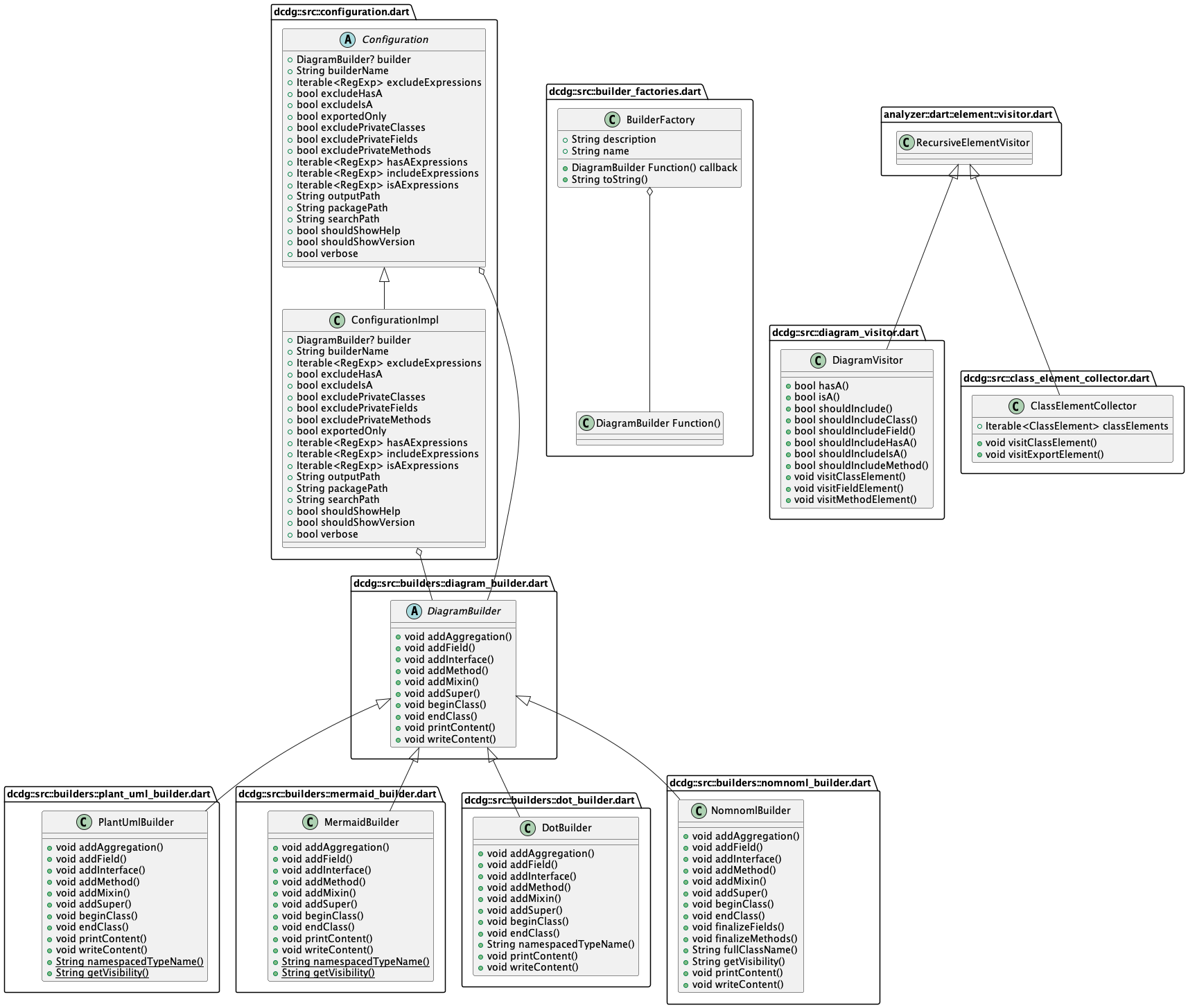
Below is a UML diagram of the dcdg source code, created with dcdg. You can find
the PlantUML source in the example/ directory.
Installation
Install from pub:
dart pub global activate dcdg
Install from clone:
dart pub global activate -s path .
Usage
From inside a Dart package directory:
dart pub global run dcdg
This will dump a PlantUML file to stdout. You can save it to a file
instead with the -o option.
If you'd like to create a Mermaid file instead, pass the -b option
with mermaid as its argument:
dart pub global run dcdg -b mermaid
See --help for more options, including ways to filter what ends up
in the output. You can find the help contents in USAGE.txt
as well.
Examples
There are test fixtures in test/fixtures/. Each Dart package in this
directory contains various (fake) classes. Try running DCDG against these
fixtures to familiarize yourself with how it works.
Contributing
Pull requests are welcome! It is intended to be reasonably straightforward to
add a new output format. Take a look at the DOT format implementation in
lib/src/builders for an example.
If you have found a bug or have a feature request please open an issue.
Development
Format code using the tool/format.sh script. It will have a non-zero exit code
if the formatting changed. That's fine, it does that so it can be used in CI.
Run the full test suite (including unit and functional tests) with
tool/check.sh.
If you change the user interface or add features you should run tool/docs.sh
to regenerate documentation and other resources. This script requires
PlantUML.