搜索插件、代码仓与 APP 分类

dotted_line 封面
插件详情v3.3.0

dotted_line

此包允许您在 Flutter 中绘制虚线。您可以绘制出漂亮的虚线。

AndroidiOSWebmacOSWindowsLinux
近 30 天下载
19.4万
喜欢数
328
Pub 分数
160

安装插件

flutter pub add dotted_line

插件介绍

基于插件公开信息、社区数据与项目使用情况整理的选型参考。

dotted_line 包使开发者能够轻松在 Flutter 应用中创建视觉上吸引人的虚线。它提供了一种简单且可自定义的方法,用于在各种 UI 元素上绘制虚线或点线,仅需少量代码即可增强界面设计。该包支持 Android、iOS、Web、macOS、Windows 和 Linux 等多个平台,适用于跨平台开发。通过直观的配置选项,非常适合在现代应用设计中添加分隔线、分隔符或装饰性元素。

适合场景

  • 在列表中创建视觉分隔符
  • 在表单中设计自定义分隔符
  • 通过装饰性线条元素增强用户界面
  • 使用虚线边框构建响应式布局
  • 在卡片组件中添加风格化点缀

主要特点

  • 与 Flutter 小部件的轻松集成
  • 可自定义的点大小和间距
  • 支持水平和垂直线条
  • 跨平台兼容性
  • 轻量且高效
  • 可配置的描边颜色和宽度

适合对象

  • 寻求装饰性元素的UI设计师
  • 开发干净、现代界面的开发者
  • 需要一致视觉样式的项目
  • 需要微妙图形点缀的应用程序
  • 跨平台 Flutter 应用程序

使用建议

  • 仅限基于行的装饰
  • 不支持动画点
  • 在复杂布局中需要手动处理对齐
  • 不适合高性能绘图场景
  • 依赖Flutter的渲染管道以实现流畅显示

原始 README

以下为关联源码仓库的 README 原文快照,最新内容请访问源码仓库。

logo.png


About

This package allows you to draw dotted lines with Flutter.

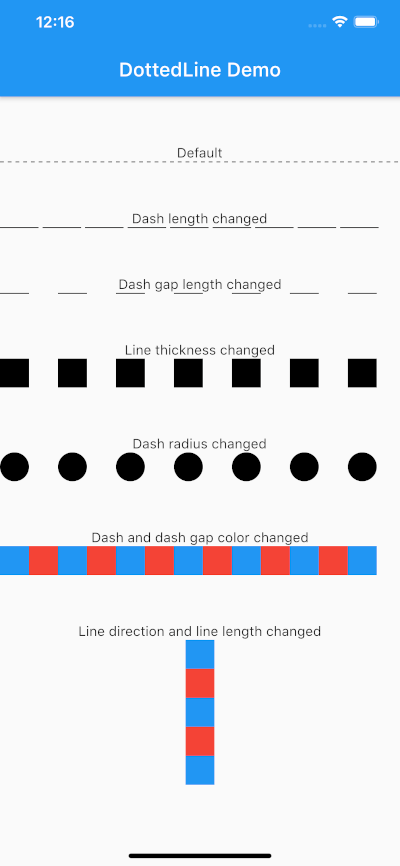
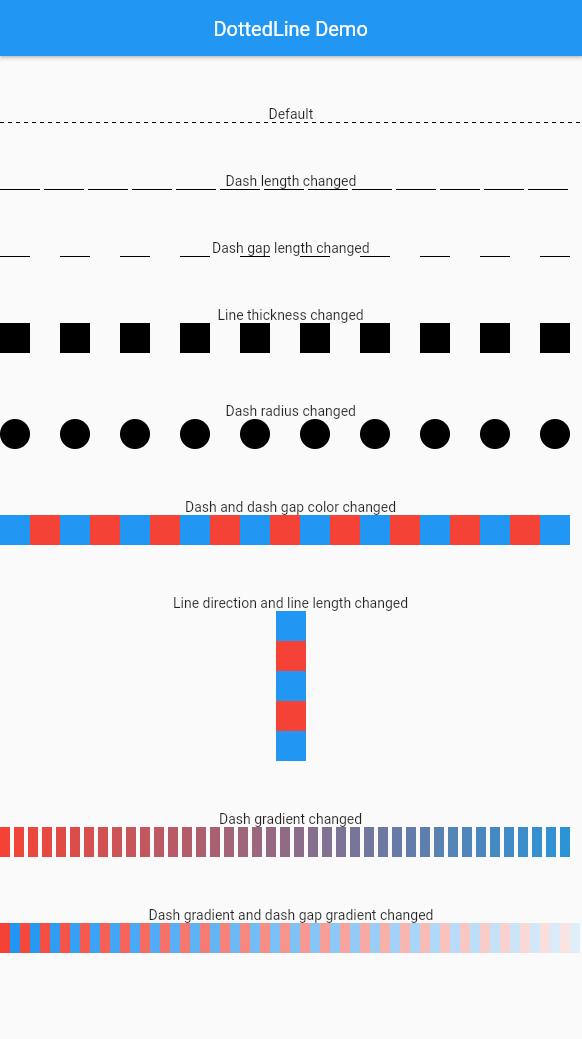
screenshot.png

Usage

Parameter Default Description
direction Axis.horizontal The direction of the entire dotted line.
alignment WrapAlignment.center The alignment of the entire dotted line.
lineLength double.infinity The length of the entire dotted line.
lineThickness 1.0 The thickness of the entire dotted line.
dashLength 4.0 The length of the dash.
dashColor Colors.black The color of the dash.
dashGradient null The gradient colors of the dash.
dashRadius 0.0 The radius of the dash.
dashGapLength 4.0 The length of the dash gap.
dashGapColor Colors.transparent The color of the dash gap.
dashGapGradient null The gradient colors of the dash gap.
dashGapRadius 0.0 The radius of the dash gap.
addRepaintBoundary false Whether to wrap the dotted line with a RepaintBoundary.

This can be used without parameters.

import 'package:dotted_line/dotted_line.dart';

DottedLine()

You can also customize by specifying parameters.

import 'package:dotted_line/dotted_line.dart';

DottedLine(
  direction: Axis.horizontal,
  alignment: WrapAlignment.center,
  lineLength: double.infinity,
  lineThickness: 1.0,
  dashLength: 4.0,
  dashColor: Colors.black,
  dashGradient: [Colors.red, Colors.blue],
  dashRadius: 0.0,
  dashGapLength: 4.0,
  dashGapColor: Colors.transparent,
  dashGapGradient: [Colors.red, Colors.blue],
  dashGapRadius: 0.0,
  addRepaintBoundary: true,
)

Performance Optimization

If your DottedLine is placed inside a widget that rebuilds frequently, you might experience performance issues (dropped frames) because the dashes and gaps are constantly repainted.

In such cases, setting addRepaintBoundary: true can improve performance by wrapping the DottedLine in a RepaintBoundary, isolating its paint step.

Note: The default is false to prevent unexpected memory overhead. Keep it false if you are displaying hundreds of dotted lines (e.g., in a large list) to avoid excessive memory usage.

Example

The sample code can be found under the example package. You can try changing all parameters.

所属分类

源码仓库

使用此插件的项目