搜索插件、代码仓与 APP 分类

drag_select_grid_view 封面
插件详情v0.7.7

drag_select_grid_view

支持通过拖动和点击来选择其项的网格。

AndroidiOSWebmacOSWindowsLinux
近 30 天下载
1590
喜欢数
171
Pub 分数
160

安装插件

flutter pub add drag_select_grid_view

插件介绍

基于插件公开信息、社区数据与项目使用情况整理的选型参考。

一个 Flutter 包,提供网格布局,允许用户通过点击和拖拽手势选择项目。它通过支持跨多个网格单元的连续选择来增强用户交互,非常适合需要批量操作或视觉内容整理的应用程序。该包支持所有主要平台,包括 Android、iOS、Web、macOS、Windows 和 Linux,确保跨平台一致性。该包注重性能和易用性,可无缝集成到现有的 Flutter 项目中。

适合场景

  • 批量选择照片画廊中的项目
  • 交互式任务管理界面
  • 内容整理工具
  • 电商应用中的多选功能
  • 用户驱动的数据过滤
  • 在生产力应用中拖拽选择

主要特点

  • 支持点击和拖拽选择
  • 跨平台兼容性
  • 可自定义的选择行为
  • 大型数据集的高效渲染
  • 内置手势处理
  • 与现有网格的轻松集成

适合对象

  • 开发交互式网格界面的开发者
  • 需要多项目选择的应用程序
  • 针对多个平台的项目
  • 专注于直观用户交互的设计人员
  • 注重流畅手势响应的团队

使用建议

  • 可能需要额外的状态管理来处理复杂的选中逻辑
  • 如果未优化,大型网格会带来性能影响
  • 内置样式选项有限,仅限基本选择指示器
  • 不适用于仅单个项选择的使用场景

原始 README

以下为关联源码仓库的 README 原文快照,最新内容请访问源码仓库。

drag_select_grid_view

Pub package CI workflow Awesome

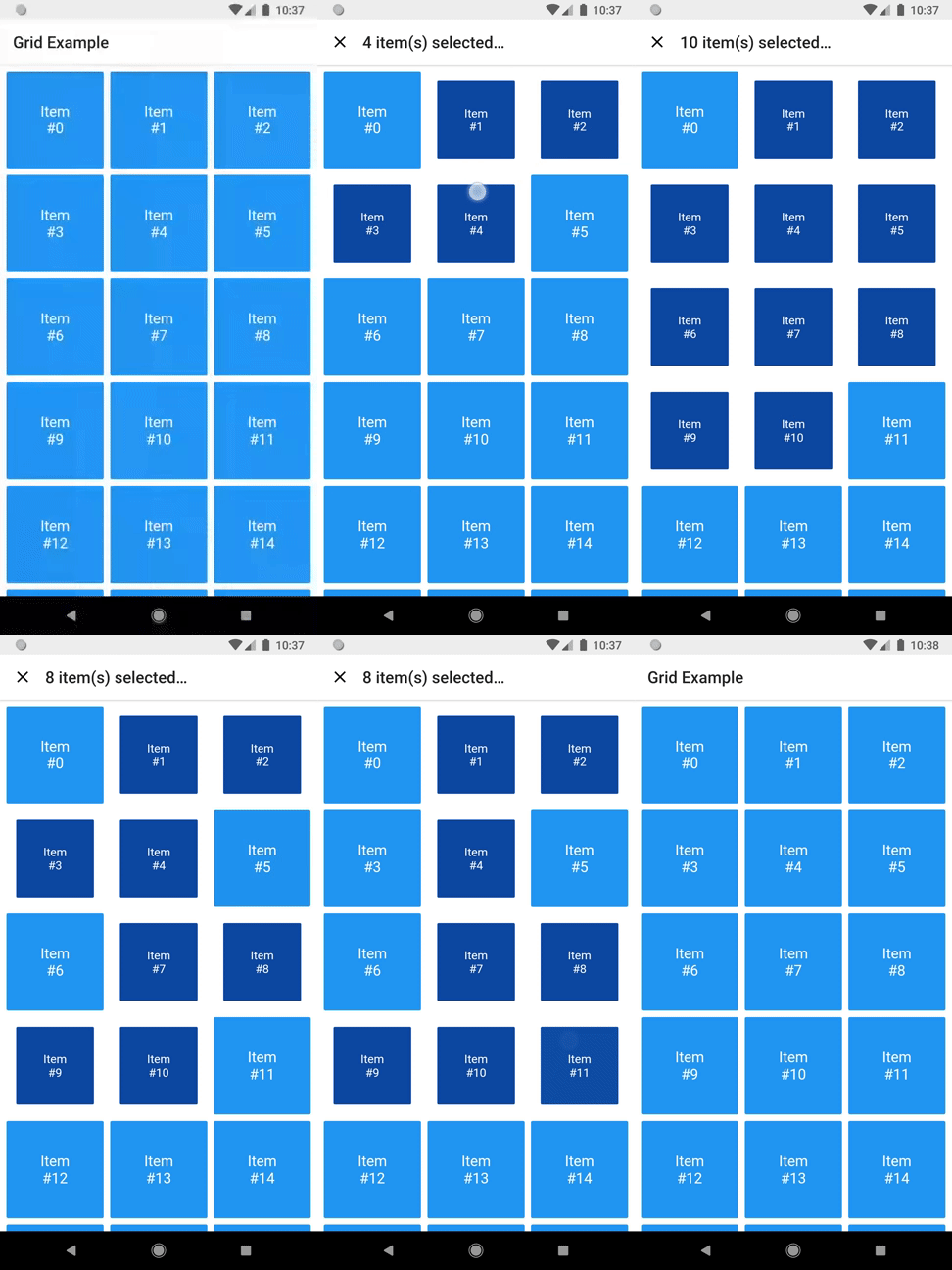
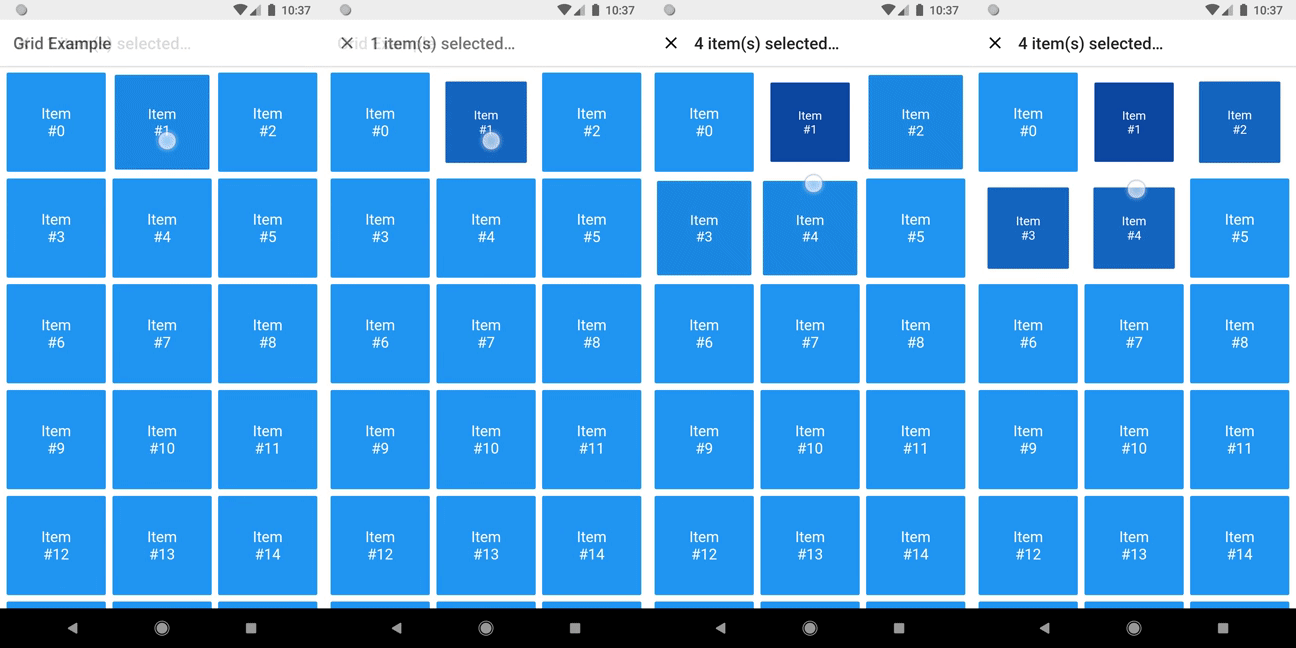
A grid that supports both dragging and tapping to select its items.

Selecting

Basic usage

DragSelectGridView constructor is very similar to GridView.builder, so you should take your time to understand the latter before diving into this library.

Once you are familiar with GridView.builder, probably the only additional piece of information you'll need is DragSelectGridViewController. With it, you're able to know which indexes are selected.

Check this example:

class MyApp extends StatefulWidget {
  const MyApp({super.key});

  @override
  State<MyApp> createState() => _MyAppState();
}

class _MyAppState extends State<MyApp> {
  final controller = DragSelectGridViewController();

  @override
  void initState() {
    super.initState();
    controller.addListener(scheduleRebuild);
  }

  @override
  void dispose() {
    controller.removeListener(scheduleRebuild);
    super.dispose();
  }

  @override
  Widget build(BuildContext context) {
    return Scaffold(
      appBar: SelectionAppBar(
        selection: controller.value,
      ),
      body: DragSelectGridView(
        gridController: controller,
        itemCount: 20,
        itemBuilder: (context, index, selected) {
          return SelectableItem(
            index: index,
            selected: selected,
          );
        },
        gridDelegate: const SliverGridDelegateWithMaxCrossAxisExtent(
          maxCrossAxisExtent: 80,
        ),
      ),
    );
  }

  void scheduleRebuild() => setState(() {});
}

As you may have noticed in the code above, DragSelectGridView must be used along two other widgets in order to provide a proper user experience. In the example, they are:

  • SelectableItem: A selectable widget, which is going to visually indicate whether the item is selected or not.

  • SelectionAppBar: A custom AppBar, which shows the amount of selected items and an option to unselect them.

The example project provides some samples of those widgets. I won't add them to the library, since they are unrelated to the grid itself, but feel free to copy them into your project, as long as you respect the license terms.

Advanced usage

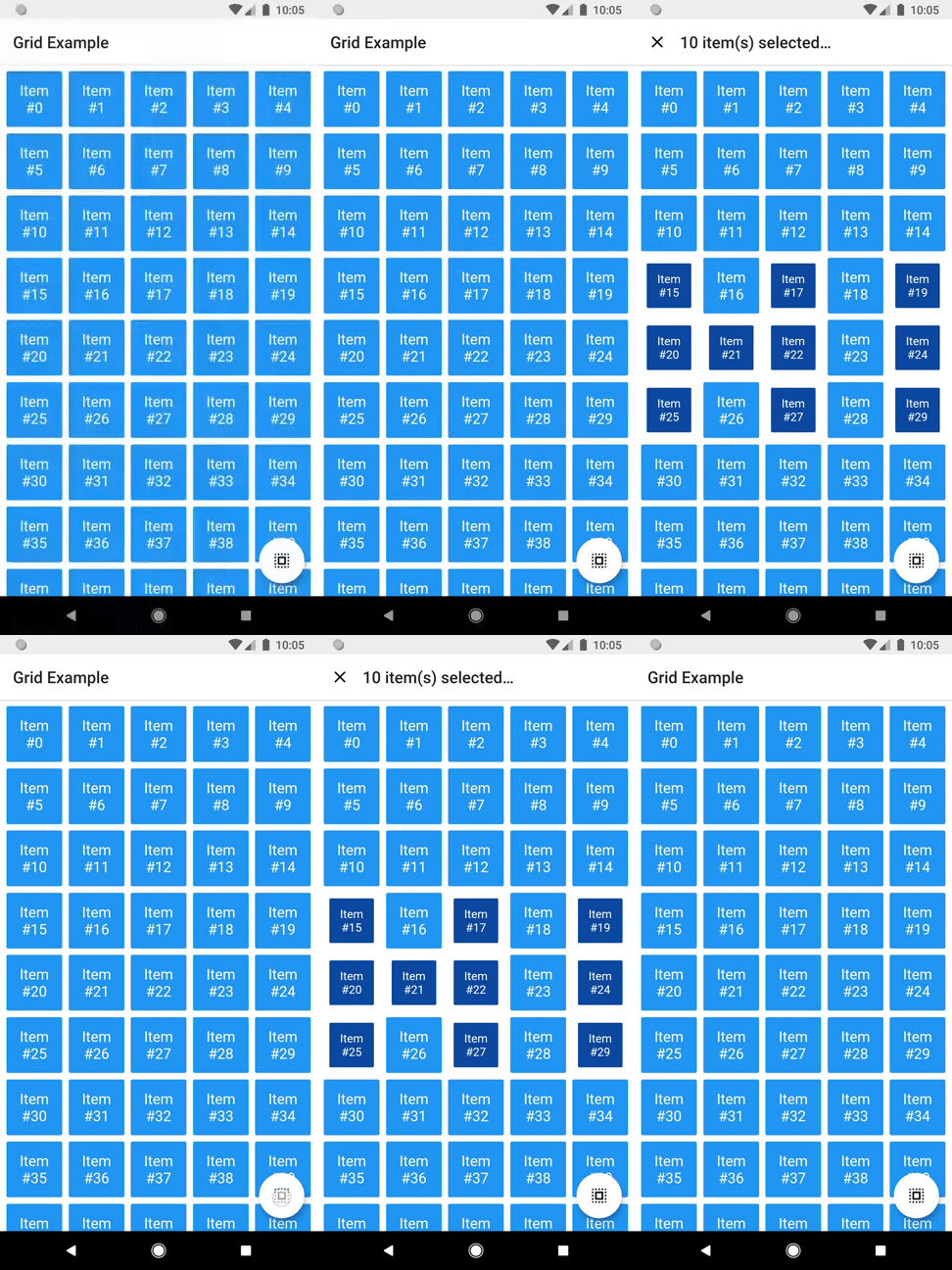
You can use the setter DragSelectGridViewController.value to directly change the selection (I'm not quite sure why you'd need this, but I don't ask questions).

It allows this sort of interaction:

Directly changing selection

You can check the code here.

There are some other minor settings you can do to make DragSelectGridView fit your needs, like DragSelectGridView.autoScrollHotspotHeight. Those features are well documented, so I'll let you take your discovery time.

Hopefully, this is everything you need to know to use this library.

Running the example

cd example
flutter create .
flutter run

Thanks ❤️

Once upon a time I asked at Flutter Study Group how to implement a specific feature that I intended to add to this library. Simon Lightfoot offered to help me and effortlessly implemented what eventually became part of this library (check this gist). A big thanks to him.

I took a lot of inspiration from Aidan Follestad's Android implementation, drag-select-recyclerview. Also a big thanks to him.

所属分类

依赖

依赖清单 1 项

源码仓库

使用此插件的项目