搜索插件、代码仓与 APP 分类

插件详情v2.0.0

enhanced_future_builder

提高可读性并解决 FutureBuilder 常见的重复触发问题的包装器

AndroidiOSWebmacOSWindowsLinux
近 30 天下载
1050
喜欢数
29
Pub 分数
140

安装插件

flutter pub add enhanced_future_builder

插件介绍

基于插件公开信息、社区数据与项目使用情况整理的选型参考。

EnhancedFutureBuilder 是一个 Flutter 包,通过提升代码可读性并消除未来完成时不必要的重建问题,增强了标准的 FutureBuilder。它提供了一种更简洁、更直观的异步数据处理 API,减少了样板代码并防止了意外的组件重建。作为 Future 的扩展构建,它可无缝集成到现有的 Flutter 项目中。该包支持所有主要平台,包括 Android、iOS、Web、macOS、Windows 和 Linux。

适合场景

  • 使用异步数据处理以减少重建
  • 改进状态管理中的代码清晰度
  • 简化基于未来的UI更新
  • 替换冗长的 FutureBuilder 模式
  • 简化加载/错误/加载状态

主要特点

  • 防止未来完成后的意外重建
  • 更简洁、更易读的语法
  • 内置的加载、错误和数据状态支持
  • 扩展 Future 以实现直观的使用
  • 跨平台兼容性

适合对象

  • 寻求更简单异步 UI 处理的开发者
  • 旨在减少 widget 重建的项目
  • 注重代码可维护性的团队
  • Flutter 初学者学习异步模式
  • 频繁异步数据获取的应用程序

使用建议

  • 需要 Dart 2.12 或更高版本
  • 可能需要重构现有的 FutureBuilder 代码
  • 仅限用于基于 Future 的操作
  • 不适用于复杂的流场景
  • 依赖于正确的未来生命周期管理

原始 README

以下为关联源码仓库的 README 原文快照,最新内容请访问源码仓库。

This library is no longer maintained. Use at your own discretion.

enhanced_future_builder

Small FutureBuilder wrapper to improve readabiltity. It can also be used as an easy solution to the common 'my FutureBuilder keeps refiring' problem (more info about that here).

Actions Status codecov

Stop FutureBuilder from refiring

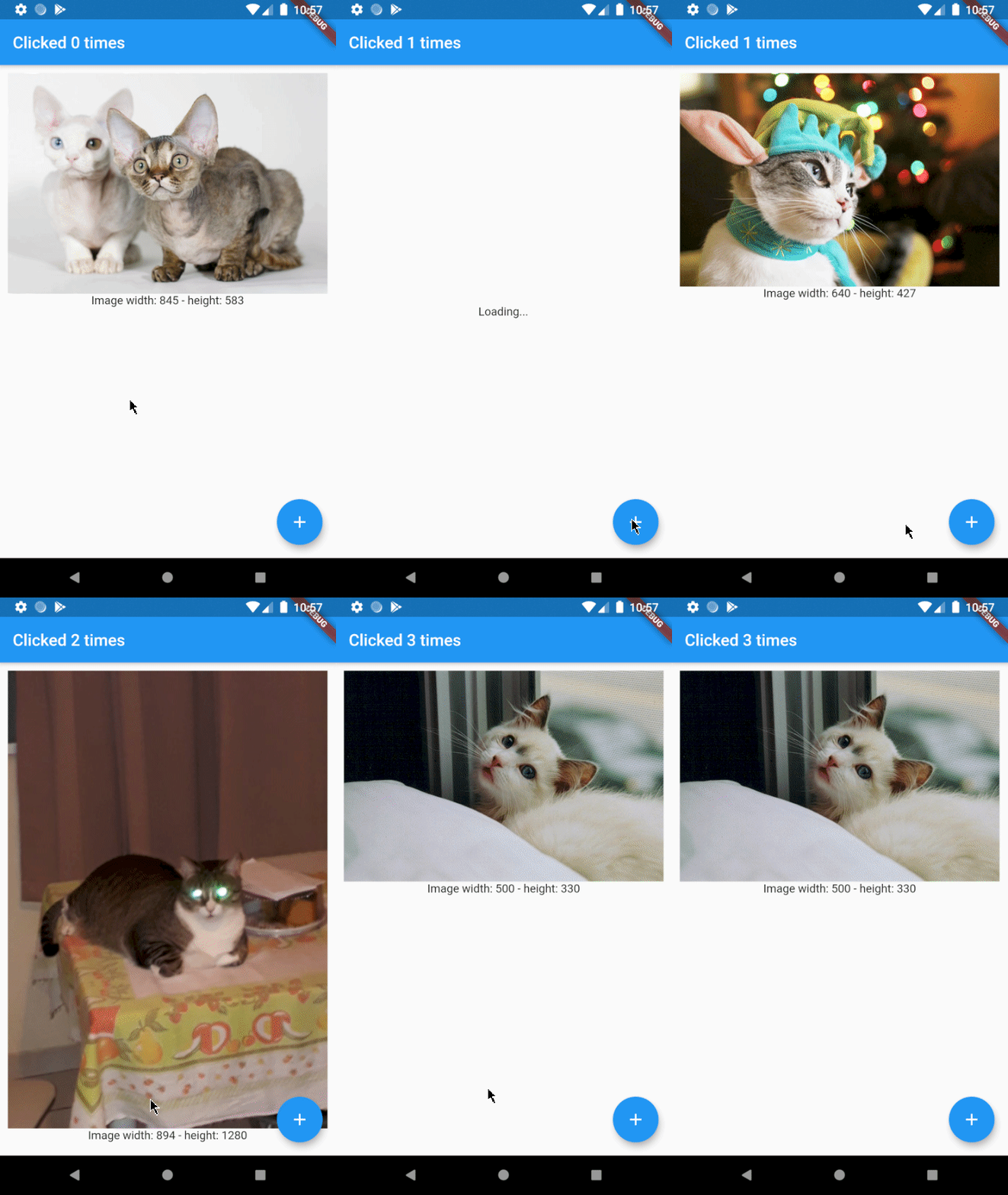
Let's say you want to build an app that displays a random cat from the internet at launch and then increases a counter whenever a button is clicked. You came up with the following code:

@override
Widget build(BuildContext context) {
  return Scaffold(
    appBar: AppBar(
      title: Text('Clicked $_counter times')
    ),
    body: FutureBuilder(
      // resolves to cat data from the internet
      future: widget._api.getRandomCat(),
      builder: (context, snapshot) {
        if (snapshot.connectionState == ConnectionState.done) {
          // builds an image widget containing a random cat
          return _showCatWidget(snapshot.data);
        }else {
          return Center(child: Text('Loading...'));
        }
      }
    ),
    floatingActionButton: FloatingActionButton(
      // _incrementCounter calls setState() to update the view
      onPressed: _incrementCounter,
      tooltip: 'Increment',
      child: Icon(Icons.add),
    ),
  );
}

Which results in the following app:

I love cats

As you can see there's a problem. Whenever the button is clicked, a new cat is shown to the user. This is not what we want and can be solved by using EnhancedFutureBuilder. Import the package and change the code to:

@override
Widget build(BuildContext context) {
  return Scaffold(
    appBar: AppBar(
      title: Text('Clicked $_counter times')
    ),
    body: EnhancedFutureBuilder(
      future: widget._api.getRandomCat(),
      // this is where the magic happens
      rememberFutureResult: true,
      whenDone: (dynamic cat) => _showCatWidget(cat),
      whenNotDone: Center(child: Text('Loading...')),
    ),
    floatingActionButton: FloatingActionButton(
      onPressed: _incrementCounter,
      tooltip: 'Increment',
      child: Icon(Icons.add),
    ),
  );
}

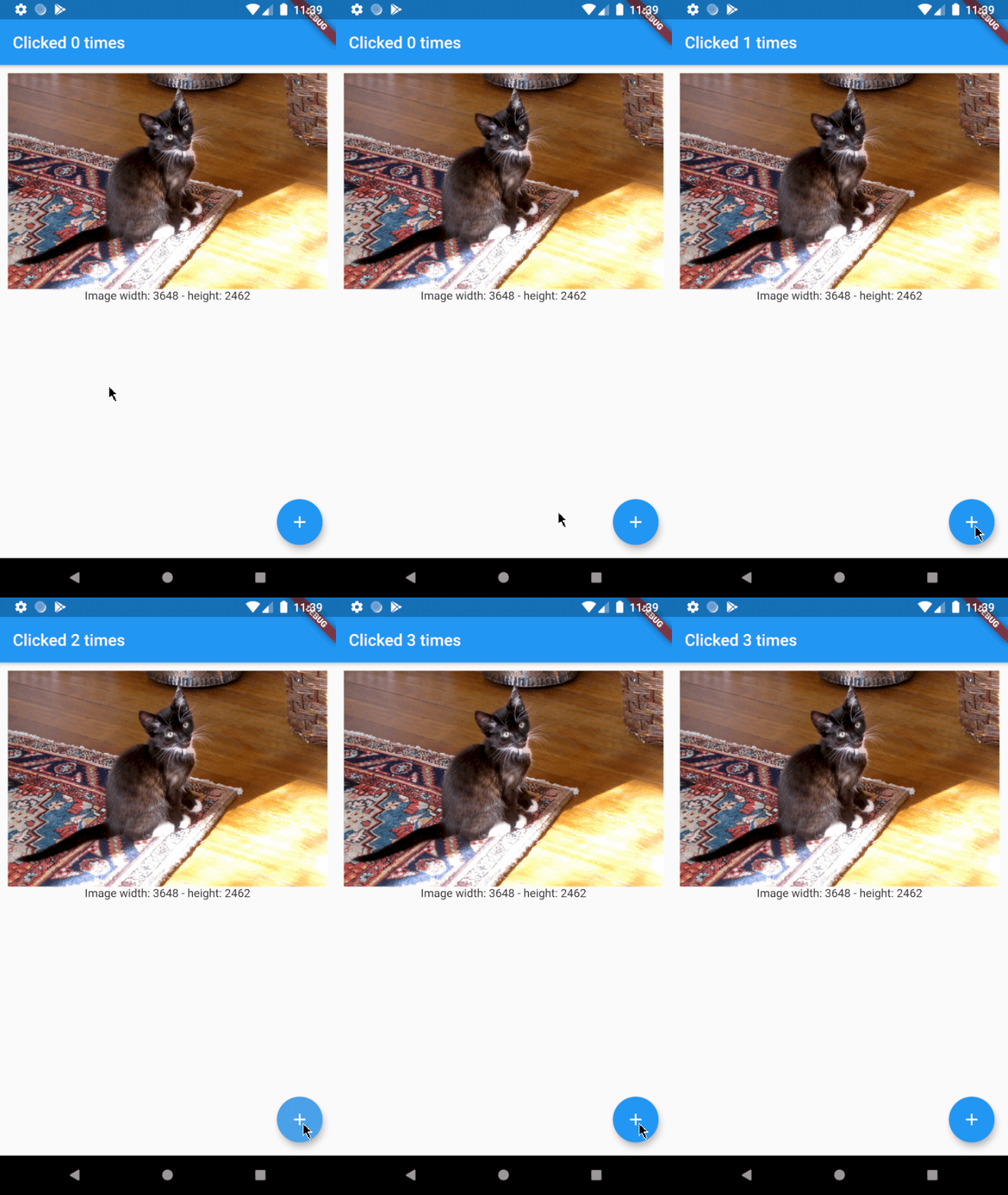
As you can see the code is a little easier to read now and the result will be just how we want it to be:

yeah cats are great

Usage

Ironically, EnhancedFutureBuilder doesn't require a builder anymore.

FutureBuilder:

FutureBuilder(
  future: _futureToResolve(),
  builder: (context, snapshot) {
    if (snapshot.connectionState == ConnectionState.done) {
      return MyWidget(snapshot.data);
    }else if (snapshot.connectionState == ConnectionState.waiting){
      return Center(child: Text('Waiting...'));
    }
    }else if (snapshot.connectionState == ConnectionState.active){
      return Center(child: Text('Active...'));
    }
    // ...
  }
}

EnhancedFutureBuilder:

EnhancedFutureBuilder(
  future: _futureToResolve(),
  rememberFutureResult: false,
  whenDone: (dynamic data) => MyWidget(data),
  whenWaiting: Center(child: Text('Waiting...')),
  whenActive: Center(child: Text('Active...')),
  // whenNone: ...
),

所属分类

源码仓库

使用此插件的项目

暂无相关数据。