搜索插件、代码仓与 APP 分类

fab_circular_menu_plus 封面
插件详情v0.0.4

fab_circular_menu_plus

一个用于使用浮动操作按钮创建精美圆形菜单的 Flutter 包。

AndroidiOSWebmacOSWindowsLinux
近 30 天下载
571
喜欢数
56
Pub 分数
160

安装插件

flutter pub add fab_circular_menu_plus

插件介绍

基于插件公开信息、社区数据与项目使用情况整理的选型参考。

一个 Flutter 包,可实现以浮动操作按钮(FAB)为中心的优雅圆形菜单。它提供流畅的动画和可自定义的菜单项选项,非常适合增强移动和网页应用中的用户交互体验。该包支持 Android、iOS、Web、macOS、Windows 和 Linux 多个平台,确保在不同设备上行为一致。通过直观的配置和响应式设计,简化了基于 FAB 的交互导航实现。

适合场景

  • 在移动应用中添加交互式浮动操作按钮菜单
  • 通过动画圆形操作面板增强用户界面
  • 创建上下文相关的快速操作界面
  • 在网页应用中实现手势驱动的导航
  • 设计可访问的触控友好控件

主要特点

  • 菜单展开的平滑圆形动画
  • 可自定义的菜单项布局和样式
  • 对多个平台目标的支持
  • 与现有 FAB 组件轻松集成
  • 可配置的触发手势和时间

适合对象

  • 开发功能丰富的移动UI的开发者
  • 寻求动态 FAB 交互的设计人员
  • 针对跨平台一致性的团队
  • 需要直观手势导航的应用程序
  • 强调视觉美感和用户参与度的项目

使用建议

  • 在低端设备上可能需要性能调优
  • 对复杂菜单行为的自定义功能有限
  • 依赖于 Flutter 手势系统的稳定性
  • 不适合密集的菜单结构
  • 最适合中等数量的菜单项(4-8 个)

原始 README

以下为关联源码仓库的 README 原文快照,最新内容请访问源码仓库。

FAB Circular Menu

Pub package License Null safety Platform

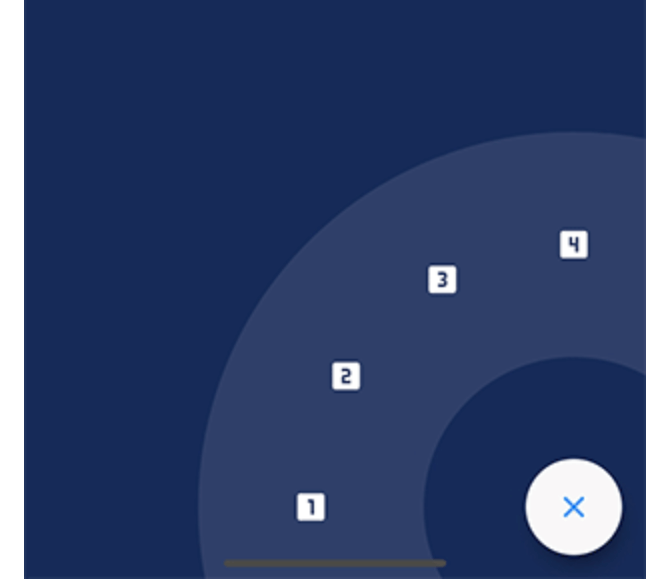
A Flutter package to create a nice circular menu using a Floating Action Button.

Originally inspired by Mayur Kshirsagar's great FAB Microinteraction design. It is implemented as a Flutter plugin by Mariano Cordova (source code). This plugin is the continuation of the discontinued original plugin. I merged some of my bug fixes and made some changes to my liking.

I forked this plugin out of necessity and I have only a very limited time for maintenance, so PRs are highly welcome if any change is desired.

Showcase

Installation

Just add fab_circular_menu_plus to your pubspec.yml file

dependencies:
  fab_circular_menu_plus: ^0.0.1

Example

class MyApp extends StatelessWidget {
  @override
  Widget build(BuildContext context) {
    return MaterialApp(
      home: Scaffold(
        body: Placeholder(),
        floatingActionButton: FabCircularMenuPlus(
          children: <Widget>[
            IconButton(icon: Icon(Icons.home), onPressed: () {
              print('Home');
            }),
            IconButton(icon: Icon(Icons.favorite), onPressed: () {
              print('Favorite');
            })
          ]
        )
      )
    );
  }
}

You can check for a more complete example in the example directory.

Customize

You can customize the widget appearance using the following properties:

Property Description Default
alignment Sets the widget alignment Alignment.bottomRight
ringColor Sets the ring color accentColor
ringDiameterLimitFactor Sets the ring diameter limit factor 1.5
ringDiameter Sets the ring diameter screenWidth * ringDiameterLimitFactor (portrait)
screenHeight * ringDiameterLimitFactor (landscape)
ringWidthLimitFactor Sets the ring width limit factor 0.2
ringWidth Sets the ring width ringDiameter * ringWidthLimitFactor
fabSize Sets the FAB size 64.0
fabElevation Sets the elevation for the FAB 8.0
fabColor Sets the FAB color primaryColor
fabOpenColor Sets the FAB color while the menu is open. This property takes precedence over fabColor -
fabCloseColor Sets the FAB color while the menu is closed. This property takes precedence over fabColor -
fabChild Sets the child inside the FAB. This property takes precedence over fabOpenicon and fabCloseIcon -
fabOpenIcon Sets the FAB icon while the menu is open Icon(Icons.menu)
fabCloseIcon Sets the FAB icon while the menu is closed Icon(Icons.close)
fabMargin Sets the widget margin EdgeInsets.all(16.0)
animationDuration Changes the animation duration Duration(milliseconds: 800)
animationCurve Allows you to modify the animation curve Curves.easeInOutCirc
onDisplayChange This callback is called every time the menu is opened or closed, passing the current state as a parameter. -

Handling the menu programmatically

It is possible to handle the menu programmatically by using a key. Just create a key and set it in the key property of the FabCircularMenuPlus, then use the key to get the current state and open, close or check the status of the menu.

class MyApp extends StatelessWidget {
  final GlobalKey<FabCircularMenuPlusState> fabKey = GlobalKey();

  @override
  Widget build(BuildContext context) {
    return MaterialApp(
      home: Scaffold(
        body: RaisedButton(
          onPressed: () {
            if (fabKey.currentState.isOpen) {
              fabKey.currentState.close();
            } else {
              fabKey.currentState.open();
            }
          },
          child: Text('Toggle menu')
        ),
        floatingActionButton: FabCircularMenuPlus(
          key: fabKey,
          children: <Widget>[
            // ...
          ]
        )
      )
    );
  }
}

Contributing

I will be very happy if you contribute to this project, feel free to submit a PR.

所属分类

依赖

依赖清单 1 项

源码仓库

使用此插件的项目