搜索插件、代码仓与 APP 分类

插件详情v2.2.0

file_picker_writable

Flutter 插件,允许用户打开可读取的文件/文档,并在稍后时间写回,以及在外部媒体上创建新文件。

AndroidiOSmacOS
近 30 天下载
252
喜欢数
14
Pub 分数
160

安装插件

flutter pub add file_picker_writable

插件介绍

基于插件公开信息、社区数据与项目使用情况整理的选型参考。

一个 Flutter 插件,可在 Android、iOS 和 macOS 上启用用户打开、读取和写入外部存储中的文件。它支持现有的文件操作以及创建新文件,非常适合需要持久化文件处理的应用程序。该插件扩展了标准的文件选择功能,增加了写入能力,确保修改后的数据可以保存回去。专为与原生文件系统无缝集成而设计,提供跨平台的一致体验。

适合场景

  • 离线编辑文档
  • 保存用户生成的内容
  • 在应用程序中管理项目文件
  • 从应用程序导出数据到设备
  • 存储配置文件
  • 在创意应用中处理媒体文件

主要特点

  • 读取和写入文件访问
  • 在外部存储上创建新文件
  • 跨平台支持(Android、iOS、macOS)
  • 安全的文件处理
  • 与原生文件选择器集成
  • 持久化文件存储

适合对象

  • 生产力应用
  • 文档编辑器
  • 媒体管理工具
  • 数据导出/导入功能
  • 创意应用
  • 基于文件的配置系统

使用建议

  • 需要适当的平台权限
  • 可能需要运行时权限请求
  • 文件路径是平台相关的
  • 仅限外部存储访问
  • 不适用于内部应用数据
  • 用户必须授予文件系统访问权限

原始 README

以下为关联源码仓库的 README 原文快照,最新内容请访问源码仓库。

Pub Version

file_picker_writable

Flutter plugin to choose files which can be read, referenced and written back at a later time (persistent permissions on android, secure bookmarks on iOS).

It also offers handlers for open intents when the user wants to open associated files from other apps. In the same way it will also handle arbitrary URLs and pass them back to dart.

Requirements

iOS

  • iOS 8 + Swift 5
  • Only tested on iOS 13+, so let me know ;-)
Support for file handlers
  1. Configure an OTI Type: https://developer.apple.com/library/archive/qa/qa1587/_index.html
  2. Add to plist file:
     <key>UISupportsDocumentBrowser</key>
     <false/>
     <key>LSSupportsOpeningDocumentsInPlace</key>
     <true/>
    

Android

Support for file handlers
AndroidManifest.xlm
            <intent-filter>
                <action android:name="android.intent.action.VIEW"  />
                <category android:name="android.intent.category.DEFAULT" />
                <category android:name="android.intent.category.BROWSABLE" />
                <data android:scheme="file" />
                <data android:scheme="content" />
                <data android:host="*"  />
                <data android:mimeType="*/*" />
                <!-- https://stackoverflow.com/a/52384331/109219 ?? -->
                <data android:pathPattern=".*\\.codeux" />
                <data android:pathPattern=".*\\..*\\.codeux" />
                <data android:pathPattern=".*\\..*\\..*\\.codeux" />
                <data android:pathPattern=".*\\..*\\..*\\..*\\.codeux" />
                <data android:pathPattern=".*\\..*\\..*\\..*\\..*\\.codeux" />
                <data android:pathPattern=".*\\..*\\..*\\..*\\.*\\..*\\.codeux" />
            </intent-filter>

MacOS

Is currently not supported. The only thing the plugin will do is listen for URL Events and pass them through to the dart side.

Getting Started

See the example on how to implement it in a simple application.

Future<void> readFile() async {
  final fileInfo = await FilePickerWritable().openFile((fileInfo, file) async {
    _logger.fine('Got picker result: $fileInfo');

    // now do something useful with the selected file...
    _logger.info('Got file contents in temporary file: $file');
    _logger.info('fileName: ${fileInfo.fileName}');
    _logger.info('Identifier which can be persisted for later retrieval:'
        '${fileInfo.identifier}');
    return fileInfo;
  });
  if (fileInfo == null) {
    _logger.info('User canceled.');
    return;
  }
}

The returned fileInfo.identifier can be used later to write or read from the data, even after an app restart.

Future<void> persistChanges(FileInfo fileInfo, Uint8List newContent) async {
  // tell FilePickerWritable plugin to write the new contents over the user selected file
  await FilePickerWritable().writeFile(
      identifier: fileInfo.identifier,
      writer: (file) async {
        // write new content into the temporary file.
        await file.writeBytes(newContent);
      });
}

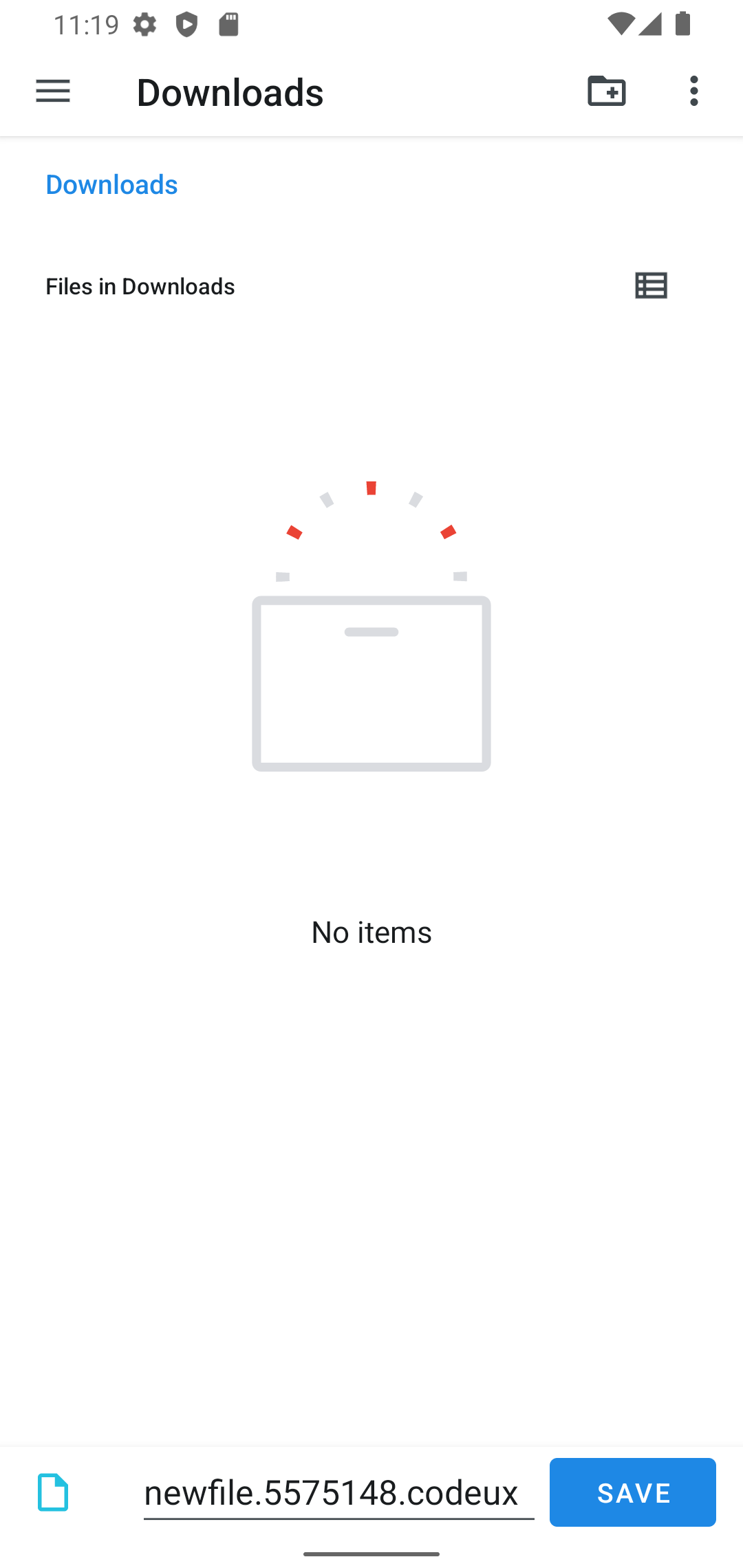
Create a new file by letting the user choose a directory and file name:

final rand = Random().nextInt(10000000);
final fileInfo = await FilePickerWritable().openFileForCreate(
  fileName: 'newfile.$rand.codeux',
  writer: (file) async {
    final content = 'File created at ${DateTime.now()}\n\n';
    await file.writeAsString(content);
  },
);
if (fileInfo == null) {
  _logger.info('User canceled.');
  return;
}
final data = await _appDataBloc.store.load();
await _appDataBloc.store
    .save(data.copyWith(files: data.files + [fileInfo]));
}

This will open the following screen on Android:

create file screenshot

所属分类

依赖

依赖清单 5 项

源码仓库

使用此插件的项目