搜索插件、代码仓与 APP 分类

插件详情v1.0.1

floating_ribbon

一个用于在图像上创建浮动丝带的新 Flutter 包。

近 30 天下载
43
喜欢数
22
Pub 分数
30

安装插件

flutter pub add floating_ribbon

插件介绍

基于插件公开信息、社区数据与项目使用情况整理的选型参考。

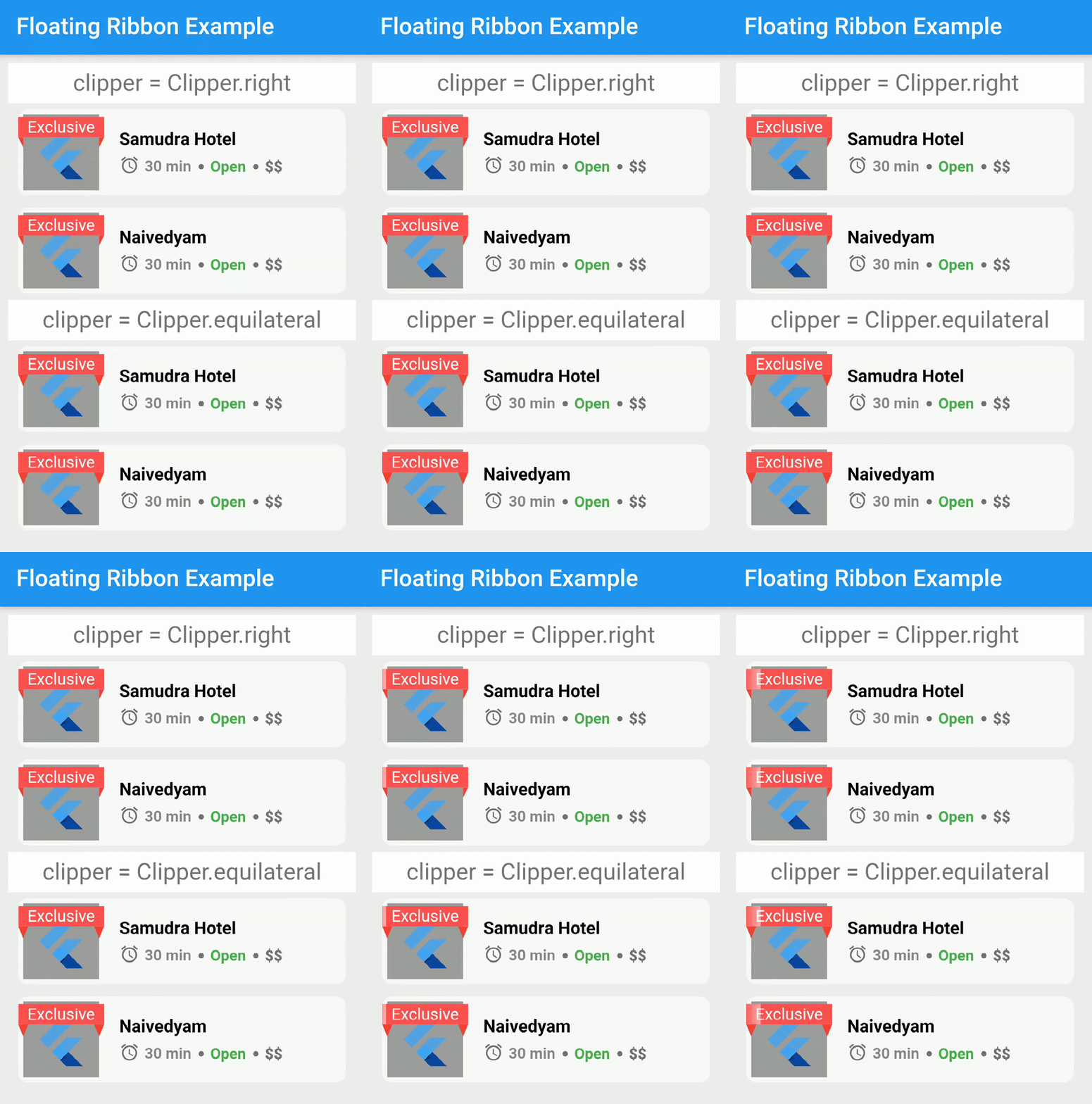
Floating Ribbon 是一个 Flutter 包,可让开发者轻松地在图像上添加时尚的浮动徽章。这些徽章可以自定义形状、颜色和位置,非常适合突出显示特殊内容,例如折扣、新品上市或推荐商品。该包可无缝集成到现有 UI 中,并支持不同屏幕尺寸的响应式设计。它利用 Flutter 的渲染功能,实现流畅的性能和视觉效果。

适合场景

  • 在电子商务应用中突出显示促销商品
  • 标记新内容或趋势内容
  • 向图像卡片添加装饰性点缀
  • 在产品图片上显示状态标签
  • 通过视觉提示增强用户界面

主要特点

  • 可自定义的丝带形状和颜色
  • 与 Image 小部件的轻松集成
  • 响应式布局支持
  • 平滑的动画效果,用于丝带出现
  • 轻量且依赖极少

适合对象

  • 电子商务应用开发者
  • 寻求视觉提升的UI设计师
  • 开发人员创建动态图像叠加
  • 需要品牌徽章或标签的项目
  • 图片密集型界面的应用程序

使用建议

  • 可能需要额外的样式才能实现复杂的布局
  • 有限的平台特定优化
  • 不适用于高性能动画密集型场景
  • 最好与静态或半静态图像内容一起使用
  • 需要仔细定位以避免遮挡重要内容

原始 README

以下为关联源码仓库的 README 原文快照,最新内容请访问源码仓库。

Floating Ribbon

pub package Build Status LICENSE

A new Flutter package for creating floating ribbons on images.

Dependency

dependencies:
  floating_ribbon: any

How To Use

In order to achieve the shimmering effect, you need to add a package in pubspec.yaml.

dependencies:
  skeleton_text: any

The code to reproduce it,

import 'package:skeleton_text/skeleton_text.dart';
import 'package:floating_ribbon/floating_ribbon.dart';
FloatingRibbon(
  height: 85,
  width: 85,
  childHeight: 75,
  childWidth: 75,
  child: Padding(
    padding: const EdgeInsets.all(8.0),
    child: FlutterLogo(),
  ),
  childDecoration: BoxDecoration(color: Colors.grey),
  ribbon: SkeletonAnimation(
    child: Center(
      child: Text(
        'Exclusive',
        style: TextStyle(
          color: Colors.white,
        ),
        textAlign: TextAlign.center,
      ),
    ),
  ),
  shadowHeight: 5,
);

Getting Started

This project is a starting point for a Dart package, a library module containing code that can be shared easily across multiple Flutter or Dart projects.

For help getting started with Flutter, view our online documentation, which offers tutorials, samples, guidance on mobile development, and a full API reference.

所属分类

源码仓库

使用此插件的项目

暂无相关数据。