搜索插件、代码仓与 APP 分类

fluid_dialog 封面
插件详情v2.0.0

fluid_dialog

一个可在多个内容之间切换并动态动画调整大小和对齐方式的对话框。

AndroidiOSWebmacOSWindowsLinux
近 30 天下载
306
喜欢数
204
Pub 分数
160

安装插件

flutter pub add fluid_dialog

插件介绍

基于插件公开信息、社区数据与项目使用情况整理的选型参考。

Fluid Dialog 是一个 Flutter 包,可实现动态、动画对话框,能够切换多个内容屏幕。它会根据当前内容自动调整大小和对齐方式,在不同平台上提供流畅且响应迅速的用户体验。适用于需要在不出现突兀变化的情况下自适应布局的模态框,可增强需要灵活对话框行为的应用程序的 UI 流畅性。该包支持所有主要平台,包括 Android、iOS、Web、macOS、Windows 和 Linux。

适合场景

  • 模态框中的动态内容切换
  • 响应式对话框大小
  • 屏幕状态之间的平滑过渡
  • 多步骤表单的自适应用户界面
  • 交互式帮助或教程对话框
  • 跨平台对话一致性

主要特点

  • 自动大小和对齐动画
  • 多内容支持
  • 跨平台兼容性
  • 状态之间的平滑过渡
  • 可自定义的动画
  • 轻量级且易于集成

适合对象

  • 开发人员构建交互式对话框
  • 具有多步骤用户流程的应用程序
  • 需要流畅过渡的UI密集型应用
  • 跨平台 Flutter 项目
  • 需要自适应模态框的设计系统

使用建议

  • 可能会影响具有复杂嵌套内容的性能
  • 需要仔细的状态管理来切换内容
  • 动画时间可能需要针对特定用例进行调整
  • 非标准布局的自定义选项有限
  • 最适合简单到中等复杂度的对话结构

原始 README

以下为关联源码仓库的 README 原文快照,最新内容请访问源码仓库。

cover

Fluid Dialog

style: very good analysis License: MIT

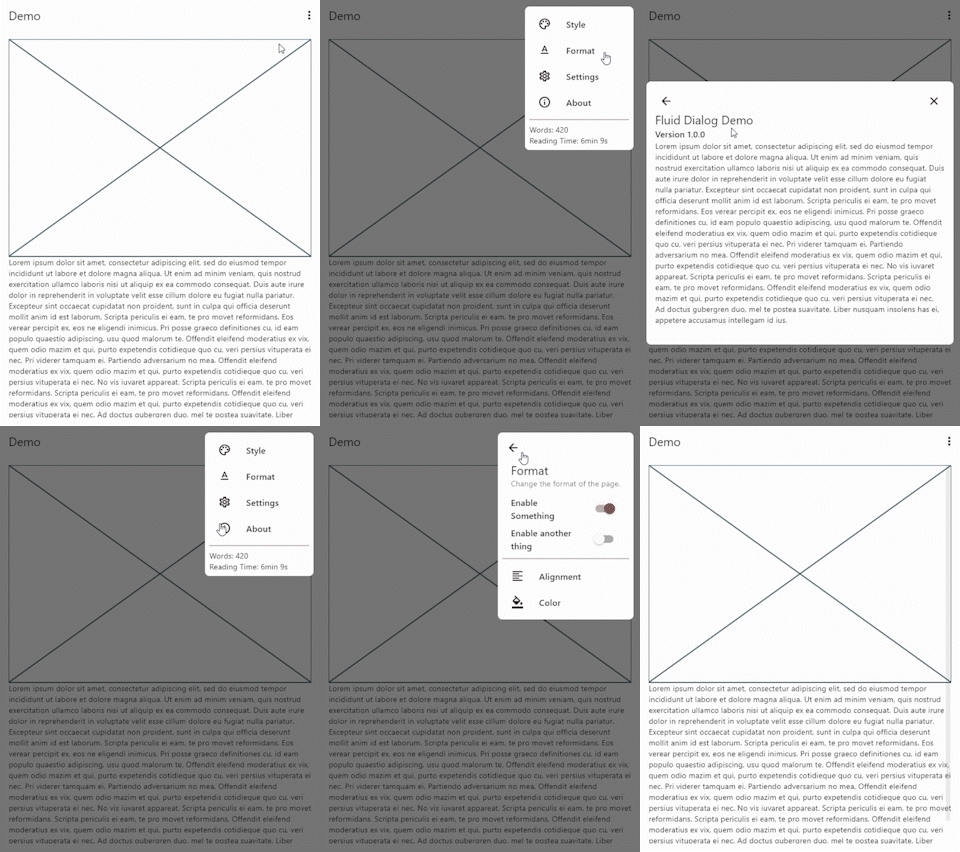
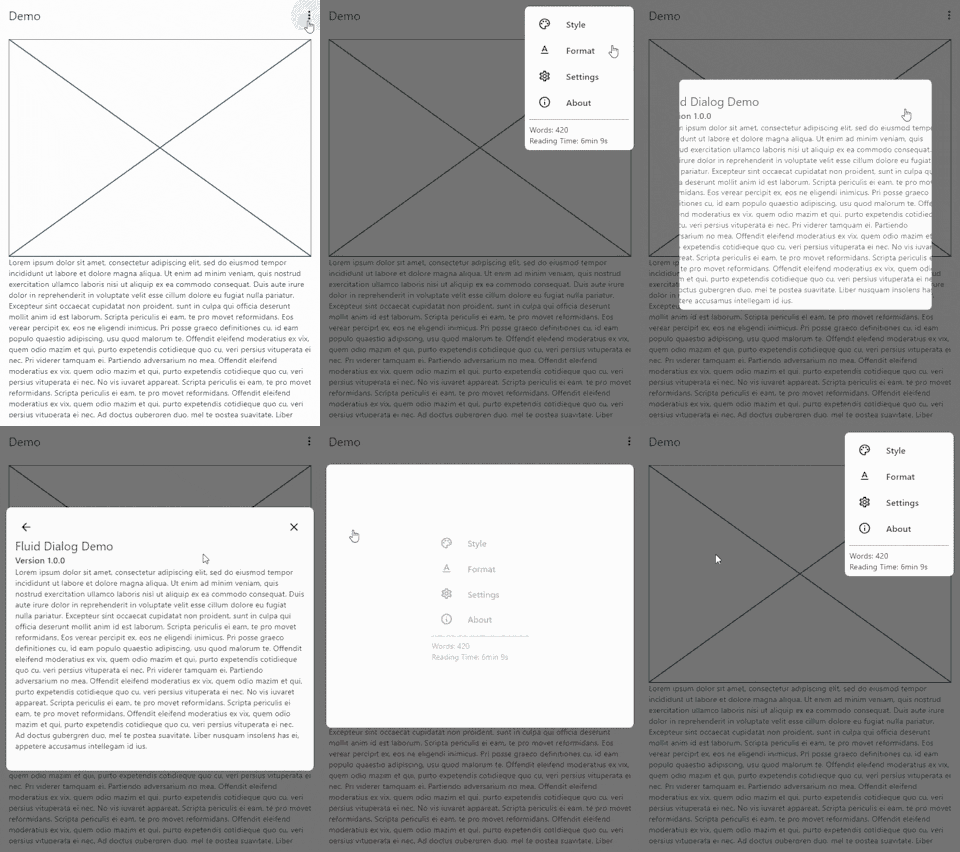
A dialog that can switch between multiple contents and animates size and alignment dynamically.

Video Demo

video demo

Features 🎉
  • Navigate between different pages
  • Animated size and alignment
  • Fully customizable
Usage 🧪

To show a FluidDialog you typically use Flutter's showDialog function. You can also use your implementation to show the dialog.

Here's an example:

showDialog(
 context: context,
 builder: (context) => FluidDialog(
  // Set the first page of the dialog.
  rootPage: FluidDialogPage(
    alignment: Alignment.bottomLeft, //Aligns the dialog to the bottom left.
    builder: (context) => const TestDialog(), // This can be any widget.
  ),
 ),
);

To navigate in the dialog, use the DialogNavigator. It works similarly to the flutter navigator.

This only works for widgets in the FluidDialog

TextButton(
  onPressed: () => DialogNavigator.of(context).push(
    FluidDialogPage(
      builder: (context) => const SecondDialogPage(),
    ),
  ),
  child: const Text('Go to next page'),
),

Take a look at the example or demo for more code.

所属分类

源码仓库

使用此插件的项目

暂无相关数据。