搜索插件、代码仓与 APP 分类

插件详情v1.2.0

flutter_asset_generator

通过扫描 pubspec.yaml 中定义的资源,生成资源文件,模仿 R 文件的简短名称。

AndroidiOSmacOSWindowsLinux
近 30 天下载
8200
喜欢数
112
Pub 分数
130

安装插件

flutter pub add flutter_asset_generator

插件介绍

基于插件公开信息、社区数据与项目使用情况整理的选型参考。

一个用于 Flutter 的代码生成工具,通过扫描 pubspec.yaml 中列出的资源,自动生成资源类,类似于 Android 的 R.java。它通过类型安全、编译时检查的引用简化了资源访问,减少错误并提高可维护性。生成的文件为图像、字体和其他资源提供简短且易读的名称,从而在多个平台上简化开发工作流程。

适合场景

  • 简化大型Flutter项目中的资产管理
  • 减少因拼写错误的资源路径导致的运行时错误
  • 启用对应用资源的类型安全访问
  • 在构建过程中自动执行资源类生成
  • 通过简洁的资产引用提升代码可读性

主要特点

  • 从 pubspec.yaml 自动生成资源类
  • 提供简短、清晰的资源名称
  • 类型安全的资源访问
  • 支持图像、字体和其他资源
  • 跨平台兼容性

适合对象

  • 在 Flutter 应用中管理大量资源的开发者
  • 希望减少资产相关错误的团队
  • 需要一致的资源命名规范的项目
  • 构建需要自动化资源生成的流水线
  • 面向多个平台的应用程序

使用建议

  • 需要设置 build_runner 和依赖项
  • 生成的文件不应手动编辑
  • 可能会略微增加构建时间
  • 需要正确配置 pubspec.yaml
  • 最好与代码分析工具配合使用

原始 README

以下为关联源码仓库的 README 原文快照,最新内容请访问源码仓库。

flutter_asset_generator

English | 中文文档

Automatically generate the dart file for pubspec.yaml

The purpose of this library is to help flutter developers automatically generate asset corresponding dart files to help developers release their hands from this meaningless job, and the open source community has a lot of the same functionality.

This library is based on dartlang's build library.

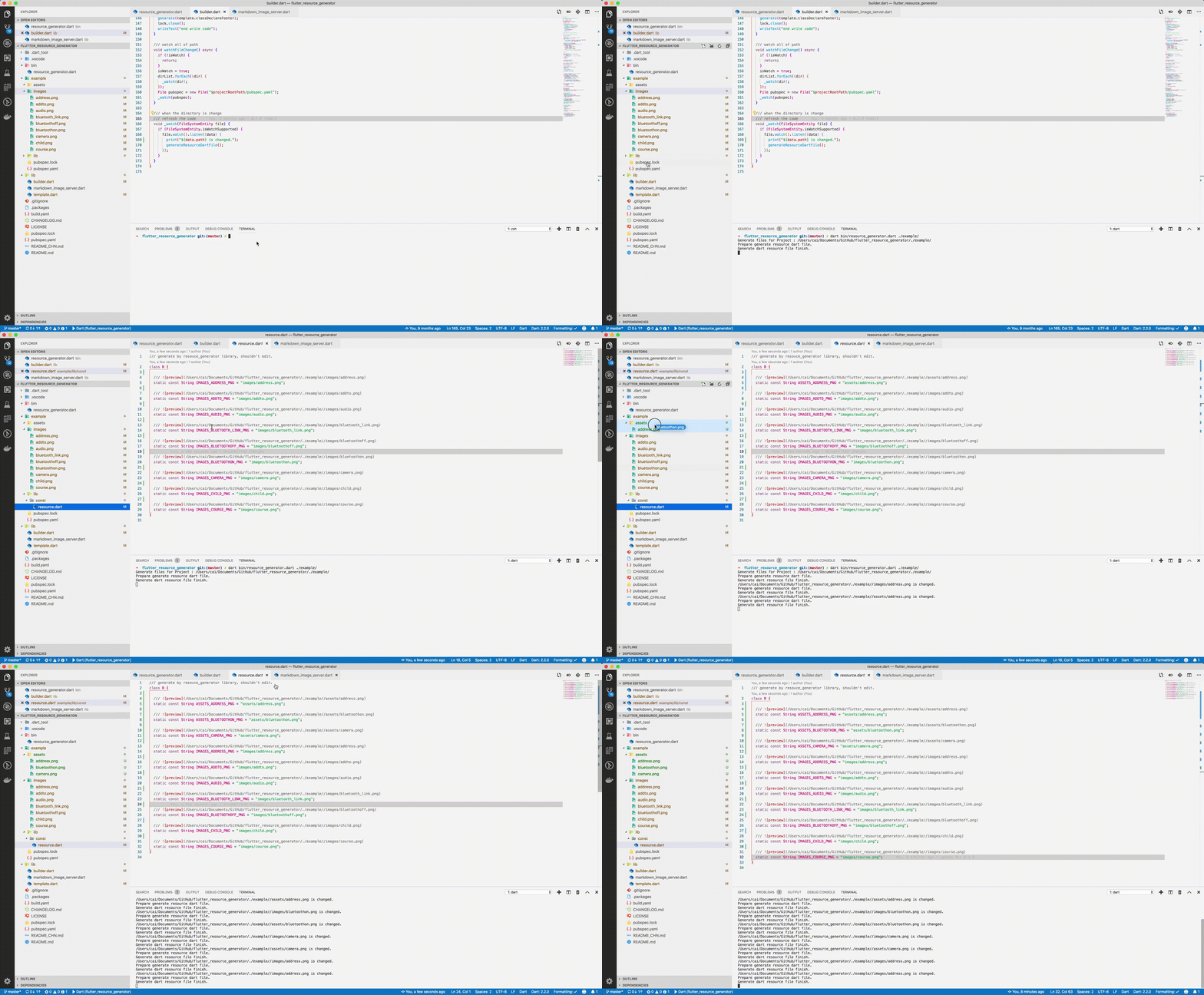
screenshot

img

Usage

Run from source

Add dart to your $PATH environment.

git clone https://github.com/fluttercandies/flutter_asset_generator
cd flutter_asset_generator
dart pub get
dart bin/asset_generator.dart $flutter_project
Run from pub global
  1. Install using pub global:
dart pub global activate flutter_asset_generator

# or 

dart pub global activate -s git https://github.com/fluttercandies/flutter_asset_generator.git                 
  1. Run below commands: fgen or fgen -s $flutter_project
Support options

Use $ fgen -h or $ fgen --help see usage document.

fgen -h
-w, --[no-]watch    Continue to monitor changes after execution of orders.
                    (defaults to on)

-p, --[no-]preview  Generate file with preview comments.
                    (defaults to on)

-o, --output        Your resource file path.
                    If it's a relative path, the relative flutter root directory
                    (defaults to "lib/const/resource.dart")

-s, --src           Flutter project root path
                    (defaults to ".")

-n, --name          The class name for the constant.
                    (defaults to "R")

-h, --[no-]help     Help usage

-d, --[no-]debug    debug info

File name

Space, '.' and '-' in the path will be converted to _. @ will be converted to _AT_.

convert filed name example:

images/1.png => IMAGES_PNG
images/hello_world.jpg => IMAGES_HELLO_WORLD_JPG
images/hello-world.jpg => IMAGES_HELLO_WORLD_JPG

Errors will occur in the following situations:

images/
├── main_login.png
├── main/
    ├── login.png

Because the two field names will be exactly the same.

Config file

The location of the configuration file is conventional. Configuration via commands is not supported. The specified path is fgen.yaml in the flutter project root directory.

Config schema for vscode

Install YAML Support plugin.

Config your vscode settings.json file.

It can be used to prompt the configuration file.

{
  "yaml.schemas": {
    "https://raw.githubusercontent.com/fluttercandies/flutter_asset_generator/master/fgen_schema.json": ["fgen.yaml"]
  }
}
exclude and include rules

The file is yaml format, every element is glob style.

The name of the excluded file is under the exclude node, and the type is a string array. If no rule is included, it means no file is excluded.

The include node is the name of the file that needs to be imported, and the type is a string array. If it does not contain any rules, all file are allowed.

In terms of priority, exclude is higher than include, in other words:

First import the file according to the include nodes, and then exclude the files.

Replacement Rules

File names can be replaced according to the configuration file as shown below:


replace:
  - from: “
    to: 
  - from: ”
    to: 
  - from: ’
    to:
  - from: (
    to:
  - from: )
    to:
  - from: "!"
    to:
Example
exclude:
  - "**/add*.png"
  - "**_**"

include:
  - "**/a*.png"
  - "**/b*"
  - "**/c*"
assets
├── address.png           # exclude by "**/add*.png"
├── address@at.png        # exclude by "**/add*.png"
├── bluetoothon-fjdfj.png
├── bluetoothon.png
└── camera.png

images
├── address space.png     # exclude by "**/add*.png"
├── address.png           # exclude by "**/add*.png"
├── addto.png             # exclude by "**/add*.png"
├── audio.png
├── bluetooth_link.png    # exclude by **_**
├── bluetoothoff.png
├── child.png
└── course.png
/// Generate by [asset_generator](https://github.com/fluttercandies/flutter_asset_generator) library.
/// PLEASE DO NOT EDIT MANUALLY.
class R {
  const R._();

  /// ![preview](file:///Users/jinglongcai/code/dart/self/flutter_resource_generator/example/assets/bluetoothon-fjdfj.png)
  static const String ASSETS_BLUETOOTHON_FJDFJ_PNG = 'assets/bluetoothon-fjdfj.png';

  /// ![preview](file:///Users/jinglongcai/code/dart/self/flutter_resource_generator/example/assets/bluetoothon.png)
  static const String ASSETS_BLUETOOTHON_PNG = 'assets/bluetoothon.png';

  /// ![preview](file:///Users/jinglongcai/code/dart/self/flutter_resource_generator/example/assets/camera.png)
  static const String ASSETS_CAMERA_PNG = 'assets/camera.png';

  /// ![preview](file:///Users/jinglongcai/code/dart/self/flutter_resource_generator/example/images/audio.png)
  static const String IMAGES_AUDIO_PNG = 'images/audio.png';

  /// ![preview](file:///Users/jinglongcai/code/dart/self/flutter_resource_generator/example/images/bluetoothoff.png)
  static const String IMAGES_BLUETOOTHOFF_PNG = 'images/bluetoothoff.png';

  /// ![preview](file:///Users/jinglongcai/code/dart/self/flutter_resource_generator/example/images/child.png)
  static const String IMAGES_CHILD_PNG = 'images/child.png';

  /// ![preview](file:///Users/jinglongcai/code/dart/self/flutter_resource_generator/example/images/course.png)
  static const String IMAGES_COURSE_PNG = 'images/course.png';
}
Other config

Since version 1.1.0:

Next command config option also support in config file.

But the command line option has a higher priority than the config file.


watch: false
# watch: true

preview: false

output: lib/const/r.dart
# output: lib/const/resource.dart

name: RRR

所属分类

依赖

依赖清单 6 项

源码仓库

使用此插件的项目

暂无相关数据。