The changes of external storage APIs in Android 11 cause some problems with the
current implementation. I decide to re-design this plugin with new strategy to
manage download file location. It is still in triage and discussion in this
PR. It is
very appreciated to have contribution and feedback from Flutter developer to get
better design for the plugin.
Past Versions and SQL Injection Vulnerabilities
In previous versions of this package, there were known vulnerabilities related to SQL injection. SQL injection is a type of security vulnerability that can allow malicious users to manipulate SQL queries executed by an application, potentially leading to unauthorized access or manipulation of the database.
It is strongly recommended to upgrade to the latest version of this package to ensure that your application is not exposed to SQL injection vulnerabilities. The latest version contains the necessary security improvements and patches to mitigate such risks.
iOS integration
Required configuration:
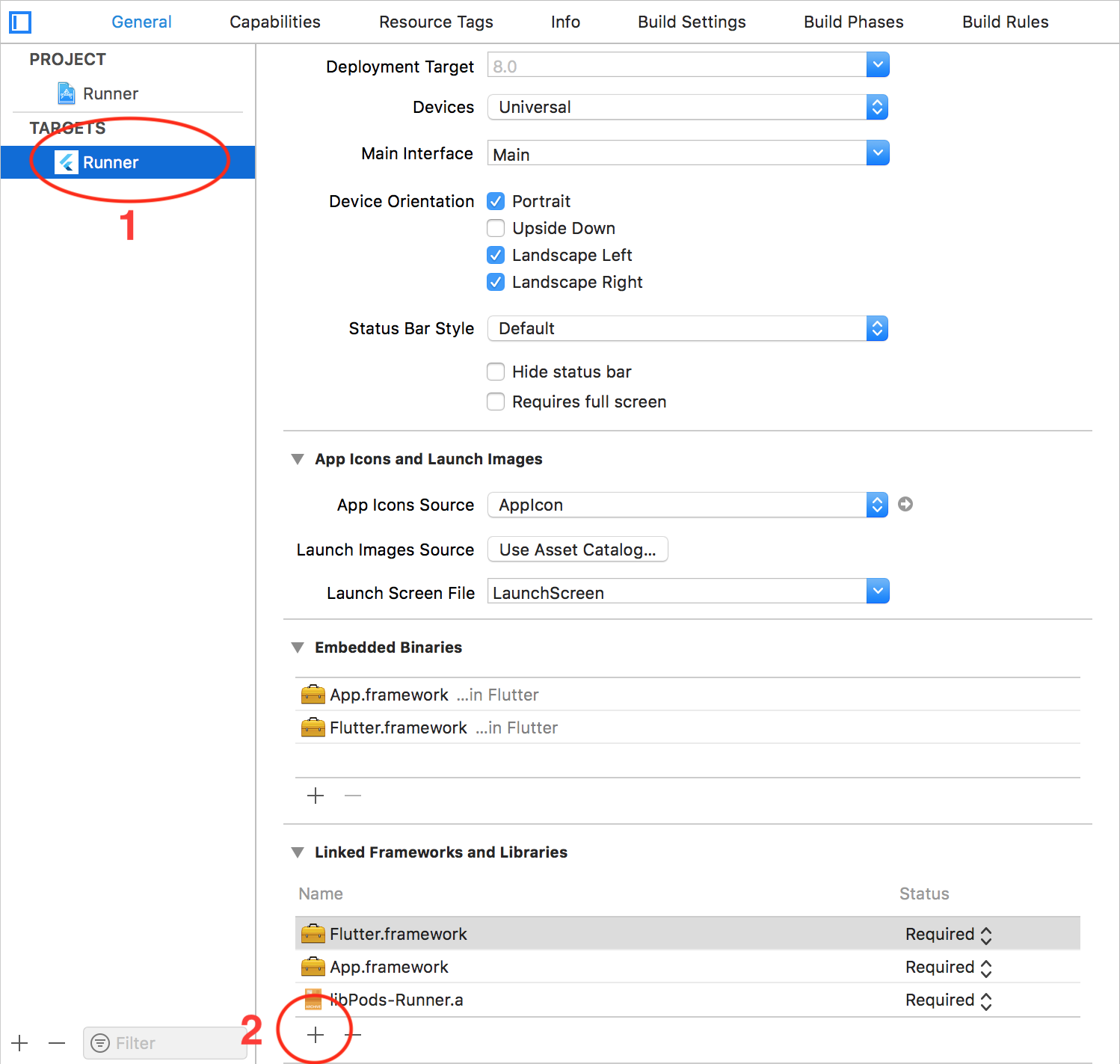
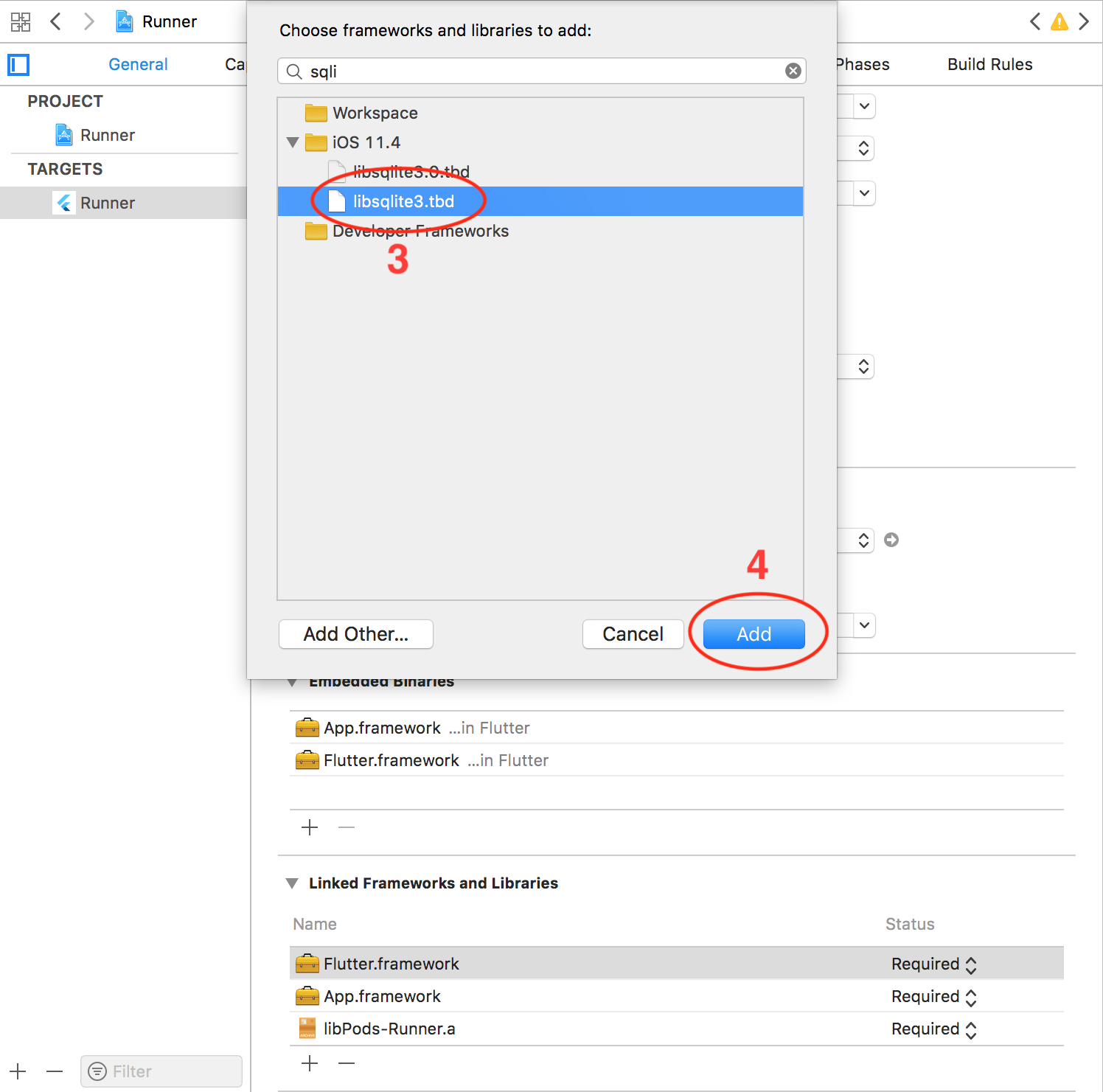
The following steps require to open your ios project in Xcode.
Support HTTP request: if you want to download file with HTTP request, you
need to disable Apple Transport Security (ATS) feature. There're two options:
Disable ATS for a specific domain only: (add the following code to your
Info.plist file)
<key>NSAppTransportSecurity</key><dict><key>NSExceptionDomains</key><dict><key>www.yourserver.com</key><dict><!-- add this key to enable subdomains such as sub.yourserver.com --><key>NSIncludesSubdomains</key><true/><!-- add this key to allow standard HTTP requests, thus negating the ATS --><key>NSTemporaryExceptionAllowsInsecureHTTPLoads</key><true/><!-- add this key to specify the minimum TLS version to accept --><key>NSTemporaryExceptionMinimumTLSVersion</key><string>TLSv1.1</string></dict></dict></dict>
Completely disable ATS. Add the following to your Info.plist file)
Configure maximum number of concurrent tasks: the plugin allows 3 download
tasks running at a moment by default (if you enqueue more than 3 tasks,
there're only 3 tasks running, other tasks are put in pending state). You can
change this number by adding the following code to your Info.plist file.
<!-- changes this number to configure the maximum number of concurrent tasks --><key>FDMaximumConcurrentTasks</key><integer>5</integer>
Localize notification messages: the plugin will send a notification
message to notify user in case all files are downloaded while your application
is not running in foreground. This message is English by default. You can
localize this message by adding and localizing following message in
Info.plist file. (you can find the detail of Info.plist localization in
this link)
<key>FDAllFilesDownloadedMessage</key><string>All files have been downloaded</string>
Note:
This plugin only supports save files in NSDocumentDirectory
Android integration
You don't have to do anything extra to make the plugin work on Android.
There are although a few optional settings you might want to configure.
Open downloaded file from notification
To make tapping on notification open the downloaded file on Android, add the
following code to AndroidManifest.xml:
You have to save your downloaded files in external storage (where the other
applications have permission to read your files)
The downloaded files are only able to be opened if your device has at least
one application that can read these file types (mp3, pdf, etc.)
Configure maximum number of concurrent download tasks
The plugin depends on WorkManager library and WorkManager depends on the
number of available processor to configure the maximum number of tasks running
at a moment. You can setup a fixed number for this configuration by adding the
following code to your AndroidManifest.xml:
<!-- Begin FlutterDownloader customization --><!-- disable default Initializer --><providerandroid:name="androidx.startup.InitializationProvider"android:authorities="${applicationId}.androidx-startup"android:exported="false"tools:node="merge"><meta-dataandroid:name="androidx.work.WorkManagerInitializer"android:value="androidx.startup"tools:node="remove" /></provider><!-- declare customized Initializer --><providerandroid:name="vn.hunghd.flutterdownloader.FlutterDownloaderInitializer"android:authorities="${applicationId}.flutter-downloader-init"android:exported="false"><!-- changes this number to configure the maximum number of concurrent tasks --><meta-dataandroid:name="vn.hunghd.flutterdownloader.MAX_CONCURRENT_TASKS"android:value="5" /></provider><!-- End FlutterDownloader customization -->
Localize strings in notifications
You can localize texts in download progress notifications by localizing
following messages.
<stringname="flutter_downloader_notification_started">Download started</string><stringname="flutter_downloader_notification_in_progress">Download in progress</string><stringname="flutter_downloader_notification_canceled">Download canceled</string><stringname="flutter_downloader_notification_failed">Download failed</string><stringname="flutter_downloader_notification_complete">Download complete</string><stringname="flutter_downloader_notification_paused">Download paused</string>
You can learn more about localization on Android here.
Install .apk files
To open and install .apk files, your application needs
REQUEST_INSTALL_PACKAGES permission. Add the following in your
AndroidManifest.xml:
import'package:flutter_downloader/flutter_downloader.dart';
voidmain() {
WidgetsFlutterBinding.ensureInitialized();
// Plugin must be initialized before usingawaitFlutterDownloader.initialize(
debug: true, // optional: set to false to disable printing logs to console (default: true)
ignoreSsl: true// option: set to false to disable working with http links (default: false)
);
runApp(/*...*/)
}
Create new download task
The directory must be created in advance.
After that, you need to provide the path of the directory in the savedDir parameter.
final taskId = awaitFlutterDownloader.enqueue(
url: 'your download link',
headers: {}, // optional: header send with url (auth token etc)
savedDir: 'the path of directory where you want to save downloaded files',
showNotification: true, // show download progress in status bar (for Android)
openFileFromNotification: true, // click on notification to open downloaded file (for Android)
);
Update download progress
awaitFlutterDownloader.registerCallback(callback); // callback is a top-level or static function
Important
UI is rendered on the main isolate, while download events come from the
background isolate (in other words, code in callback is run in the background
isolate), so you have to handle the communication between two isolates. For
example:
ReceivePort _port = ReceivePort();
@overridevoidinitState() {
super.initState();
IsolateNameServer.registerPortWithName(_port.sendPort, 'downloader_send_port');
_port.listen((dynamic data) {
String id = data[0];
DownloadTaskStatus status = DownloadTaskStatus.fromInt(data[1]);
int progress = data[2];
setState((){ });
});
FlutterDownloader.registerCallback(downloadCallback);
}
@overridevoiddispose() {
IsolateNameServer.removePortNameMapping('downloader_send_port');
super.dispose();
}
@pragma('vm:entry-point')
staticvoiddownloadCallback(String id, int status, int progress) {
finalSendPort? send = IsolateNameServer.lookupPortByName('downloader_send_port');
send?.send([id, status, progress]);
}
@pragma('vm:entry-point') must be placed above the callback function to
avoid tree shaking in release mode for Android.
In order to parse data into DownloadTask object successfully, you should load
data with all fields from the database (in the other words, use SELECT * ).
For example:
SELECT*FROM task WHERE status=3
Below is the schema of the task table where flutter_downloader plugin stores
information about download tasks
resume() will return a new taskId corresponding to a new background task
that is created to continue the download process. You should replace the old
taskId (that has paused status) by the new taskId to continue tracking the
download progress.
Retry a failed task
FlutterDownloader.retry(taskId: taskId);
retry() will return a new taskId (just like resume())
On Android, you can only open a downloaded file if it is placed in the external
storage and there's at least one application that can read that file type on
your device.
Bugs/Requests
Feel free to open an issue if you encounter any problems or think that the
plugin is missing some feature.