flutter_flavor 是一个开发者工具,可创建不同的应用风味,从而在发布到应用商店之前,为不同环境(如开发、预发布和生产)提供不同的配置和构建。它简化了管理特定环境的设置(如 API 端点、日志级别和品牌标识)的过程,而无需复制代码。该包与 Flutter 的构建系统无缝集成,支持所有受支持的平台,包括 Android、iOS、Web、macOS、Windows 和 Linux。它帮助团队保持清晰且可配置的工作流程,以进行测试和部署。
适合场景
管理多个环境
自定义生成配置
发布前测试
分离开发/预发布/生产环境设置
优化CI/CD流水线
主要特点
环境特定的配置
跨平台支持
与 Flutter 的轻松集成
构建时风味区分
最小化样板代码
适合对象
开发团队
CI/CD 工作流
多环境应用
按版本的应用程序自定义
使用不同部署阶段的团队
使用建议
需要在构建脚本中进行设置
口味名称必须在各平台上保持一致
有限的运行时切换
不用于面向用户的口味选择
需要团队成员之间的协调
原始 README
以下为关联源码仓库的 README 原文快照,最新内容请访问源码仓库。
flutter_flavor
Flavors helps us to create builds for different instances of our app. For example, we can create a flavor for development, a flavor for production and another flavor for a demo of the app. In this way we can create different flavors, and thus have different instances of our apps before publishing it on the App Store and Google Play.
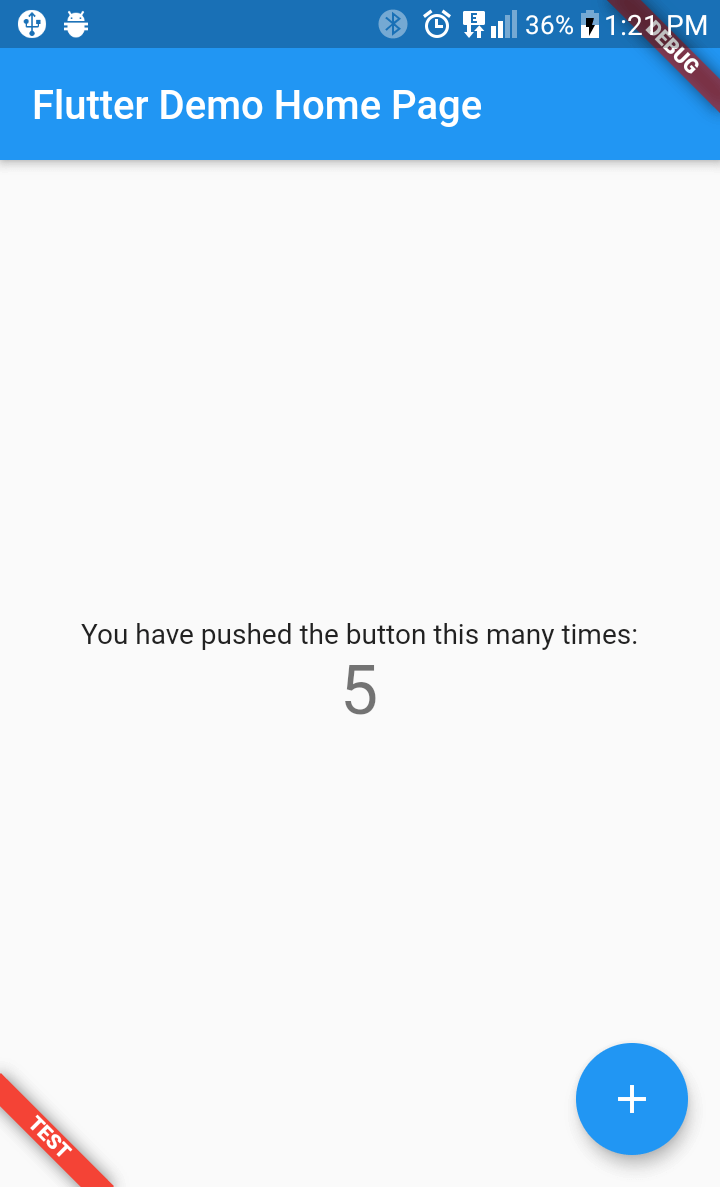
flutter_favor allows you to quickly configure and define dynamic variables for each flavor in your project. The flavors, as well as their names; they are dynamically defined by the developer or development team. In the configuration of a flavor you can set the name of each flavor, as well as the color and location of its banner. When attribute name is undefined or empty, the banner is hidden.
You can also configure the banners independently. The aforementioned attributes are globally configured in FlavorConfig, but can be changed in the FlavorBanner.
Screenshot
PROD
DEV
TEST
Note By default the banner is shown in BannerLocation.topStart and is visibility only when the attribute name of configuration is defined and not empty.