搜索插件、代码仓与 APP 分类

插件详情v1.0.6

flutter_paystack_max

一个用于通过 Paystack 支付网关(https://paystack.com)进行支付的 Flutter 包。

AndroidiOSmacOS
近 30 天下载
216
喜欢数
26
Pub 分数
160

安装插件

flutter pub add flutter_paystack_max

插件介绍

基于插件公开信息、社区数据与项目使用情况整理的选型参考。

一个 Flutter 包,可实现与 Paystack 支付网关在 Android、iOS 和 macOS 上的无缝集成。它提供了一个简单的 API 来处理支付流程,包括信用卡支付、银行转账和移动钱包支付。该包支持测试和生产环境,便于开发和部署安全的支付解决方案。专为寻求可靠且文档齐全的工具以在非洲市场及其他地区接受付款的开发者设计。

适合场景

  • 将 Paystack 支付集成到 Flutter 应用中
  • 处理信用卡和银行付款
  • 启用移动资金交易
  • 支持测试和实时支付模式
  • 构建电子商务应用程序

主要特点

  • 原生 Paystack SDK 集成
  • 支持多种支付方式
  • 环境配置(测试/生产)
  • 易于使用的支付对话框
  • 跨平台兼容性(Android、iOS、macOS)

适合对象

  • Flutter 开发人员构建电子商务应用
  • 接受非洲支付的初创公司
  • 需要安全支付处理的应用程序
  • 使用 Paystack 作为网关的开发人员
  • 需要多平台支付支持的项目

使用建议

  • 需要有效的 Paystack 账户和 API 密钥
  • 需要正确处理支付成功/失败回调
  • 可能需要额外的后端验证
  • 不适用于非Paystack支付提供商
  • iOS 设置可能需要额外的配置步骤

原始 README

以下为关联源码仓库的 README 原文快照,最新内容请访问源码仓库。

A Flutter package for making payments via Paystack Payment Gateway (https://paystack.com)

pub.dev likes popularity pub points

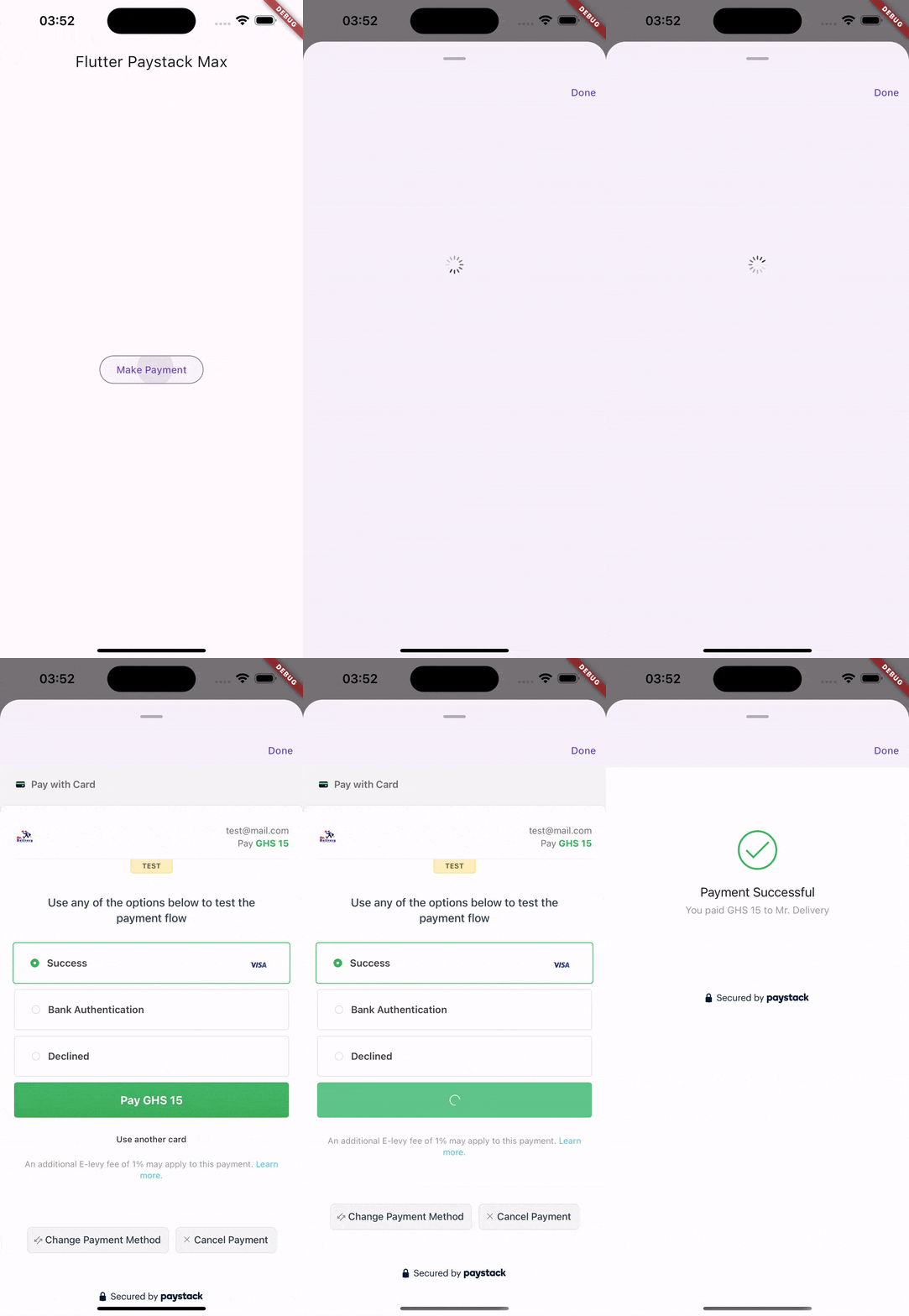
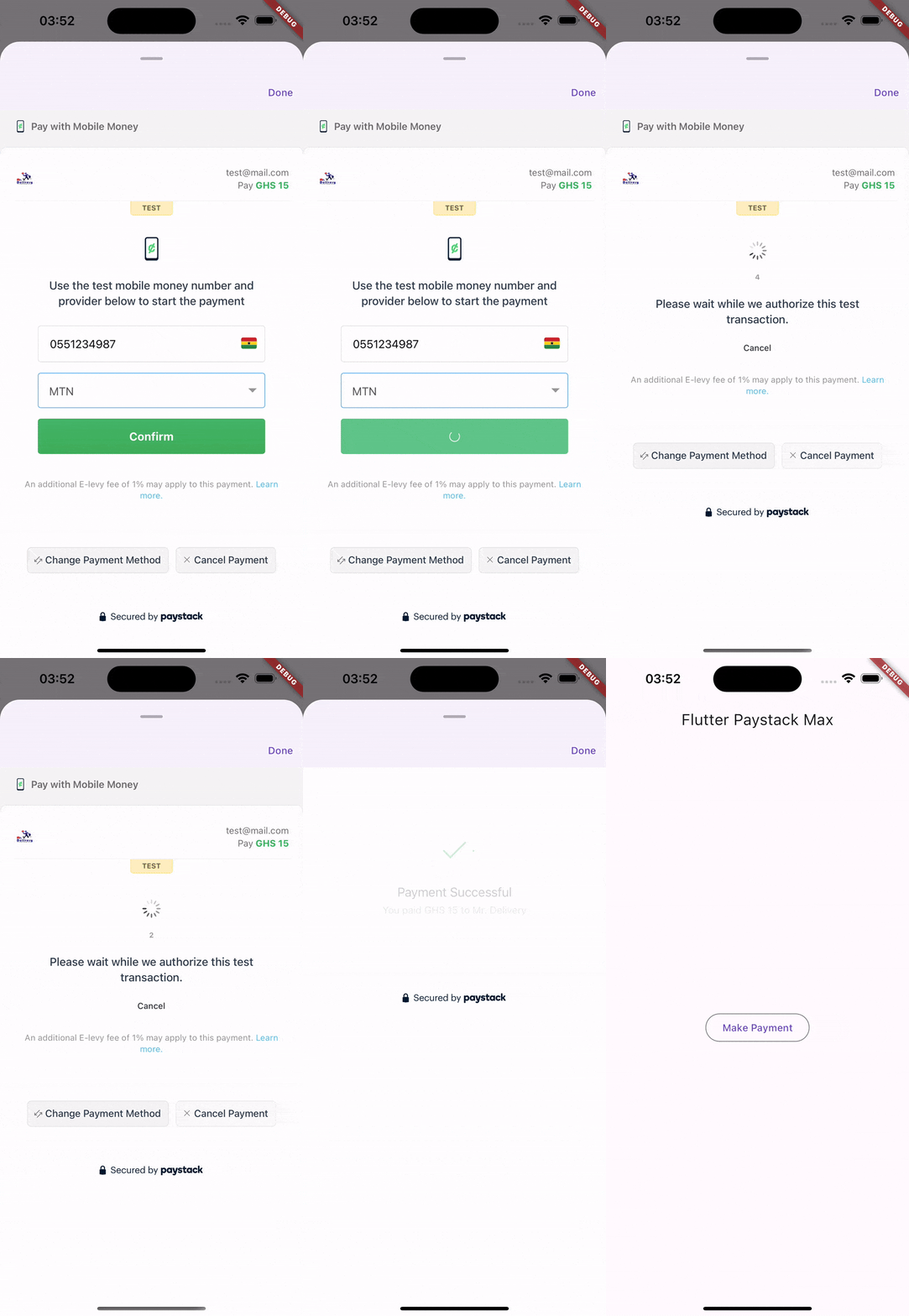
Pay with card Pay with mobile money

Features

:heavy_check_mark: All Paystack supported payment methods/channels

  • Mobile Money
  • Card
  • USSD
  • Bank Transfer
  • Bank
  • QR
  • EFT

:heavy_check_mark: Verifying Transactions

Supported Platforms

  • Android and
  • iOS

Prerequisites

  • Paystack secret key
  • Callback URL

No configuration required for this package works out of the box.

Usage

  1. Create a transaction request object.
final request = PaystackTransactionRequest(
    reference: '...',
    secretKey: '....',
    email: '...',
    amount: 15 * 100,
    currency: PaystackCurrency.ngn,
    channel: [
        PaystackPaymentChannel.mobileMoney,
        PaystackPaymentChannel.card,
        PaystackPaymentChannel.ussd,
        PaystackPaymentChannel.bankTransfer,
        PaystackPaymentChannel.bank,
        PaystackPaymentChannel.qr,
        PaystackPaymentChannel.eft,
    ],
);
  1. Initialize the transaction with the above transaction request.
final initializedTransaction = await PaymentService.initializeTransaction(request);

if (!initializedTransaction.status) {
    ScaffoldMessenger.of(context).showSnackBar(SnackBar(
        backgroundColor: Colors.red,
        content: Text(initializedTransaction.message),
    ));

    return;
}
  1. Open the payment modal to accept payment
final response = await PaymentService.showPaymentModal(
    context,
    transaction: initializedTransaction,
    // Callback URL must match the one specified on your paystack dashboard,
    callbackUrl: '...'
).then((_) async {
    return await PaymentService.verifyTransaction(
        paystackSecretKey: '...',
        initializedTransaction.data?.reference ?? request.reference,
    );
});

print(response); // Result of the confirmed payment

Additional information

Visit the paystack documentation for more information https://paystack.com/docs/api/transaction

:pencil: Contributing, :disappointed: Issues and :bug: Bug Reports

This project is open to contributions.
Please feel very free to help improve the payment experience on Flutter.
Experienced an issue or want to report a bug? Please, report it here.

所属分类

依赖

依赖清单 3 项

源码仓库

使用此插件的项目