搜索插件、代码仓与 APP 分类

flutter_scroll_to_top 封面
插件详情v2.3.0

flutter_scroll_to_top

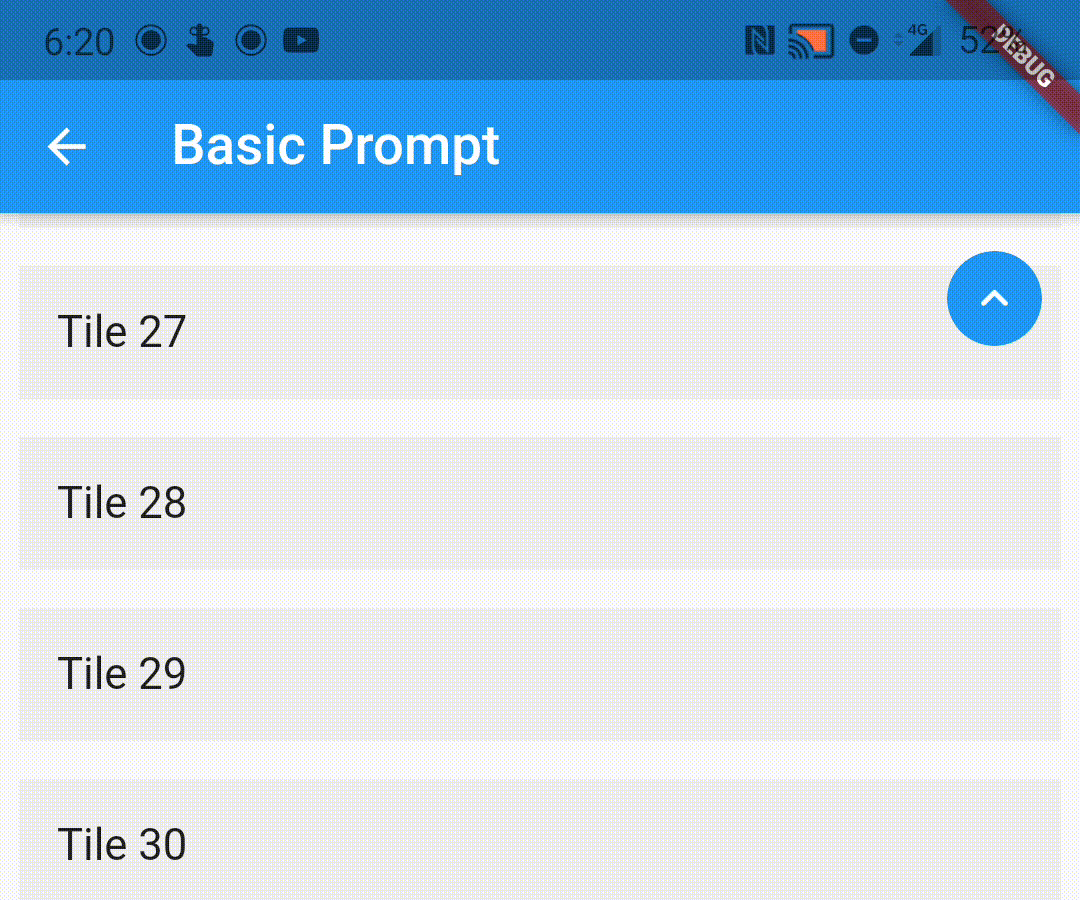
一个简单的包装器,可将您的可滚动小部件包裹起来,当用户滚动时,向用户显示返回顶部的提示。

近 30 天下载
322
喜欢数
104
Pub 分数
70

安装插件

flutter pub add flutter_scroll_to_top

插件介绍

基于插件公开信息、社区数据与项目使用情况整理的选型参考。

一个轻量级的 Flutter 包,用于包装可滚动的控件,当用户向下滚动时自动显示“返回顶部”指示器。它通过提供一种直观的方式让用户返回到长列表或滚动视图的顶部,从而提升用户体验。该包易于集成,并可与任何可滚动内容(如 ListView、CustomScrollView 或 SingleChildScrollView)无缝配合使用。支持对按钮外观和行为进行自定义。

适合场景

  • 为长列表添加返回顶部按钮
  • 改进可滚动仪表板的用户体验
  • 增强内容密集型应用的可访问性
  • 在滚动时提供视觉反馈
  • 简化嵌套滚动视图中的导航

主要特点

  • 根据滚动位置自动显示
  • 可自定义的浮动操作按钮
  • 使用包装小部件的最小设置
  • 适用于所有可滚动小部件
  • 支持深色模式和主题集成

适合对象

  • 包含长滚动内容的应用
  • 用户界面设计师优先考虑用户体验
  • 寻求快速滚动到顶部实现的开发者
  • 依赖项最少的项目
  • 内容丰富的屏幕的移动应用

使用建议

  • 在没有额外配置的情况下,可能无法与复杂的嵌套滚动视图配合使用
  • 如果未使用默认值,则需要手动处理滚动控制器
  • 除了基本样式之外,自定义选项有限
  • 不适用于非可滚动控件
  • 依赖于平台特定的滚动行为

原始 README

以下为关联源码仓库的 README 原文快照,最新内容请访问源码仓库。

flutter_scroll_to_top

Pub

A wrapper to show a scroll to top prompt to the user on ScrollView widgets.

Installing

Add the following dependency to your pubspec.yaml file:

dependencies:
  flutter_scroll_to_top: ^2.2.4

Import the package

import 'package:flutter_scroll_to_top/flutter_scroll_to_top.dart';

ScrollWrapper

Just wrap the scrollable widget you want to show the scroll to top prompt over with a ScrollWrapper.

ScrollWrapper(
    builder: (context, properties) => ListView.builder(
        itemBuilder: (context, index) => Padding(
            padding: const EdgeInsets.all(8.0),
            child: ListTile(
                title: Text('Tile $index'),
                tileColor: Colors.grey.shade200,
            ),
        ),
    ),
)

ScrollView Properties

If the child ScrollView has different properties for scrollController, scrollDirection, primary or reverse parameters than the default values, you need to pass them to the ScrollWrapper widget as it requires the same parameters. It provides a ScrollViewProperties object in the builder callback that you can use to access the properties in the ScrollView widget.

ScrollWrapper(
    primary: true,
    scrollDirection: Axis.horizontal,
    reverse: true,
    builder: (context, properties) => ListView.builder(
        controller: properties.scrollController,
        scrollDirection: properties.scrollDirection,
        reverse: properties.reverse,
        primary: properties.primary,
        itemBuilder: (context, index) => Padding(
            padding: const EdgeInsets.all(8.0),
            child: ListTile(
                title: Text('Tile $index'),
                tileColor: Colors.grey.shade200,
            ),
        ),
    ),
)

Customisation

You can pass the following parameters to customise the prompt accordingly

  • enabledAtOffset - At what scroll offset to enable the prompt on.
  • alwaysVisibleAtOffset - If the prompt is to be always visible at the provided offset. Setting this to false only shows the prompt when the user starts scrolling upwards. Default value is false.
  • scrollOffsetUntilVisible - Offset should the user scroll in the opposite direction before the prompt becomes visible.
  • scrollOffsetUntilHide - Offset should the user scroll before the prompt hides itself, if visible.
  • promptAlignment - Where on the widget to align the prompt.
  • promptDuration - Duration it takes for the prompt to come into view/vanish.
  • promptAnimationCurve - Animation Curve that the prompt will follow when coming into view.
  • promptAnimationType - PromptAnimation that the prompt follows when animating. Has three options, fade, scale and size.
  • scrollToTopDuration - Duration it takes for the page to scroll to the top on prompt button press.
  • scrollToTopCurve - Animation Curve for scrolling to the top.
  • promptTheme - You can pass PromptButtonTheme to modify the prompt button further. It has the following parameters:
    • padding - Padding around the prompt button.
    • iconPadding - Padding around the icon inside the button.
    • icon - The icon inside the button.
    • color - Color of the prompt button.
    • elevation - Elevation of the button.
ScrollWrapper(
    promptAlignment: Alignment.topCenter,
    promptAnimationCurve: Curves.elasticInOut,
    promptDuration: const Duration(milliseconds: 400),
    enabledAtOffset: 300,
    scrollOffsetUntilVisible: 500,
    promptTheme: const PromptButtonTheme(
    icon: Icon(Icons.arrow_circle_up, color: Colors.amber),
    color: Colors.deepPurpleAccent,
    iconPadding: EdgeInsets.all(16),
    padding: EdgeInsets.all(32)),
    builder: (context, properties) => ListView.builder(
        controller: properties.scrollController,
        scrollDirection: properties.scrollDirection,
        reverse: properties.reverse,
        primary: properties.primary,
            itemBuilder: (context, index) => Padding(
            padding: const EdgeInsets.all(8.0),
            child: ListTile(
                title: Text('Tile $index'),
                tileColor: Colors.grey.shade200,
            ),
        ),
    ),
)

Custom Prompt Widget

You can replace the default prompt widget with a widget of your choosing by passing it off in the promptReplacementBuilder parameter.

ScrollWrapper(
    promptReplacementBuilder: (context, function) => MaterialButton(
        onPressed: () => function(),
        child: const Text('Scroll to top'),
    ),
    builder: (context, properties) => ListView.builder(
        controller: properties.scrollController,
        scrollDirection: properties.scrollDirection,
        reverse: properties.reverse,
        primary: properties.primary,
        itemBuilder: (context, index) => Padding(
            padding: const EdgeInsets.all(8.0),
            child: ListTile(
                title: Text('Tile $index'),
                tileColor: Colors.grey.shade200,
            ),
        ),
    ),
)


The prompt shows up inconsistently if I have multipe scrollviews listening to the same scroll controller, how do I fix it?

This is a limitation of the way Flutter handles this scenario. If you are receiving this error (likely due to multiple scrollables under a NestedScrollView), this library bundles a modified version of the scrollviews which would fix this issue.

To use them, add the following import:

import 'package:flutter_scroll_to_top/scroll_view.dart' as scrollview;

Then replace your scrollview in the following way:

Before

ScrollWrapper(
    builder: (context, properties) => ListView.builder(
        itemBuilder: (context, index) => Padding(
            padding: const EdgeInsets.all(8.0),
            child: ListTile(
                title: Text('Tile $index'),
                tileColor: Colors.grey.shade200,
            ),
        ),
    ),
)

After

ScrollWrapper(
    builder: (context, properties) => scrollview.ListView.builder(
        properties: properties,
        itemBuilder: (context, index) => Padding(
            padding: const EdgeInsets.all(8.0),
            child: ListTile(
                title: Text('Tile $index'),
                tileColor: Colors.grey.shade200,
            ),
        ),
    ),
)

所属分类

源码仓库

使用此插件的项目