搜索插件、代码仓与 APP 分类

flutter_story_presenter 封面
插件详情v1.0.7

flutter_story_presenter

Flutter 包,可像 Instagram、WhatsApp 及其他社交媒体平台一样展示视频、图片和文字故事

AndroidiOSmacOS
近 30 天下载
1820
喜欢数
133
Pub 分数
150

安装插件

flutter pub add flutter_story_presenter

插件介绍

基于插件公开信息、社区数据与项目使用情况整理的选型参考。

一个 Flutter 包,使开发者能够以类似 Instagram 和 WhatsApp 的可滑动全屏格式显示包含视频、图片和文字的故事。它支持流畅的过渡效果、自动推进功能以及可自定义的 UI 元素。该包专为在 Android、iOS 和 macOS 平台上实现简单性和高性能而设计。可轻松集成到现有的 Flutter 应用中,设置简单。非常适合社交应用、内容分享平台或任何需要故事式体验的应用。

适合场景

  • 社交媒体应用
  • 内容共享功能
  • 用户入门流程
  • 交互式教程
  • 营销活动

主要特点

  • 可滑动的故事导航
  • 支持视频、图像和文本
  • 自动切换故事
  • 可自定义的 UI 组件
  • 跨平台兼容性

适合对象

  • 开发社交功能的开发者
  • 需要互动叙事的应用程序
  • 包含多媒体内容的项目
  • 以移动设备为优先的应用程序
  • 快速原型设计故事界面

使用建议

  • 需要适当的资产管理
  • 有限的内置自定义选项
  • 可能需要额外的样式来实现复杂的设计
  • 依赖于平台特定的渲染
  • 未针对超长故事序列进行优化

原始 README

以下为关联源码仓库的 README 原文快照,最新内容请访问源码仓库。

FlutterStoryPresenter

FlutterStoryPresenter

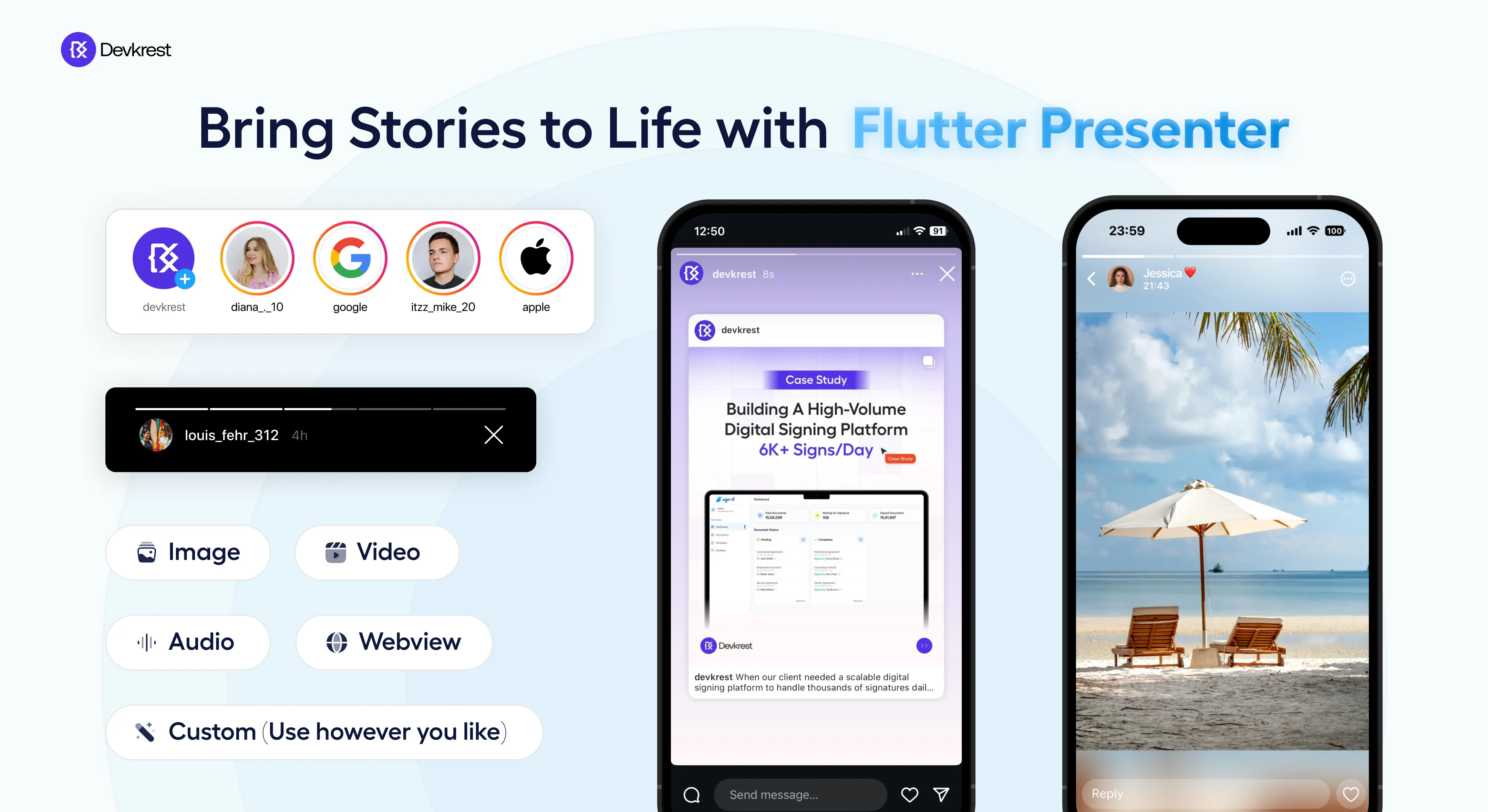
This Flutter package makes it easy to create story and news views like popular social media apps with just a few lines of code! 📱✨ It's loaded with features for customizing and managing stories, perfect for showcasing stories inside your awesome app.

🎖️ About

FlutterStoryPresenter

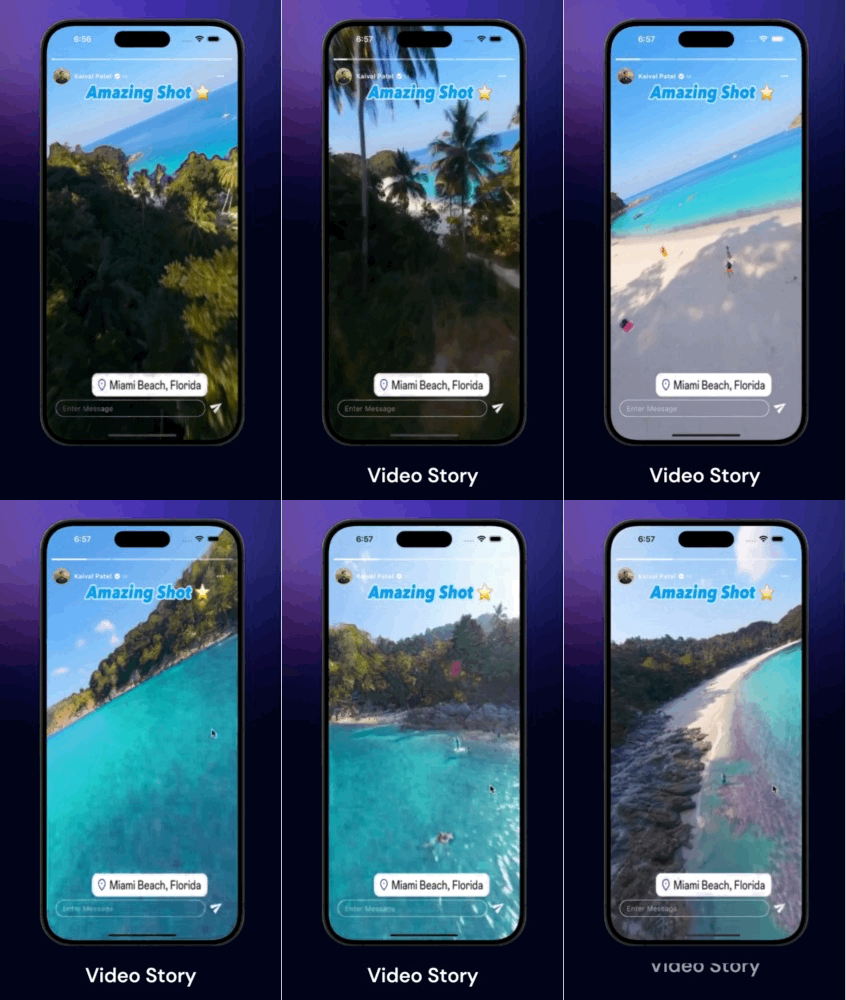
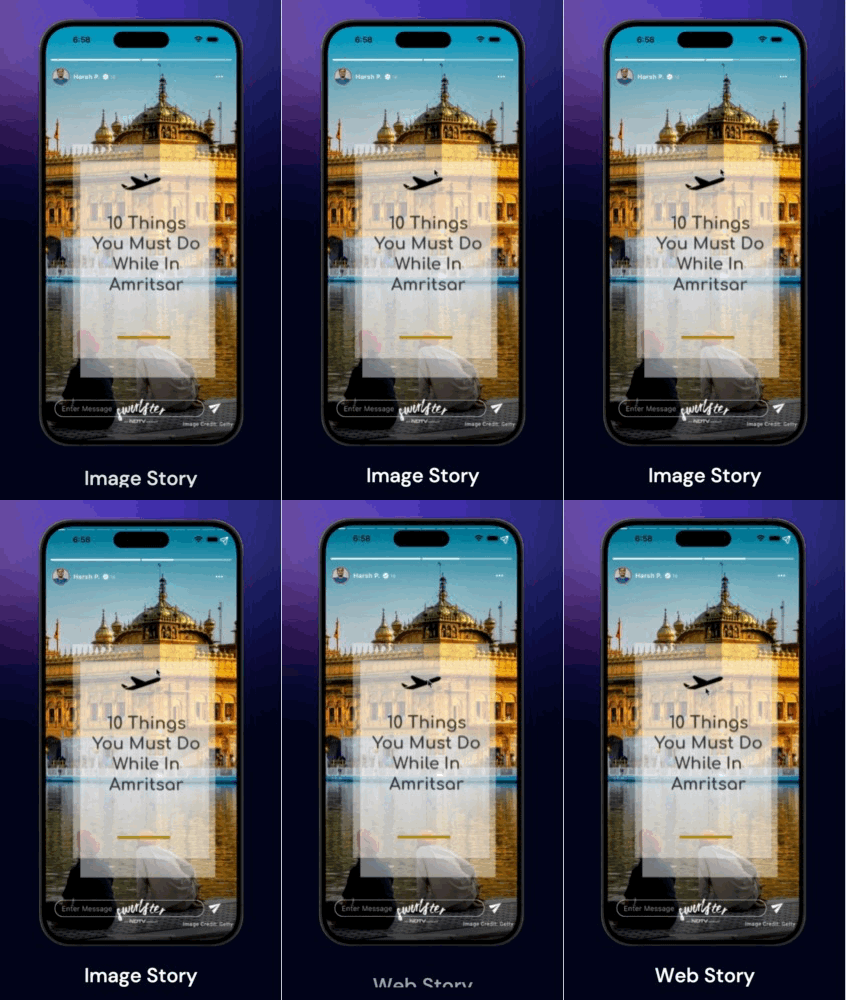
✨ Demo

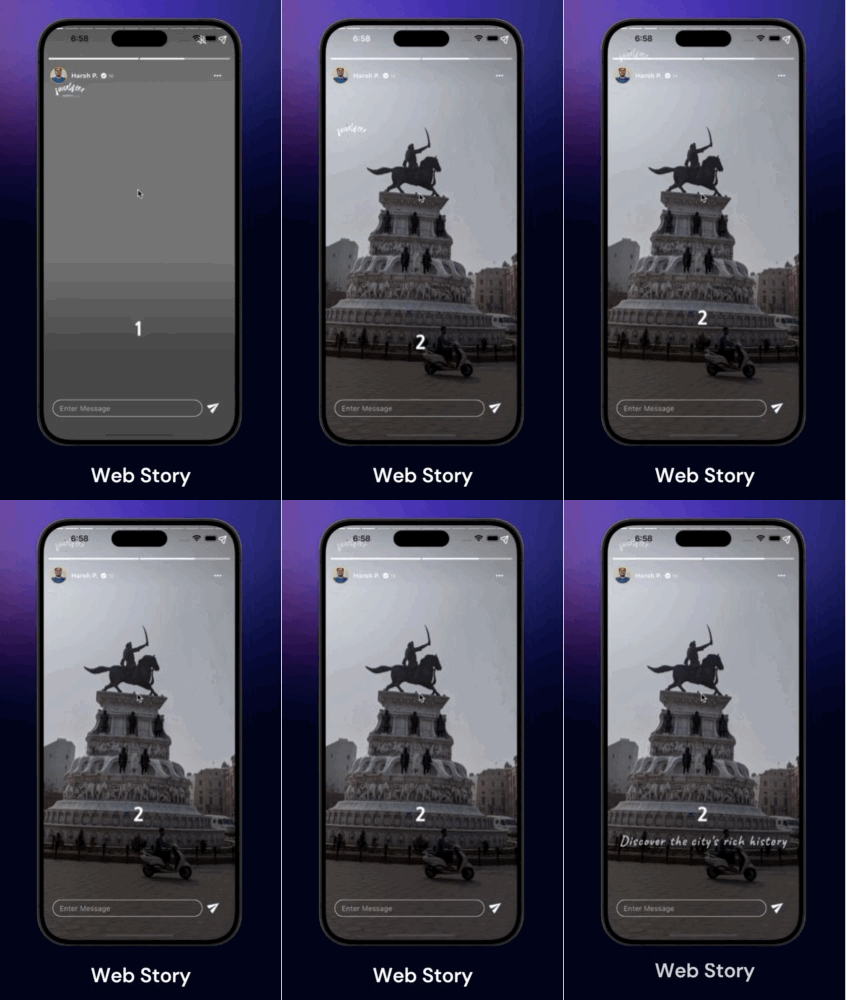
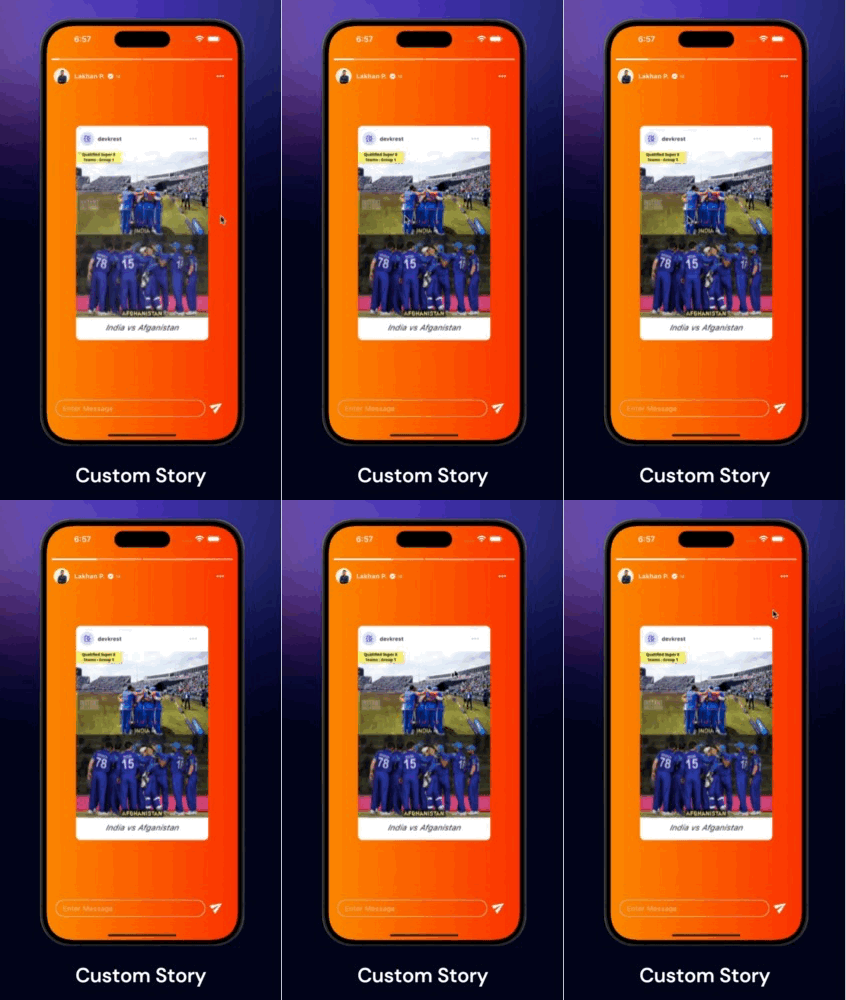
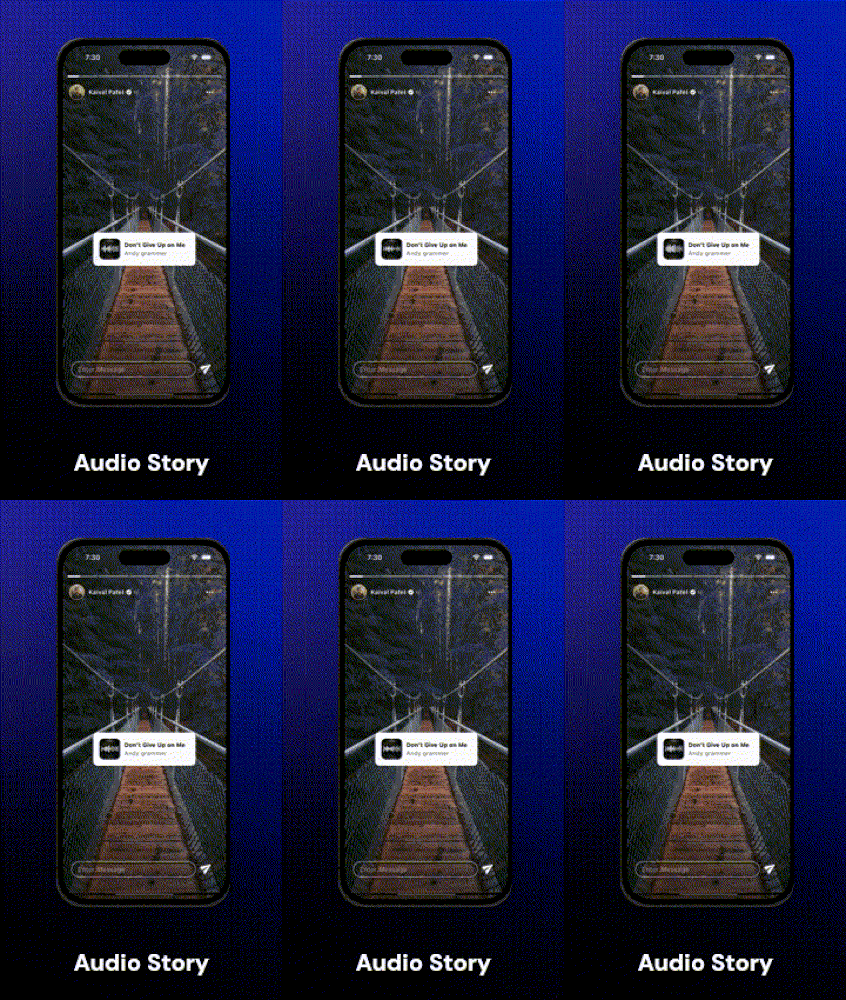
Video Story Image Story Web Story Custom Story 1 Custom Story 2 Audio Story

🎥 Video Demo

https://devkrest.com/flutter_story_presenter/flutter-story-presenter-demo.mp4

🤌🏻 Features

🔹 Supported Media Types: Images, Videos, Text, Web & Custom

🔹 Custom Loader & Thumbnails: Add your custom thumbnails or loaders while loading the story

🔹 Option to Cache: Image, Video, and show Loading Widgets

🔹 Accurate Animated Progress Bar

🔹 Color Customization: For Progress Bars

🔹 Header & Footer Widgets : For adding Profiles & Read more or Textfields

🔹 Controls: Pause, Resume, Next, Previous, Jump to, Mute, Unmute

🔹 Gestures: Tap, Right Tap, Left Tap, Slide or Drag Down

🔹 Customizable Widget: Display your own widgets as Story

🔹 Callbacks: Receive different callbacks based on the type of story item for handling state management.

⚙️ Installation

Add flutter_story_presenter to your pubspec.yaml dependencies. And Import it as

import 'package:flutter_story_presenter/flutter_story_presenter.dart';

🔭 Guide to use

For a detailed view and more examples, check out example/main.dart.

Use FlutterStoryPresenter to display stories on any screen. It accepts a list of StoryItem, each containing URLs for displaying images, videos, and web pages.

FlutterStoryPresenter(
    controller : FlutterStoryController(),
    items: [
        /// For Image Story Item
        StoryItem(
            url:'https://picsum.photos/1000/1000',
            type: StoryItemType.image,
        ),
        /// For Video Story Item
        StoryItem(
            url:'https://videos.pexels.com/video-files/7297870/7297870-hd_1080_1920_30fps.mp4',
            type: StoryItemType.video,
        ),
        /// For Text Story Item
        StoryItem(
            url:'We won this tournament ... Many more to go',
            type: StoryItemType.text,
        ),
        /// For Web Story Item
        StoryItem(
            url:'https://devkrest.com/',
            type: StoryItemType.web,
        ),
        /// For Custom Story Item
        StoryItem(
            customWidget: YourOwnBakedStoryWidget(),
            type: StoryItemType.custom,
        ),
    ]
)
FlutterStoryPresenter Properties

Here are some of the properties you may have look for further customisations & callbacks.

/// List of StoryItem objects to display in the story view.
final List<StoryItem> items;

/// Controller for managing the current playing media.
final FlutterStoryController? flutterStoryController;

/// Callback function triggered whenever the story changes or the user navigates to the previous/next story.
final OnStoryChanged? onStoryChanged;

/// Callback function triggered when all items in the list have been played.
final OnCompleted? onCompleted;

/// Callback function triggered when the user taps on the left half of the screen.
/// Returns a Future<bool> - if true, the story will navigate to the previous item; if false, navigation is blocked.
/// If not provided, tapping left will always navigate to the previous story.
final OnLeftTap? onLeftTap;

/// Callback function triggered when the user taps on the right half of the screen.
/// Returns a Future<bool> - if true, the story will navigate to the next item; if false, navigation is blocked.
/// If not provided, tapping right will always navigate to the next story.
final OnRightTap? onRightTap;

/// Callback function triggered when user drag downs the storyview.
final OnSlideDown? onSlideDown;

/// Callback function triggered when user starts drag downs the storyview.
final OnSlideStart? onSlideStart;

/// Indicates whether the story view should restart from the beginning after all items have been played.
final bool restartOnCompleted;

/// Index to start playing the story from initially.
final int initialIndex;

/// Configuration and styling options for the story view indicator.
final StoryViewIndicatorConfig? storyViewIndicatorConfig;

/// Callback function to retrieve the VideoPlayerController when it is initialized and ready to play.
final OnVideoLoad? onVideoLoad;

/// Widget to display user profile or other details at the top of the screen.
final Widget? headerWidget;

/// Widget to display text field or other content at the bottom of the screen.
final Widget? footerWidget;
Using FlutterStoryController

FlutterStoryController is a controller class designed to manage the current story displayed on FlutterStoryPresenter. It includes various methods such as play(), pause(), jumpTo(), next(), previous(), mute(), and unMute(), allowing you to control the existing StoryItem.

final storyController = FlutterStoryController();
FlutterStoryPresenter(
    controller : storyController,
    items: [
        /// Story Item goes here
    ]
)
...
/// Somewhere in your code
storyController.pause();
storyController.play();
storyController.next();
storyController.previous();
storyController.jumpTo(2);
storyController.mute();
storyController.unMute();
Using StoryItem

The StoryItem class is used to define the individual items displayed in a FlutterStoryPresenter. Each StoryItem can represent an image, video, text, web content, or a custom widget.

const StoryItem({
  this.url,
  required this.storyItemType,
  this.thumbnail,
  this.isMuteByDefault = false,
  this.duration = const Duration(seconds: 3),
  this.storyItemSource = StoryItemSource.network,
  this.videoConfig,
  this.errorWidget,
  this.imageConfig,
  this.textConfig,
  this.webConfig,
  this.customWidget,
});
Parameters
  • url: The URL, file path, or web URL of the story item. Required unless storyItemType is custom.
  • storyItemType: The type of story item. Required. It can be an image, video, text, web content, or custom.
  • thumbnail: A widget to display as a thumbnail.
  • isMuteByDefault: A boolean indicating whether the video should be muted by default. Applicable when storyItemType is video.
  • duration: The duration for displaying the widget. Defaults to 3 seconds.
  • storyItemSource: The source type of the story item. Defaults to StoryItemSource.network.
  • videoConfig: Configuration for video stories.
  • errorWidget: A widget to display when an error occurs while loading the view.
  • imageConfig: Configuration for image stories.
  • textConfig: Configuration for text stories.
  • webConfig: Configuration for web stories.
  • customWidget: A custom widget to display fully instead of any other view. Required when storyItemType is custom.
Example
StoryItem(
  url: 'https://example.com/image.jpg',
  storyItemType: StoryItemType.image,
  storyItemSource: StoryItemSource.network,
  duration: Duration(seconds: 5),
  thumbnail: Image.network('https://example.com/thumbnail.jpg'),
  imageConfig: StoryViewImageConfig(
    fit: BoxFit.cover,
    height: 300,
    width: 300,
    progressIndicatorBuilder: (_,_,loadProgress){
      return YourImageLoaderWidget();
    }
  ),
)

StoryItem(
  url: 'https://example.com/video.mp4',
  storyItemType: StoryItemType.video,
  isMuteByDefault: true,
  storyItemSource: StoryItemSource.network,
  duration: Duration(seconds: 10),
  videoConfig: StoryViewVideoConfig(
    cacheVideo: true,
    fit: BoxFit.cover,
    height: 500,
    width: 500,
    loadingWidget: MyVideoLoadingWidget(),
    /// If you opt to cache video, 
    // it will store to user device and then played, 
    // if already cached, will play without buffer 
    // from next time
    cacheVideo: false,
    useVideoAspectRatio: false,
    videoPlayerOptions: VideoPlayerOptions(mixWithOthers: true,),
  ),
)

StoryItem(
  storyItemType: StoryItemType.custom,
  customWidget: MyCustomWidget(),
)
Full Example

This is the full example demonstrating the usage of FlutterStoryPresenter. For more insights and detailed reference, refer to the official documentation.


import 'package:cached_network_image/cached_network_image.dart';
import 'package:flutter/cupertino.dart';
import 'package:flutter/material.dart';
import 'package:flutter/services.dart';
import 'package:flutter_story_presenter/flutter_story_presenter.dart';

void main() {
  SystemChrome.setSystemUIOverlayStyle(const SystemUiOverlayStyle(
    statusBarColor: Colors.transparent,
  ));
  runApp(const MainApp());
}

class MainApp extends StatelessWidget {
  const MainApp({super.key});

  @override
  Widget build(BuildContext context) {
    return MaterialApp(
      debugShowCheckedModeBanner: false,
      themeMode: ThemeMode.dark,
      darkTheme: ThemeData.dark(),
      home: const Home(),
    );
  }
}

class Home extends StatefulWidget {
  const Home({super.key});

  @override
  State<Home> createState() => _HomeState();
}

class _HomeState extends State<Home> {
  PageController pageController = PageController();

  //Story Data
  List<StoryModel> sampleStory = [
    StoryModel(
      userName: 'Kaival Patel',
      userProfile: 'https://avatars.githubusercontent.com/u/39383435?v=4',
      stories: [
        const StoryItem(
          storyItemType: StoryItemType.video,
          storyItemSource: StoryItemSource.asset,
          url: 'assets/fb8512a35d6f4b2e8917b74a048de71a.MP4',
          thumbnail: Center(
              child: Row(
                mainAxisAlignment: MainAxisAlignment.center,
                children: [
                  CupertinoActivityIndicator(
                    radius: 15,
                  ),
                  SizedBox(
                    width: 10,
                  ),
                  Text('Video Loading')
                ],
              )),
          videoConfig: StoryViewVideoConfig(
            fit: BoxFit.cover,
          ),
        ),
        const StoryItem(
            storyItemType: StoryItemType.video,
            url:
            'https://videos.pexels.com/video-files/5913245/5913245-uhd_1440_2560_30fps.mp4',
            thumbnail: Center(
                child: Row(
                  mainAxisAlignment: MainAxisAlignment.center,
                  children: [
                    CupertinoActivityIndicator(
                      radius: 15,
                    ),
                    SizedBox(
                      width: 10,
                    ),
                    Text('Video Loading')
                  ],
                )),
            videoConfig: StoryViewVideoConfig(
              fit: BoxFit.cover,
              height: double.infinity,
              width: double.infinity,
              loadingWidget: Center(child: CupertinoActivityIndicator()),
            )),
        StoryItem(
          storyItemType: StoryItemType.custom,
          customWidget: (p0) =>
              TextOverlayView(
                controller: p0,
              ),
          imageConfig: StoryViewImageConfig(
            fit: BoxFit.contain,
            progressIndicatorBuilder: (p0, p1, p2) =>
            const Center(
              child: CupertinoActivityIndicator(),
            ),
          ),
        ),
      ],
    ),
    StoryModel(
      userName: 'Lakhan P.',
      userProfile: 'https://devkrest.com/team/lakhan.png',
      stories: [
        StoryItem(
          storyItemType: StoryItemType.custom,
          duration: const Duration(seconds: 20),
          customWidget: (p0) =>
              PostOverlayView(
                controller: p0,
              ),
          imageConfig: StoryViewImageConfig(
            fit: BoxFit.contain,
            progressIndicatorBuilder: (p0, p1, p2) =>
            const Center(
              child: CupertinoActivityIndicator(),
            ),
          ),
        ),
        const StoryItem(
          storyItemType: StoryItemType.video,
          storyItemSource: StoryItemSource.asset,
          url: 'assets/StorySaver.net-_spindia_-Video-1718781607686.mp4',
          thumbnail: Center(
              child: Row(
                mainAxisAlignment: MainAxisAlignment.center,
                children: [
                  CupertinoActivityIndicator(
                    radius: 15,
                  ),
                  SizedBox(
                    width: 10,
                  ),
                  Text('Video Loading')
                ],
              )),
          videoConfig: StoryViewVideoConfig(
            fit: BoxFit.contain,
          ),
        ),
      ],
    ),
    StoryModel(
      userName: 'Harsh P.',
      userProfile: 'https://devkrest.com/team/harsh.jpg',
      stories: [
        StoryItem(
          storyItemType: StoryItemType.web,
          url: 'https://quirkywanderer.com/web-stories/bijli-mahadev-trek/',
          duration: const Duration(seconds: 20),
          imageConfig: StoryViewImageConfig(
            fit: BoxFit.contain,
            progressIndicatorBuilder: (p0, p1, p2) =>
            const Center(
              child: CupertinoActivityIndicator(),
            ),
          ),
        ),
        StoryItem(
          storyItemType: StoryItemType.web,
          url:
          'https://www.ndtv.com/webstories/travel/10-things-to-do-in-amritsar-from-golden-temple-visit-to-wagah-border-47',
          duration: const Duration(seconds: 20),
          imageConfig: StoryViewImageConfig(
            fit: BoxFit.contain,
            progressIndicatorBuilder: (p0, p1, p2) =>
            const Center(
              child: CupertinoActivityIndicator(),
            ),
          ),
        ),
      ],
    ),
  ];

  @override
  Widget build(BuildContext context) {
    return Scaffold(
      backgroundColor: Colors.black,
      body: PageView.builder(
        itemCount: sampleStory.length,
        physics: const NeverScrollableScrollPhysics(),
        controller: pageController,
        itemBuilder: (context, index) {
          return MyStoryView(
            storyModel: sampleStory[index],
            pageController: pageController,
          );
        },
      ),
    );
  }
}

class MyStoryView extends StatefulWidget {
  const MyStoryView({
    super.key,
    required this.storyModel,
    required this.pageController,
  });

  final StoryModel storyModel;
  final PageController pageController;

  @override
  State<MyStoryView> createState() => _MyStoryViewState();
}

class _MyStoryViewState extends State<MyStoryView> {
  late FlutterStoryController controller;

  @override
  void initState() {
    controller = FlutterStoryController();
    super.initState();
  }

  @override
  void dispose() {
    super.dispose();
  }

  @override
  Widget build(BuildContext context) {
    final storyViewIndicatorConfig = StoryViewIndicatorConfig(
      height: 4,
      activeColor: Colors.white,
      backgroundCompletedColor: Colors.white,
      backgroundDisabledColor: Colors.white.withOpacity(0.5),
      horizontalGap: 1,
      borderRadius: 1.5,
    );

    return FlutterStoryView(
      flutterStoryController: controller,
      items: widget.storyModel.stories,
      footerWidget: MessageBoxView(controller: controller),
      storyViewIndicatorConfig: storyViewIndicatorConfig,
      initialIndex: 0,
      headerWidget: ProfileView(storyModel: widget.storyModel),
      onStoryChanged: (p0) {
        // For Custom type story need to play custom view manually
        if (widget.storyModel.stories[p0].storyItemType ==
            StoryItemType.custom) {
          controller.playCustomWidget();
        }
      },
      onPreviousCompleted: () async {
        await widget.pageController.previousPage(
            duration: const Duration(milliseconds: 500),
            curve: Curves.decelerate);
      },
      onCompleted: () async {
        await widget.pageController.nextPage(
            duration: const Duration(milliseconds: 500),
            curve: Curves.decelerate);
        controller = FlutterStoryController();
      },
    );
  }
}

class MessageBoxView extends StatelessWidget {
  const MessageBoxView({
    super.key,
    required this.controller,
  });

  final FlutterStoryController controller;

  @override
  Widget build(BuildContext context) {
    return SafeArea(
      child: Padding(
        padding:
        const EdgeInsets.symmetric(horizontal: 20).copyWith(bottom: 10),
        child: Row(
          mainAxisAlignment: MainAxisAlignment.center,
          children: [
            Expanded(
              child: Container(
                decoration: BoxDecoration(
                  border: Border.all(
                    color: Colors.white,
                  ),
                  borderRadius: BorderRadius.circular(999),
                ),
                padding: const EdgeInsets.symmetric(horizontal: 15),
                child: TextFormField(
                  onTap: () {
                    controller.pause();
                  },
                  onTapOutside: (event) {
                    controller.play();
                    FocusScope.of(context).unfocus();
                  },
                  style: const TextStyle(
                    fontWeight: FontWeight.w400,
                  ),
                  decoration: const InputDecoration(
                      hintText: 'Enter Message',
                      border: InputBorder.none,
                      isDense: true,
                      contentPadding: EdgeInsets.symmetric(vertical: 6)),
                ),
              ),
            ),
            const SizedBox(
              width: 5,
            ),
            IconButton(
                onPressed: () {},
                iconSize: 30,
                icon: Transform.rotate(
                    angle: -0.6,
                    child: const Padding(
                      padding: EdgeInsets.only(bottom: 9),
                      child: Icon(
                        Icons.send,
                        color: Colors.white,
                      ),
                    )))
          ],
        ),
      ),
    );
  }
}

class ProfileView extends StatelessWidget {
  const ProfileView({
    super.key,
    required this.storyModel,
  });

  final StoryModel storyModel;

  @override
  Widget build(BuildContext context) {
    return Container(
      decoration: BoxDecoration(
        borderRadius: BorderRadius.circular(1),
      ),
      child: Padding(
        padding: const EdgeInsets.only(top: 30, left: 15, right: 15),
        child: Row(
          children: [
            Container(
              decoration: const BoxDecoration(
                color: Colors.amber,
                shape: BoxShape.circle,
              ),
              padding: const EdgeInsets.all(1),
              child: ClipOval(
                child: CachedNetworkImage(
                  imageUrl: storyModel.userProfile,
                  height: 35,
                  width: 35,
                  fit: BoxFit.cover,
                ),
              ),
            ),
            const SizedBox(
              width: 10,
            ),
            Expanded(
              child: Row(
                children: [
                  Flexible(
                    child: Text(
                      storyModel.userName,
                      style: const TextStyle(
                        color: Colors.white,
                        fontWeight: FontWeight.bold,
                        fontSize: 14,
                      ),
                    ),
                  ),
                  const SizedBox(
                    width: 5,
                  ),
                  const Icon(
                    Icons.verified,
                    size: 15,
                  ),
                  const SizedBox(
                    width: 3,
                  ),
                  const Text(
                    '1d',
                    style: TextStyle(color: Colors.white, fontSize: 10),
                  )
                ],
              ),
            ),
            IconButton(
              onPressed: () {},
              icon: const Icon(
                Icons.more_horiz,
                color: Colors.white,
              ),
            )
          ],
        ),
      ),
    );
  }
}

// Custom Story Data Model
class StoryModel {
  String userName;
  String userProfile;
  List<StoryItem> stories;

  StoryModel({
    required this.userName,
    required this.userProfile,
    required this.stories,
  });
}

// Custom Widget - Question
class TextOverlayView extends StatelessWidget {
  const TextOverlayView({super.key, required this.controller});

  final FlutterStoryController? controller;

  @override
  Widget build(BuildContext context) {
    return Container(
      padding: const EdgeInsets.symmetric(horizontal: 40),
      decoration: const BoxDecoration(
          image: DecorationImage(
              fit: BoxFit.cover,
              image: CachedNetworkImageProvider(
                  'https://images.pexels.com/photos/1761279/pexels-photo-1761279.jpeg?auto=compress&cs=tinysrgb&w=1260&h=750&dpr=2'))),
      child: Column(
        mainAxisAlignment: MainAxisAlignment.center,
        children: [
          Stack(
            clipBehavior: Clip.none,
            children: [
              Container(
                padding:
                const EdgeInsets.symmetric(horizontal: 22, vertical: 30),
                decoration: BoxDecoration(
                    color: Colors.white,
                    borderRadius: BorderRadius.circular(10),
                    boxShadow: [
                      BoxShadow(
                        color: Colors.black.withOpacity(0.2),
                        blurRadius: 10,
                        spreadRadius: 0,
                      )
                    ]),
                child: Column(
                  children: [
                    const SizedBox(
                      height: 20,
                    ),
                    const Text(
                      "What’s your favorite outdoor activity and why?",
                      textAlign: TextAlign.center,
                      style: TextStyle(
                        color: Colors.black,
                        fontWeight: FontWeight.w600,
                        fontSize: 18,
                      ),
                    ),
                    const SizedBox(
                      height: 10,
                    ),
                    TapRegion(
                      onTapOutside: (event) {
                        controller?.play();
                        FocusScope.of(context).unfocus();
                      },
                      child: Container(
                        decoration: BoxDecoration(
                          color: Colors.black.withOpacity(0.1),
                          borderRadius: BorderRadius.circular(10),
                        ),
                        padding: const EdgeInsets.symmetric(horizontal: 20),
                        child: IntrinsicWidth(
                          child: TextFormField(
                            style: const TextStyle(
                              color: Colors.black,
                            ),
                            onTap: () {
                              controller?.pause();
                            },
                            decoration: InputDecoration(
                                hintText: 'Type something...',
                                hintStyle: TextStyle(
                                  color: Colors.black.withOpacity(0.6),
                                ),
                                border: InputBorder.none),
                          ),
                        ),
                      ),
                    )
                  ],
                ),
              ),
              Positioned(
                top: -40,
                left: 0,
                right: 0,
                child: Container(
                  decoration: BoxDecoration(
                      color: const Color(0xffE2DCFF),
                      shape: BoxShape.circle,
                      boxShadow: [
                        BoxShadow(
                          color: Colors.black.withOpacity(0.2),
                          blurRadius: 20,
                        )
                      ]),
                  padding: const EdgeInsets.all(20),
                  child: CachedNetworkImage(
                    imageUrl: 'https://devkrest.com/flutter_story_presenter/devkrest_logo_outlined.png',
                    height: 40,
                    width: 40,
                  ),
                ),
              )
            ],
          ),
        ],
      ),
    );
  }
}

// Custom Widget - Post View
class PostOverlayView extends StatelessWidget {
  const PostOverlayView({super.key, required this.controller});

  final FlutterStoryController? controller;

  @override
  Widget build(BuildContext context) {
    return Container(
      padding: const EdgeInsets.symmetric(horizontal: 40),
      decoration: const BoxDecoration(
          gradient:
          LinearGradient(colors: [Color(0xffff8800), Color(0xffff3300)])),
      child: Column(
        mainAxisAlignment: MainAxisAlignment.center,
        children: [
          Container(
            padding: const EdgeInsets.symmetric(horizontal: 0, vertical: 5),
            decoration: BoxDecoration(
                color: Colors.white,
                borderRadius: BorderRadius.circular(10),
                boxShadow: [
                  BoxShadow(
                    color: Colors.black.withOpacity(0.1),
                    blurRadius: 0,
                    spreadRadius: 0,
                  )
                ]),
            child: IntrinsicWidth(
              child: Column(
                children: [
                  Padding(
                    padding: const EdgeInsets.symmetric(horizontal: 10),
                    child: Row(
                      mainAxisSize: MainAxisSize.min,
                      children: [
                        Container(
                          decoration: const BoxDecoration(
                            color: Color(0xffE2DCFF),
                            shape: BoxShape.circle,
                          ),
                          padding: const EdgeInsets.all(8),
                          child: CachedNetworkImage(
                            imageUrl:
                            'https://devkrest.com/flutter_story_presenter/devkrest_logo_outlined.png',
                            height: 15,
                            width: 15,
                          ),
                        ),
                        const SizedBox(
                          width: 8,
                        ),
                        const Expanded(
                          child: Text(
                            'devkrest',
                            style: TextStyle(
                              color: Colors.black,
                              fontWeight: FontWeight.w600,
                              fontSize: 12,
                            ),
                          ),
                        ),
                        IconButton(
                          onPressed: () {},
                          icon: const Icon(
                            Icons.more_horiz,
                          ),
                        )
                      ],
                    ),
                  ),
                  const SizedBox(
                    height: 5,
                  ),
                  CachedNetworkImage(
                    height: MediaQuery
                        .of(context)
                        .size
                        .height * 0.40,
                    fit: BoxFit.cover,
                    imageUrl:
                    'https://picsum.photos/500/500',),
                  const Padding(
                    padding: EdgeInsets.symmetric(horizontal: 10, vertical: 10),
                    child: Text(
                      "Random Image (Courtesy: picsum.photos)",
                      textAlign: TextAlign.center,
                      style: TextStyle(
                          color: Colors.black,
                          fontWeight: FontWeight.w400,
                          fontSize: 18,
                          fontStyle: FontStyle.italic),
                    ),
                  ),
                ],
              ),
            ),
          ),
        ],
      ),
    );
  }
}

Team Devkrest

We would like to extend our heartfelt thanks to the following contributors for their invaluable contributions to this package.

Kaival Patel
Kaival P

CEO

Harsh Prajapati
Harsh P

VP (Technology)

Lakhan Purohit
Lakhan P

CTO

Devkrest Technologies

所属分类

依赖

源码仓库

使用此插件的项目

暂无相关数据。