UME is an in-app debug kits platform for Flutter apps.
Since ^1.0.0, flutter_ume starts adapting to the Flutter 3. See [Quick Start] to learn more.
Scan QR code or click link to download apk. Try it now!
https://github.com/bytedance/flutter_ume/releases/download/v0.2.1.0/app-debug.apk
There are 13 plugin kits built in the latest open source version of UME.
Developer could create custom plugin kits, and integrate them into UME.
Visit Develop plugin kits for UME for more details.
↓ Null-safety version, compatible with Flutter 2.x
dev_dependencies:# Don't use UME in release modeflutter_ume:^0.3.0+1flutter_ume_kit_ui:^0.3.0+1flutter_ume_kit_device:^0.3.0flutter_ume_kit_perf:^0.3.0flutter_ume_kit_show_code:^0.3.0flutter_ume_kit_console:^0.3.0flutter_ume_kit_dio:^0.3.0
↓ Non-null-safety version, compatible with Flutter 1.x
dev_dependencies:# Don't use UME in release modeflutter_ume:^0.1.1flutter_ume_kit_ui:^0.1.1flutter_ume_kit_device:^0.1.1flutter_ume_kit_perf:^0.1.1flutter_ume_kit_show_code:^0.1.1flutter_ume_kit_console:^0.1.1
Run flutter pub get
Import packages
import'package:flutter_ume/flutter_ume.dart'; // UME frameworkimport'package:flutter_ume_kit_ui/flutter_ume_kit_ui.dart'; // UI kitsimport'package:flutter_ume_kit_perf/flutter_ume_kit_perf.dart'; // Performance kitsimport'package:flutter_ume_kit_show_code/flutter_ume_kit_show_code.dart'; // Show Codeimport'package:flutter_ume_kit_device/flutter_ume_kit_device.dart'; // Device infoimport'package:flutter_ume_kit_console/flutter_ume_kit_console.dart'; // Show debugPrintimport'package:flutter_ume_kit_dio/flutter_ume_kit_dio.dart'; // Dio Inspector
Edit main method of your app, register plugin kits and initial UME
voidmain() {
if (kDebugMode) {
PluginManager.instance // Register plugin kits
..register(WidgetInfoInspector())
..register(WidgetDetailInspector())
..register(ColorSucker())
..register(AlignRuler())
..register(ColorPicker()) // New feature
..register(TouchIndicator()) // New feature
..register(Performance())
..register(ShowCode())
..register(MemoryInfoPage())
..register(CpuInfoPage())
..register(DeviceInfoPanel())
..register(Console())
..register(DioInspector(dio: dio)); // Pass in your Dio instance// After flutter_ume 0.3.0runApp(UMEWidget(child: MyApp(), enable: true));
// Before flutter_ume 0.3.0runApp(injectUMEWidget(child: MyApp(), enable: true));
} else {
runApp(MyApp());
}
}
flutter run for running
or flutter build apk --debug、flutter build ios --debug for building productions.
Some functions rely on VM Service, and additional parameters need to be added for local operation to ensure that it can connect to the VM Service.
Flutter 2.0.x, 2.2.x and other versions run on real devices, flutter run needs to add the --disable-dds parameter.
After Pull Request #80900 merging, --disable-dds was renamed to --no-dds.
IMPORTANT
From 0.1.1/0.2.1 version,we don't need set useRootNavigator: false.
The following section only applies to versions before version 0.1.1/0.2.1 .
Since UME manages the routing stack at the top level, methods such as showDialog use rootNavigator to pop up by default,
therefore must pass in the parameter useRootNavigator: false in showDialog, showGeneralDialog and other 'show dialog' methods to avoid navigator errors.
There are 13 plugin kits built in the current open source version of UME.
UI kits
Widget Info
Widget Detail
Align Ruler
Color Picker
Color Sucker
Touch Indicator
Performance Kits
Memory Info
Perf Overlay
Device Info Kits
CPU Info
Device Info
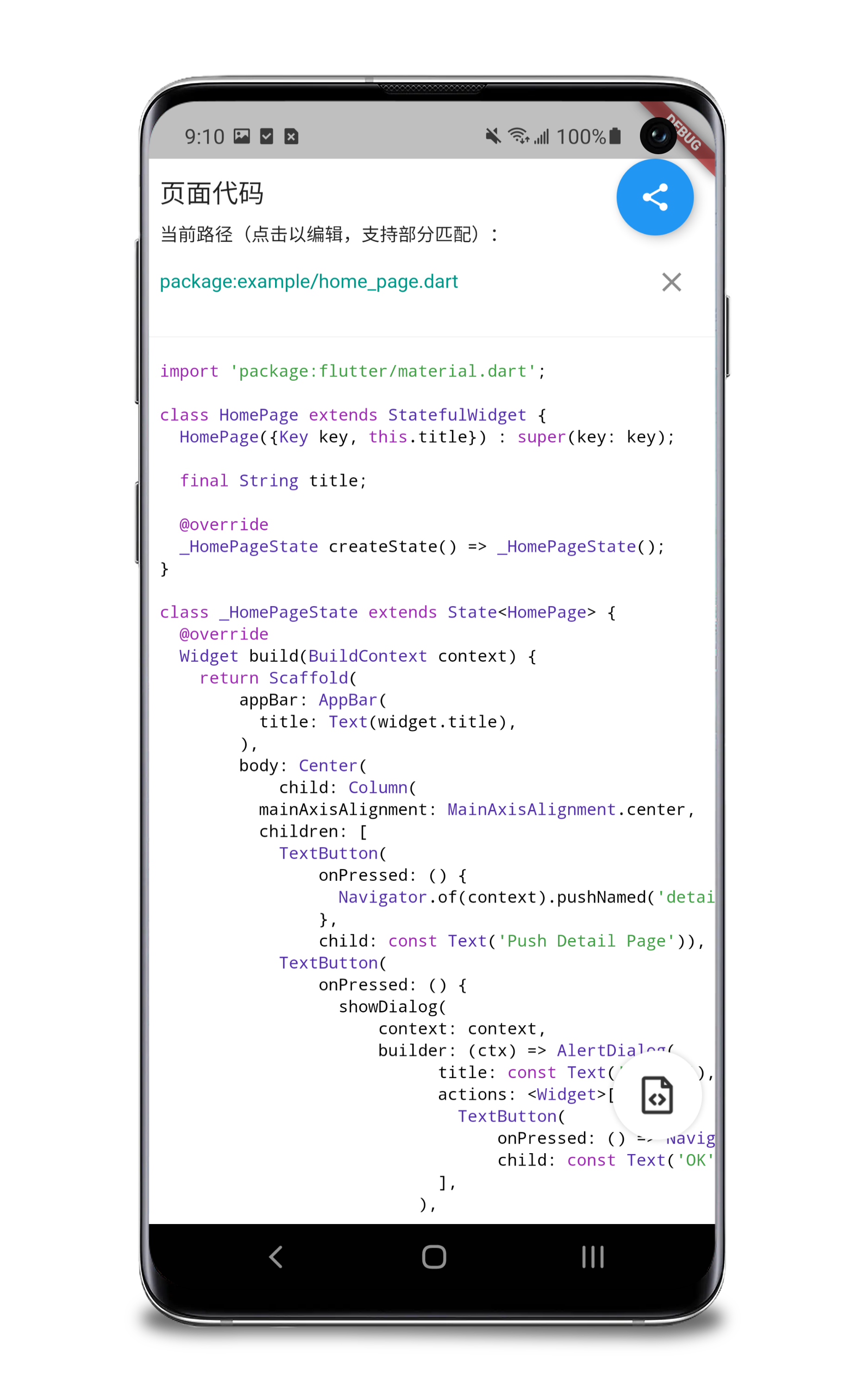
Show Code
Show Code
Console
Console
Dio Inspector
Dio Inspector
Develop plugin kits for UME
UME plugins are located in the ./kits directory, and each one is a package.
You can refer to the example in ./custom_plugin_example about this chapter.
Run flutter create -t package custom_plugin to create your custom plugin kit, it could be package or plugin.
Edit pubspec.yaml of the custom plugin kit to add UME framework dependency.
dependencies:flutter_ume:'>=0.3.0 <0.4.0'
Create the class of the plugin kit which should implement Pluggable.
import'package:flutter_ume/flutter_ume.dart';
classCustomPluginimplementsPluggable{
CustomPlugin({Key key});
@overrideWidgetbuildWidget(BuildContext context) => Container(
color: Colors.white
width: 100,
height: 100,
child: Center(
child: Text('Custom Plugin')
),
); // The panel of the plugin kit@overrideStringget name => 'CustomPlugin'; // The name of the plugin kit@overrideStringget displayName => 'CustomPlugin';
@overridevoidonTrigger() {} // Call when tap the icon of plugin kit@overrideImageProvider<Object> get iconImageProvider => NetworkImage('url'); // The icon image of the plugin kit
}
Use your custom plugin kit in project
Edit pubspec.yaml of host app project to add custom_plugin dependency.
We introduce the PluggableWithNestedWidget from 0.3.0. It is used to insert nested Widgets in the Widget tree and quickly access embedded kits with nested widget.
The class of your plugin should implement PluggableWithNestedWidget.
Implements Widget buildNestedWidget(Widget child). Handling the nested widgets and returning the new Widget.
How to use UME in Release/Profile mode
Once you use flutter_ume in Release/Profile mode, you agree that you willbear the relevant risks by yourself.
The maintainer of flutter_ume does not assume any responsibility for the accidentcaused by this.
We recommend not to use it in Release/Profile mode for the following reasons:
VM Service is not available in these environments, so some functions are not available
In this environment, developers need to isolate the app distribution channels by themselves to avoid submitting relevant debugging code to the production environment
In order to use in Release/Profile mode, the details that need to be adjusted in the normal access process:
In pubspec.yaml, flutter_ume and plugins should be write below dependencies rather than dev_dependencies.
Don't put the code which call PluginManager.instance.register() and UMEWidget(child: App()) into conditionals which represent debug mode. (Such as kDebugMode)
Ensure the above details, run flutter clean and flutter pub get, then build your app.
About version
Compatibility
UME version
1.12.13
1.22.3
2.0.1
2.2.3
2.5.3
2.8.0
3.0.5
3.3.1
0.1.x
✅
✅
✅
✅
⚠️
⚠️
❌
❌
0.2.x
❌
❌
✅
✅
✅
⚠️
❌
❌
0.3.x
❌
❌
✅
✅
✅
✅
❌
❌
1.0.x
❌
❌
⚠️
⚠️
⚠️
⚠️
✅
✅
1.1.x
❌
❌
⚠️
⚠️
⚠️
⚠️
✅
✅
⚠️ means the version has not been fully tested for compatibility.
Special case
Please use flutter_ume_kit_ui: ^1.1.0 and above version when you are using Flutter 3.7 and above.