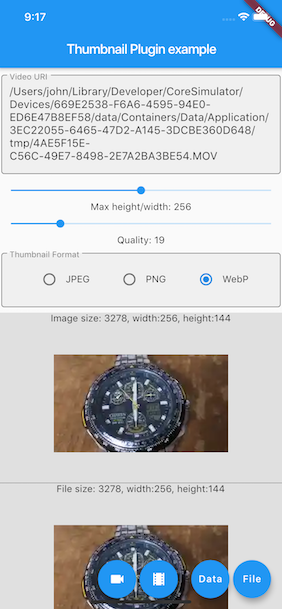
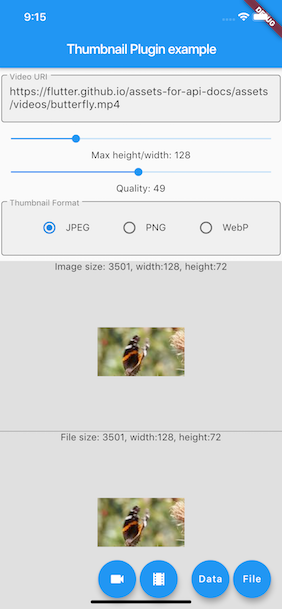
一个 Flutter 插件,可从本地视频文件或视频 URL 生成缩略图图像。它支持 Android、iOS 和 Web 平台,使开发者能够从视频中提取代表性帧,用于预览、画廊或媒体显示。该插件通过平台特定的实现利用原生功能,确保跨设备的高效性能和兼容性。在无需播放完整视频的情况下,特别适用于需要视频内容视觉表示的应用程序。
适合场景
视频预览生成
媒体画廊缩略图
内容推荐用户界面
视频上传预览
社交媒体帖子预览
主要特点
支持本地视频文件
支持视频链接
跨平台(Android、iOS、Web)
高效帧提取
简单 API 集成
适合对象
媒体密集型应用
视频分享平台
内容管理系统
带有视频库的移动应用
基于网络的视频查看器
使用建议
需要在 Android 和 iOS 上具备适当的权限
Web 支持可能因浏览器功能而存在限制
大视频文件可能会影响性能
缩略图质量取决于源视频分辨率
针对远程URL的网络请求需要错误处理
原始 README
以下为关联源码仓库的 README 原文快照,最新内容请访问源码仓库。
get_video_thumbnail
This project is a modified fork of video_thumbnail,
originally created by
John Zhong. Modifications and improvements have been made to adapt the project to new needs.
This plugin generates thumbnail from video file or URL. It returns image in memory or writes into a
file. It offers rich
options to control the image format, resolution and quality. Supports iOS / Android / web.
Methods
function
parameter
description
return
thumbnailData
String [video], optional Map<String, dynamic> [headers], ImageFormat [imageFormat](JPEG/PNG/WEBP), int [maxHeight](0: for the original resolution of the video, or scaled by the source aspect ratio), [maxWidth](0: for the original resolution of the video, or scaled by the source aspect ratio), int [timeMs]generates the thumbnail from the frame around the specified millisecond, int[quality]`(0-100)
generates thumbnail from [video]
[Future<Uint8List>]
thumbnailFile
String [video], optional Map<String, dynamic> [headers], String [thumbnailPath](folder or full path where to store the thumbnail file, null to save to same folder as the video file) this ignored on the web, ImageFormat [imageFormat](JPEG/PNG/WEBP), int [maxHeight](0: for the original resolution of the video, or scaled by the source aspect ratio), int [maxWidth](0: for the original resolution of the video, or scaled by the source aspect ratio), int [timeMs] generates the thumbnail from the frame around the specified millisecond, int [quality](0-100)
creates a file of the thumbnail from the [video]
[Future<String>]
Warning:
Giving both the maxHeight and maxWidth has different result on Android platform, it actually
scales the thumbnail
to the specified maxHeight and maxWidth.
To generate the thumbnail from a network resource, the video must be properly URL encoded.
Usage
Installing
add get_thumbnail_video as a dependency in your pubspec.yaml file.
final uint8list = awaitVideoThumbnail.thumbnailData(
video: videofile.path,
imageFormat: ImageFormat.JPEG,
maxWidth: 128, // specify the width of the thumbnail, let the height auto-scaled to keep the source aspect ratio
quality: 25,
);
Generate a thumbnail file from video URL
XFile thumbnailFile = awaitVideoThumbnail.thumbnailFile(
video: "https://flutter.github.io/assets-for-api-docs/assets/videos/butterfly.mp4",
thumbnailPath: (awaitgetTemporaryDirectory()).path,
imageFormat: ImageFormat.WEBP,
maxHeight: 64, // specify the height of the thumbnail, let the width auto-scaled to keep the source aspect ratio
quality: 75,
);
final image = kIsWeb ? Image.network(thumbnailFile.path) : Image.file(File(thumbnailFile.path));
Generate a thumbnail file from video Assets declared in pubspec.yaml
Flutter Thumbnail on the Web platform has some limitations that might surprise developers more
familiar with
mobile/desktop targets.
In no particular order:
CORS headers
This plugin requires the server hosting the video to include appropriate CORS headers in the
response. Specifically, the
server must include the Access-Control-Allow-Origin and Access-Control-Allow-Methods headers in
the response to the
request.
For more information, please refer to
the Mozilla Developer Network documentation.
HTTP range headers
This plugin requires the server hosting the video to support HTTP range headers. If the server does
not support range
requests, the plugin may generate a thumbnail from the first frame of the video instead of the
desired frame.
For more information, please refer to
the Mozilla Developer Network documentation.
Notes
Fork or pull requests are always welcome. Currently it seems have a little performance issue while
generating WebP
thumbnail by using libwebp under iOS.