搜索插件、代码仓与 APP 分类

插件详情v4.1.7

google_map_location_picker

🌍 基于 google_maps_flutter 的 Flutter 地图位置选择器

近 30 天下载
158
喜欢数
238
Pub 分数
35

安装插件

flutter pub add google_map_location_picker

插件介绍

基于插件公开信息、社区数据与项目使用情况整理的选型参考。

一个 Flutter 包,允许用户通过直观的界面在 Google 地图上选择位置。基于 google_maps_flutter 构建,它提供了一种无缝的方式来选择坐标并获取地址详情。非常适合需要位置输入的应用程序,如配送服务、旅行应用或活动规划工具。该选择器支持交互式地图导航、标记放置和自动地理编码。它简化了将基于地图的位置选择集成到 Flutter 应用程序中的过程,而无需进行大量自定义开发。

适合场景

  • 选择收货地址
  • 活动预订地点
  • 定位用户签到
  • 集成基于地图的表单
  • 设置拼车应用中的取车点

主要特点

  • 交互式 Google 地图集成
  • 标记位置和拖拽支持
  • 从地图点击自动地理编码
  • 可自定义的 UI 组件
  • 返回纬度、经度和格式化地址

适合对象

  • 需要精确位置输入的应用
  • 使用 Google 地图的 Flutter 开发人员
  • 位置感知表单字段
  • 旅行和物流平台
  • 面向用户的地址选择界面

使用建议

  • 需要 Google Maps API 密钥
  • 仅限 Android 和 iOS(无网页支持)
  • 依赖于 google_maps_flutter 插件
  • 可能需要额外的权限以访问位置
  • 性能取决于地图渲染质量

原始 README

以下为关联源码仓库的 README 原文快照,最新内容请访问源码仓库。

google_map_location_picker Pub

Location picker using the official google_maps_flutter.

I made This plugin because google deprecated Place Picker.

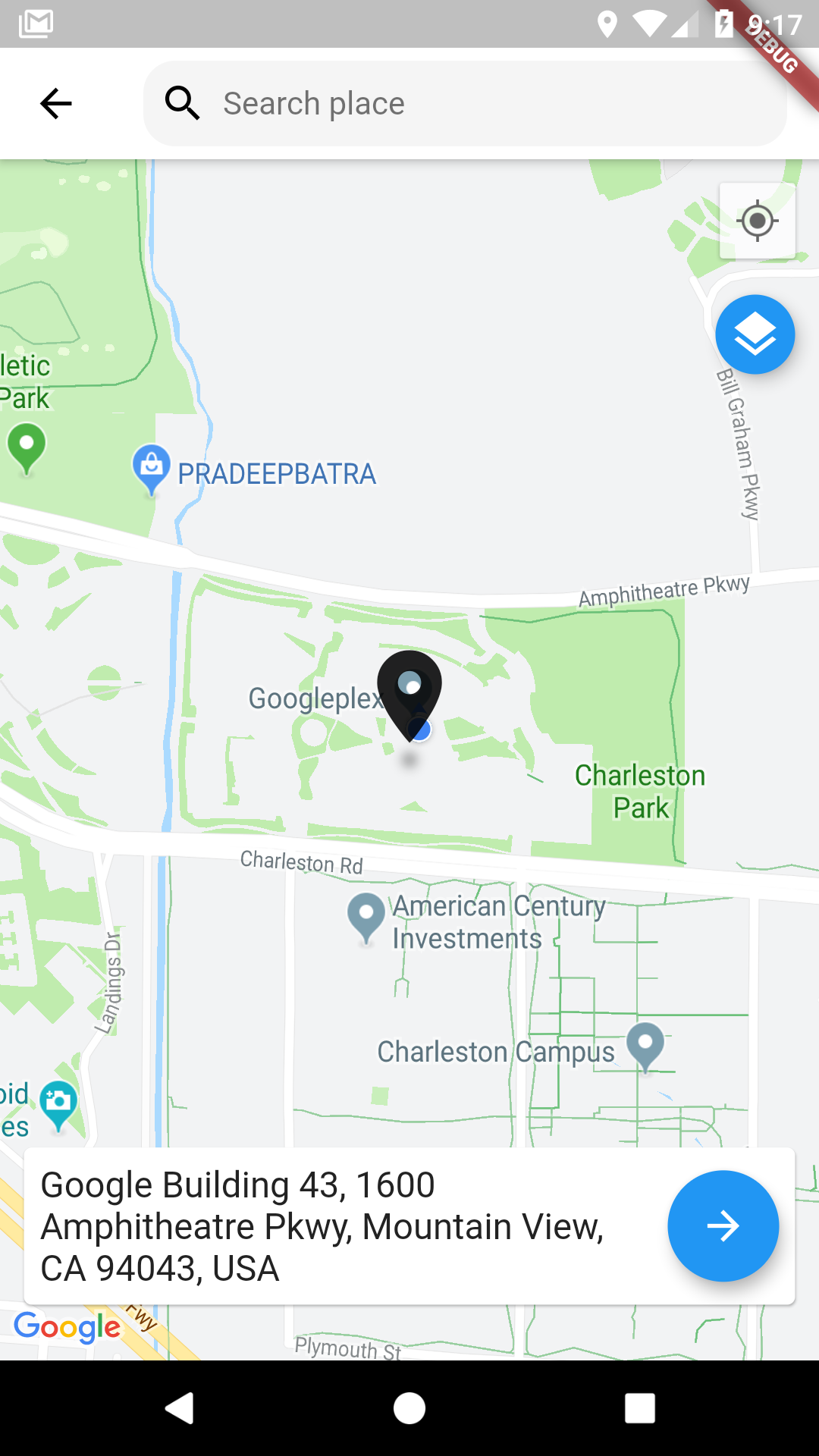
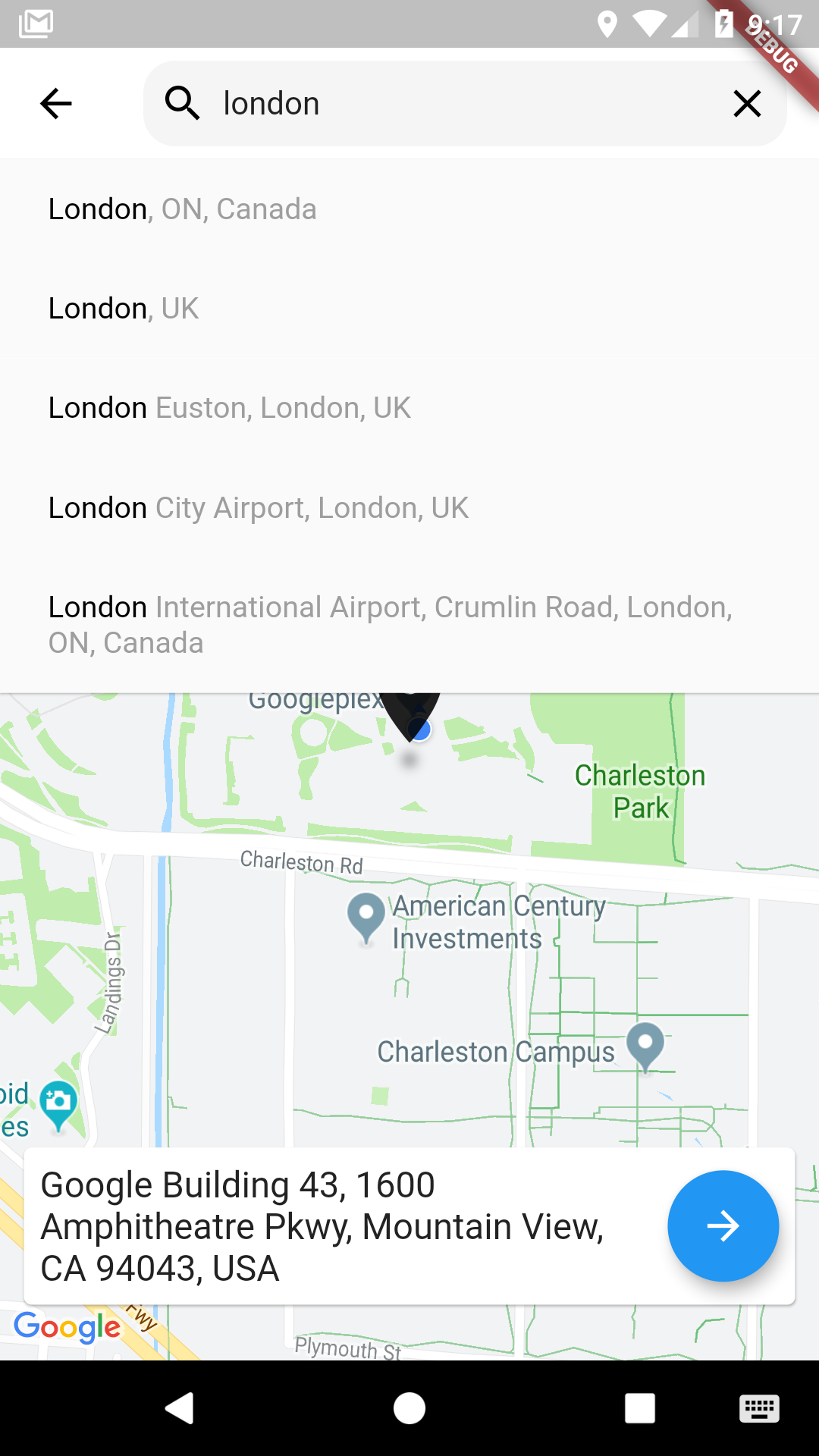
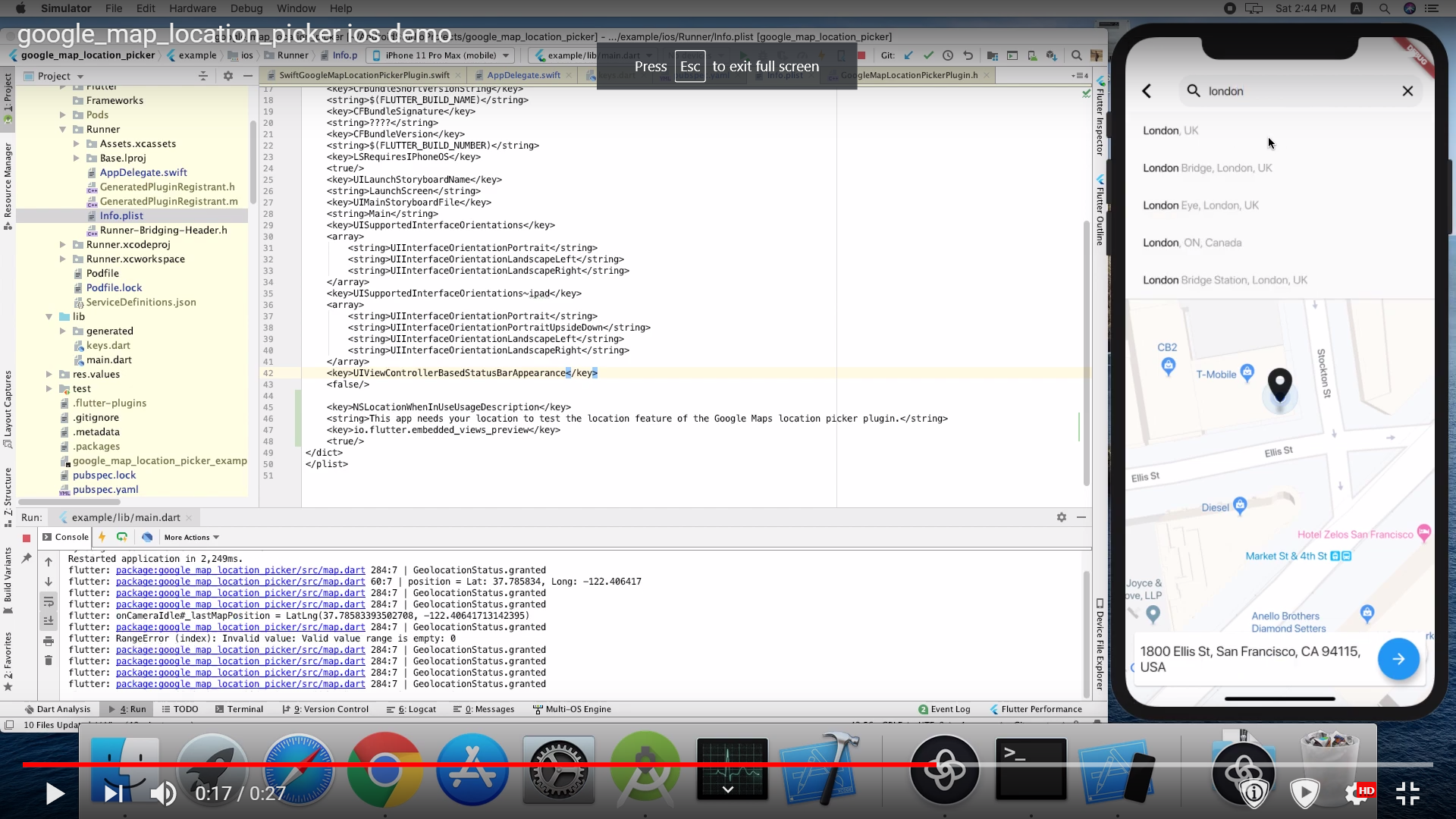
Demo

Using

Pubspec changes:

      dependencies: 
      
        google_maps_flutter: ^0.5.30
        google_map_location_picker: ^3.3.4
        flutter_localizations:
          sdk: flutter

For message localization inside the library please add in MaterialApp

import 'package:google_map_location_picker/generated/l10n.dart' as location_picker;
import 'package:flutter_localizations/flutter_localizations.dart';

MaterialApp(
  localizationsDelegates: const [
    location_picker.S.delegate,
    GlobalMaterialLocalizations.delegate,
    GlobalWidgetsLocalizations.delegate,
    GlobalCupertinoLocalizations.delegate,
  ],
  supportedLocales: const <Locale>[
    Locale('en', ''),
    Locale('ar', ''),
  ],
  home: ...
)
import 'package:google_map_location_picker/google_map_location_picker.dart';
import 'package:google_maps_flutter/google_maps_flutter.dart';

LocationResult result = await showLocationPicker(context, apiKey);

Getting Started

Android

Specify your API key in the application manifest android/app/src/main/AndroidManifest.xml:

<manifest ...
  <application ...
    <meta-data android:name="com.google.android.geo.API_KEY"
               android:value="YOUR KEY HERE"/>
iOS

Specify your API key in the application delegate ios/Runner/AppDelegate.m:

#include "AppDelegate.h"
#include "GeneratedPluginRegistrant.h"
#import "GoogleMaps/GoogleMaps.h"

@implementation AppDelegate

- (BOOL)application:(UIApplication *)application
    didFinishLaunchingWithOptions:(NSDictionary *)launchOptions {
  [GMSServices provideAPIKey:@"YOUR KEY HERE"];
  [GeneratedPluginRegistrant registerWithRegistry:self];
  return [super application:application didFinishLaunchingWithOptions:launchOptions];
}
@end

Or in your swift code, specify your API key in the application delegate ios/Runner/AppDelegate.swift:

import UIKit
import Flutter
import GoogleMaps

@UIApplicationMain
@objc class AppDelegate: FlutterAppDelegate {
  override func application(
    _ application: UIApplication,
    didFinishLaunchingWithOptions launchOptions: [UIApplicationLaunchOptionsKey: Any]?
  ) -> Bool {
    GMSServices.provideAPIKey("YOUR KEY HERE")
    GeneratedPluginRegistrant.register(with: self)
    return super.application(application, didFinishLaunchingWithOptions: launchOptions)
  }
}

you need also to define NSLocationWhenInUseUsageDescription

  <key>NSLocationWhenInUseUsageDescription</key>
  <string>This app needs your location to test the location feature of the Google Maps location picker plugin.</string>
Note

The following permissions are not required to use Google Maps Android API v2, but are recommended.

android.permission.ACCESS_COARSE_LOCATION Allows the API to use WiFi or mobile cell data (or both) to determine the device's location. The API returns the location with an accuracy approximately equivalent to a city block.

android.permission.ACCESS_FINE_LOCATION Allows the API to determine as precise a location as possible from the available location providers, including the Global Positioning System (GPS) as well as WiFi and mobile cell data.


You must also explicitly declare that your app uses the android.hardware.location.network or android.hardware.location.gps hardware features if your app targets Android 5.0 (API level 21) or higher and uses the ACCESS_COARSE_LOCATION or ACCESS_FINE_LOCATION permission in order to receive location updates from the network or a GPS, respectively.

<uses-feature android:name="android.hardware.location.network" android:required="false" />
<uses-feature android:name="android.hardware.location.gps" android:required="false"  />

The following permissions are defined in the package manifest, and are automatically merged into your app's manifest at build time. You don't need to add them explicitly to your manifest:

android.permission.INTERNET Used by the API to download map tiles from Google Maps servers.

android.permission.ACCESS_NETWORK_STATE Allows the API to check the connection status in order to determine whether data can be downloaded.

Restricting Autocomplete Search to Region

The LocationResults returned can be restricted to certain countries by passing an array of country codes into the countries parameter of showLocationPicker(). Countries must be two character, ISO 3166-1 Alpha-2 compatible. You can find code information at Wikipedia: List of ISO 3166 country codes or the ISO Online Browsing Platform.

The example below restricts Autocomplete Search to the United Arab Emirates and Nigeria

showLocationPicker(
context, "YOUR API KEY HERE",
initialCenter: LatLng(31.1975844, 29.9598339),
myLocationButtonEnabled: true,
layersButtonEnabled: true,
countries: ['AE', 'NG'],
);

Credits

The google map from Flutter's google_maps_flutter package

current location and permission from BaseflowIT's flutter-geolocator package.

The search bar from Degreat's locationpicker package.

所属分类

依赖

依赖清单 8 项

源码仓库

使用此插件的项目