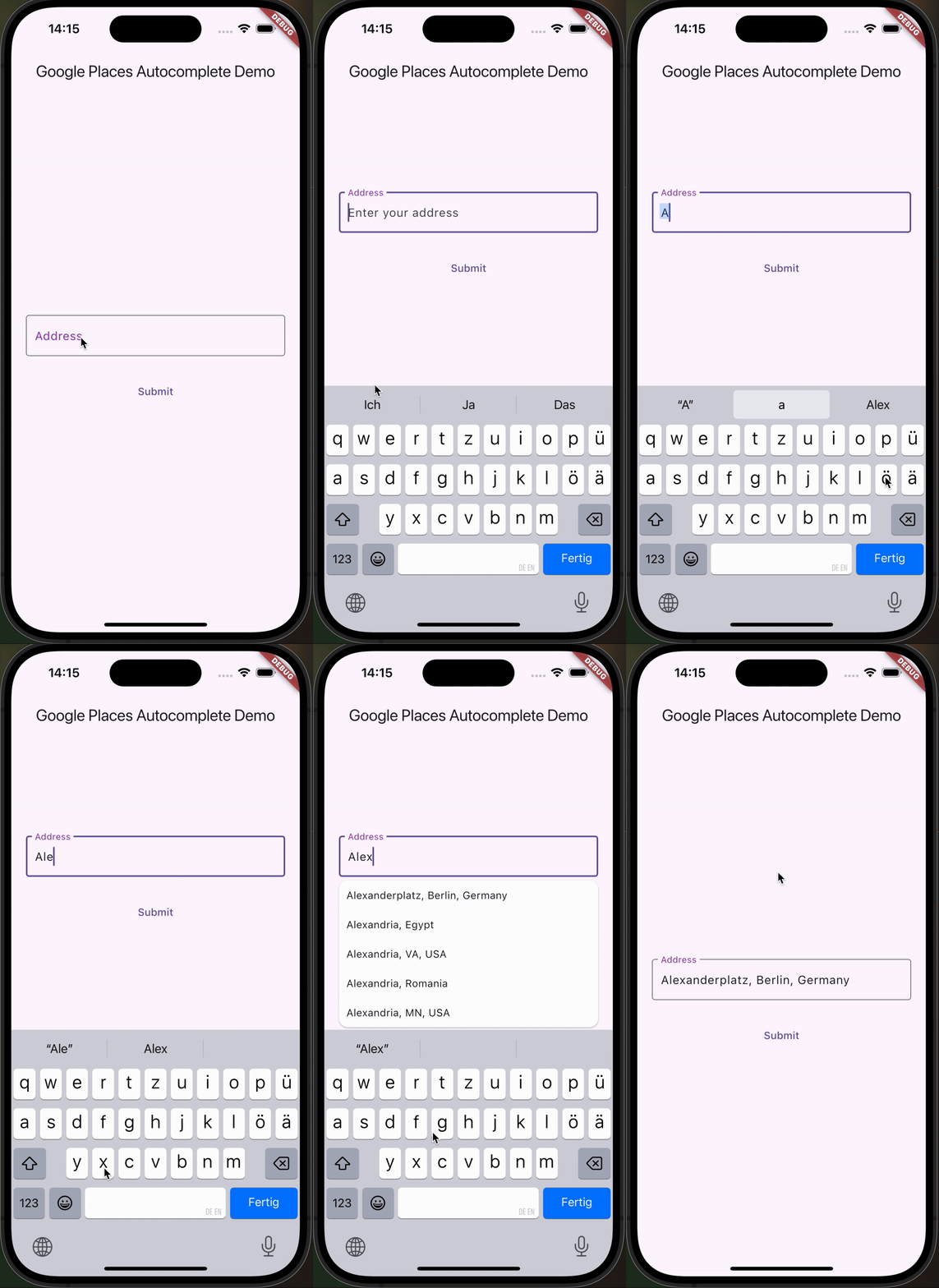
一个可自定义的 Flutter 文本字段,用于 Google 地点自动补全,支持 iOS、Android 和 Web 平台。它允许用户通过 Google 地点 API 提供的实时建议搜索并选择位置。该控件专为无缝集成到需要地址或位置输入的表单中而设计,提供灵活的样式和行为。非常适合需要从用户输入的地址获取准确地理定位数据的应用。
适合场景
表单中的地址输入
旅行应用中的位置选择
收货地址输入
基于地理位置的服务
用户资料设置
主要特点
实时地点建议
可自定义的 UI 和样式
跨平台支持(iOS、Android、Web)
与 Google Places API 集成
内置错误处理和验证
适合对象
需要位置输入的移动和网络应用程序
具有配送或地图功能的应用程序
需要精确地址输入的表单
使用 Google Places API 的开发人员
优先考虑用户体验的自动补全项目
使用建议
需要 Google Places API 密钥
根据查询量可能会产生使用费用
依赖互联网连接
建议列表外观的自定义有限
高负载期间响应时间可能存在延迟
原始 README
以下为关联源码仓库的 README 原文快照,最新内容请访问源码仓库。
google_places_autocomplete_text_field
This Flutter package helps you build a TextField that provides autocompletion suggestions from the new Google Places API.
Integrate the Google AutoComplete TextField Widget in your code 🧩
GooglePlacesAutoCompleteTextFormField(
textEditingController: controller,
config: constGoogleApiConfig(
apiKey: 'YOUR_GOOGLE_API_KEY',
// only needed if you build for the web
proxyURL: 'https://your-proxy.com/',
countries: ['de'], // optional, by default the list is empty (no restrictions)
fetchPlaceDetailsWithCoordinates: true, // if you require the coordinates from the place details
debounceTime: 400, // defaults to 600 ms
locationRestriction: LocationConfig.circle(
circleCenter: constCoordinates(latitude: 52.5200, longitude: 13.4050),
circleRadiusInKilometers: 1000,
), // either this or locationBias (or nothing)
placeTypeRestriction: PlaceType.city, // if you want specific place types
),
onPredictionWithCoordinatesReceived: (prediction) {
// this method will return latlng with place detailprint("Coordinates: (${prediction.lat},${prediction.lng})");
// the place details are returned on the prediction as wellprint("Address: ${prediction.formattedAddress}");
print("Components: ${prediction.addressComponents}");
}, // this callback is called when fetchPlaceDetailsWithCoordinates is true
onSuggestionClicked: (prediction) {
controller.text = prediction.description;
controller.selection = TextSelection.fromPosition(TextPosition(offset: prediction.description.length));
}
)
Integrate the Google AutoComplete TextField Widget in your Web code 🌐
In case you're building for the web, you need to pass the widget a proxy URL, otherwise you will receive a CORS-Error, as there are calls to the Google Maps API being made from the frontend. If you are not Google, your domain will probably be different, thus leading to the CORS-Error. If you are Google: how ya doin 😏? I'd love to do an internship.
Customization Option
You can customize the GooglePlacesAutoCompleteTextFormField as you would with any other TextFormField.