搜索插件、代码仓与 APP 分类

image_picker_web 封面
插件详情v4.0.0

image_picker_web

Flutter Web 插件,用于选择图片(作为 Widget、File 或 Uint8List)和视频(作为 File 或 Uint8List)

Web
近 30 天下载
1.8万
喜欢数
160
Pub 分数
140

安装插件

flutter pub add image_picker_web

插件介绍

基于插件公开信息、社区数据与项目使用情况整理的选型参考。

一个 Flutter Web 插件,允许用户直接从 Web 浏览器中选择图片和视频。它提供灵活的输出选项,可将所选媒体返回为 Widget、File 或 Uint8List,以便无缝集成到 Web 应用程序中。专为 Web 平台设计,通过支持原生文件选择并实现最小化设置来提升用户体验。该插件由社区贡献者维护,并支持现代 Web 标准。非常适合需要在浏览器环境中进行媒体上传或预览的应用。

适合场景

  • 基于网络的照片上传表单
  • 用于内容创作的视频选择
  • 上传前的媒体预览
  • 用户资料图片自定义
  • 交互式网络画廊

主要特点

  • 支持图像和视频选择
  • 返回媒体作为 File 或 Uint8List
  • 提供小部件预览选项
  • 针对网络平台优化
  • 与 Flutter Web 的简单集成

适合对象

  • Flutter 开发人员构建 Web 应用
  • 需要浏览器媒体输入的应用程序
  • 需要轻量级媒体选择器的项目
  • 仅限网络的应用程序与媒体工作流程
  • 寻求跨平台一致性的开发者

使用建议

  • 仅限网页平台
  • 需要浏览器权限以访问文件
  • 不支持在网页上进行摄像头捕获
  • 在不同浏览器中可能表现出不同的行为
  • 依赖外部 GitHub 仓库以获取更新

原始 README

以下为关联源码仓库的 README 原文快照,最新内容请访问源码仓库。

ImagePickerWeb

Issues Stars Pub Version Flutter Web CI

This Web-Plugin allows Flutter Web to pick images (as File, Widget or Uint8List) and videos (as File or Uint8List). Many thanks goes to AlvaroVasconcelos for the implementation of picking images in his plugin: flutter_web_image_picker

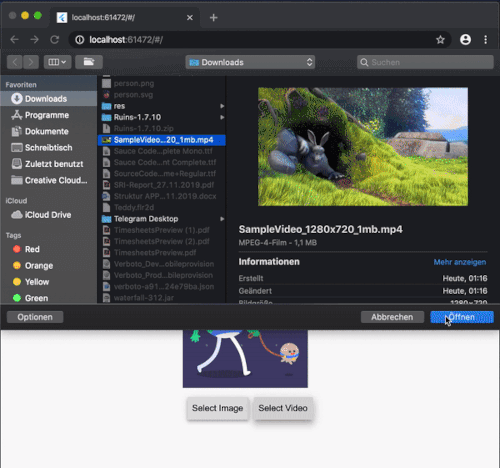
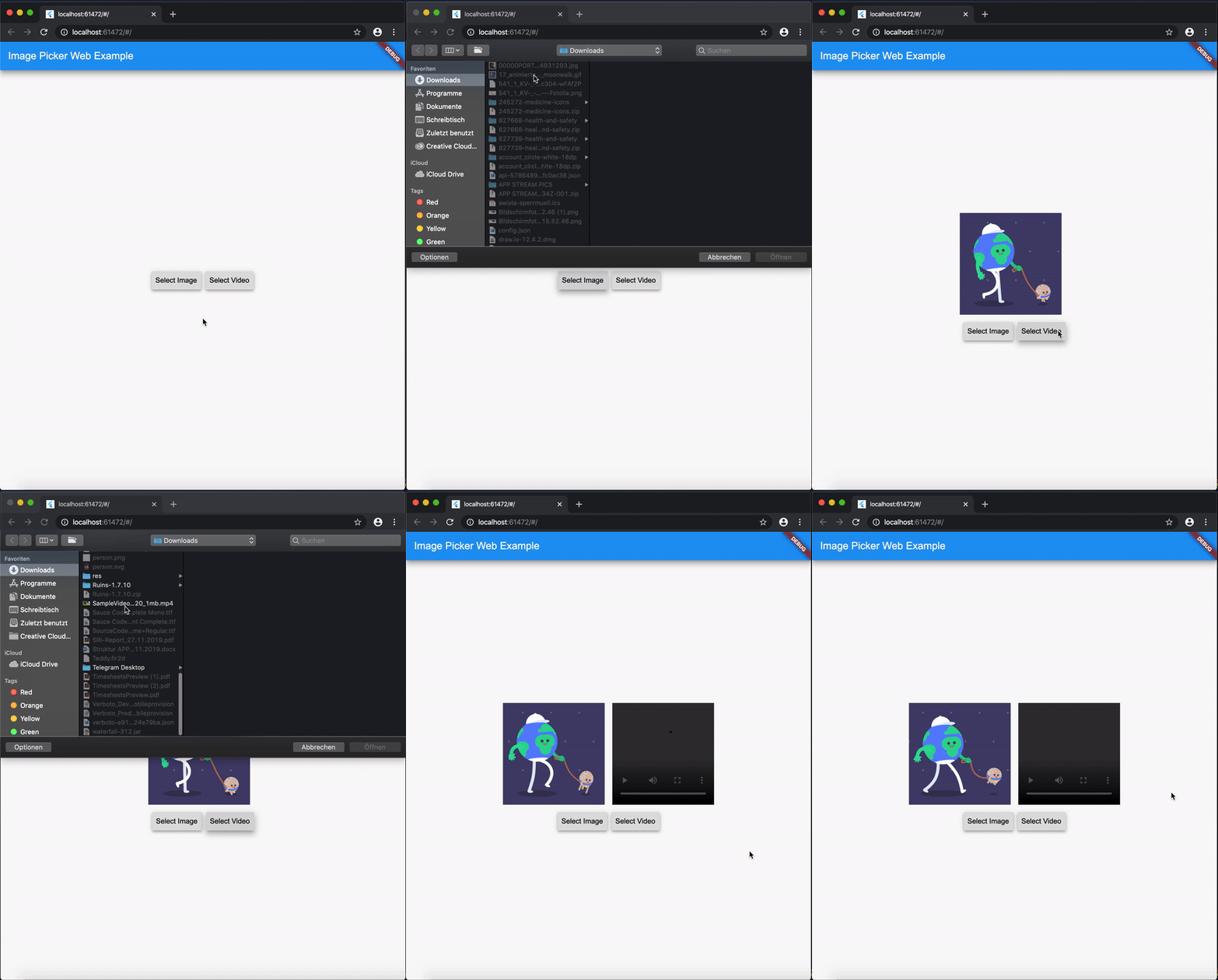
ExampleGif

Disclaimer for Videos
  • Till now [Mar. 2020] it's not possible (due to security reasons) to play a local video file (see also video_player_web). But you can retreive the file and upload them somewhere and play it as a network source.

Getting Started

Add image_picker_web to your pubspec.yaml:

image_picker_web: any

Picking Images

Pick an image

Load image as Image.memory Widget:

Image? fromPicker = await ImagePickerWeb.getImageAsWidget();

Load image as bytes:

Uint8List? bytesFromPicker = await ImagePickerWeb.getImageAsBytes();

Load image as and html.File object :

html.File? imageFile = (await ImagePickerWeb.getMultiImagesAsFile())?[0];
Pick multiple images

Load images as a List<Image> :

List<Image>? fromPicker = await ImagePickerWeb.getMultiImagesAsWidget();

Load images as bytes :

List<Uint8List>? bytesFromPicker = await ImagePickerWeb.getMultiImagesAsBytes();

Load images as List<html.File> objects :

List<html.File> imageFiles = await ImagePickerWeb.getMultiImagesAsFile();

How do I get all Informations out of my Image/Video (e.g. Image AND File in one run)?

Besides the standard getImage() or getVideo() methods you can use the getters:

  • getImageInfo or
  • getVideoInfo to acheive this.

Full Example

import 'dart:html' as html;
 
import 'package:mime_type/mime_type.dart';
import 'package:path/path.dart' as Path;
import 'package:image_picker_web/image_picker_web.dart';
import 'package:flutter/material.dart';

 html.File _cloudFile;
 var _fileBytes;
 Image _imageWidget;
 
 Future<void> getMultipleImageInfos() async {
    var mediaData = await ImagePickerWeb.getImageInfo;
    String mimeType = mime(Path.basename(mediaData.fileName));
    html.File mediaFile =
        new html.File(mediaData.data, mediaData.fileName, {'type': mimeType});

    if (mediaFile != null) {
      setState(() {
        _cloudFile = mediaFile;
        _fileBytes = mediaData.data;
        _imageWidget = Image.memory(mediaData.data);
      });
    }
  }

With getMultipleImageInfos() you can get all three available types in one call.

Picking Videos

To load a video as html.File do:

html.File? videoFile = await ImagePickerWeb.getVideoAsFile();

To load a video as Uint8List do:

Uint8List? videoData = await ImagePickerWeb.getVideoAsBytes();

Reminder: Don't use Uint8List retreivement for big video files! Flutter can't handle that. Pick bigger sized videos and high-resolution videos as html.File !

After you uploaded your video somewhere hosted, you can retreive the network url to play it.

MediaInfos
  • The methods getVideoInfo and getImageInfo are also available and you can use them to retreive further informations about your picked source.
Pick multiple images

Load videos as bytes:

List<Uint8List>? videos = ImagePickerWeb.getMultiVideosAsBytes();

Load videos as List<html.File> objects :

List<html.File>? videoFiles = await ImagePickerWeb.getMultiVideosAsFile();

Migration Guide

From 3.0.0 to 4.0.0
  • The WebImagePicker class has been removed. Use methods from ImagePickerWeb class instead.
  • getImageInfo and getVideoInfo are now methods and not getters. Use them like ImagePickerWeb.getImageInfo() and ImagePickerWeb.getVideoInfo().

所属分类

源码仓库

使用此插件的项目