搜索插件、代码仓与 APP 分类

infinite_calendar_view 封面
插件详情v2.14.0

infinite_calendar_view

使用此包轻松构建日历的不同视图。月、周、多天、一天、列表……以及日历小部件的许多功能。

AndroidiOSWebmacOSWindowsLinux
近 30 天下载
7070
喜欢数
130
Pub 分数
160

安装插件

flutter pub add infinite_calendar_view

插件介绍

基于插件公开信息、社区数据与项目使用情况整理的选型参考。

一个灵活的 Flutter 包,用于创建可自定义的日历视图,支持月、周、多日、单日和列表布局。它使开发者能够轻松实现动态且交互式日历,设置简单。该包提供了丰富的功能,如日期选择、导航和事件集成,非常适合用于日程安排和规划类应用。专为跨平台使用而设计,可在 Android、iOS、Web、macOS、Windows 和 Linux 上无缝运行。

适合场景

  • 调度应用程序
  • 任务管理工具
  • 活动策划
  • 预订系统
  • 每日计划

主要特点

  • 多种视图模式
  • 跨平台支持
  • 可自定义的 UI
  • 日期选择与导航
  • 事件集成

适合对象

  • 开发基于日历的应用程序的开发者
  • 需要灵活日期视图的应用程序
  • 需要多平台兼容性的项目

使用建议

  • 需要了解 Flutter 布局概念
  • 复杂设计可能需要额外的样式
  • 依赖外部状态管理来处理事件

原始 README

以下为关联源码仓库的 README 原文快照,最新内容请访问源码仓库。

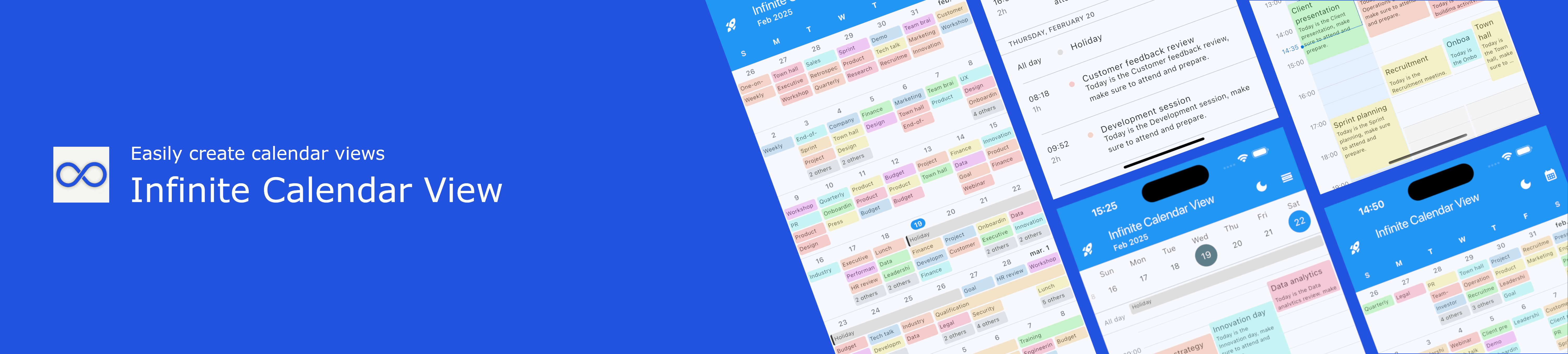
Plugin Banner

infinite_calendar_view

Build infinite_calendar_view

A Flutter Calendar package that allows you to easily implement all calendar UI and calendar views. Infinite Calendar View is a highly customizable calendar widget for Flutter that supports multiple calendar layouts. If this package helps you, consider giving it a 👍 on pub.dev

Web Demo

drawing

https://pickywawa.github.io/infinite_calendar_view_demo/

Features

  • 💙 Inspired by Outlook and Teams mobile. Easy to use calendar interface
  • 👍 No external dependencies. No dependency conflict, easy maintenance
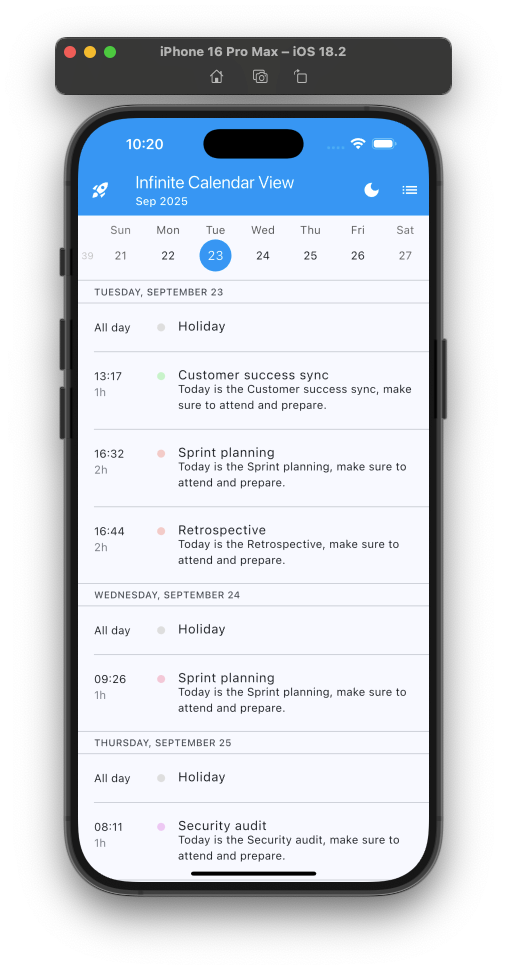
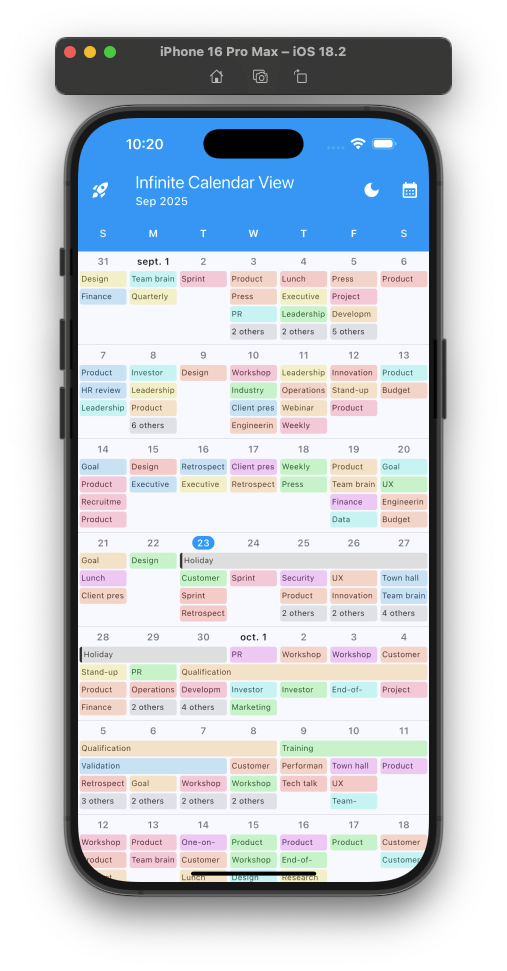
  • 🍻 Three calendar views. Calendar Planner, Calendar Month and Calendar List views
  • ♾️ Infinite scroll. Lazy build and best user experience
  • 🚀 Good performance. With several dozen appointments per day
  • ✏️ All configurable. Everything is configurable!
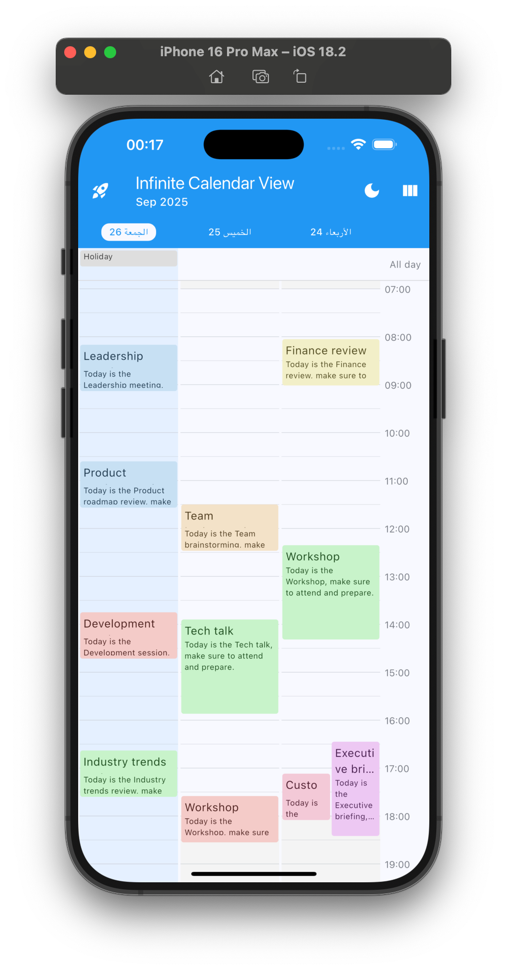
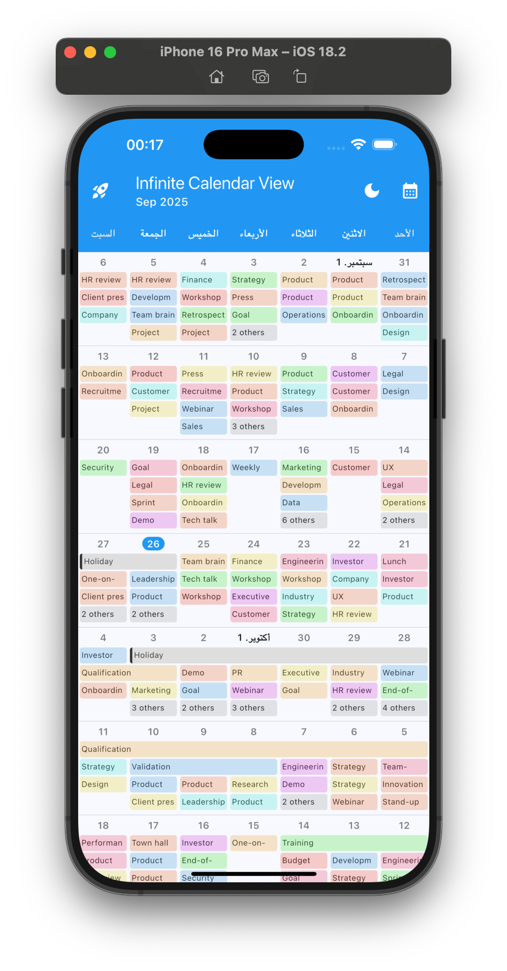
  • 🌍 RTL Support (Arabic, Hebrew etc. text/scroll direction)
  • 🗂️ Events filter. Easy filter calendar day events
  • 🗓️ Calendar events types. Managing all-day events and multi-day events. Possibility of having several types of events with different placement algorithms
  • 🎲 Customizable number of days. Depending on the screen size
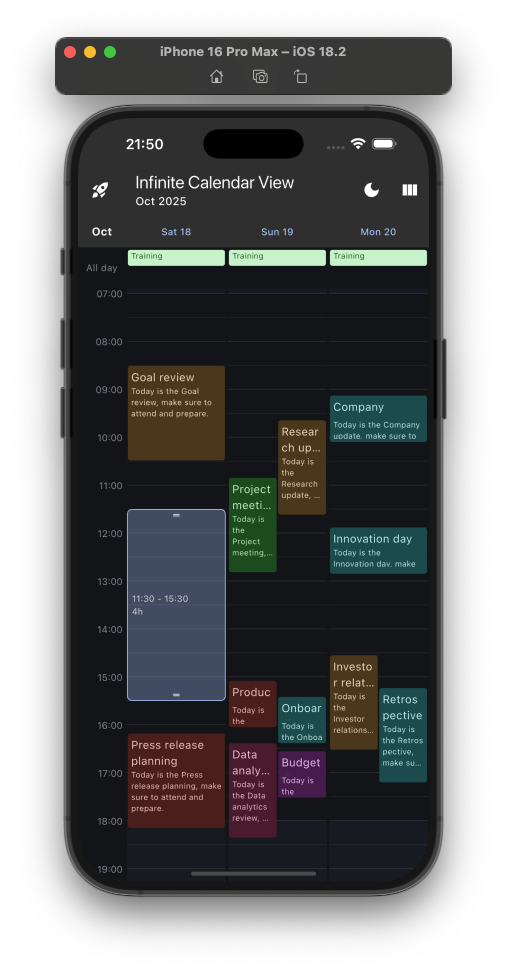
  • 🤏 Pinch to zoom. Change the time scale with two fingers or ctrl/cmd + mouse wheel
  • 👆🏼 Drag and drop. Move calendar appointments easily
  • 👆🏼 Interactive slot selection. Move appointments easily
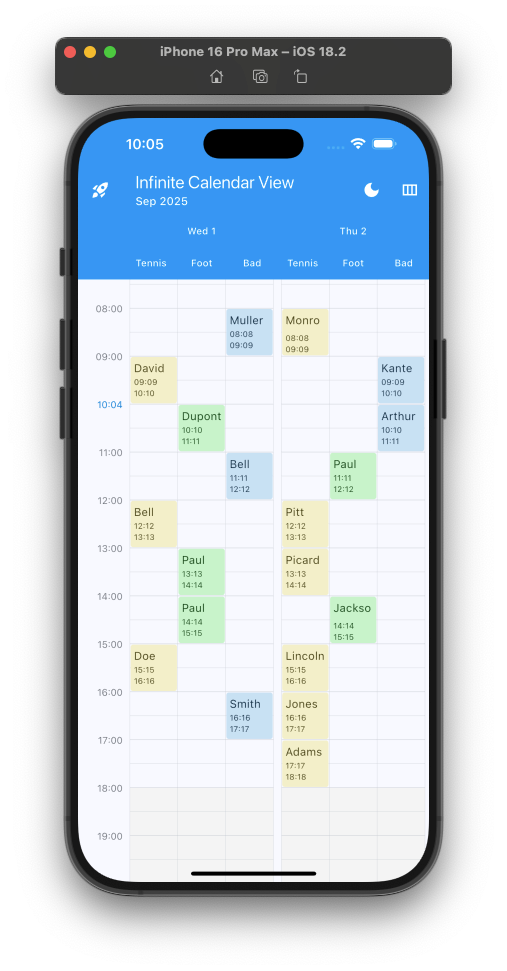
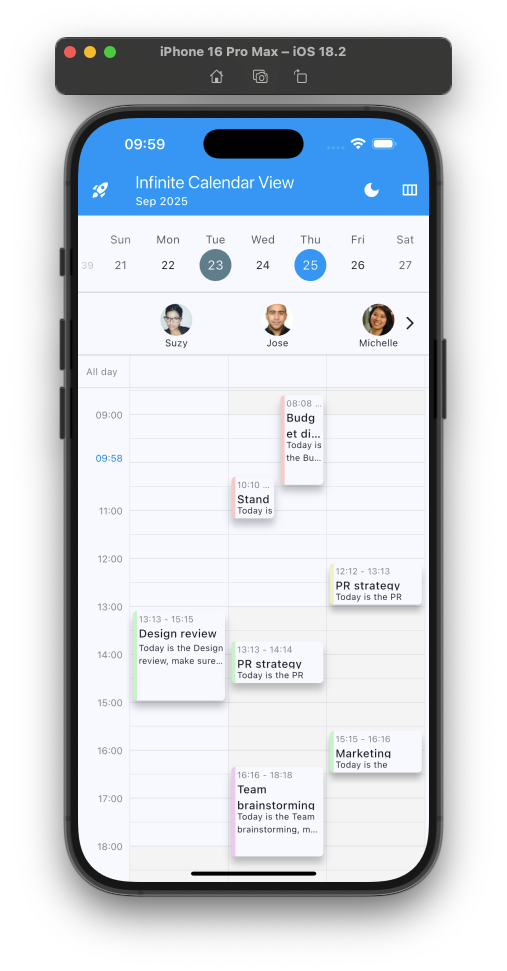
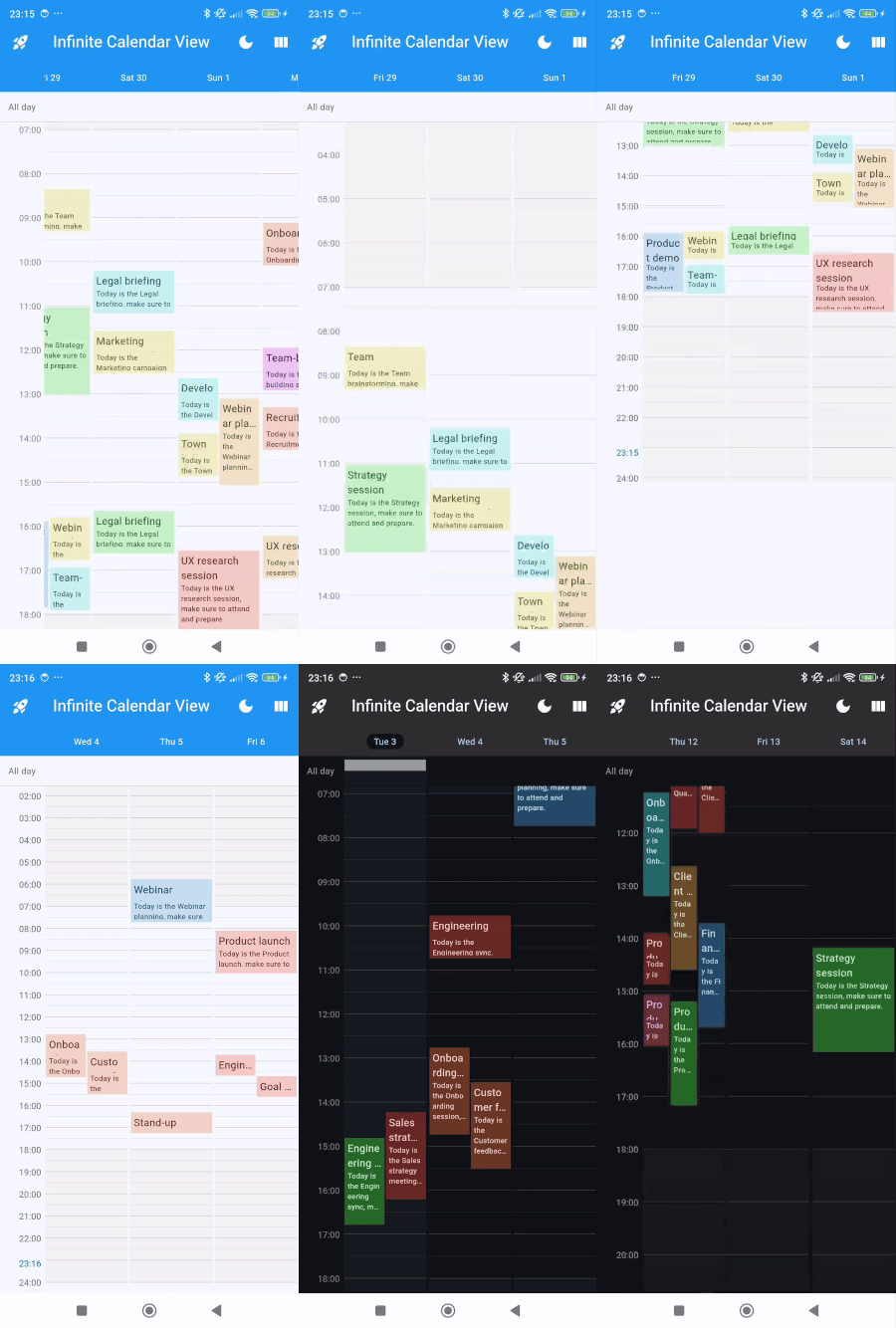
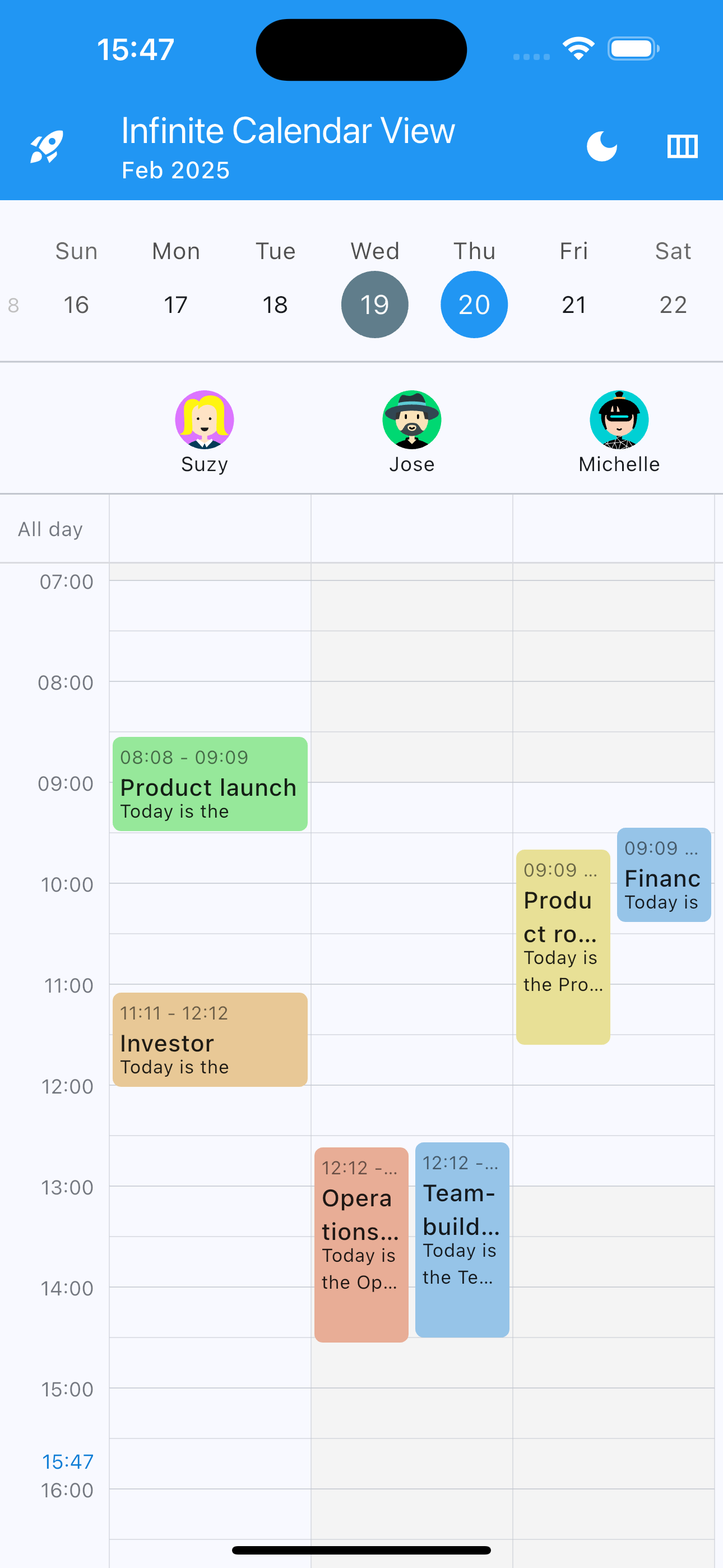
  • 👩‍👧‍👦 Multi columns. Manage multiple calendars in the same calendar view !
  • 🗓️ Events arranger. Customize the placement of appointments (for each event type) in the schedule
  • ➕ many other features
  • 🇫🇷 Made by Pickywawa with ❤️

Showcase

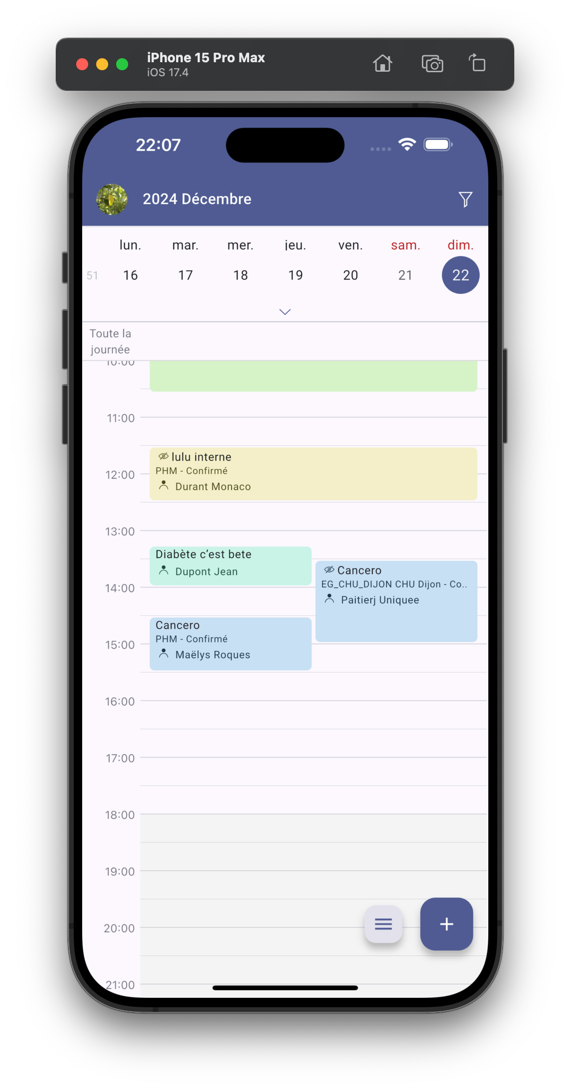
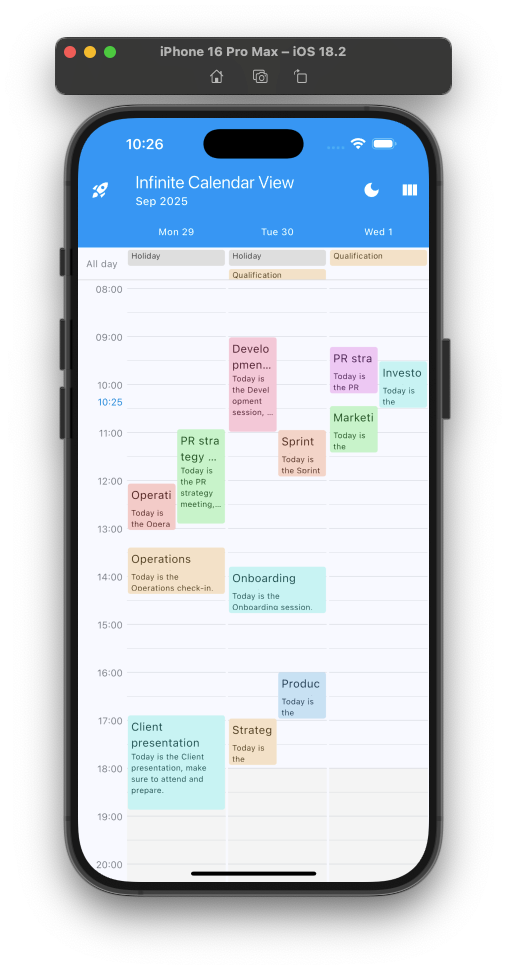
One day
drawing
Multi days
drawing
Multi days RTL
drawing
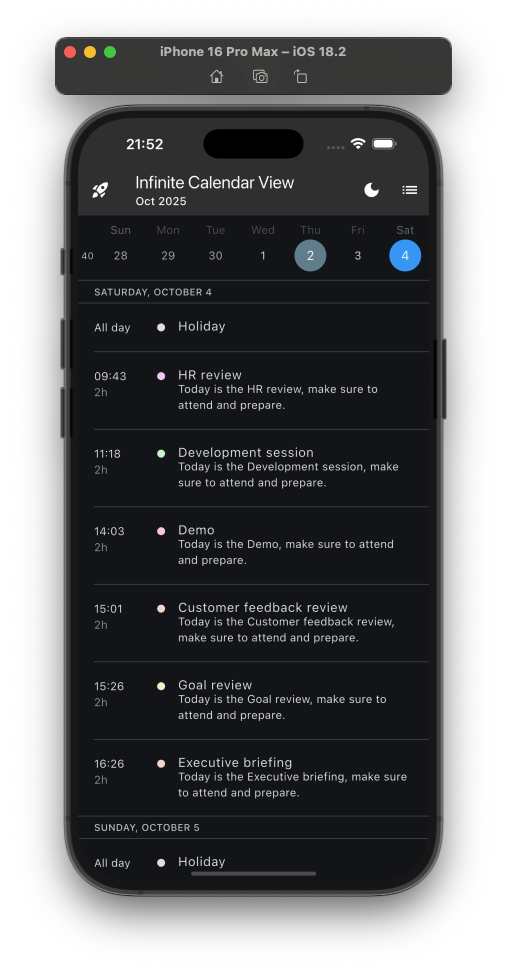
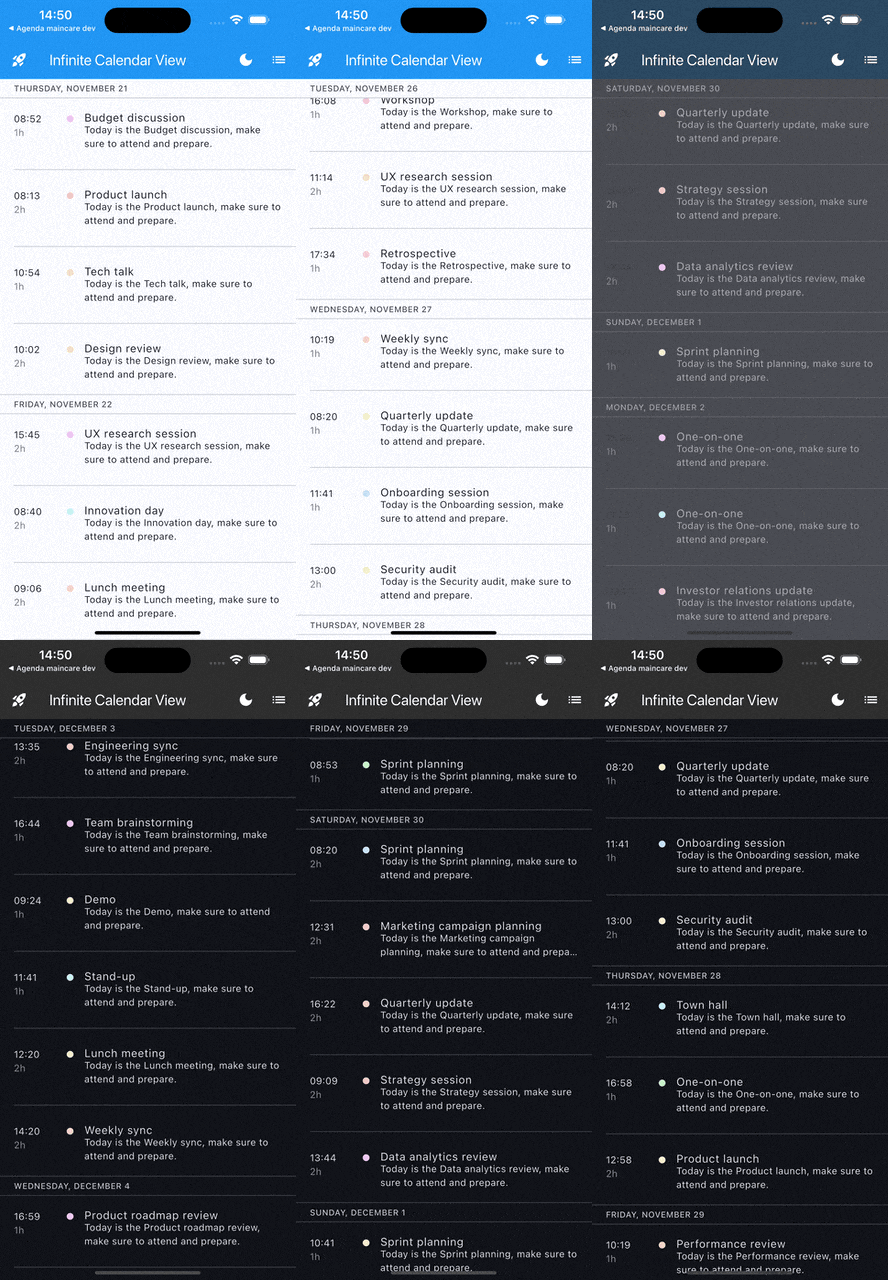
List with sticky header
drawing
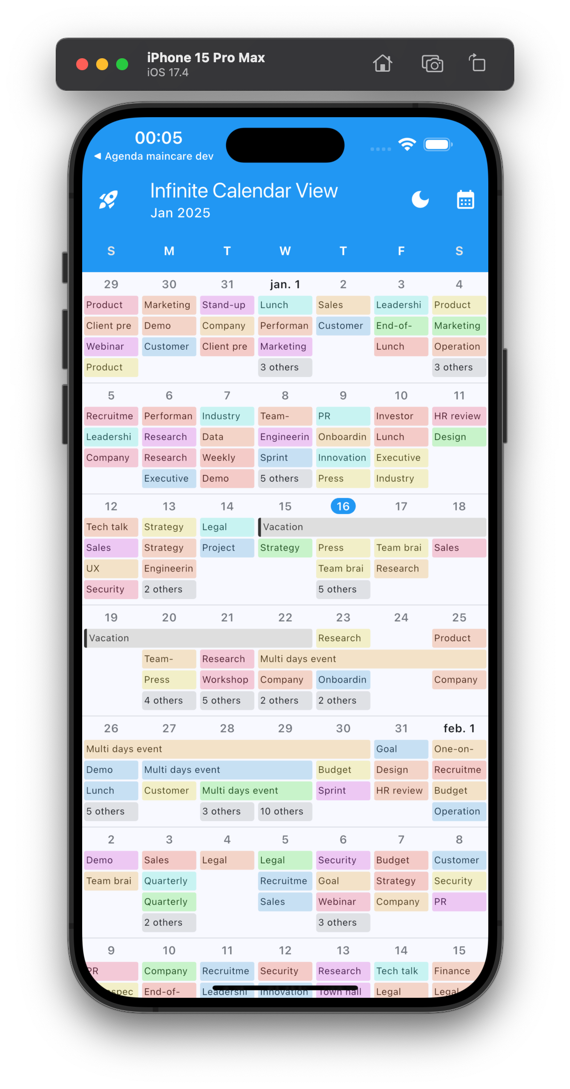
Month
drawing
Month RTL
drawing
Multi Columns - 2 days
drawing
Columns (multi agendas)
drawing
Columns other example
drawing
Multi event types
drawing
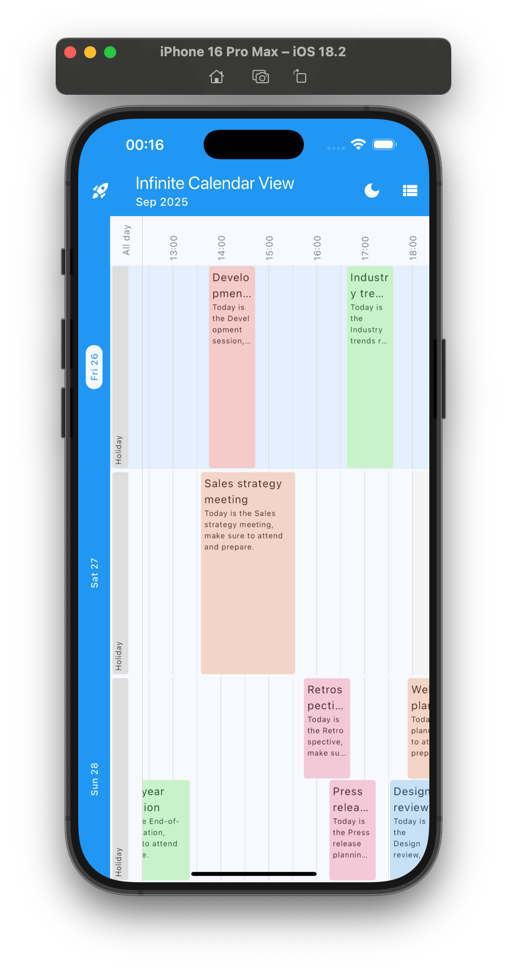
Rotated planner (3 days)
drawing
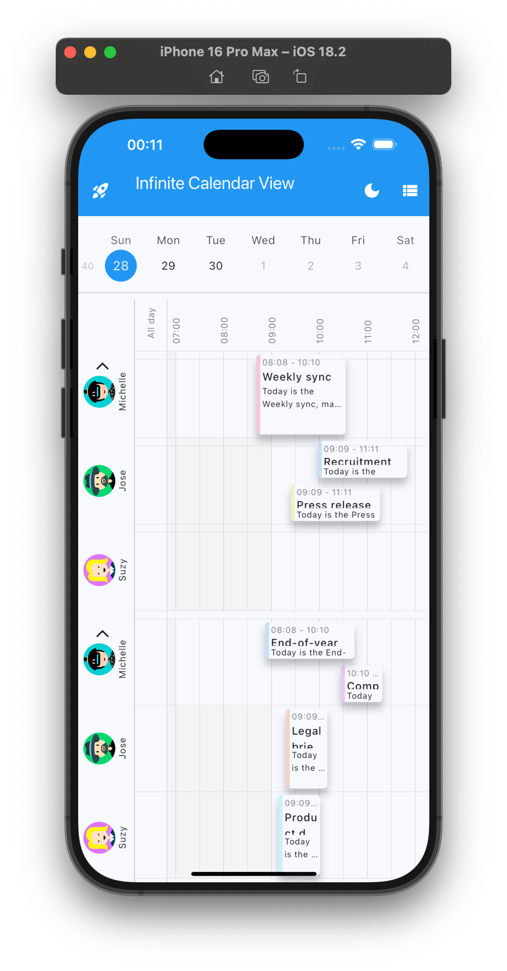
Rotated planner multi-row
drawing
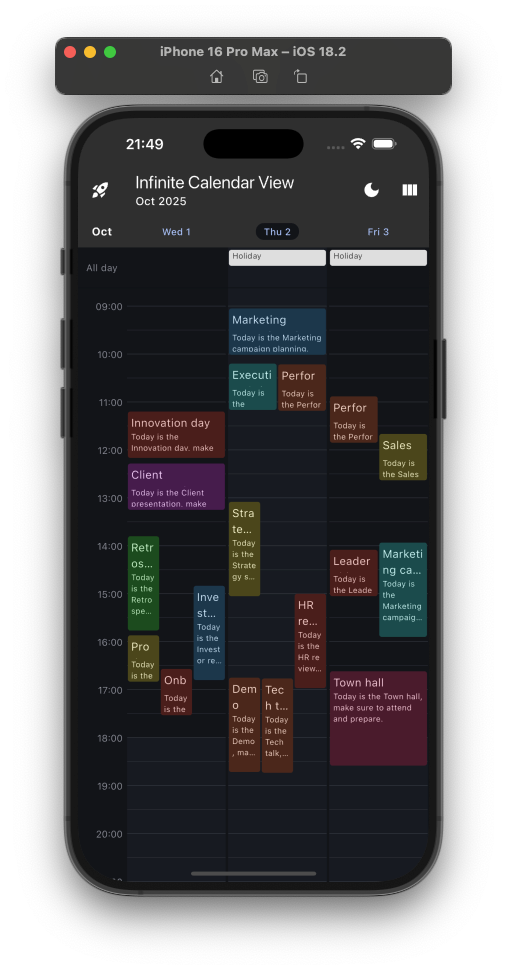
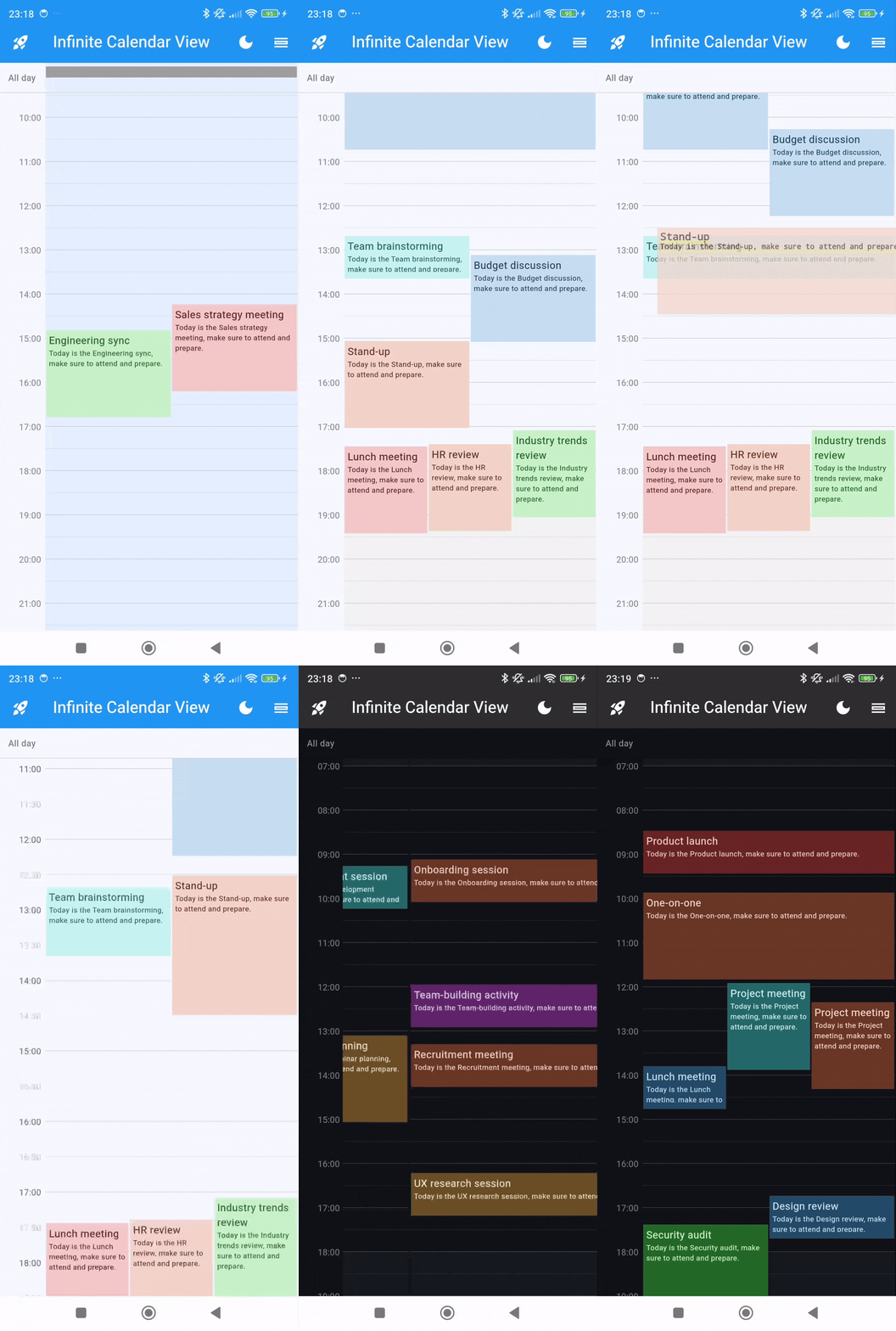
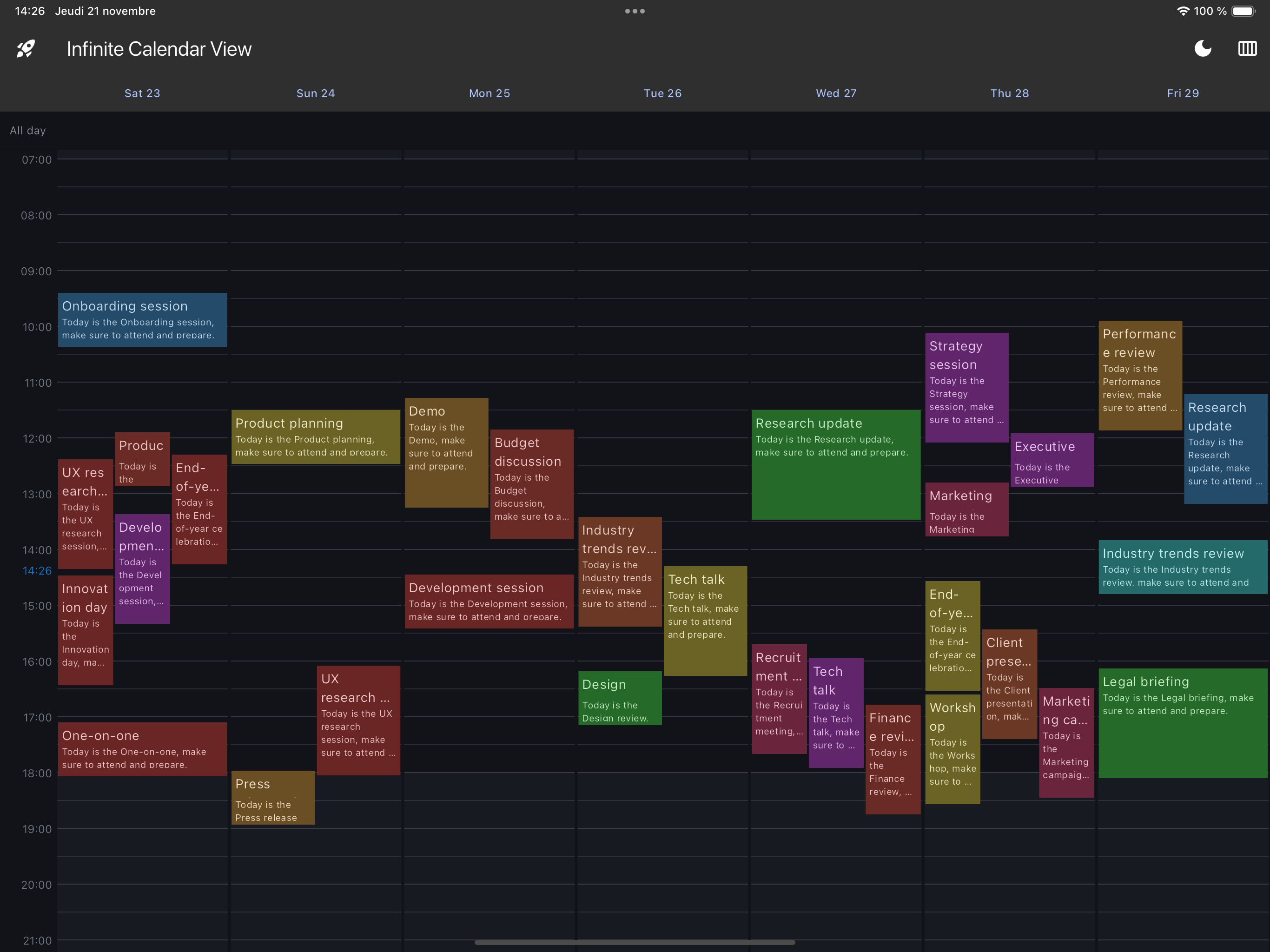
Dark Mode - Planner
drawing
Dark Mode - List
drawing
Interactive slot selection
drawing

Preview

Calendar views
1 day
drawing
3 days
drawing
Month
drawing
List
drawing
7 day (web or tablet)
drawing

Installing

  1. Add dependencies to pubspec.yaml

    Get the latest version in the 'Installing' tab on pub.dev

    dependencies:
        infinite_calendar_view: <latest-version>
    
  2. Run pub get.

    flutter pub get
    
  3. Import package.

    import 'package:infinite_calendar_view/infinite_calendar_view.dart';
    

Implementation

Make sure to check out examples and API docs for more details.

  1. Init controller.

     EventsController controller = EventsController();
    
  2. Add calendar views.

    For 1 Day Calendar Planner View

    Scaffold(
        body: EventsPlanner(
          controller: controller,
          daysShowed : 1
        ),
    );
    

    For 3 Days Calendar Planner View

    Scaffold(
        body: EventsPlanner(
          controller: controller,
          daysShowed : 3
        ),
    );
    

    For Calendar Month View

    Scaffold(
        body: EventsMonths(
          controller: controller,
        ),
    );
    

    For Calendar List View

    Scaffold(
        body: EventsList(
          controller: controller,
        ),
    );
    
  3. Use controller to add or remove events when you want.

    To Add event:

    final event = Event(
       startTime: DateTime(2024, 8, 10, 8, 0),
       endTime: DateTime(2024, 8, 10, 9, 0),
       title: "Event1"
    );
    
    controller.updateCalendarData((calendarData) {
      calendarData.addEvents([event]);
    });
    

    To Add full day event:

    final event = Event(
       isFullDay: true,
       startTime: DateTime(2024, 8, 10),
       title: "Full Day Event"
    );
    
    controller.updateCalendarData((calendarData) {
      calendarData.addEvents([event]);
    });
    

    As soon as you add or remove events from the controller, it will automatically update the calendar view assigned to that controller.

  4. Use GlobalKey to jump to a specific date.

     GlobalKey<EventsPlannerState> key = GlobalKey<EventsPlannerState>();
    

    Add key in EventsPlanner or EventsList

     EventsPlanner(
       key : key
       ...
     )
    

    Jump to date

     key.currentState?.jumpToDate(DateTime(2024, 8, 10))
    

More on the infinite calendar view

  1. For Pinch To Zoom

    EventsPlanner(
       controller: controller,
       pinchToZoomParam: PinchToZoomParameters(
          pinchToZoom: true,
          onZoomChange: (heightPerMinute) {},
          pinchToZoomMinHeightPerMinute: 0.5,
          pinchToZoomMaxHeightPerMinute: 2.5,
          pinchToZoomSpeed: 1,
       ),
    );
    
  2. For Draggable Calendar Event

    EventsPlanner(
       controller: controller,
       dayParam: DayParam(
         dayEventBuilder: (event, height, width, heightPerMinute) {
           return DraggableEventWidget(
             event: event,
             height: height,
             width: width,
             heightPerMinute: heightPerMinute,
             onDragEnd: (exactStartDateTime, exactEndDateTime, roundStartDateTime, roundEndDateTime) {
               moveEvent(event, roundStartDateTime, roundEndDateTime);
             },
             child: DefaultDayEvent(
               height: height,
               width: width,
               title: event.title,
               description: event.description,
             ),
           );
         },
       ),
    );
    
    void moveEvent(Event oldEvent, DateTime roundStartDateTime, DateTime roundEndDateTime) {
      controller.updateCalendarData((calendarData) {
        calendarData.updateEvent(
          oldEvent: oldEvent,
          newEvent: oldEvent.copyWith(
            startTime: roundStartDateTime,
            endTime: roundEndDateTime,
          ),
        );
      });
    }
    
  3. For interactive calendar slot selection

    Active enableTapSlotSelection init slot selection on tap Active enableLongPressSlotSelection for draggable slot selection Set onSlotMinutesRound for round slot to nearest slot

    EventsPlanner(
       dayParam: DayParam(
         onSlotMinutesRound: 30,
         slotSelectionParam: SlotSelectionParam(
           enableTapSlotSelection: true,
           enableLongPressSlotSelection: true,
         ),
       ),
    )
    
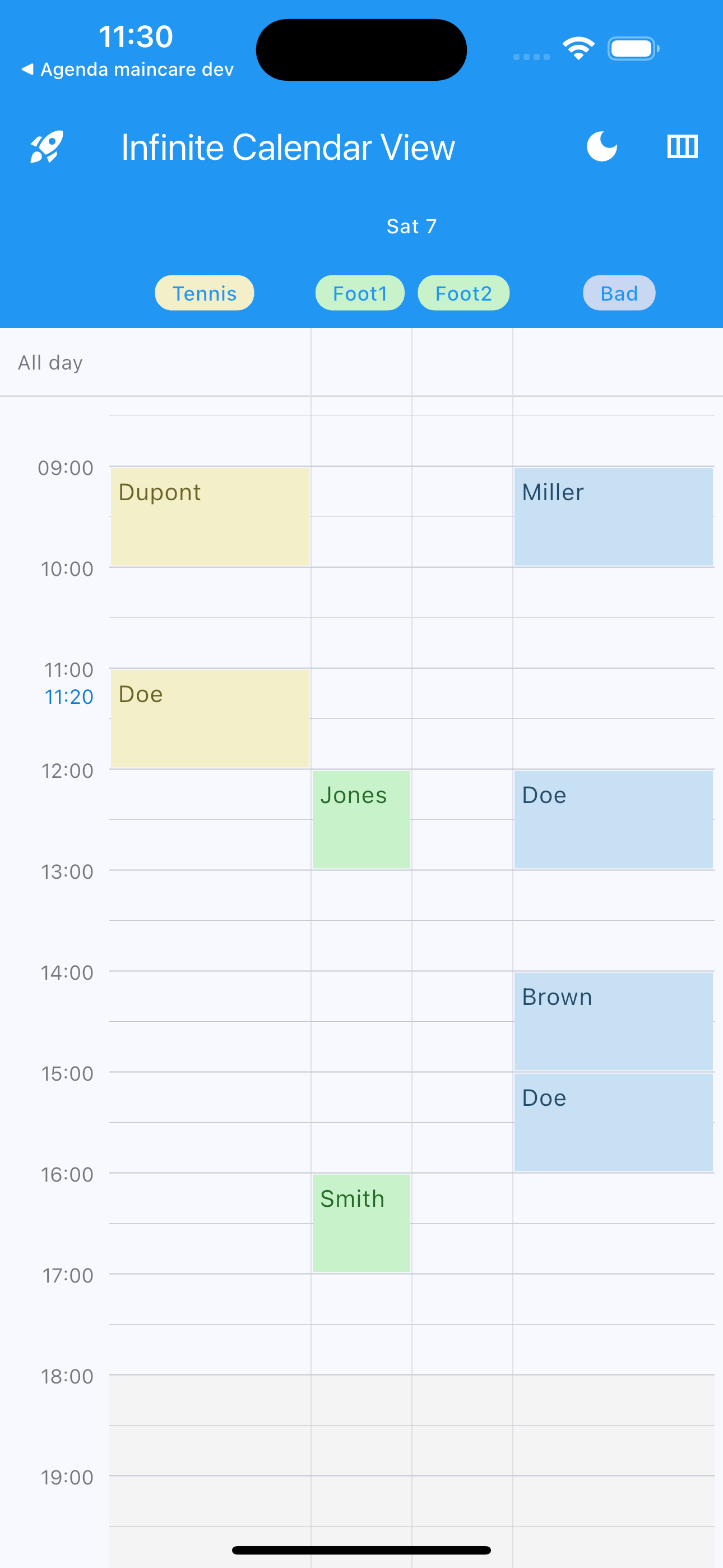
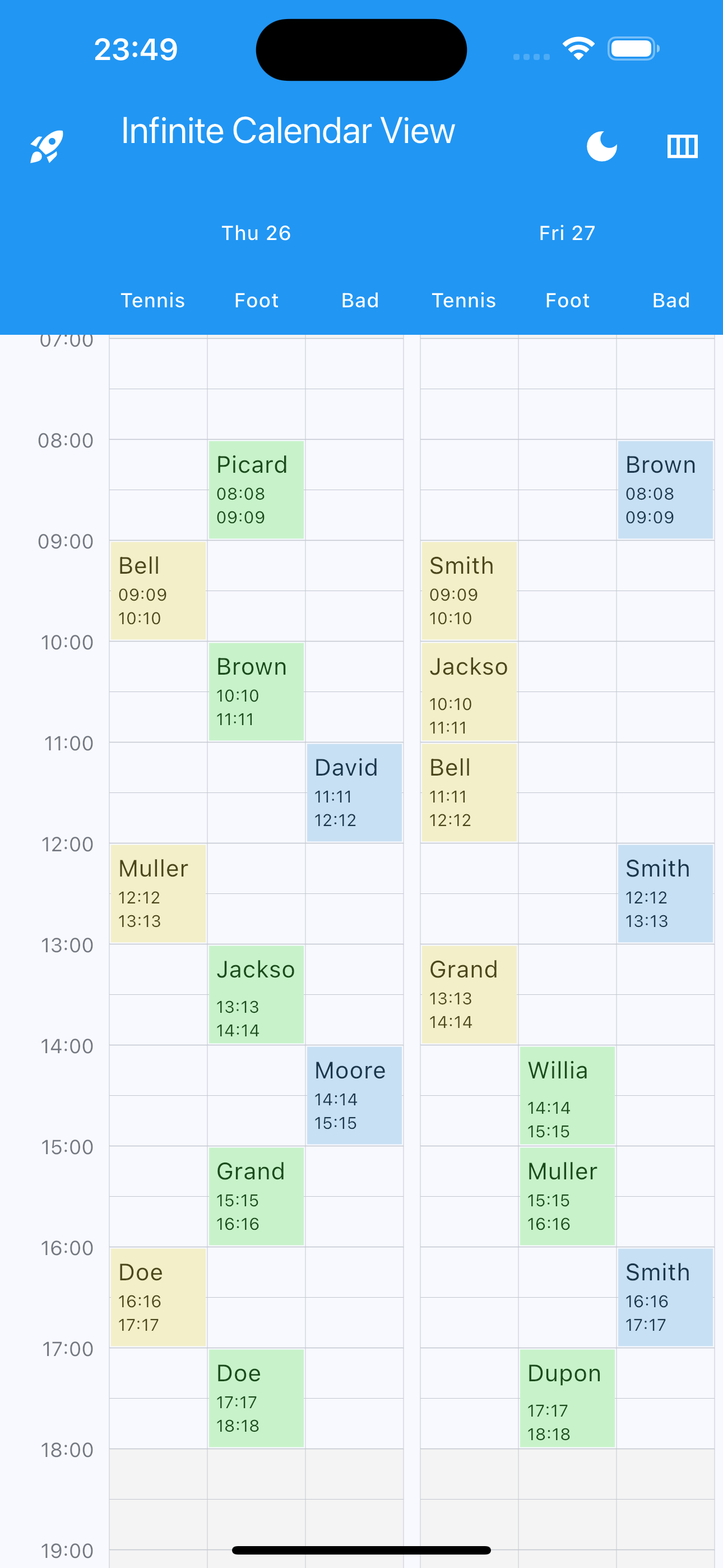
  4. Manage multiple calendars in the same calendar view with multiple columns

    Set columnIndex in Calendar Event

    Event(
       columnIndex: 2,
       ...
     )
    

    Set columns number, labels, colors and ratio (optional)

    EventsPlanner(
       controller: controller,
       columnsParam: ColumnsParam(
         columns: 4,
         columnsLabels: ["Tennis", "Foot", "Bad"],
         columnsWidthRatio: [1 / 3, 1 / 3, 1 / 3],
         columnsColors: [
           Colors.yellow.pastel,
           Colors.green.pastel,
           Colors.blueAccent.pastel,
         ],
       ),
    );
    
    drawing drawing drawing

All Calendar Parameters

  1. Calendar Events Planner all parameters

    EventsPlanner(
       key: GlobalKey<EventsPlannerState>(),
       controller: controller,
       daysShowed: 3,
       initialDate: DateTime.now(),
       maxNextDays: 365,
       maxPreviousDays: 365,
       heightPerMinute: 1.0,
       initialVerticalScrollOffset: 1.0 * 7 * 60,
       daySeparationWidth: 3,
       onDayChange: (firstDay) {},
       onVerticalScrollChange: (offset) {},
       automaticAdjustHorizontalScrollToDay: true,
       onAutomaticAdjustHorizontalScroll: (day) {},
       horizontalScrollPhysics: const BouncingScrollPhysics(
         decelerationRate: ScrollDecelerationRate.fast,
       ),
       dayEventsArranger: SideEventArranger(paddingLeft: 0, paddingRight: 0),
       daysHeaderParam: DaysHeaderParam(
         daysHeaderVisibility: true,
         daysHeaderHeight: 40.0,
         daysHeaderColor: Theme.of(context).appBarTheme.backgroundColor,
         dayHeaderBuilder: (day, isToday) {
           return DefaultDayHeader(
             dayText: DateFormat("E d").format(day),
             isToday: isToday,
             foregroundColor: Colors.white,
           );
         },
       ),
       offTimesParam: OffTimesParam(
         offTimesAllDaysRanges: [
           OffTimeRange(
             TimeOfDay(hour: 0, minute: 0),
             TimeOfDay(hour: 7, minute: 0),
           ),
           OffTimeRange(
             TimeOfDay(hour: 18, minute: 0),
             TimeOfDay(hour: 24, minute: 0),
           )
         ],
         offTimesDayRanges: {
           DateTime(2024, 10, 8): [
             OffTimeRange(
               TimeOfDay(hour: 8, minute: 0),
               TimeOfDay(hour: 18, minute: 0),
             ),
           ],
         },
         offTimesColor: Color(0xFFF4F4F4),
         offTimesAllDaysPainter: (isToday, heightPerMinute, ranges, color) =>
             OffSetAllDaysPainter(
                 isToday, heightPerMinute, [], Color(0xFFF4F4F4)),
         offTimesDayPainter: (isToday, heightPerMinute, ranges, color) =>
             OffSetAllDaysPainter(
                 isToday, heightPerMinute, [], Color(0xFFF4F4F4)),
       ),
       dayParam: DayParam(
         todayColor: Colors.black12,
         dayTopPadding: 10,
         dayBottomPadding: 15,
         onSlotMinutesRound: 15,
         onSlotTap: (columnIndex, exactDateTime, roundDateTime) {},
         onSlotLongTap: (columnIndex, exactDateTime, roundDateTime) {},
         onSlotDoubleTap: (columnIndex, exactDateTime, roundDateTime) {},
         onDayBuild: (day) {},
         dayEventBuilder: (event, height, width, heightPerMinute) {
           return DefaultDayEvent(
             height: height,
             width: width,
             title: event.title,
             description: event.description,
           );
         },
         dayCustomPainter: (heightPerMinute, isToday) => LinesPainter(
           heightPerMinute: heightPerMinute,
           isToday: isToday,
           lineColor: Colors.black12,
         ),
       ),
       fullDayParam: FullDayParam(
         fullDayEventsBarVisibility: true,
         fullDayEventsBarLeftText: 'All day',
         fullDayEventsBarLeftWidget: Text('All day'),
         fullDayEventsBarHeight: 40,
         fullDayEventsBarDecoration: const BoxDecoration(
             border: Border(bottom: BorderSide(color: Colors.black12))),
       ),
       timesIndicatorsParam: TimesIndicatorsParam(
         timesIndicatorsWidth: 60.0,
         timesIndicatorsHorizontalPadding: 4.0,
         timesIndicatorsCustomPainter: (heightPerMinute) => HoursPainter(
           heightPerMinute: 1.0,
           showCurrentHour: true,
           hourColor: Colors.black12,
           halfHourColor: Colors.black12,
           quarterHourColor: Colors.black12,
           currentHourIndicatorColor: Colors.black12,
           halfHourMinHeightPerMinute: 1.3,
           quarterHourMinHeightPerMinute: 2,
         ),
       ),
       currentHourIndicatorParam: CurrentHourIndicatorParam(
         currentHourIndicatorHourVisibility: true,
         currentHourIndicatorLineVisibility: true,
         currentHourIndicatorColor: Colors.blue,
         currentHourIndicatorCustomPainter: (heightPerMinute, isToday) =>
             TimeIndicatorPainter(heightPerMinute, isToday, Colors.blue),
       ),
       pinchToZoomParam: PinchToZoomParameters(
         pinchToZoom: true,
         onZoomChange: (heightPerMinute) {},
         pinchToZoomMinHeightPerMinute: 0.5,
         pinchToZoomMaxHeightPerMinute: 2.5,
         pinchToZoomSpeed: 1,
       ),
       columnsParam: ColumnsParam(
         columns: 2,
         columnsLabels: ["Tennis", "Foot"],
         columnsColors: [Colors.blue, Colors.red],
         columnsForegroundColors: [Colors.white, Colors.white],
         columnsWidthRatio: [1 / 2, 1 / 2],
         columnHeaderBuilder: (day, isToday, columIndex, columnWidth) {
           return DefaultColumnHeader(
             backgroundColor: Colors.transparent,
             foregroundColor: Colors.white,
             columnText: ["Tennis", "Foot"].elementAt(columIndex),
             columnWidth: columnWidth,
           );
         },
         columnCustomPainter : (double width, int colum) => ColumnPainter(
            width: width,
            columnsParam: columnsParam,
            lineColor: Colors.gray,
         ),
       ),
    );
    
  2. Calendar Events List all parameters

    EventsList(
       controller: controller,
       initialDate: DateTime.now(),
       maxPreviousDays: 365,
       maxNextDays: 365,
       onDayChange: (day) {},
       todayHeaderColor: const Color(0xFFf4f9fd),
       verticalScrollPhysics: const BouncingScrollPhysics(
         decelerationRate: ScrollDecelerationRate.fast,
       ),
       dayEventsBuilder: (day, events) {
         return DefaultDayEvents(
           events: events,
           eventBuilder: (event) => DefaultDetailEvent(event: event),
           nullEventsWidget: DefaultDayEvents.defaultEmptyEventsWidget,
           eventSeparator: DefaultDayEvents.defaultEventSeparator,
           emptyEventsWidget: DefaultDayEvents.defaultEmptyEventsWidget,
         );
       },
       dayHeaderBuilder: (day, isToday) => DefaultHeader(
         dayText: DateFormat.MMMMEEEEd().format(day).toUpperCase(),
       ),
    );
    

Local

The package does not support locales itself, so as not to import additional dependencies like intl which may cause dependency conflicts.

However, all texts are easily customizable. You can use intl to translate the texts into the desired language. Local example

License

MIT License

Copyright (c) 2026 Pickywawa

Permission is hereby granted, free of charge, to any person obtaining a copy
of this software and associated documentation files (the "Software"), to deal
in the Software without restriction, including without limitation the rights
to use, copy, modify, merge, publish, distribute, sublicense, and/or sell
copies of the Software, and to permit persons to whom the Software is
furnished to do so, subject to the following conditions:

The above copyright notice and this permission notice shall be included in all
copies or substantial portions of the Software.

THE SOFTWARE IS PROVIDED "AS IS", WITHOUT WARRANTY OF ANY KIND, EXPRESS OR
IMPLIED, INCLUDING BUT NOT LIMITED TO THE WARRANTIES OF MERCHANTABILITY,
FITNESS FOR A PARTICULAR PURPOSE AND NON INFRINGEMENT. IN NO EVENT SHALL THE
AUTHORS OR COPYRIGHT HOLDERS BE LIABLE FOR ANY CLAIM, DAMAGES OR OTHER
LIABILITY, WHETHER IN AN ACTION OF CONTRACT, TORT OR OTHERWISE, ARISING FROM,
OUT OF OR IN CONNECTION WITH THE SOFTWARE OR THE USE OR OTHER DEALINGS IN THE
SOFTWARE.

Tags

calendar, schedule, scheduler, date, planner, planning, timeline, week-view, day-view, multi days, month-view, events, appointment, booking, calender, calendrier, time, viewer

所属分类

源码仓库

使用此插件的项目

暂无相关数据。