搜索插件、代码仓与 APP 分类

intl_phone_field 封面
插件详情v3.2.0

intl_phone_field

一个自定义的 Flutter TextFormField,用于输入带国家代码的国际电话号码。

AndroidiOSWebmacOSWindowsLinux
近 30 天下载
14.1万
喜欢数
783
Pub 分数
145

安装插件

flutter pub add intl_phone_field

插件介绍

基于插件公开信息、社区数据与项目使用情况整理的选型参考。

intl_phone_field 是一个 Flutter 包,提供了一个自定义的 TextFormField,用于输入国际电话号码,并支持自动检测和选择国家代码。它集成了国家选择器,让用户可以选择自己的国家,并自动设置相应的国家代码。该字段支持根据国际标准对电话号码进行验证和格式化,非常适合需要全球电话号码输入的表单。它可在所有主要平台(包括 Android、iOS、Web、macOS、Windows 和 Linux)上运行。

适合场景

  • 国际联系表单
  • 用户注册并进行手机验证
  • 全球客户支持系统
  • 多区域应用注册
  • 网页和移动应用中的电话号码验证

主要特点

  • 内置国家选择器
  • 自动国家代码检测
  • 实时电话号码格式化
  • 跨平台兼容性
  • 可自定义样式
  • 验证支持

适合对象

  • 面向全球受众的应用
  • 需要电话号码输入的表单
  • 需要国家代码集成的开发者
  • 面向国际用户的移动和网络应用
  • 需要标准化电话号码处理的项目

使用建议

  • 需要互联网连接以获得完整功能
  • 可能需要额外的验证逻辑来处理边缘情况
  • 自定义选项仅限于用户界面方面
  • 取决于底层国家数据的准确性
  • 大型国家列表可能带来的性能影响

原始 README

以下为关联源码仓库的 README 原文快照,最新内容请访问源码仓库。

International Phone Field Package

pub package CI License: MIT

A customised Flutter TextFormField to input international phone number along with country code.

This widget can be used to make customised text field to take phone number input for any country along with an option to choose country code from a dropdown.

⚠️ The package is deprecated and this repository is no longer maintained ⚠️

As of June 2021, I, @marcaureln, have been maintaining this Flutter package initially created by @vanshg395. Regrettably, Vansh has been unresponsive, and I am unable to release new versions (the last release is 6 months old as of writing).

Considering this, I recommend users to explore alternatives on pub.dev or, if interested, fork this repository for continued support. Life can be hectic, and I wish Vansh is doing well.

Thank you for your understanding and continued support.

Old Readme

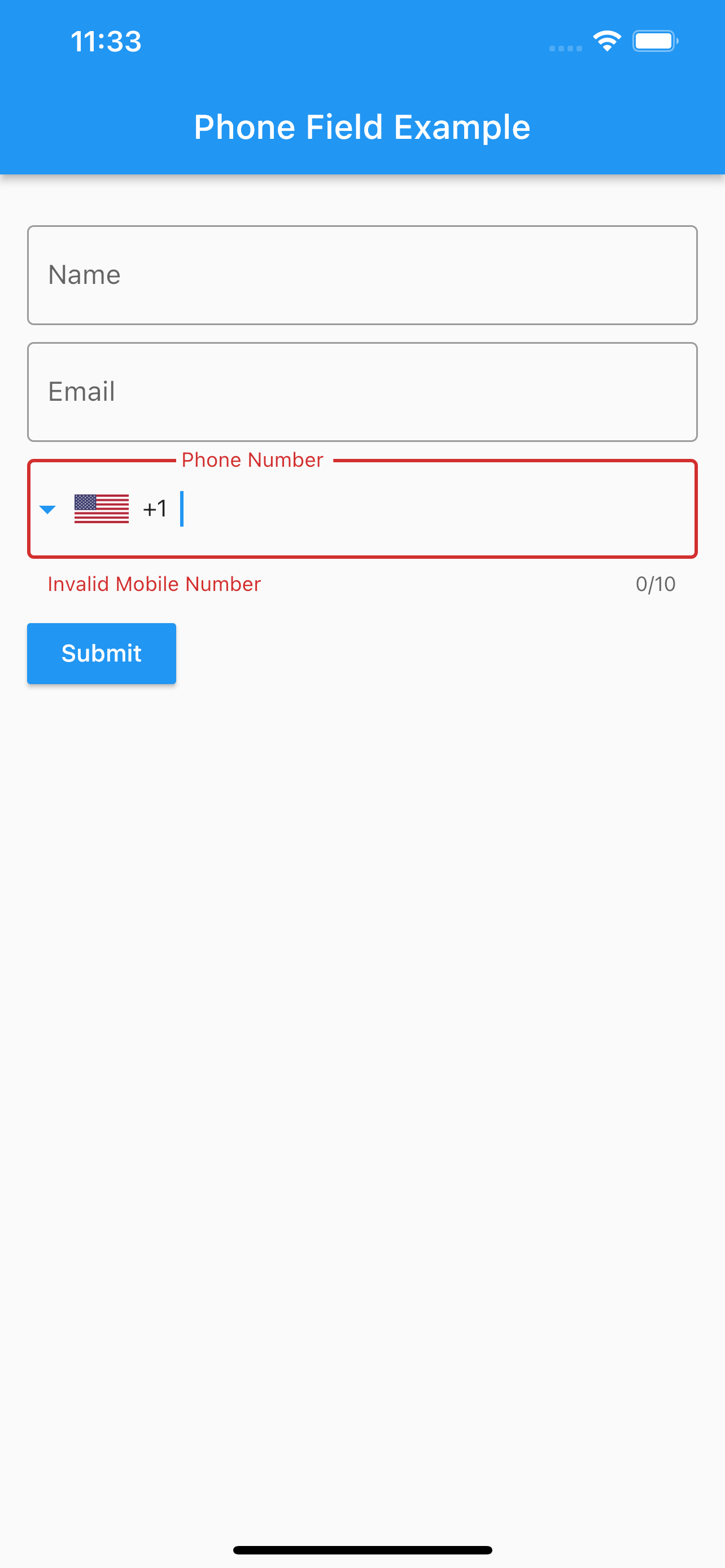
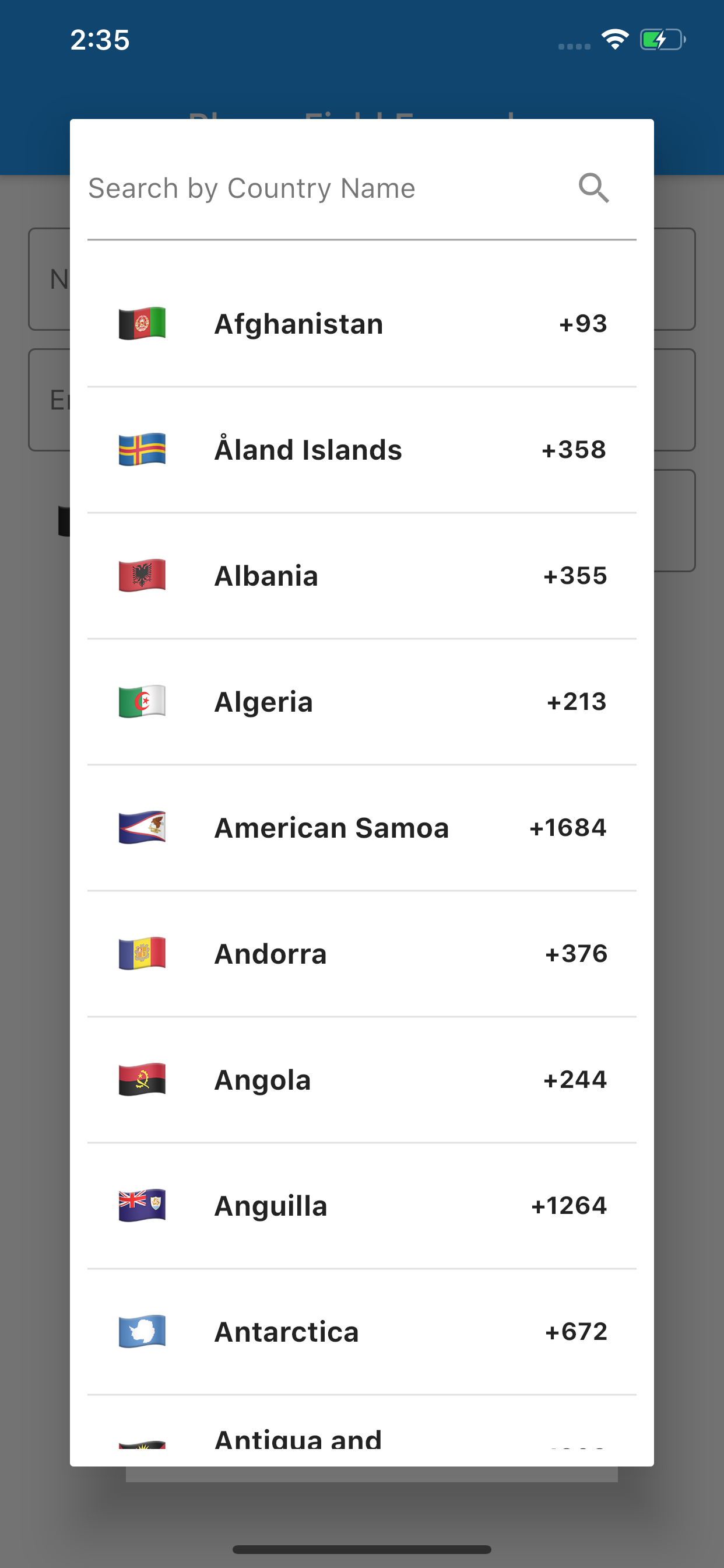
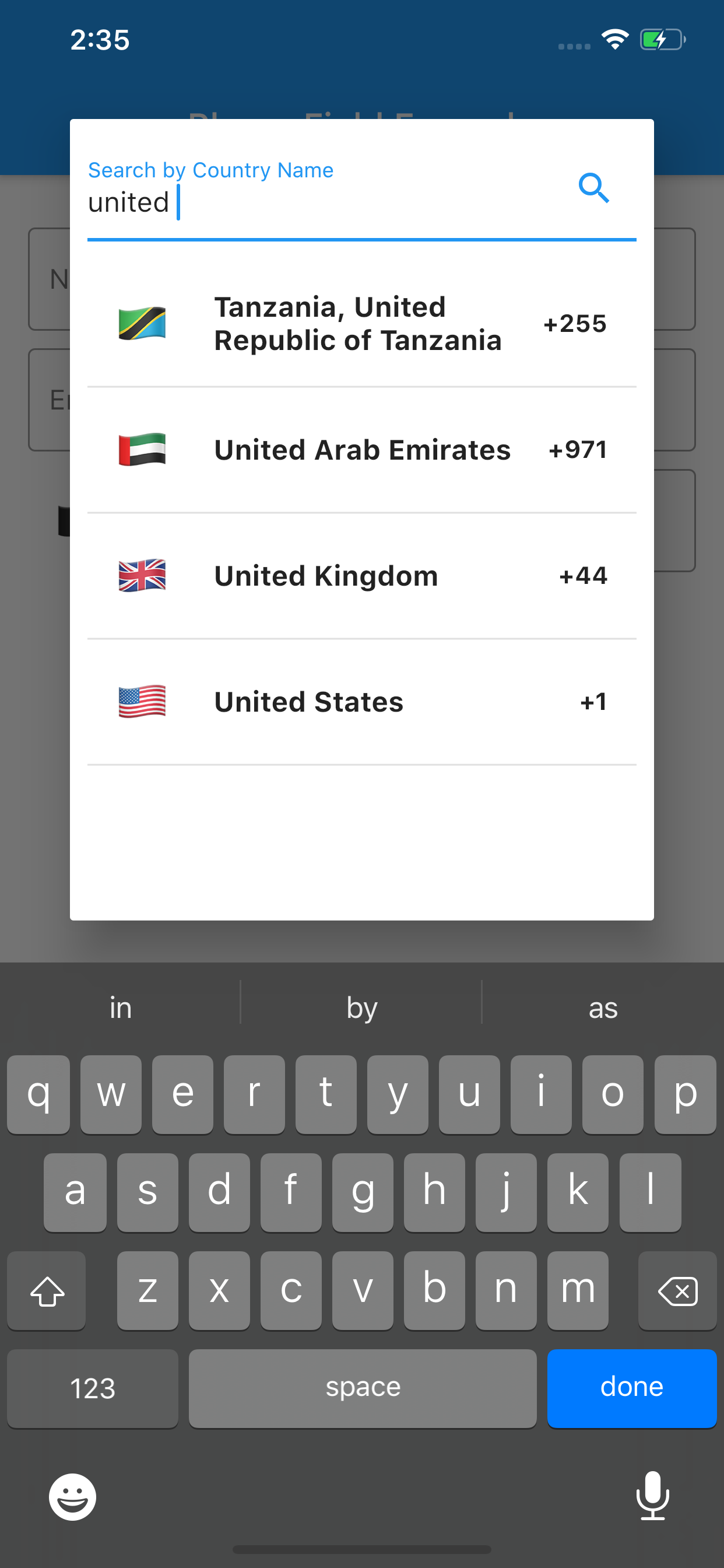
Screenshots

Installing

To use this package:

Run this command:

flutter pub add intl_phone_field

Or, add the following to your pubspec.yaml file:

dependencies:
  intl_phone_field: ^<latest_version>

Sometimes you may want to use the latest version of the package, instead of a published version. To do that, use the git syntax:

dependencies:
  intl_phone_field:
    git:
      url: git://github.com/vanshg395/intl_phone_field.git
      ref: master

How to Use

Simply create a IntlPhoneField widget, and pass the required params:

IntlPhoneField(
    decoration: InputDecoration(
        labelText: 'Phone Number',
        border: OutlineInputBorder(
            borderSide: BorderSide(),
        ),
    ),
    initialCountryCode: 'IN',
    onChanged: (phone) {
        print(phone.completeNumber);
    },
)

Use initialCountryCode to set an initial Country Code.

Contributing

Pull requests are welcome. For major changes, please open an issue first to discuss what you would like to change.

Please make sure to update tests as appropriate.

Comment on Issue or Pull Request, asking @all-contributors to add a contributor:

@all-contributors please add @<username> for <contributions>

<contributions>: See the Emoji Key (Contribution Types Reference) for a list of valid contribution types.

Maintainers

Contributors

Vansh Goel
Vansh Goel

💻
KNO3
KNO3

💻
Ling Li
Ling Li

💻
Anggara Putra Pratama

💻
JJ Geewax
JJ Geewax

💻
Keval Prajapati
Keval Prajapati

💻
Guillaume Launay
Guillaume Launay

💻
hans.huang
hans.huang

💻 📖
Gregor Weber
Gregor Weber

💻
Ooi Han Yi
Ooi Han Yi

💻
Jimmy Forrester-Fellowes

💻

LICENSE

This project is licensed under the MIT license. See LICENSE for more information.

所属分类

源码仓库

使用此插件的项目