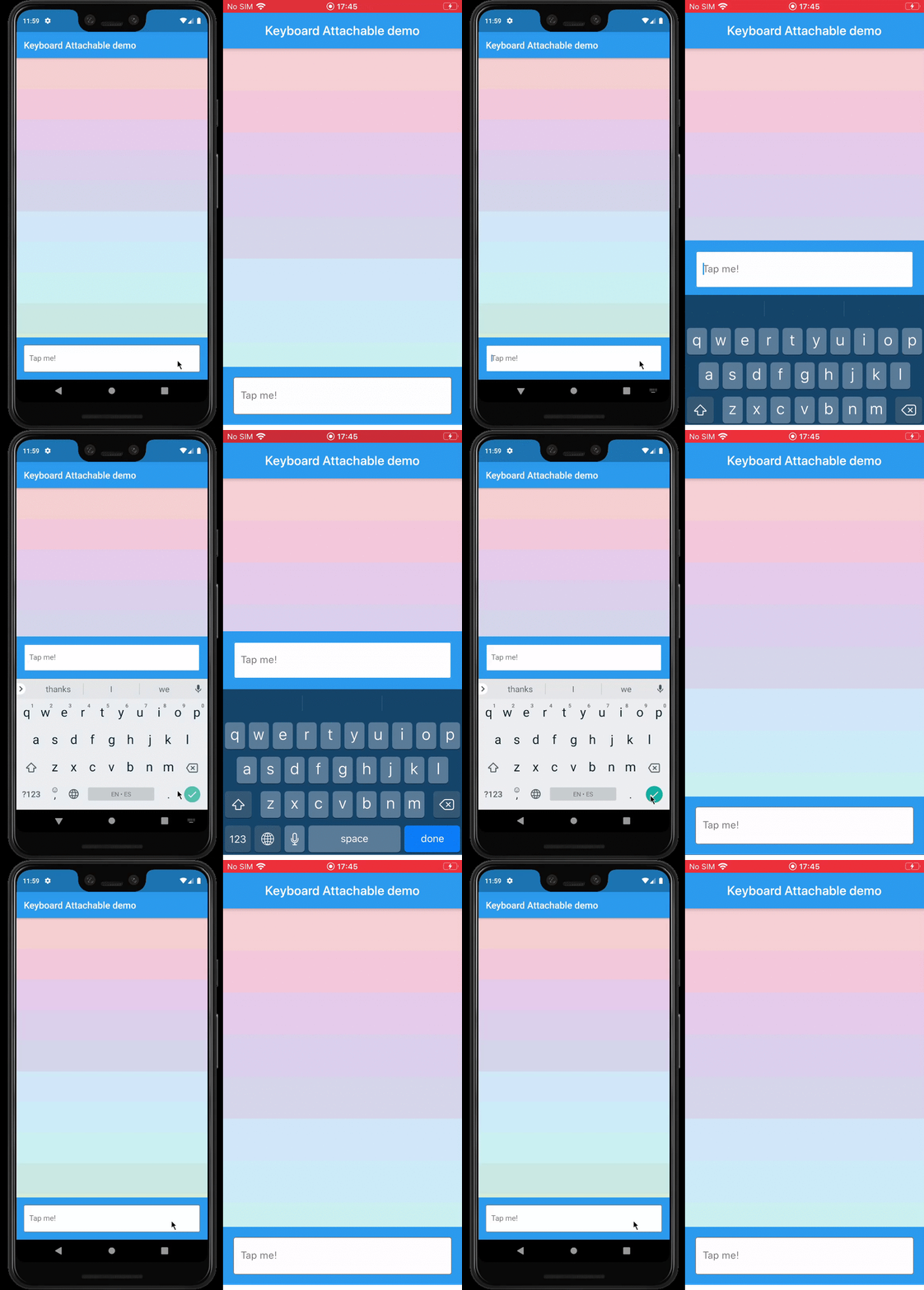
一个 Flutter 包,使开发者能够创建动态依附于屏幕键盘的控件,通过在键盘上方直接提供上下文感知的控件或内容来提升用户体验。它支持 Android、iOS、macOS、Windows 和 Linux 多个平台,确保跨设备的一致行为。该包通过提供清晰的 API 来定位和管理附加控件,简化了与现有 UI 的集成。
适合场景
在键盘上方添加操作按钮
在输入字段附近显示建议或表情符号
创建自定义键盘叠加层
通过内联控件提高表单可用性
在文本输入期间快速访问工具
主要特点
跨平台兼容性
与现有控件的轻松集成
相对于键盘的动态定位
对各种小部件类型的支持
最小化样板代码
适合对象
开发交互式表单的开发者
需要频繁键盘交互的应用
寻求增强输入体验的UI设计师
具有键盘为中心的工作流程的多平台应用程序
注重用户参与度的文本输入团队
使用建议
可能需要仔细的布局管理
复杂组件带来的性能影响
键盘高度变化的自定义功能有限
与其他覆盖层小部件的潜在冲突
需要在不同设备尺寸和方向上进行测试
原始 README
以下为关联源码仓库的 README 原文快照,最新内容请访问源码仓库。
keyboard_attachable
A Flutter package to build widgets that can be attached to the soft keyboard.
Features
An alternative to Scaffold's resizeToAvoidBottomInset, with animations.
Control the animations that should happen when the soft keyboard is shown and hidden with a transition builder.
Animate the shrinkage and expansion of the page when the soft keyboard is shown and hidden, matching the platform soft keyboard animation.
Easily add permanent page footers that can be attached to the top of the soft keyboard.
Usage
This package exposes a FooterLayout stateless widget and a KeyboardAttachable stateful widget.
FooterLayout is a widget that can lay out a child widget above a footer. It does that by
positioning a footer widget at the bottom of the available space first, and then positioning a
child widget in the remaining space.
KeyboardAttachable is a widget that adds space below its baseline when the soft keyboard is shown
and hidden with an animation that matches that of the platform keyboard. This widget can be used to
animate its child when the soft keyboard is shown or hidden, so that the child widget appears to be
attached to the keyboard.
You can combine these two widgets by passing a KeyboardAttachable widget as the footer of a
FooterLayout to create a page that shrinks and expands when the soft keyboard appears and
disappears, with an animation that matches the platform keyboard animation. Additionally, you can
pass a child widget to your KeyboardAttachable to have a footer in your page that attaches itself
to the soft keyboard when shown.
Warning: In order for this to work with animations, the resizeToAvoidBottomInset parameter
of the Scaffold above the page has to be false. In addition to that, when there are SafeAreas
involved the layout, it is recommended to set their maintainBottomViewPadding property to true in
order for the animations to run smoothly, like so:
/// Builds a [Scaffold] that lays out a footer at the bottom of the page.classKeyboardAttachablePageextendsStatelessWidget{
@overrideWidgetbuild(BuildContext context) => Scaffold(
backgroundColor: Colors.blue,
resizeToAvoidBottomInset: false,
appBar: AppBar(title: constText("Keyboard Attachable demo")),
body: SafeArea(
maintainBottomViewPadding: true,
child: FooterLayout(
footer: KeyboardAttachableFooter(),
child: ColorsList(),
),
),
);
}
Getting started
In the pubspec.yaml of your flutter project, add the following dependency: