language_pickers



It's package for Dart and Flutter.
It makes language select pickers for you in Flutter. You can use it freely in lots of ways.
And specially thanks to Figen Güngör(@figengungor), who is opened the source code of 'country_pickers'.
Lots of source codes are from country_pickers GitHub Repository, so works are very easy. Thanks again.
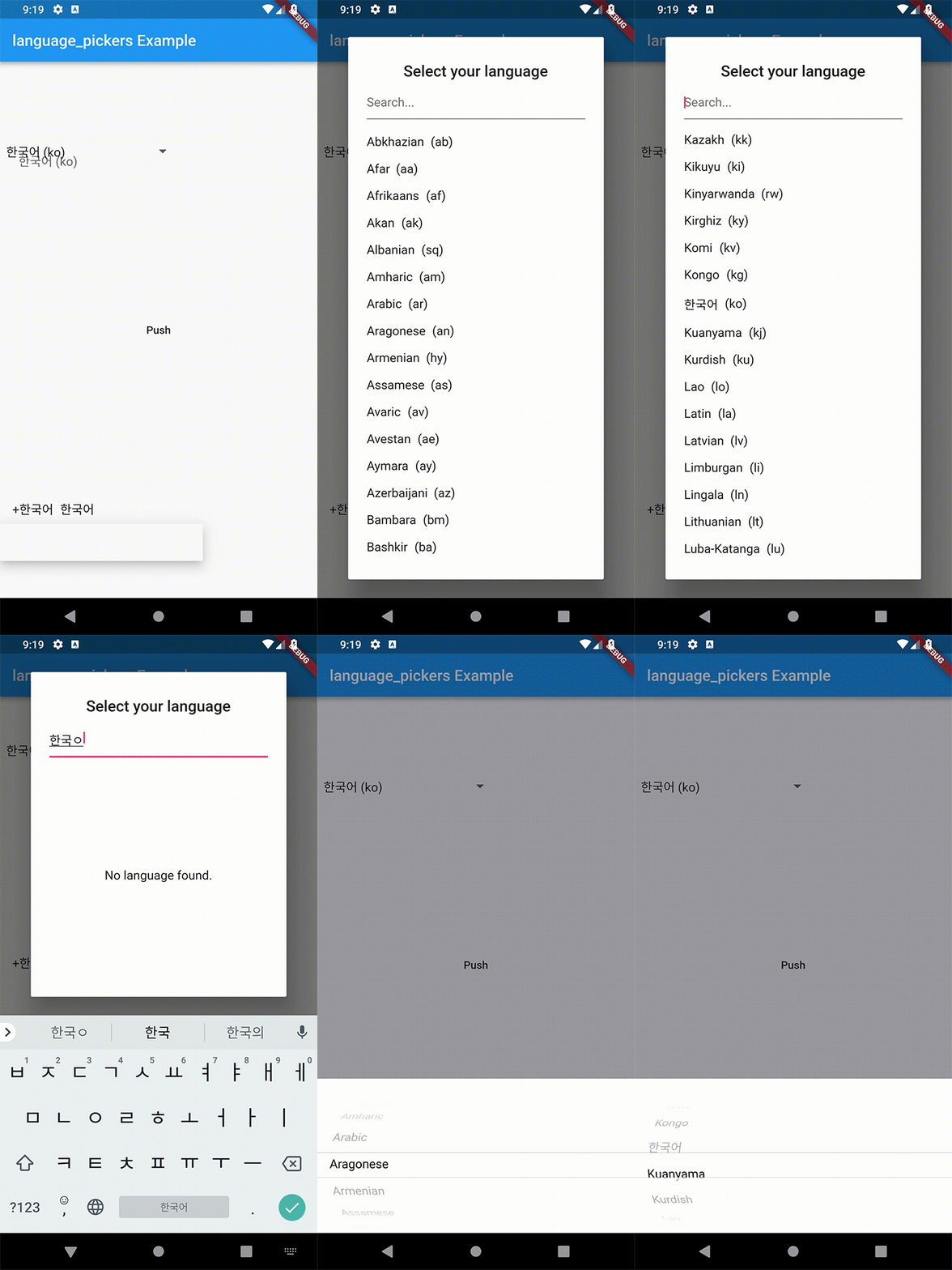
Upgrading from 0.3.x
0.4.0 does not break your code. The old API still works, it only warns you.
Here is what to move to:
| 0.3.x |
0.4.0 |
defaultLanguagesList (List<Map<String, String>>) |
Languages.defaultLanguages (List<Language>) |
languagesList: myMaps |
languages: myLanguages |
LanguagePickerUtils.getLanguageByIsoCode('ko') |
Language.fromIsoCode('ko') |
| — |
Languages.korean, Languages.english, … |
One behaviour changed: an unknown ISO code now throws an ArgumentError
instead of an Exception. ArgumentError is an Error, so on Exception catch no longer catches it.
Every Language also has a nativeName now, and Language implements ==
and hashCode, so you can put it in a Set or use it as a Map key.
Getting Started
LanguagePickerDropdown example
import 'package:language_pickers/language_pickers.dart';
Language _selectedDropdownLanguage = Language.fromIsoCode('ko');
Widget _buildDropdownItem(Language language) {
return Row(
children: <Widget>[
SizedBox(
width: 8.0,
),
Text("${language.name} (${language.nativeName})"),
],
);
}
LanguagePickerDropdown(
initialValue: 'ko',
itemBuilder: _buildDropdownItem,
onValuePicked: (Language language) {
_selectedDropdownLanguage = language;
print(_selectedDropdownLanguage.name);
print(_selectedDropdownLanguage.isoCode);
},
),
Narrowing the languages down
LanguagePickerDropdown(
  languages: const <Language>[
    Languages.korean,
    Languages.english,
    Languages.japanese,
  ],
),
LanguagePickerDropdownController example
The controller lets you read and change the selection from outside the picker.
final controller =
LanguagePickerDropdownController(initialValue: Languages.korean);
@override
void dispose() {
controller.dispose();
super.dispose();
}
LanguagePickerDropdown(controller: controller),
controller.selectIsoCode('ja');
print(controller.value.name);
LanguagePickerDialog example
import 'package:language_pickers/language_pickers.dart';
Language _selectedDialogLanguage =
Language.fromIsoCode('ko');
Widget _buildDialogItem(Language language) => Row(
children: <Widget>[
Text(language.name),
SizedBox(width: 8.0),
Flexible(child: Text("(${language.isoCode})"))
],
);
void _openLanguagePickerDialog() => showDialog(
context: context,
builder: (context) => Theme(
data: Theme.of(context).copyWith(primaryColor: Colors.pink),
child: LanguagePickerDialog(
titlePadding: EdgeInsets.all(8.0),
searchCursorColor: Colors.pinkAccent,
searchInputDecoration: InputDecoration(hintText: 'Search...'),
isSearchable: true,
title: Text('Select your language'),
onValuePicked: (Language language) => setState(() {
_selectedDialogLanguage = language;
print(_selectedDialogLanguage.name);
print(_selectedDialogLanguage.isoCode);
}),
itemBuilder: _buildDialogItem)),
);
LanguagePickerCupertino example
import 'package:language_pickers/language_pickers.dart';
Language _selectedCupertinoLanguage = Language.fromIsoCode('ko');
void _openCupertinoLanguagePicker() => showCupertinoModalPopup<void>(
context: context,
builder: (BuildContext context) {
return LanguagePickerCupertino(
pickerSheetHeight: 200.0,
onValuePicked: (Language language) => setState(() {
_selectedCupertinoLanguage = language;
print(_selectedCupertinoLanguage.name);
print(_selectedCupertinoLanguage.isoCode);
}),
);
});
Widget _buildCupertinoItem(Language language) => Row(
children: <Widget>[
Text("+${language.name}"),
SizedBox(width: 8.0),
Flexible(child: Text(language.name))
],
);
Information
If a name or a native name is wrong, please make some issues on GitHub.
The names and the native names are based on the public ISO 639-1 code table.
Where the table lists several native writings for one language, this package
keeps one representative writing, so that it fits in a dropdown.
Credits
Developed by gomgom(GitHub @gomgom).
