搜索插件、代码仓与 APP 分类

linear_step_indicator 封面
插件详情v1.0.0+3

linear_step_indicator

一个用于在您的应用中添加精美步骤指示器的 Flutter 包。

AndroidiOSWebmacOSWindowsLinux
近 30 天下载
2
喜欢数
53
Pub 分数
140

安装插件

flutter pub add linear_step_indicator

插件介绍

基于插件公开信息、社区数据与项目使用情况整理的选型参考。

一个 Flutter 包,提供一种简洁、可自定义的线性步骤指示器,用于引导用户完成多步骤流程。它支持流畅的动画和视觉反馈,非常适合用于引导流程、结账流程或任何顺序 UI。该指示器轻量级,易于集成,并可在所有主要平台(包括 Android、iOS、Web、macOS、Windows 和 Linux)上运行。通过灵活的样式选项,开发者可以将其外观调整为符合其应用的设计语言。

适合场景

  • 引导流程
  • 结账流程
  • 表单向导
  • 多步骤调查
  • 进度跟踪

主要特点

  • 可自定义的线条和点样式
  • 平滑的动画过渡
  • 跨平台兼容性
  • 与 Flutter 的轻松集成
  • 对自定义颜色和大小的支持
  • 响应式设计

适合对象

  • 寻求简洁进度指示器的应用开发者
  • 希望保持一致用户体验的设计师
  • 需要多步骤导航的项目
  • 构建用户友好的工作流程
  • 具有顺序数据输入的应用程序

使用建议

  • 限于线性进展
  • 无内置验证支持
  • 需要手动管理步骤的状态
  • 不适用于非线性工作流
  • 基本用法之外的文档最少

原始 README

以下为关联源码仓库的 README 原文快照,最新内容请访问源码仓库。

linear_step_indicator

A Flutter package for adding beautiful step indicators in your apps.

Install

In the pubspec.yaml of your flutter project, add the following dependency:

dependencies:
  linear_step_indicator: ^1.0.0+3

Import the package in your project:

import 'package:linear_step_indicator/linear_step_indicator.dart';

Getting Started

Examples:

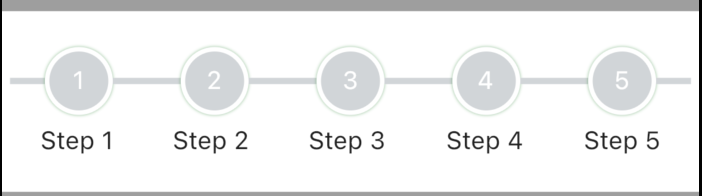
FullLinearStepIndicator(
          steps: 5,
          lineHeight: 3.5,
          activeNodeColor: Colors.brown,
          inActiveNodeColor: const Color(0xffd1d5d8),
          activeLineColor: Colors.brown,
          inActiveLineColor: const Color(0xffd1d5d8),
          controller: pageController,
          labels: List<String>.generate(STEPS, (index) => "Step ${index + 1}"),
          complete: () {
            //typically, you'd want to put logic that returns true when all the steps
            //are completed here
            return Future.value(true);
          },
        )

Indicator

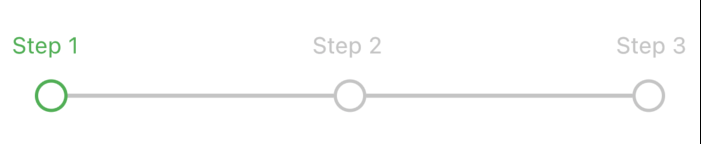
LinearStepIndicator(
          steps: 3,
          controller: _pageController,
          labels: List<String>.generate(3, (index) => "Step ${index + 1}"),
          complete: () {
            //typically, you'd want to put logic that returns true when all the steps
            //are completed here
            return Future.value(true);
          },
        )

Indicator

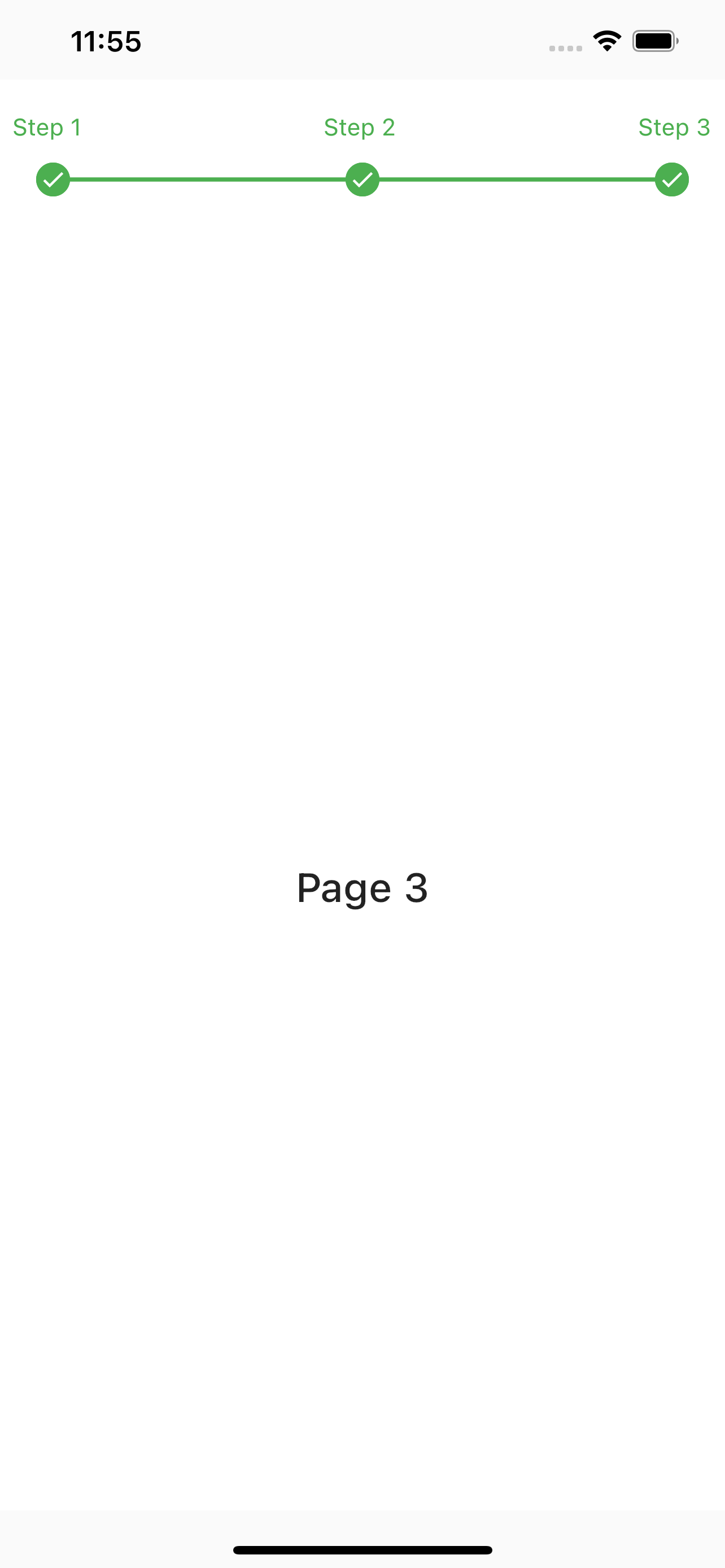
StepIndicatorPageView(
        steps: 3,
        indicatorPosition: IndicatorPosition.top,
        labels: List<String>.generate(3, (index) => "Step ${index + 1}"),
        controller: _pageController,
        complete: () {
          //typically, you'd want to put logic that returns true when all the steps
          //are completed here
          return Future.value(true);
        },
        children: List<Widget>.generate(
          3,
          (index) => Container(
            color: Color(0xffffffff),
            child: Center(
              child: Text(
                "Page ${index + 1}",
                style: TextStyle(
                  fontSize: 24,
                  fontWeight: FontWeight.w500,
                ),
              ),
            ),
          ),
        ),
      )

Contributions

Feel free to contribute to this project.

If you find a bug or want a feature, but don't know how to fix/implement it, please fill an issue.
If you fixed a bug or implemented a feature, please send a pull request.

所属分类

源码仓库

使用此插件的项目

暂无相关数据。