搜索插件、代码仓与 APP 分类

插件详情v2.0.0+1

logging_appenders

用于 Dart 日志包的记录器附加组件,支持打印、文件和远程记录(logz、loki、graylog (gelf))。

AndroidiOSmacOSWindowsLinux
近 30 天下载
1.5万
喜欢数
44
Pub 分数
160

安装插件

flutter pub add logging_appenders

插件介绍

基于插件公开信息、社区数据与项目使用情况整理的选型参考。

一个 Flutter/Dart 包,通过提供用于打印日志、写入文件以及将日志远程发送到 Logz.io、Loki 和 Graylog (GELF) 等服务的附加器来扩展核心日志功能。它与 Dart 日志包无缝集成,使开发者能够以最少的配置将日志消息路由到多个目标。非常适合用于调试、监控以及跨环境的集中式日志管理。

适合场景

  • 在开发中调试应用程序
  • 生产环境的集中日志聚合
  • 将日志写入本地文件以进行分析
  • 发送日志到远程监控服务
  • 实时日志流用于可观测性

主要特点

  • 支持打印、文件和远程日志目标
  • 与流行的日志管理平台集成
  • 使用 Dart 日志包轻松设置
  • 可配置的日志格式化和过滤
  • 跨平台兼容性
  • 可扩展的架构,用于自定义追加器

适合对象

  • 开发跨平台 Flutter 应用的开发者
  • 需要集中式日志记录的团队
  • 需要持久化日志存储的应用程序
  • 负责管理可观测性流水线的DevOps工程师
  • 使用结构化日志记录并输出 JSON 的项目

使用建议

  • 需要正确配置远程服务端点
  • 文件追加器如果未妥善管理,可能会影响性能
  • 远程日志记录引入了网络依赖
  • 确保敏感数据在生产环境中不被记录
  • 可能需要为特定后端添加额外依赖项

原始 README

以下为关联源码仓库的 README 原文快照,最新内容请访问源码仓库。

logging_appenders

Pub codecov

Native dart package for logging appenders usable with the logging package.

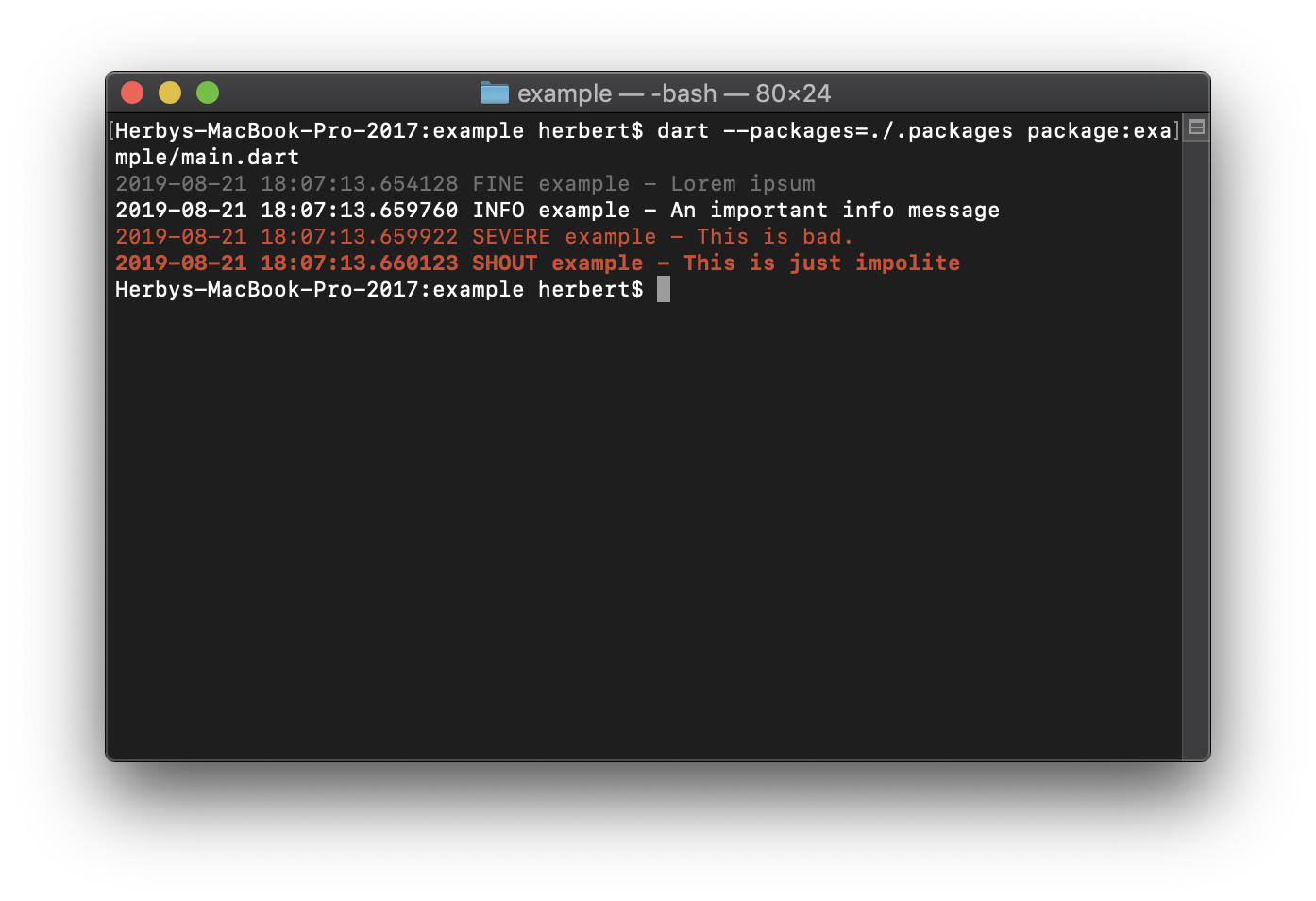
Color Output Screenshot

It currently includes appenders for:

Performance of Remote Logging Appenders

I am not sure if it is wise to use this in production, but it's great during beta testing with a handful of users so you have all logs available.

It tries to stay reasonable performant by batching log entries and sending them off only every few seconds. If network is down it will retry later. (with an ever increasing interval).

Getting Started

After installing package logging and logging_appenders:

import 'package:logging/logging.dart';
import 'package:logging_appenders/logging_appenders.dart';

final _logger = Logger('main');

void main() {
  PrintAppender.setupLogging();

  // The above code is the same as:
  // Logger.root.level = Level.ALL;
  // PrintAppender()..attachToLogger(Logger.root);

  _logger.fine('Lorem ipsum');
}

Outputs:

$ dart main.dart
2019-08-19 15:36:03.827563 FINE main - Lorem ipsum

Support for Exception chaining

To chain exception you can use the extension method on Exception: causedBy().

int test() {
  try {
    int.parse('a');
  } catch (e, stackTrace) {
    throw Exception('unable to parse').causedBy(e, stackTrace);
  }
}
int main() {
  try {
    test();
  } catch (e, stackTrace) {
    logger.severe('catched Exception', e, stackTrace);
  }
}

Color Formatter

    PrintAppender(formatter: const ColorFormatter())
        ..attachToLogger(Logger.root);

Produces:

Color Output Screenshot

Logging to stderr

When using dart:io (ie. command line apps) it is possible to define which log levels should go to stderr instead of stdout:

PrintAppender.setupLogging(stderrLevel: Level.SEVERE);

Remote Appenders

Appender for logz.io

  final _logzIoApiSender = LogzIoApiAppender(
    // you can find your API key and the required URL from 
    // the logz.io dashboard: https://app-eu.logz.io/#/dashboard/settings/general
    apiToken: 'MY API KEY',
    url: 'https://listener-eu.logz.io:8071/',
    labels: {'app': 'MyApp', 'os': Platform.operatingSystem},
  );
  _logzIoApiSender.attachToLogger(Logger.root);
  
  
  // ...
  If you know that you no longer need the appender. it's good to dispose it:
  _logzIoApiSender.dispose();

所属分类

依赖

依赖清单 5 项

源码仓库

使用此插件的项目