搜索插件、代码仓与 APP 分类

magnifying_glass 封面
插件详情v2.1.1

magnifying_glass

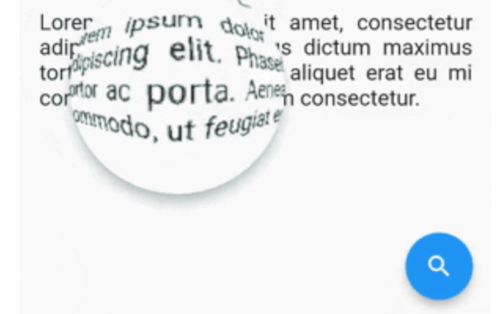
带有桶形/枕形失真的 Flutter 实时放大镜镜头小部件。

AndroidiOSWebmacOSWindowsLinux
近 30 天下载
79
喜欢数
52
Pub 分数
150

安装插件

flutter pub add magnifying_glass

插件介绍

基于插件公开信息、社区数据与项目使用情况整理的选型参考。

magnifying_glass 包为 Flutter 提供了一个实时放大镜镜头小部件,具有动态桶形和枕形失真效果。它可实现对任何内容的交互式缩放,非常适合在图像查看器、教育工具或辅助功能等应用中进行详细检查。该小部件利用着色器实现跨平台的流畅性能,包括移动设备、网页和桌面端。它可无缝集成到现有 UI 中,并支持自定义镜头大小、缩放级别和位置控制。

适合场景

  • 交互式图像检查
  • 可访问性增强
  • 教育类应用程序详情
  • 数字艺术工具
  • 产品详情放大
  • 文本可读性提升

主要特点

  • 实时缩放与触摸跟踪
  • 桶形和枕形失真效果
  • 基于着色器的渲染以提升性能
  • 跨平台支持(Android、iOS、Web、macOS、Windows、Linux)
  • 可自定义的镜头尺寸和缩放级别
  • 流畅、响应迅速的交互

适合对象

  • 寻求交互式缩放功能的应用程序开发者
  • 面向可访问性的应用程序
  • 设计和原型工具
  • 教育软件
  • 图像编辑工具

使用建议

  • 复杂背景下的更高GPU使用率
  • 可能需要在低端设备上进行优化
  • 仅限视觉放大,不支持文本提取
  • 不适用于高精度测量任务
  • 性能取决于着色器的效率

原始 README

以下为关联源码仓库的 README 原文快照,最新内容请访问源码仓库。

MagnifyingGlass Flutter plugin

Flutter real-time magnifying glass lens widget with Barrel/Pincushion distortion.

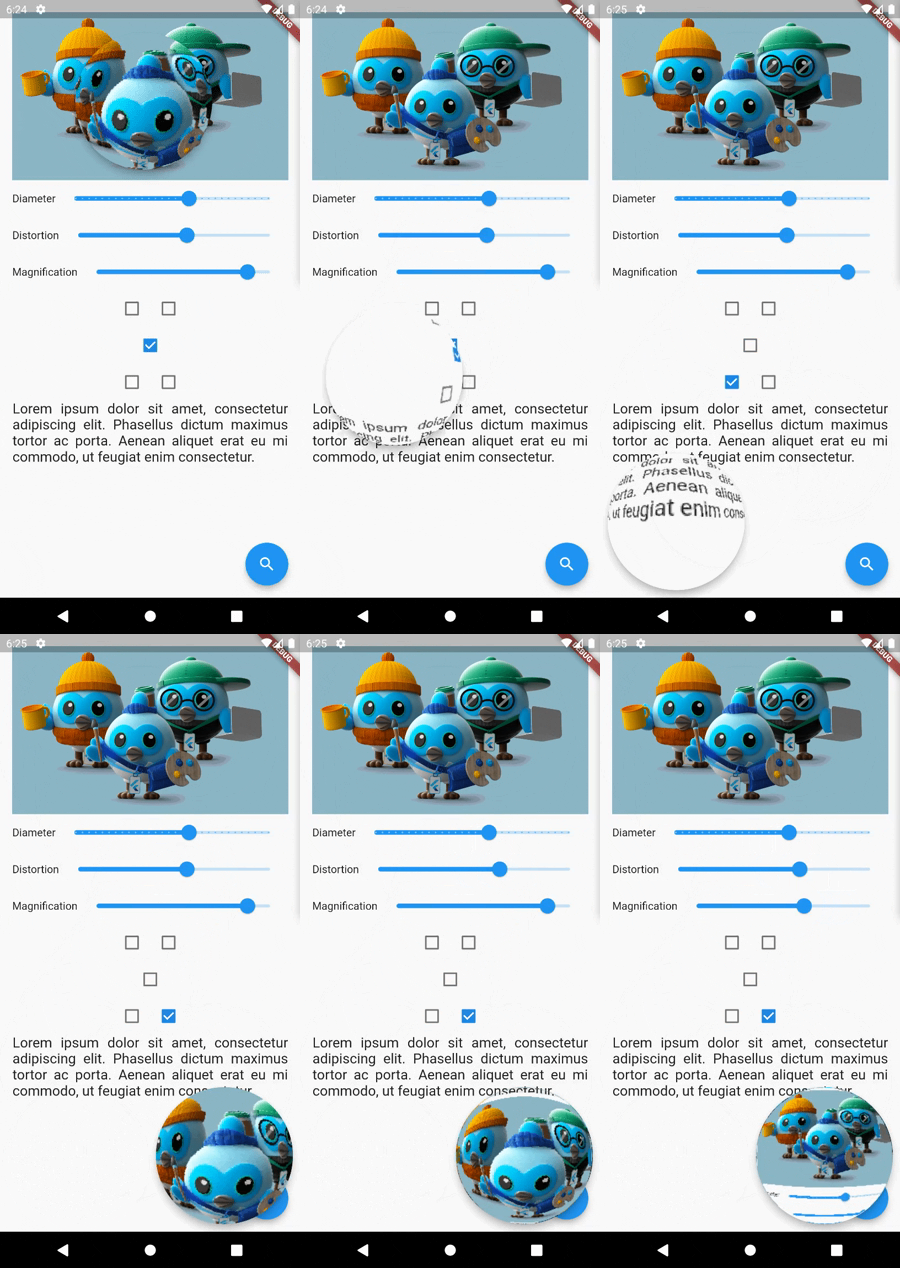
Screenshot

Buy Me A Coffee

Getting Started

Make [MagnifyingGlass] widget as the parent of the widget you wish to be used (usually MyHomePage).

    @override
    Widget build(BuildContext context) {
    MagnifyingGlassController magnifyingGlassController = MagnifyingGlassController();
    return MagnifyingGlass(
      controller: magnifyingGlassController,
      glassPosition: GlassPosition.touchPosition,
      borderThickness: 8.0,
      borderColor: Colors.grey,
      glassParams: GlassParams(
        startingPosition: Offset(150, 150),
        diameter: 150,
        distortion: 1.0,
        magnification: 1.2,
        padding: EdgeInsets.all(10),
      ),
      child: Scaffold( 
        body: ...,

        floatingActionButton: FloatingActionButton(
          onPressed: () => magnifyingGlassController.openGlass(),
          child: const Icon(Icons.search),
        ),
      )
    );

MagnifyingGlass properties

Name Type Description
controller MagnifyingGlassController Let you control the glass state and parameters:
openGlass()
closeGlass()
setDistortion( double distortion, double magnification )
setDiameter( int diameter )
refresh()
glassPosition enum enum to set the touch behavior or sticky position
glassParams GlassParams class to set lens parameters
borderColor Color border color
borderThickness double border thickness
elevation double shadow elevation
shadowOffset Offset shadow offset

GlassPosition class

Name Description
touchPosition move the glass with finger touch
topLeft sticky position to top left corner of the screen
topRight sticky position to top rigth corner of the screen
bottomLeft sticky position to bottom left corner of the screen
bottomRight sticky position to bottom right corner of the screen

GlassParams class

Name Description
startingPosition the startin glass position. If not given the lens will be placed at the center of the screen.
diameter the diameter of the glass
magnification the magnification of the lens
1 means no magnification
>1 means magnification
<1 means shrinking
distortion Barrel/Pincushion distortion power
0 means no distortion
padding the padding surrounding the glass to enlarge touching area
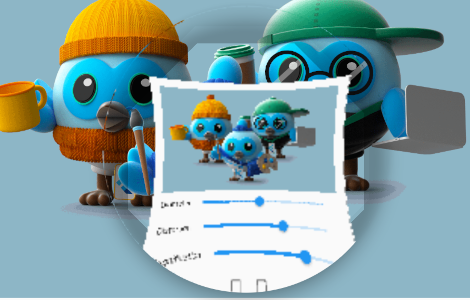
distorsion0.5-mag1.0.png distorsion0.5-mag1.4.png distorsion2.0-mag1.7.png
distorsion 0.5
mag 1.0
distorsion 0.5
mag 1.4
distorsion 2.0
mag 1.7

所属分类

源码仓库

使用此插件的项目

暂无相关数据。