Media Gallery plugin for Flutter

A Flutter plugin that lists native gallery items.
Installation
First, add media_gallery as a dependency in your pubspec.yaml file.
iOS
Add the following keys to your Info.plist file, located in <project root>/ios/Runner/Info.plist:
<key>NSPhotoLibraryUsageDescription</key>
<string>Example usage description</string>
Android
Add the following permissions to your AndroidManifest.xml, located in <project root>/android/app/src/main/AndroidManifest.xml:
<uses-permission android:name="android.permission.WRITE_EXTERNAL_STORAGE" />
<uses-permission android:name="android.permission.READ_EXTERNAL_STORAGE" />
You should also manage those permissions (for example thanks to the permission_handler plugin). You can see an example for more details.
Usage
Listing media collections
final List<MediaCollection> collections = await MediaGallery.listMediaCollections(
    mediaTypes: [MediaType.image, MediaType.video],
);
Listing medias in a collection
final MediaPage imagePage = await collection.getMedias(
    mediaType: MediaType.image,
    take: 500,
);
final MediaPage videoPage = await collection.getMedias(
    mediaType: MediaType.video,
    take: 500,
);
final List<Media> allMedias = [
    ...imageRange.items,
    ...videoRange.items,
]
..sort((x, y) => y.creationDate.compareTo(x.creationDate));
Loading more medias in a collection
if (!imagePage.isLast) {
final nextImagePage = await imagePage.nextPage();
}
Getting a file
final File file = await media.getFile();
Getting thumbnail data
final List<int> data = await media.getThumbnail();
Displaying thumbnails
MediaThumbnailProvider, MediaCollectionThumbnailProvider are available to display thumbnail images (here with the help of transparent_image) :
FadeInImage(
    fit: BoxFit.cover,
    placeholder: MemoryImage(kTransparentImage),
    image: MediaThumbnailProvider(
        media: media,
    ),
)
Displaying medias
You can use MediaImageProvider to display an image (here with the help of transparent_image):
FadeInImage(
    fit: BoxFit.cover,
    placeholder: MemoryImage(kTransparentImage),
    image: MediaImageProvider(
        media: media,
    ),
)
To display a video, you can use video_player.
Image/Video picker
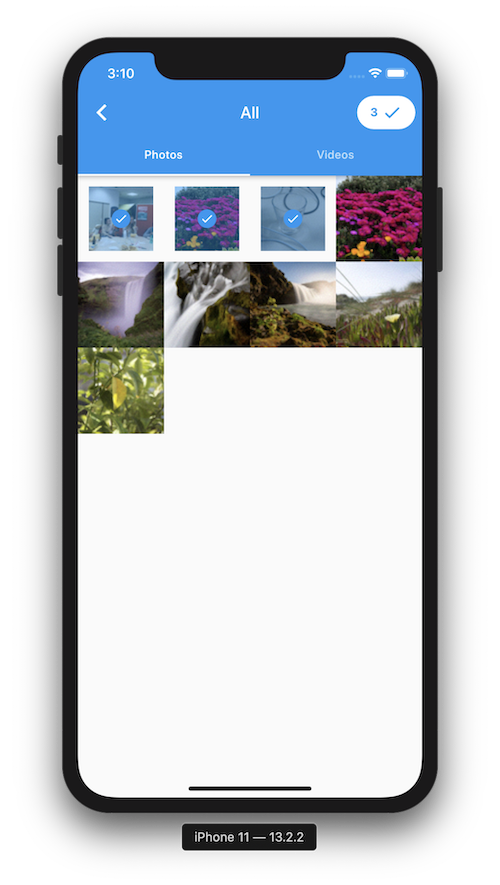
You can build a gallery picker easily with this package.
See the example for more details.
