搜索插件、代码仓与 APP 分类

multi_screen_layout 封面
插件详情v3.1.0

multi_screen_layout

一组小部件,可轻松构建多屏幕用户体验

Android
近 30 天下载
43
喜欢数
26
Pub 分数
140

安装插件

flutter pub add multi_screen_layout

插件介绍

基于插件公开信息、社区数据与项目使用情况整理的选型参考。

一个用于简化多屏幕用户体验创建的Flutter包,特别适用于双屏和折叠设备。它提供了一组可自定义的控件,可在多个显示屏之间处理布局调整,确保无缝过渡和响应式设计。该包抽象了复杂的屏幕管理逻辑,使开发者能够专注于UI/UX,而无需深入了解特定平台的知识。非常适合针对具有灵活形态的现代Android设备的应用程序。

适合场景

  • 为折叠屏手机开发应用
  • 创建分屏布局
  • 为双屏设计自适应界面
  • 为Android平板电脑开发响应式UI
  • 支持动态屏幕配置

主要特点

  • 预构建的多屏幕布局小部件
  • 自动布局适配
  • 响应式设计支持
  • 与现有 Flutter 项目的轻松集成
  • 针对安卓双屏设备优化

适合对象

  • 面向可折叠 Android 设备的开发者
  • 构建自适应 UI 的团队
  • 需要分屏功能的应用
  • 专注于创新设备支持的Flutter项目
  • UI设计师在动态屏幕尺寸下工作

使用建议

  • 仅限Android平台
  • 需要理解多屏幕使用场景
  • 可能需要在物理设备上进行额外测试
  • 不适用于非折叠或非双屏应用
  • 取决于设备的硬件功能

原始 README

以下为关联源码仓库的 README 原文快照,最新内容请访问源码仓库。

Multi Screen Layout for Flutter

pub package

A collection of Widgets that make multi screen user experiences easy to build

Supported Devices

  • [x] Surface Duo
  • [x] Surface Duo 2
  • [x] Galaxy Z Fold 1 (Flex Mode)
  • [x] Galaxy Z Fold 2 (Flex Mode)
  • [x] Galaxy Z Flip (Flex Mode)
  • [ ] LG Wing

If you know of other devices that could support multi screen layouts, please submit a PR and add them to this list.

Install

In your pubspec.yaml

dependencies:
  multi_screen_layout: ^3.1.0

In your app build.gradle

dependencies { 
    implementation "androidx.window:window:1.0.0-rc01"
    implementation 'androidx.window:window-java:1.0.0-rc01'
}

Testing

For testing without access to these physical devices you can use some specific emulators.

  • 6.7 Horizontal Fold-in emulator available in Android Studio
  • 7.6 Fold-in with outer display emulator available in Android Studio
  • 8 Fold-out emulator available in Android Studio
  • Surface Duo Emulator available here.

Layouts

TwoPageLayout

Displays two Widgets, one per screen.

On a Microsoft dual screen device when the app is being spanned across two screens, TwoPageLayout displays both widgets, one per screen. This is designed to help you build Two Page, Dual View, and Companion Pane dual screen app patterns from Microsoft.

On a folding screen device when the display could be utilized to split content areas, TwoPageLayout displays both widgets, one per content area. This is designed to help you build Flex Mode user experiences. You can read more about how when to split content is decided in the AndroidX WindowManager documentation.

On a single screen device, or when the app is only running on a single screen, only child will be displayed.

class MyApp extends StatelessWidget {
  @override
  Widget build(BuildContext context) {
    return TwoPageLayout(
      child: Scaffold(body: Center(child: Text('Hello from page 1!'))),
      secondChild: Scaffold(body: Center(child: Text('Hello from page 2!'))),
    );
  }
}
Surface Duo Example

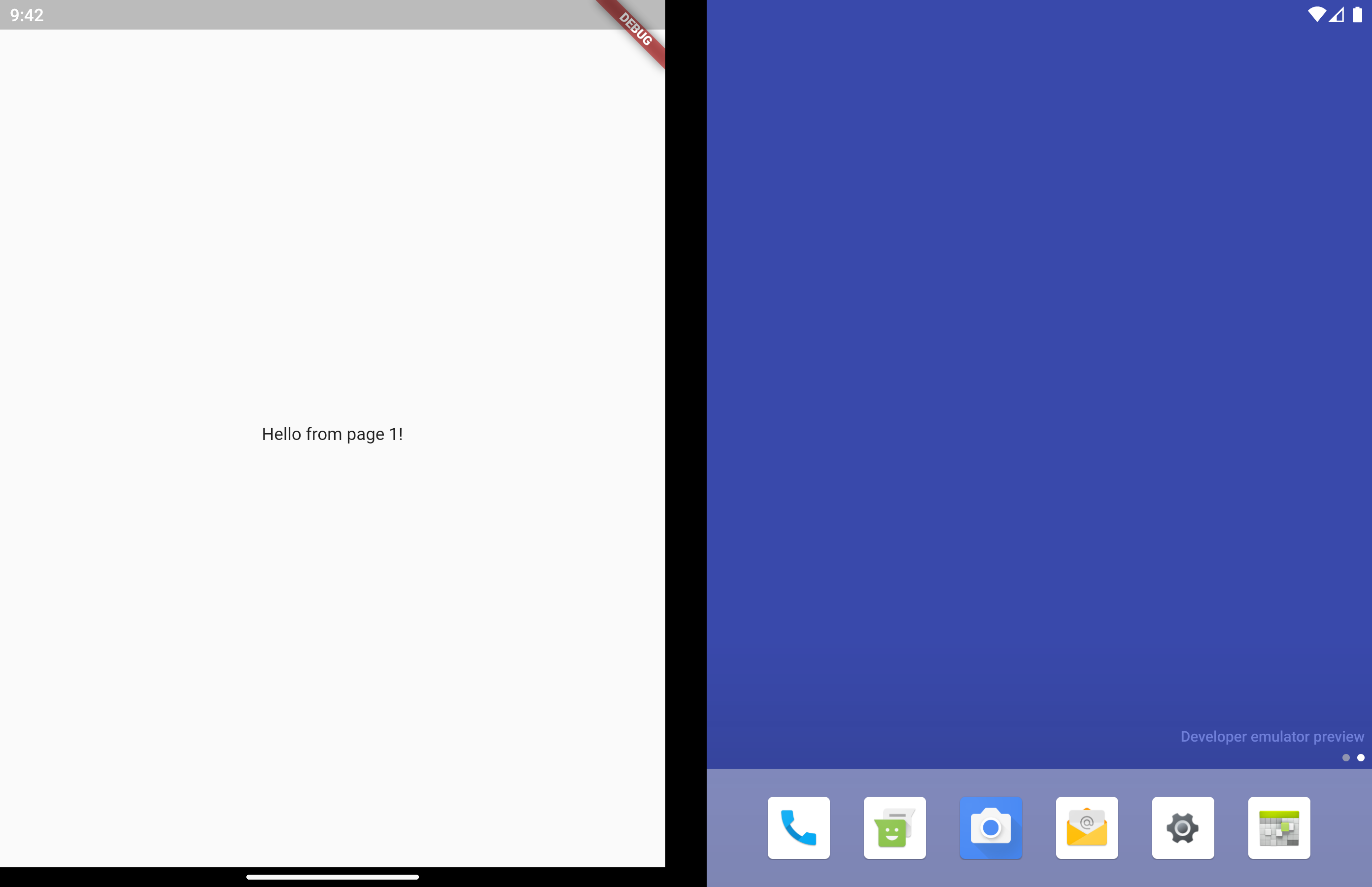
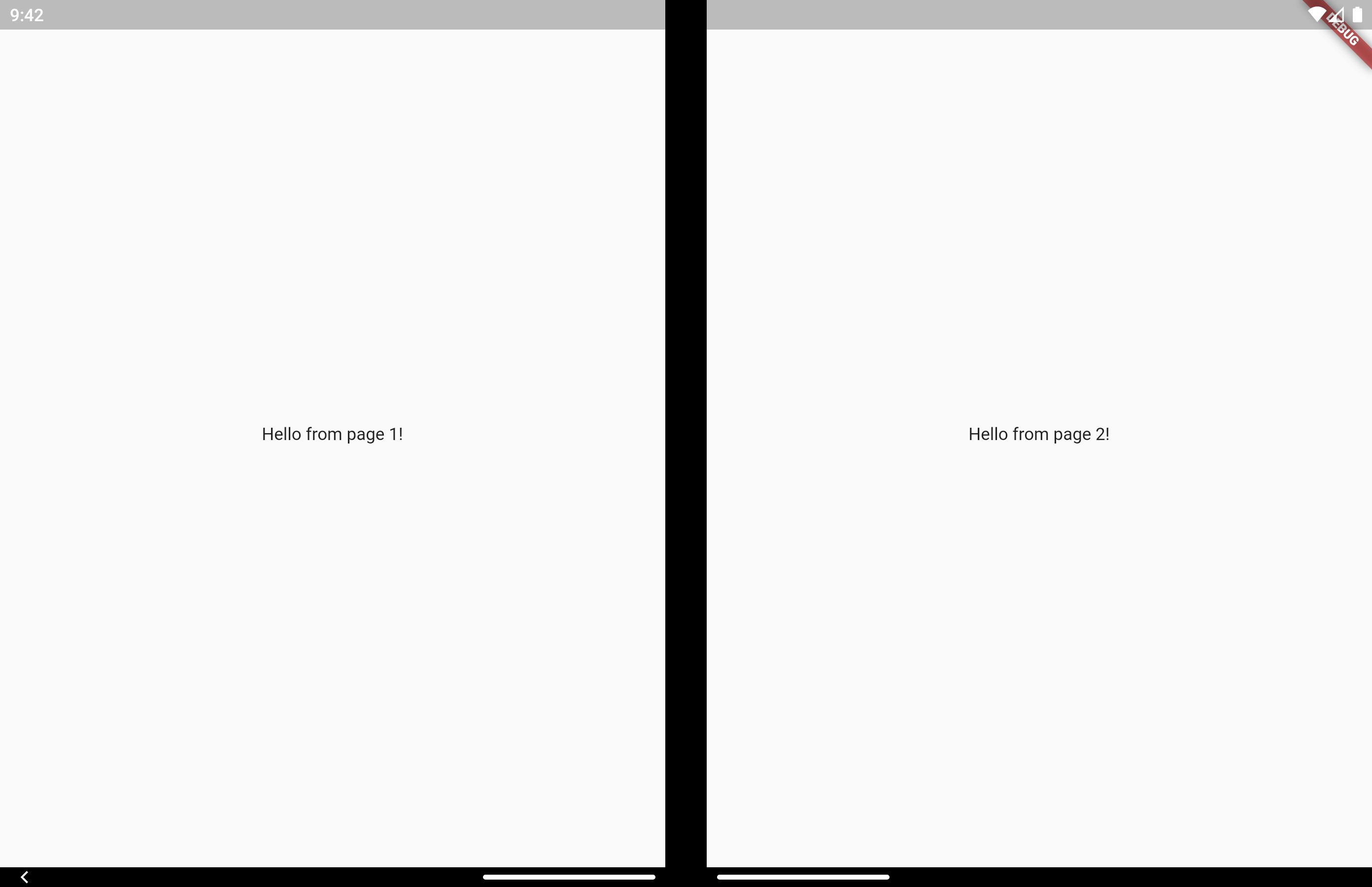
Two Page 1

Two Page 2

Samsung Z Fold 2 Flex Mode Example

See video here

MasterDetailLayout

Very similar to TwoPageLayout. This layout has better support for having related, "deeper", content in the second page that would usually be accessed by navigating to a new page.

It's common to use this type of layout when you have a list of items that when tapped let you view a detailed view of the item. Email and instant messaging apps are good examples of this.

On a single screen device, or when the app is only running on a single screen, master will display first. When isSelected is true, detail is displayed as a new page on top of master, similar to using Navigator.push.

When displaying on 2 screens, both master and detail display at the same time and no navigation occurs. Even when isSelected is false.

Similar to TwoPageLayout, on a folding screen device when the screen is half opened the screen is treated as a dual screen device.

MasterDetailLayout also handles switching between spanned and non-spanned modes appropriately, so the UI will be the same if you select and then span, or span and then select.

class MasterDetailLayoutExample extends StatefulWidget {
  @override
  _MasterDetailLayoutExampleState createState() =>
      _MasterDetailLayoutExampleState();
}

class _MasterDetailLayoutExampleState extends State<MasterDetailLayoutExample> {
  int selectedItem;

  @override
  Widget build(BuildContext context) {
    return MasterDetailLayout(
      master: EmailList(onItemSelected: (selected) {
        setState(() {
          selectedItem = selected;
        });
      }),
      detail: EmailDetail(itemNumber: selectedItem),
      isSelected: selectedItem != null,
    );
  }
}
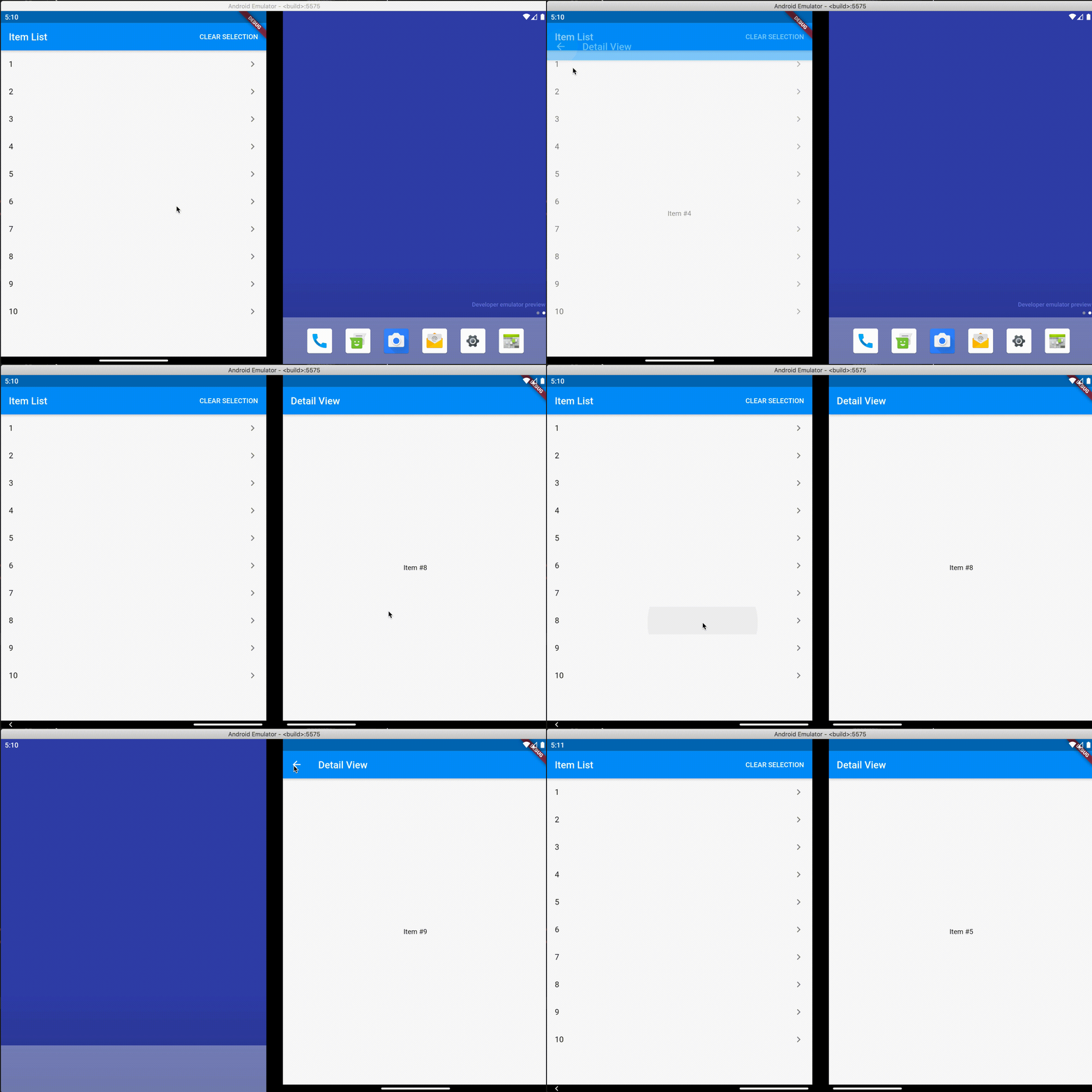
Surface Duo Example

MasterDetail

Samsung Z Fold 2 Flex Mode Example

See video here

Direct Data Access

Direct access is for advanced uses cases. The above layouts should be suitable for most apps.

There may be cases where you want to access multi screen information instead of just using the above layout widgets. Here is how to do that.

MultiScreenInfo

MultiScreenInfo is a Widget that lets you access information about the device directly in your Widget tree, it will rebuild when the data changes.

class MyApp extends StatelessWidget {
  @override
  Widget build(BuildContext context) {
    return Scaffold(
      body: MultiScreenInfo(
        builder: (info) {
          return Column(
            children: <Widget>[
              Text('The below information is from the Surface Duo SDK'),
              Text('isAppSpanned: ${info.surfaceDuoInfoModel.isSpanned}'),
              Text('hingeAngle: ${info.surfaceDuoInfoModel.hingeAngle}'),
            ],
          );
        },
      ),
    );
  }
}
PlatformHandlers

If you need access to information about the device outside of the Widget tree, you can also make platform calls yourself.

SurfaceDuoPlatformHandler
Future getSurfaceDuoInfo() async {
    var hingeAngle = await SurfaceDuoPlatformHandler.getHingeAngle();
    var isDual = await SurfaceDuoPlatformHandler.getIsDual();
    var isSpanned = await SurfaceDuoPlatformHandler.getIsSpanned();
    var nonFunctionalBounds = await SurfaceDuoPlatformHandler.getNonFunctionalBounds();
  }

Extra Documentation

所属分类

源码仓库

使用此插件的项目

暂无相关数据。