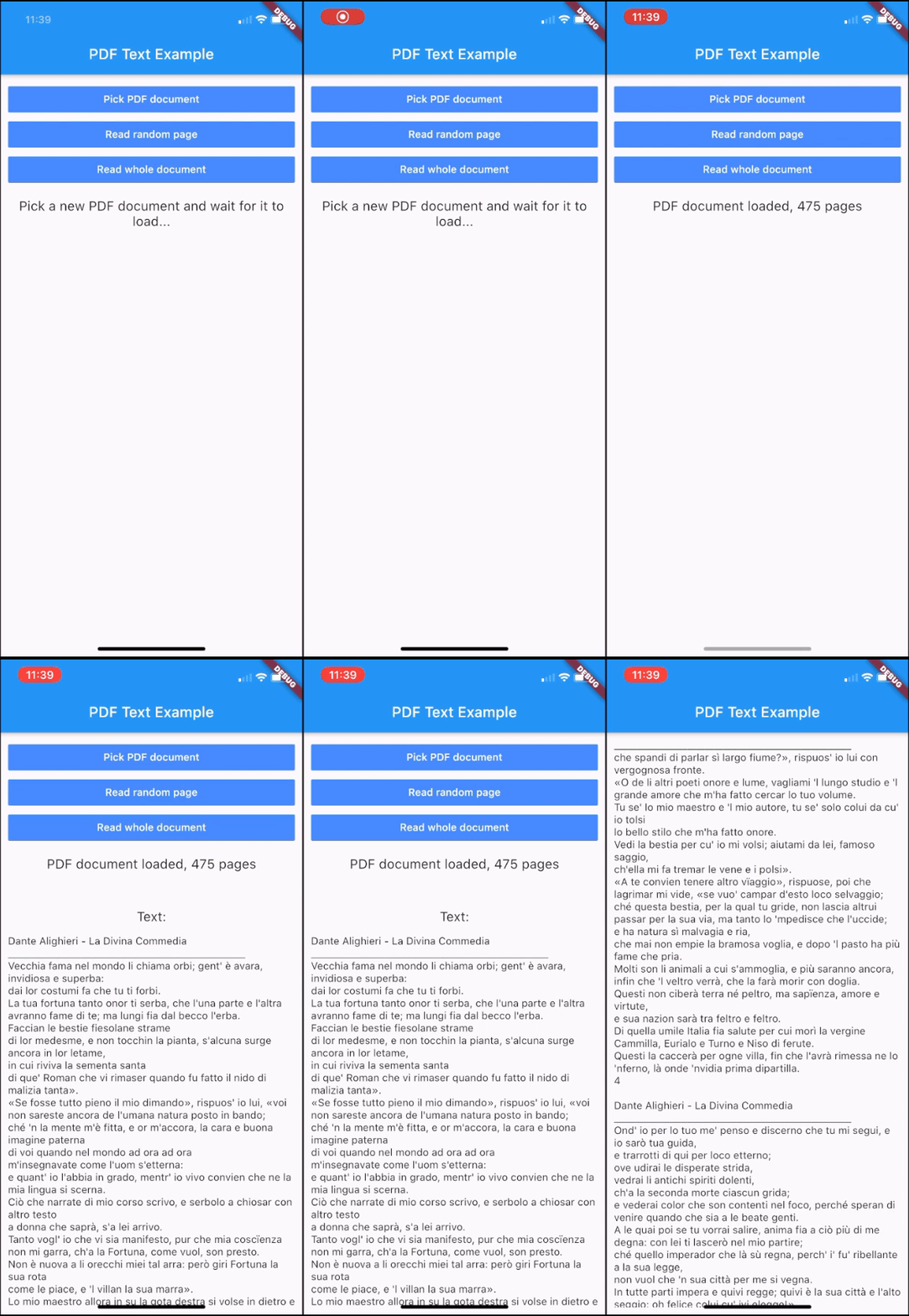
pdf_text 包是 Flutter 插件,可在 Android 和 iOS 上实现从 PDF 文档中读取和提取文本内容。它将 PDF 页面转换为可读字符串,使在 Flutter 应用中处理或显示 PDF 文本变得简单。该包设计简洁,具备跨平台兼容性,可无缝集成到现有的 Flutter 项目中。对于需要提取文本但无需完整渲染 PDF 的应用而言,该包非常理想。
适合场景
从扫描的PDF中提取文本
构建文档搜索功能
在应用中创建文本预览
解析PDF内容以进行分析
支持无障碍功能
主要特点
跨平台支持(iOS 和 Android)
简单文本提取 API
轻便且快速
无需完整渲染PDF
适用于扫描和键入的PDF文件
适合对象
文档处理应用
教育工具
内容索引系统
可访问性增强
基于文本的搜索实现
使用建议
仅限文本提取(无格式)
在处理扫描质量差或低质量的PDF文件时可能遇到困难
不支持加密的PDF文件
需要文件路径输入以处理PDF
性能取决于PDF的大小和复杂性
原始 README
以下为关联源码仓库的 README 原文快照,最新内容请访问源码仓库。
PDF Text Plugin
This plugin for Flutter allows you to read the text content of PDF documents and convert it into strings. It works on iOS and Android. On iOS it uses Apple's PDFKit. On Android it uses Apache's PdfBox Android porting.
Getting Started
Add this to your package's pubspec.yaml file:
dependencies:pdf_text:^0.5.0
Usage
Import the package with:
import'package:pdf_text/pdf_text.dart';
Create a PDF document instance using a File object:
Optionally, you can delete the file of a document when you no longer need it.
This can be useful when you import a PDF document from outside the local
file system (e.g using a URL), since it is automatically stored in the temporary
directory of the app.
Delete the file of a single document:
doc.deleteFile();
or delete all the files of all the documents imported from outside the local
file system:
PDFDoc.deleteAllExternalFiles();
Functioning
This plugin applies lazy loading for the text contents of the pages. The text is cached page per page. When you request the text of a page for the first time, it is parsed and stored in memory, so that the second access will be faster. Anyway, the text of pages that are not requested is not loaded. This mechanism
allows you not to waste time loading text that you will probably not use. When you request the text content of the entire document, only the pages that have not been loaded yet are then loaded.
Public Methods
PDFDoc
Return
Description
PDFPage
pageAt(int pageNumber) Gets the page of the document at the given page number.
static Future<PDFDoc>
fromFile(File file, {String password = ""}) Creates a PDFDoc object with a File instance. Optionally, takes a password for encrypted PDF documents.
static Future<PDFDoc>
fromPath(String path, {String password = ""}) Creates a PDFDoc object with a file path. Optionally, takes a password for encrypted PDF documents.
static Future<PDFDoc>
fromURL(String url, {String password = ""}) Creates a PDFDoc object with a url. Optionally, takes a password for encrypted PDF documents.
void
deleteFile() Deletes the file related to this PDFDoc. Throws an exception if the FileSystemEntity cannot be deleted.
static Future
deleteAllExternalFiles() Deletes all the files of the documents that have been imported from outside the local file system (e.g. using fromURL).
Objects
classPDFDoc{
int length; // Number of pages of the documentList<PDFPage> pages; // Pages of the documentPDFDocInfo info; // Info of the documentFuture<String> text; // Text of the document
}
classPDFPage{
int number; // Number of the page in the documentFuture<String> text; // Text of the page
}
classPDFDocInfo{
String author; // Author string of the documentList<String> authors; // Authors of the documentDateTime creationDate; // Creation date of the documentDateTime modificationDate; // Modification date of the documentString creator; // Creator of the documentString producer; // Producer of the documentList<String> keywords; // Keywords of the documentString title; // Title of the documentString subject; // Subject of the document
}
Contribute
If you have any suggestions, improvements or issues, feel free to contribute to this project.
You can either submit a new issue or propose a pull request. Direct your pull requests into the dev branch.