Progressive Image
A flutter widget which progressively loads large images using Low Quality Image Placeholders.
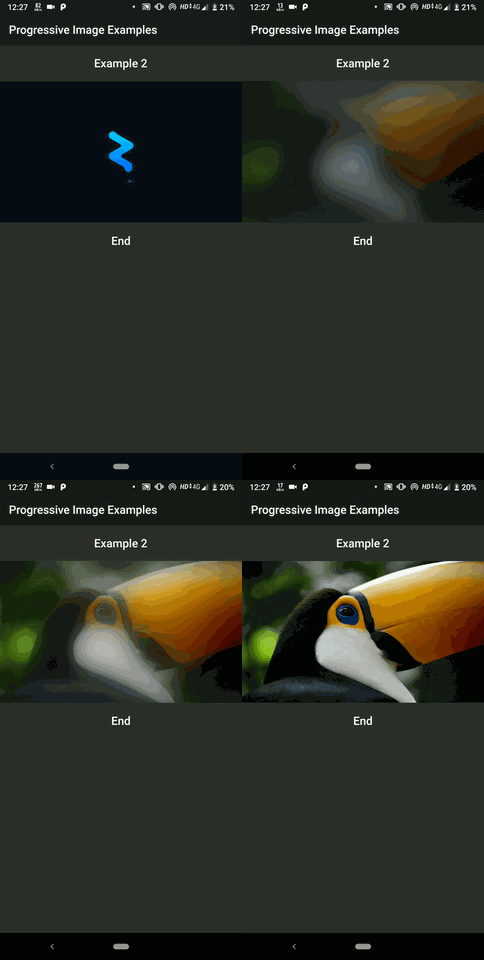
Snapshots


Features
- Displays placeholder and thumbnail image until the target Image loads.
- Smooth Fade-in animations for preventing immediate image popups on load.
- Blur effect for low resolution thumbnail to prevent the pixelated view.
- Effectively resolves thumbnail image before the target image starts to fetch for quick first impression.
- Placeholder widgets instead of placeholder images can now be added in
v2.0.0
Installing
Following steps will help you add this library as a dependency in your flutter project.
- In the
pubspec.yaml file in the root of your project
dependencies:
  progressive_image: ^2.0.0
- Run the following command to get packages:
$ flutter packages get
- Import the package in your project file:
import 'package:progressive_image/progressive_image.dart';
Usage
For a more detailed look at how to use this library, there is a sweet project in the example directory and various examples can be found here
A simple example usage of the ProgressiveImage widget is shown below:
import 'package:flutter/material.dart';
import 'package:progressive_image/progressive_image.dart';
void main() => runApp(MyApp());
class MyApp extends StatelessWidget {
@override
Widget build(BuildContext context) {
return MaterialApp(
home: Scaffold(
appBar: AppBar(title: Text('Progressive Image Example')),
body: ProgressiveImageExample(),
),
);
}
}
class ProgressiveImageExample extends StatelessWidget {
@override
Widget build(BuildContext context) {
return Container(
child: ProgressiveImage(
placeholder: AssetImage('assets/placeholder.jpg'),
thumbnail: NetworkImage('https://i.imgur.com/7XL923M.jpg'),
image: NetworkImage('https://i.imgur.com/xVS07vQ.jpg'),
height: 300,
width: 500,
),
);
}
}