搜索插件、代码仓与 APP 分类

requests_inspector 封面
插件详情v5.5.1

requests_inspector

一个用于记录 REST-API 和 GraphQL 请求的 Flutter 包,通过摇晃手机即可在屏幕上显示 RequestsInspector 小部件。

AndroidiOS
近 30 天下载
8320
喜欢数
167
Pub 分数
130

安装插件

flutter pub add requests_inspector

插件介绍

基于插件公开信息、社区数据与项目使用情况整理的选型参考。

RequestsInspector 是一个专为调试 HTTP 和 GraphQL 请求而设计的 Flutter 包。它会记录所有发出的 API 调用,并通过摇动设备实时访问请求/响应数据,显示专用的检查器小部件。非常适合需要快速查看网络活动而无需修改代码的开发者。该包支持 Android 和 iOS 平台,并可与现有的 HTTP 客户端(如 dio 或 http)无缝集成。其轻量级设计确保对性能影响极小。

适合场景

  • 调试 API 端点
  • 监控 GraphQL 查询
  • 检查请求标头和正文
  • 开发期间的实时网络日志记录
  • 疑难解答失败的请求

主要特点

  • 摇动以打开检查器
  • 支持 HTTP 和 GraphQL
  • 跨平台(Android 和 iOS)
  • 所需设置最少
  • 实时请求/响应查看

适合对象

  • Flutter 开发人员在调试模式下
  • Teams 测试 API 集成
  • 前端工程师排查网络问题
  • 使用 REST/GraphQL 的移动应用开发者
  • 任何需要快速网络检查的人

使用建议

  • 不适用于生产环境
  • 需要物理设备才能进行晃动手势
  • 仅限调试版本
  • 日志无持久化存储
  • 某些设备可能需要权限

原始 README

以下为关联源码仓库的 README 原文快照,最新内容请访问源码仓库。

Stand With Palestine

requests_inspector 🕵

pub package

A Flutter package for logging API requests (Http Requests & GraphQL) requests.

Main Features:
  1. Log your Http request, GraphQL and WebSockets.
  2. Intercept your requests and responses for testing.
  3. Share request details as json, cURL, or HAR file to re-run it again (ex. Postman).

And more and more

To get the RequestsInspector widget on your screen:
  1. 📱💃 : Shake your phone.

  2. 📱👈 : Long-Press on any free space on the screen.

Also you can share the request details as (Log, cURL command, or HAR file) with your team to help them debug the API requests.

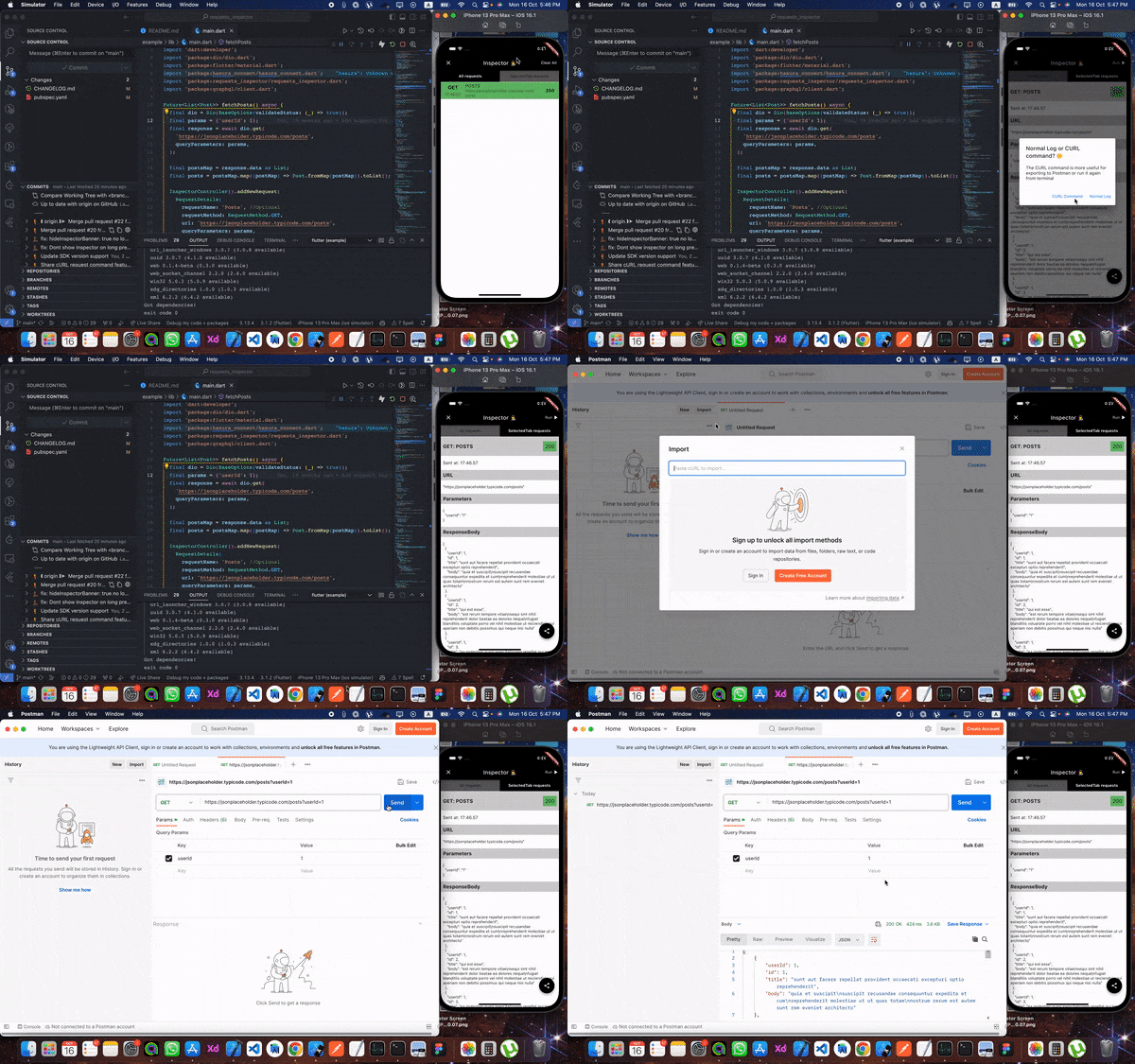
From Inspector to Postman 🧡 🎉️ Now you can extract cURL command from the inspector to send the request again from your terminal or Postman 💪💪

HAR File Support 📦 🎉️ You can now share requests as HAR (HTTP Archive) files! HAR files are a standard format that can be imported into various tools like Postman, Proxyman, or any HAR-compatible tool for debugging and analysis. You can share HAR files in two formats:

  • HAR text: Copy the HAR content as text
  • HAR file (.har): Share as a downloadable .har file

The HAR format includes complete request/response details, headers, timing information, and more, making it perfect for comprehensive API debugging and sharing with your team.


Setup

First, add it at the top of your MaterialApp with enabled: true.

void main() {
  runApp(const RequestsInspector(
    child: MyApp(),
  ));
}
1. RESTful API:
Using Dio, pass by RequestsInspectorInterceptor() to Dio.interceptors and we are good to go 🎉️🎉️.
final dio = Dio()..interceptors.add(RequestsInspectorInterceptor());
If you don't use Dio then don't worry

In your API request just add a new RequestDetails using RequestInspectorController filled with the API data.

InspectorController().addNewRequest(
    RequestDetails(
        requestName: requestName,
        requestMethod: RequestMethod.GET,
        url: apiUrl,
        queryParameters: params,
        statusCode: responseStatusCode,
        responseBody: responseData,
        ),
    );
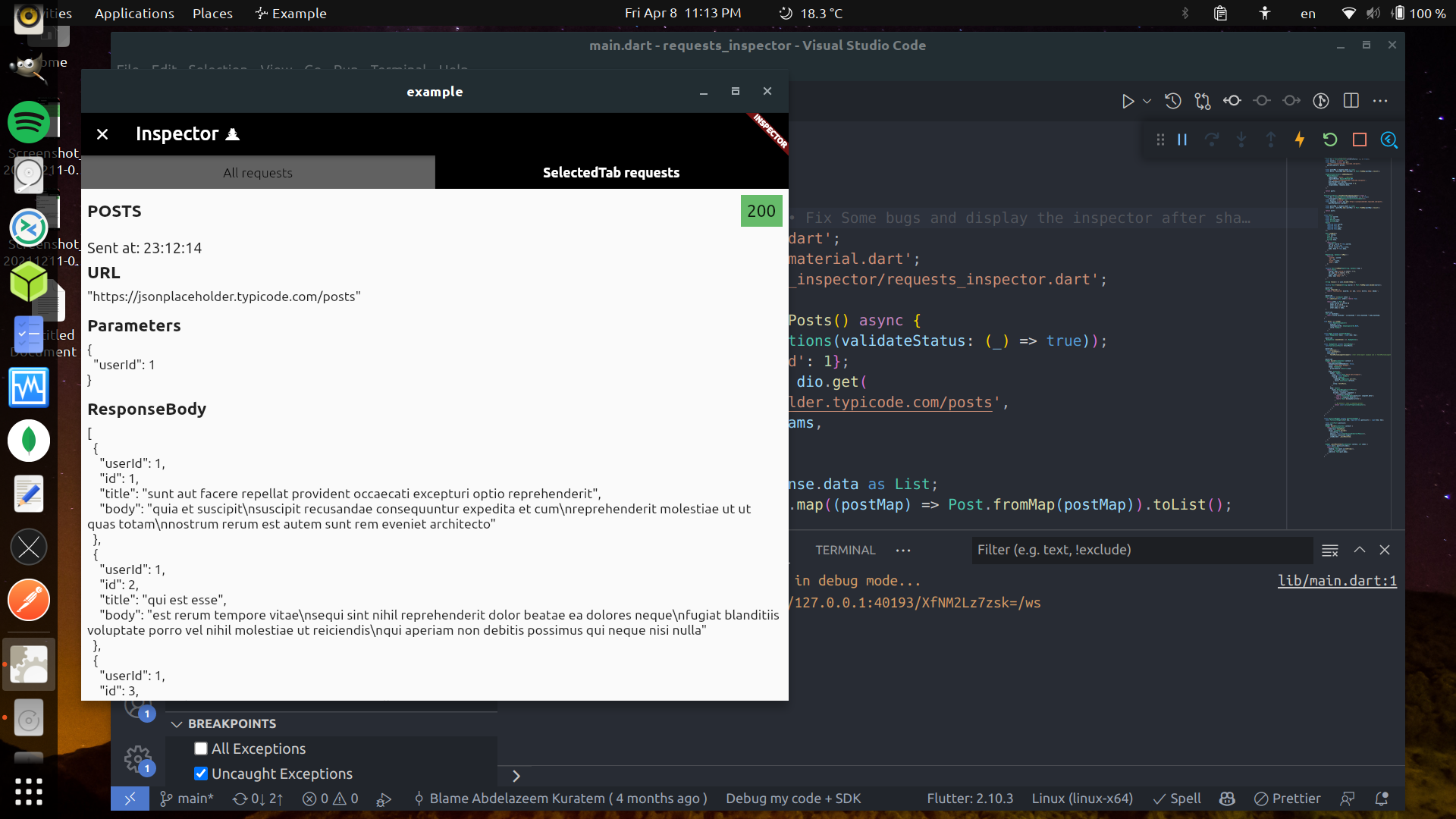
Real Restful example

a. Normal InspectorController().addNewRequest.

Future<List<Post>> fetchPosts() async {
  final dio = Dio();
  final params = {'userId': 1};

  final response = await dio.get(
    '[https://jsonplaceholder.typicode.com/posts](https://jsonplaceholder.typicode.com/posts)',
    queryParameters: params,
  );

  final postsMap = response.data as List;
  final posts = postsMap.map((postMap) => Post.fromMap(postMap)).toList();

  InspectorController().addNewRequest(
    RequestDetails(
      requestName: 'Posts',
      requestMethod: RequestMethod.GET,
      url: '[https://jsonplaceholder.typicode.com/posts](https://jsonplaceholder.typicode.com/posts)',
      queryParameters: params,
      statusCode: response.statusCode ?? 0,
      responseBody: response.data,
    ),
  );

  return posts;
}

b. Using RequestsInspectorInterceptor.

Future<List<Post>> fetchPosts() async {
  final dio = Dio()..interceptors.add(RequestsInspectorInterceptor());
  final response = await dio.get('[https://jsonplaceholder.typicode.com/posts](https://jsonplaceholder.typicode.com/posts)');

  final postsMap = response.data as List;
  final posts = postsMap.map((postMap) => Post.fromMap(postMap)).toList();

  return posts;
}
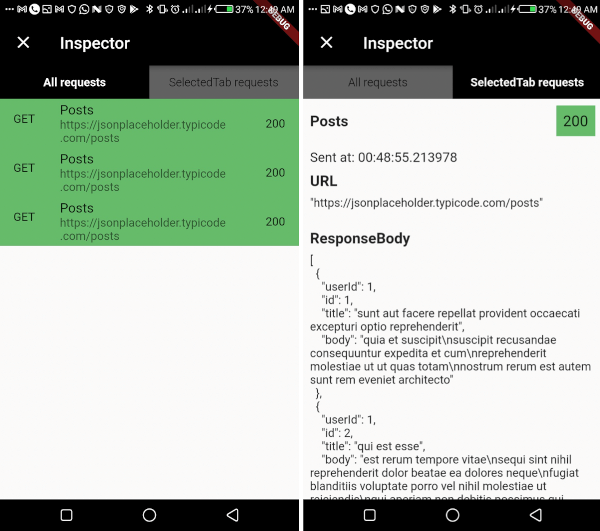
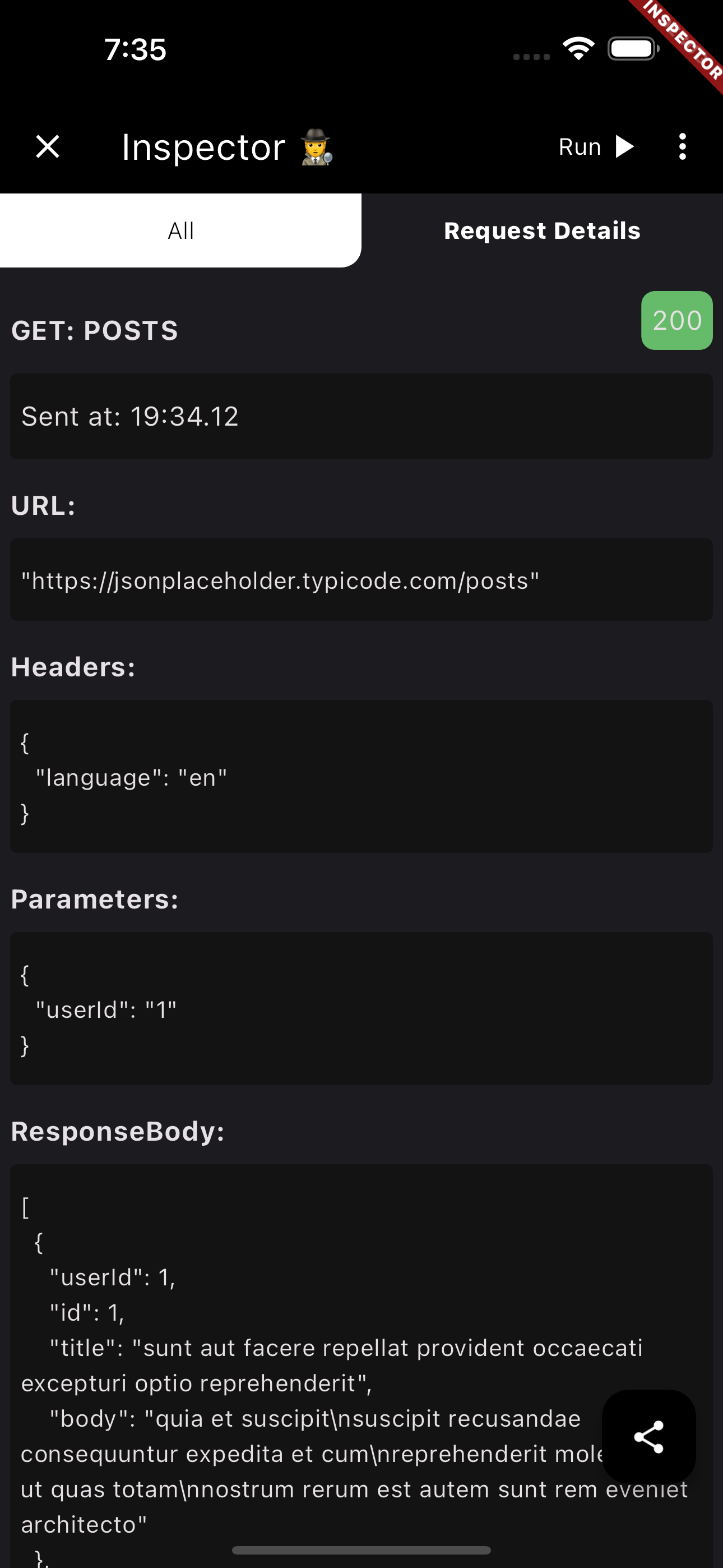
Finaly, Shake your phone to get the Inspector

<img src = "https://raw.githubusercontent.com/Abdelazeem777/requests_inspector/main/images/mobile_list.jpg" width ="280" /> <img src = "https://raw.githubusercontent.com/Abdelazeem777/requests_inspector/main/images/mobile_request.jpg" width ="280" />


2. GraphQl:

To use requests_inspector with graphql_flutter library. you jus need to wrap your normal HttpLink with our GraphQLInspectorLink and we are done.

Example:

 Future<List<Post>> fetchPostsGraphQlUsingGraphQLFlutterInterceptor() async {
 Future<List<Post>> fetchPostsGraphQlUsingGraphQLFlutterInterceptor() async {
  final client = GraphQLClient(
    cache: GraphQLCache(),
    link: Link.split(
      (request) => request.isSubscription,
      GraphQLInspectorLink(WebSocketLink('ws://graphqlzero.almansi.me/api')),
      GraphQLInspectorLink(HttpLink('[https://graphqlzero.almansi.me/api](https://graphqlzero.almansi.me/api)')),
    ),
  );
  const query = r'''query {
    post(id: 1) {
      id
      title
      body
    }
    }''';

  final options = QueryOptions(document: gql(query));
  final result = await client.query(options);
  if (result.hasException) {
    log(result.exception.toString());
  } else {
    log(result.data.toString());
  }
  var post = Post.fromMap(result.data?['post']);
  return [post];
}

Stopper (Requests & Responses)

requests_inspector (Stopper) enables your to stop and edit requests (before sending it to server) and responses (before receiving it inside the app).

  • First, you need to add navigatorKey to your MaterialApp then pass it to RequestsInspector to show Stopper dialogs.
final navigatorKey = GlobalKey<NavigatorState>();

void main() => runApp(
  RequestsInspector(
    // Add your `navigatorKey` to enable `Stopper` feature
    navigatorKey: navigatorKey,
    child: const MyApp(),
  ),
);

// ...

@override
Widget build(BuildContext context) {
  return MaterialApp(
    navigatorKey: navigatorKey, // <== Here!
    // ...
  • Second, just enable it from Inspector and it will stop all your requests and responses.

<img src="https://raw.githubusercontent.com/Abdelazeem777/requests_inspector/main/images/stopper_feature.gif" width="280"/>


For Web, Windows, MacOS and Linux

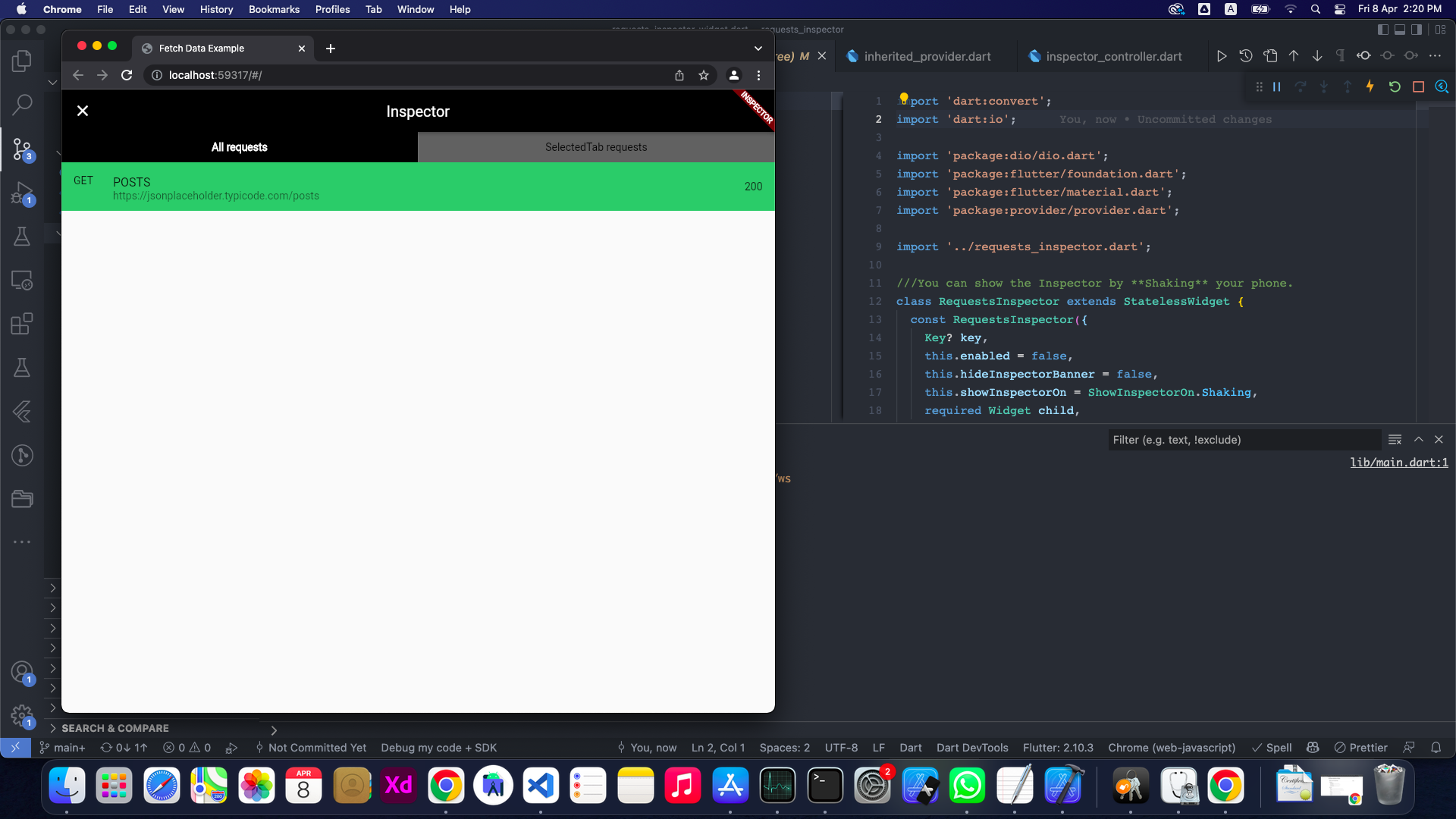
Obviously, The shaking won't be good enough for those platforms 😅

So you can specify showInspectorOn with ShowInspectorOn.LongPress.

void main() {
  runApp(const RequestsInspector(
    enabled: true,
    showInspectorOn: ShowInspectorOn.LongPress
    child: MyApp(),
  ));
}

OR, you can just pass ShowInspectorOn.Both to open the Inspector with Shaking or with LongPress.

void main() {
  runApp(const RequestsInspector(
    enabled: true,
    showInspectorOn: ShowInspectorOn.Both,
    child: MyApp(),
  ));
}

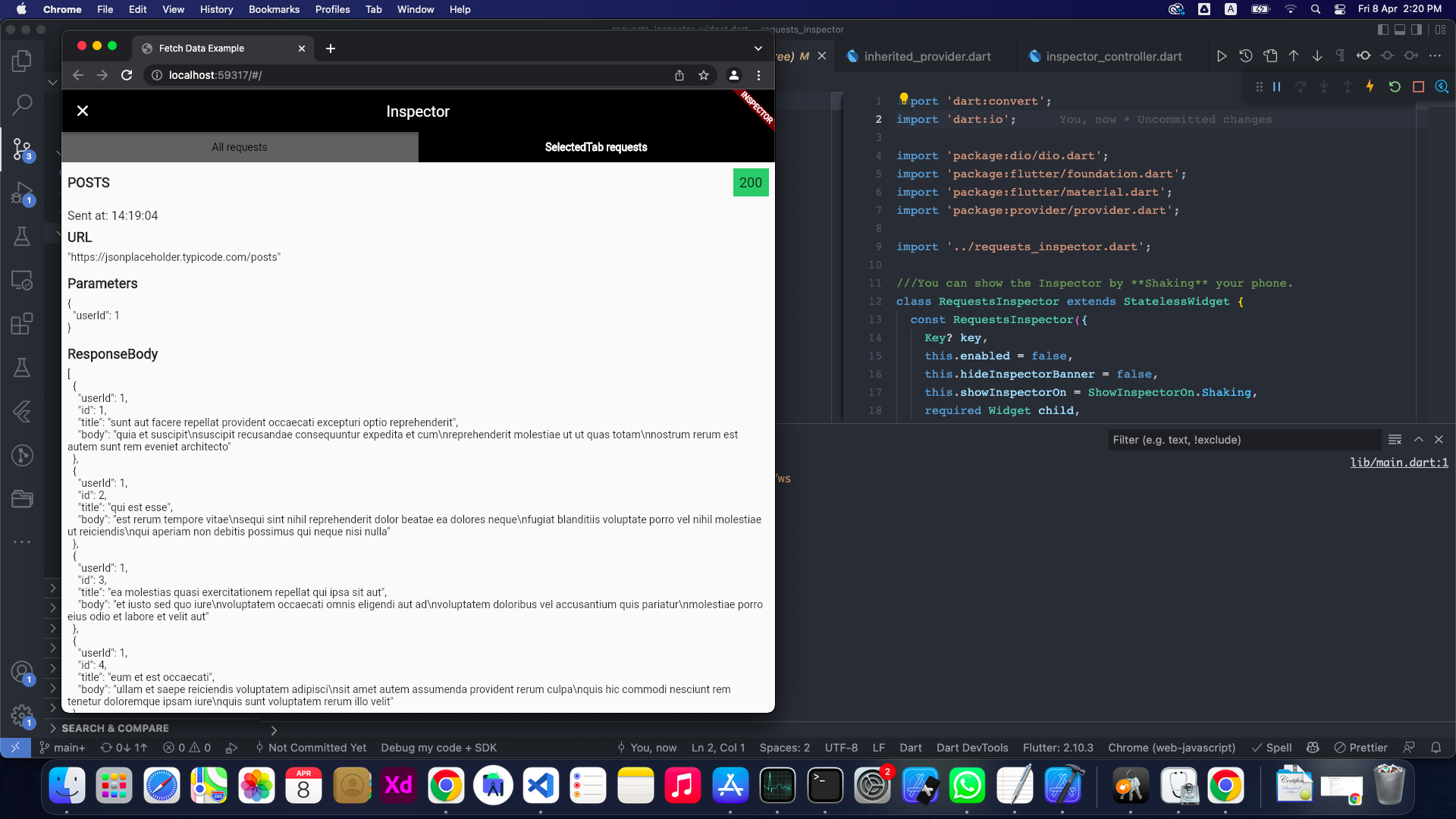
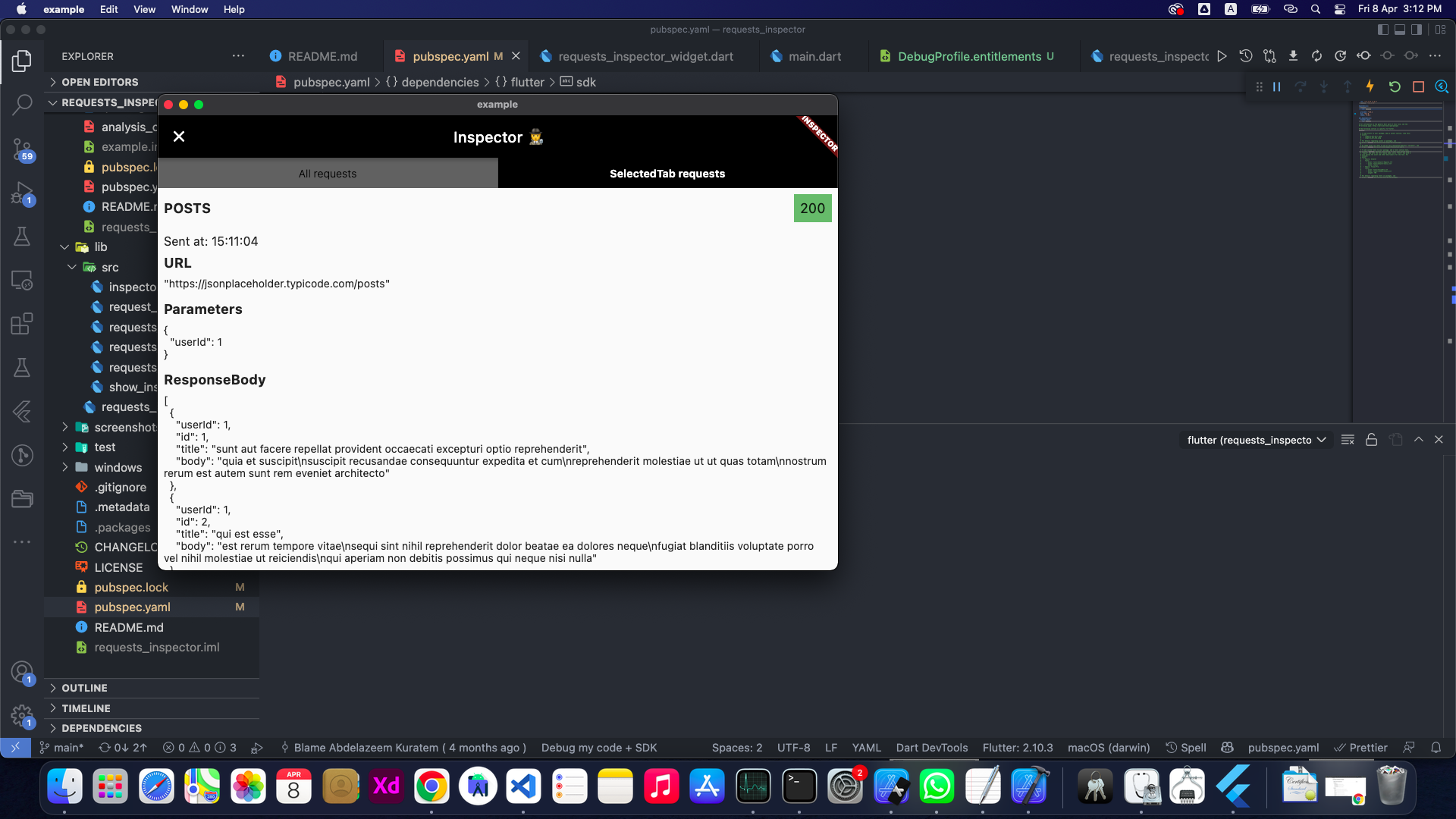
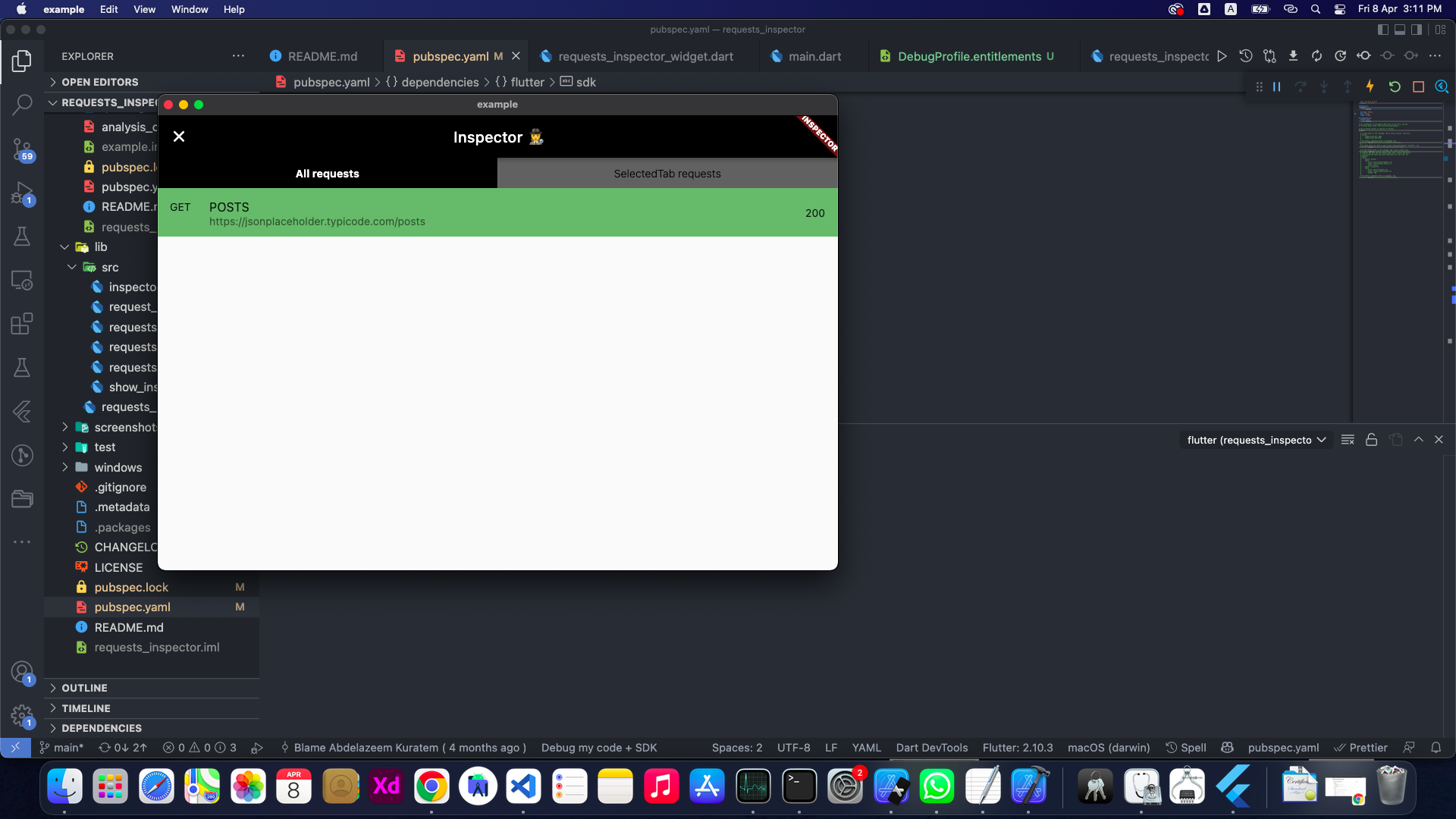
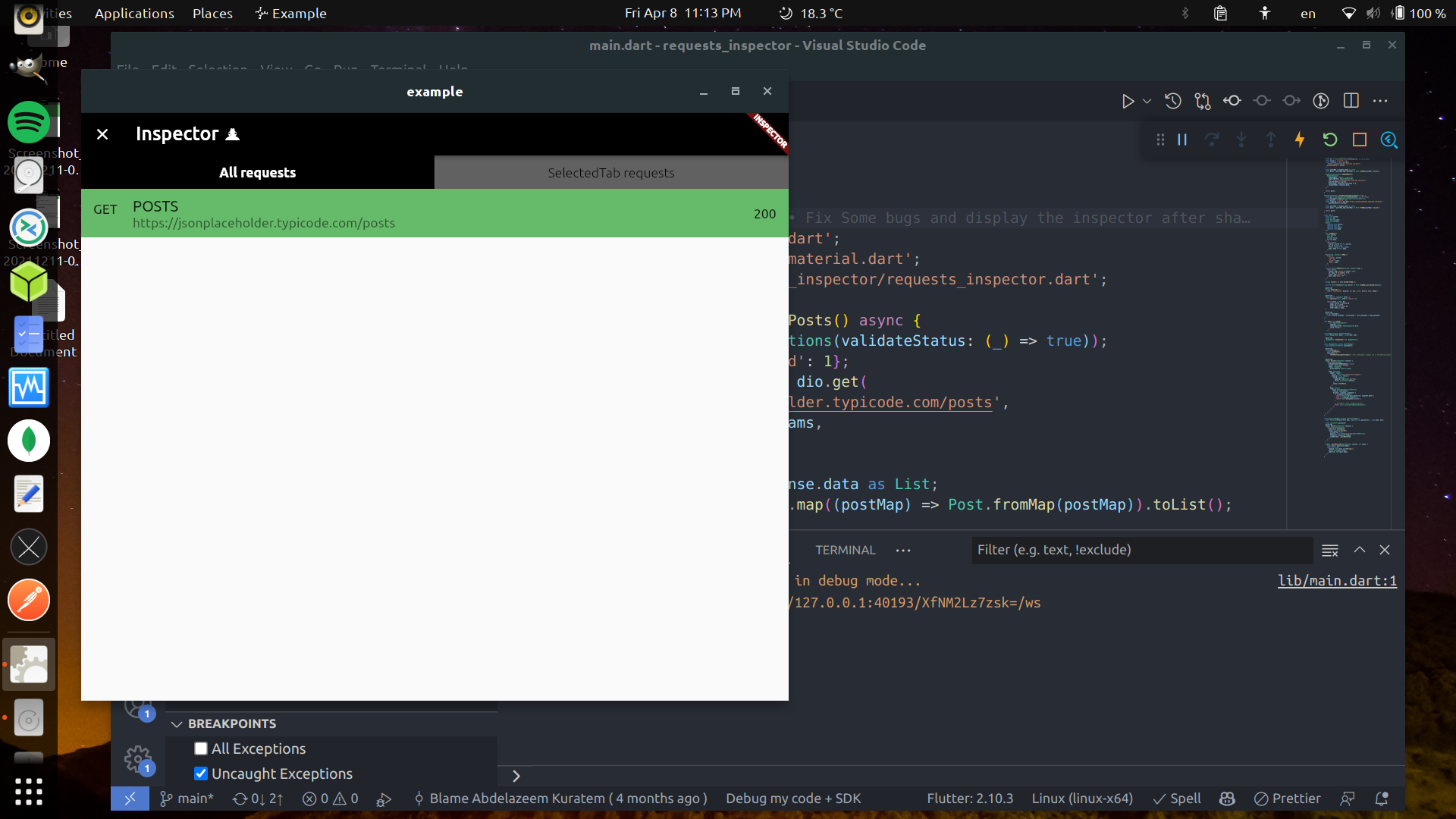
Some images

🤝 Contributors

Contributors helping improve requests_inspector: 💻🎨📖🚧


Abdelazeem

Belal

Mostafa

Abdelrahman

Anthony

M Hussein

Vadym

M Gawdat

Anas

Moaz

Michelle

Abdullah

Ahmed

Nourhan

Anthony
How to Contribute

We welcome contributions from everyone! Here's how you can help:

  1. Report Issues: Found a bug or have a feature request? Open an issue
  2. Submit Pull Requests: Have a fix or improvement? We'd love to review your PR!
  3. Improve Documentation: Help us make the docs clearer and more comprehensive
  4. Share Feedback: Let us know how you're using the package and what could be better

To add yourself as a contributor, simply follow the contribution guidelines and your efforts will be recognized here!


Future plans:

  • [x] Add support for GraphQL.
  • [x] Enhance the GraphQL request and response displaying structure.
  • [x] Improve the request tab UI and add expand/collapse for each data block.
  • [x] Better UI.
  • [x] Support Dark/Light Modes.
  • [x] Powerful JSON Tree View.
  • [x] Collapsable separated sections.
  • [x] Click to Copy Content of each section.
  • [ ] Add search inside the request details page.
  • [ ] Add Http Interceptor.
  • [ ] 'WillPopScope' is deprecated and shouldn't be used. Use PopScope instead. The Android predictive back feature will not work with WillPopScope.

📃 License

This project is licensed under the MIT License - see the LICENSE file for details.

🎉 Thank you for using Requests Inspector!

所属分类

依赖

依赖清单 9 项

源码仓库

使用此插件的项目

暂无相关数据。