搜索插件、代码仓与 APP 分类

scroll_snap_list 封面
插件详情v0.9.1

scroll_snap_list

一个 Flutter 小部件,允许在用户滚动结束时将项目“吸附”到指定位置。

AndroidiOSWebmacOSWindowsLinux
近 30 天下载
3.5万
喜欢数
409
Pub 分数
150

安装插件

flutter pub add scroll_snap_list

插件介绍

基于插件公开信息、社区数据与项目使用情况整理的选型参考。

ScrollSnapList 是一个 Flutter 小部件,旨在实现列表中平滑的项对齐滚动。当用户滚动时,列表会自动对齐到最近的项目,从而增强类似幻灯片或分页界面中的导航体验。它支持所有主要平台,包括 Android、iOS、Web、macOS、Windows 和 Linux。该包简化了需要精确对齐到列表项的基于滚动的交互实现,例如图片轮播、引导页面或标签内容。该组件注重性能和易用性,可无缝集成到现有的 Flutter 项目中。

适合场景

  • 引导页
  • 图片轮播
  • 标签页内容导航
  • 产品滑块
  • 分页列表
  • 交互式教程

主要特点

  • 自动吸附到项目
  • 平滑滚动过渡
  • 跨平台支持
  • 简单集成
  • 可自定义的吸附行为
  • 支持垂直和水平布局

适合对象

  • 开发交互式列表界面的开发者
  • 实现基于滑动的导航的设计人员
  • 需要精确滚动对齐的应用程序
  • 需要轮播或分页功能的项目
  • Flutter 初学者寻找直观的滚动控制

使用建议

  • 可能需要额外的样式来支持自定义动画
  • 处理超大数据集时的性能影响
  • 有限的内置手势自定义
  • 不适合在不带吸附效果的情况下连续滚动
  • 需要仔细处理项目大小以实现一致的吸附效果

原始 README

以下为关联源码仓库的 README 原文快照,最新内容请访问源码仓库。

scroll_snap_list

A wrapper for ListView.builder widget that allows "snaping" event to an item at the end of user-scroll.

This widget allows unrestricted scrolling (unlike other widget that only able to "snap" to left/right neighbor at a time).

  • Support horizontal & vertical list
  • Use ListView.Builder, means no Animation

You can use this widget to achieve:

  • Unrestricted scrollable Jumbotron
  • Show daily entry for Health App and shows its detail directly below the list (reduce number of click)
  • Scrollable InputSelect, like datetime picker in cupertino
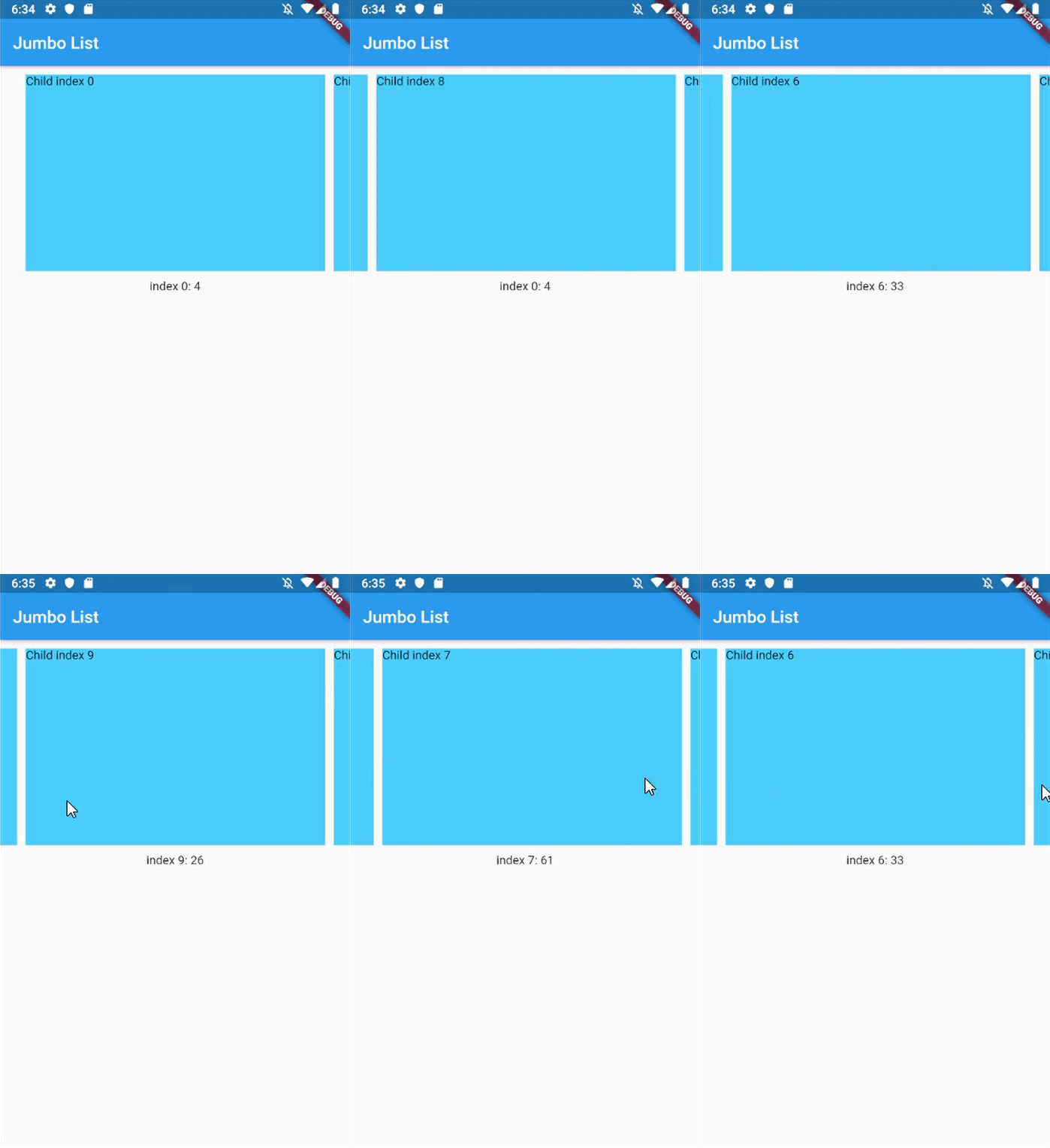
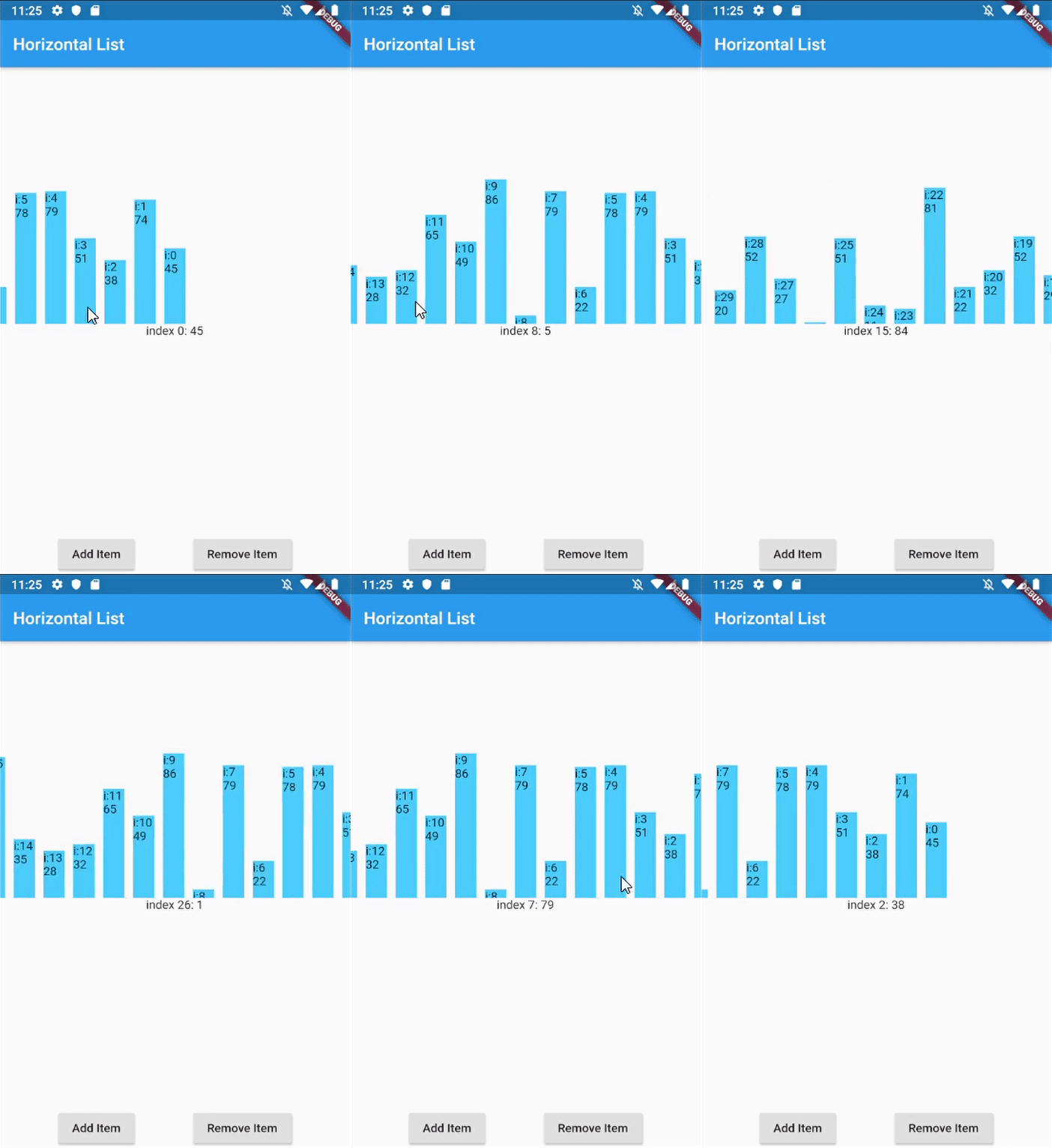
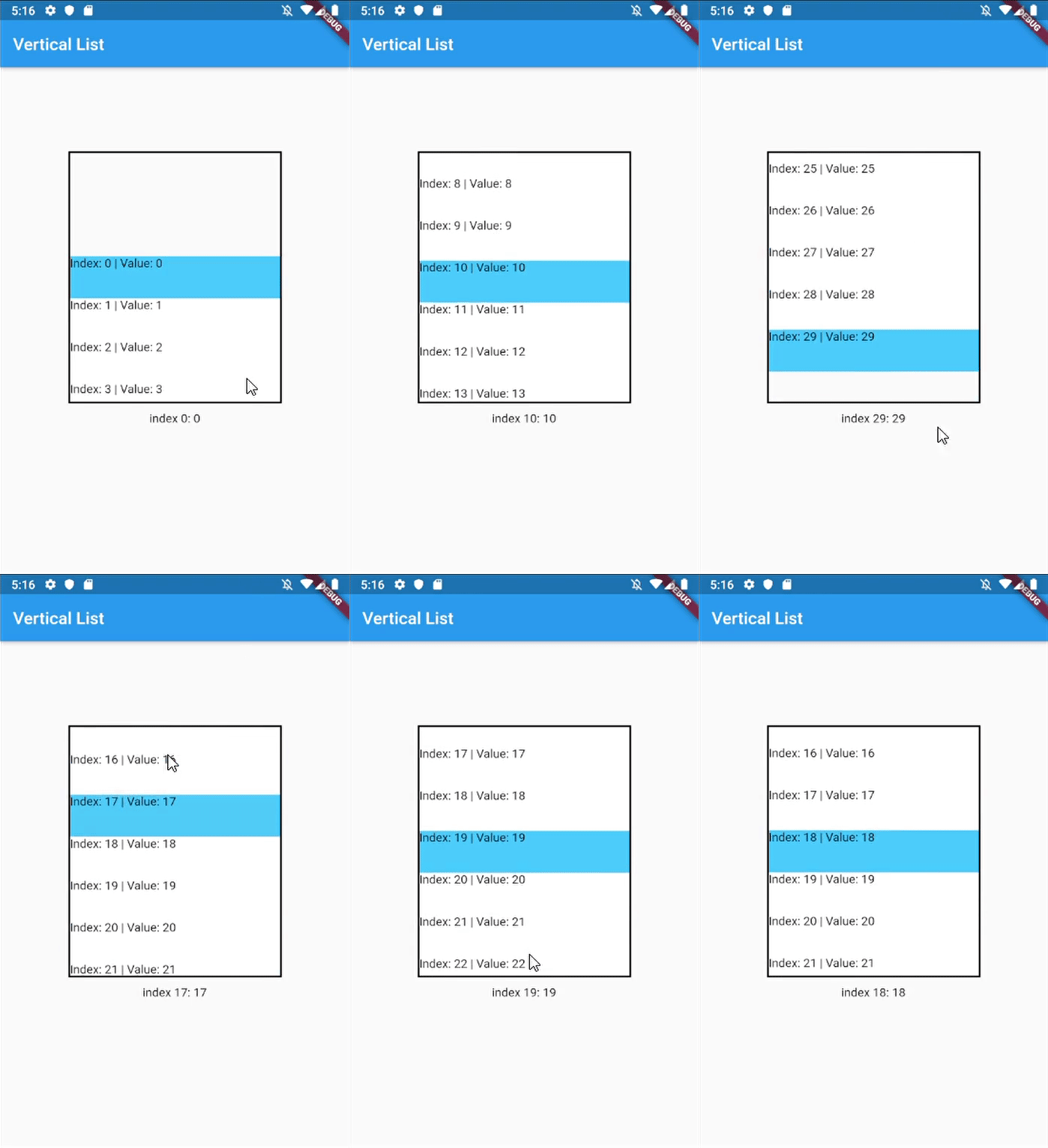
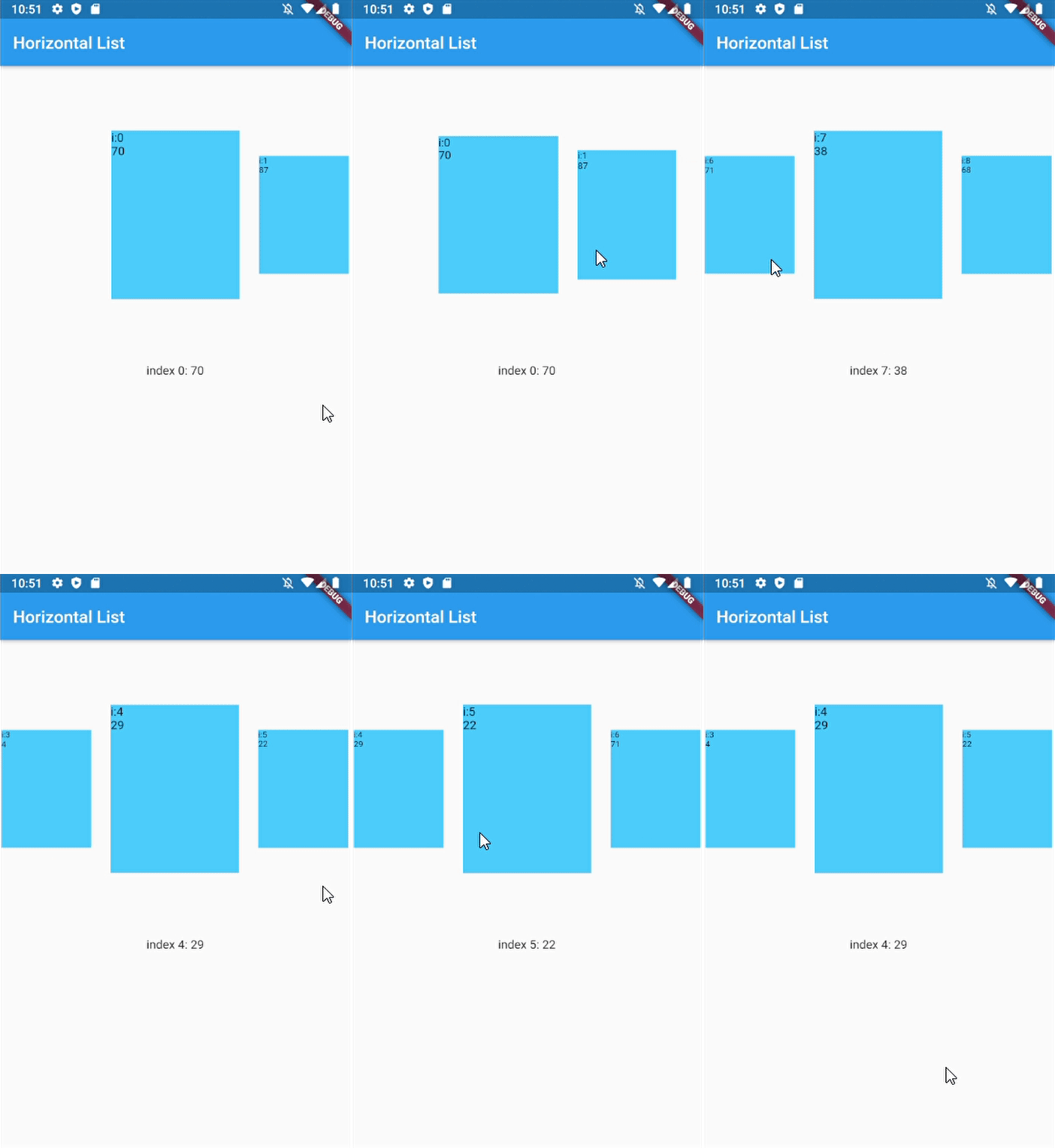
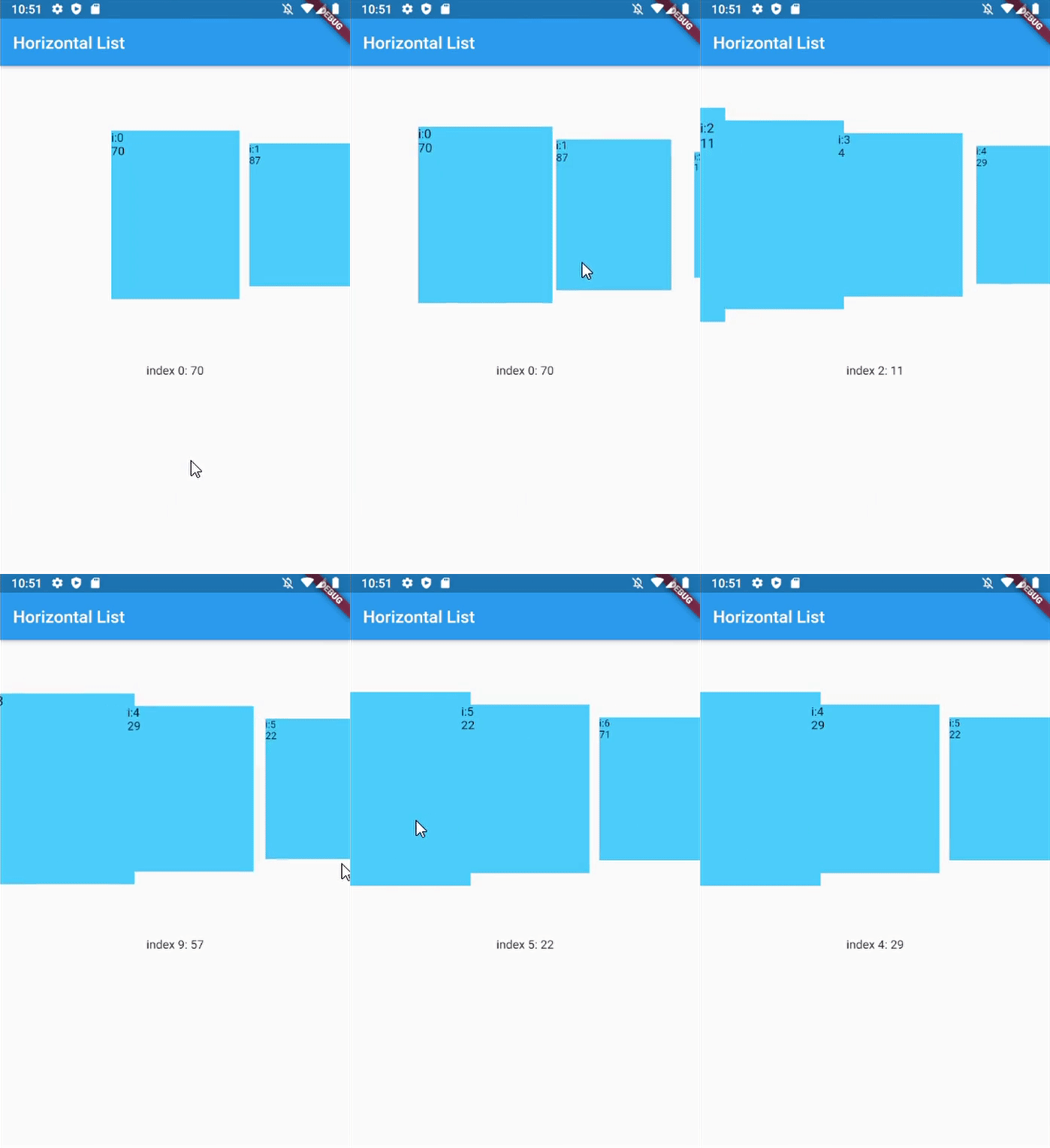
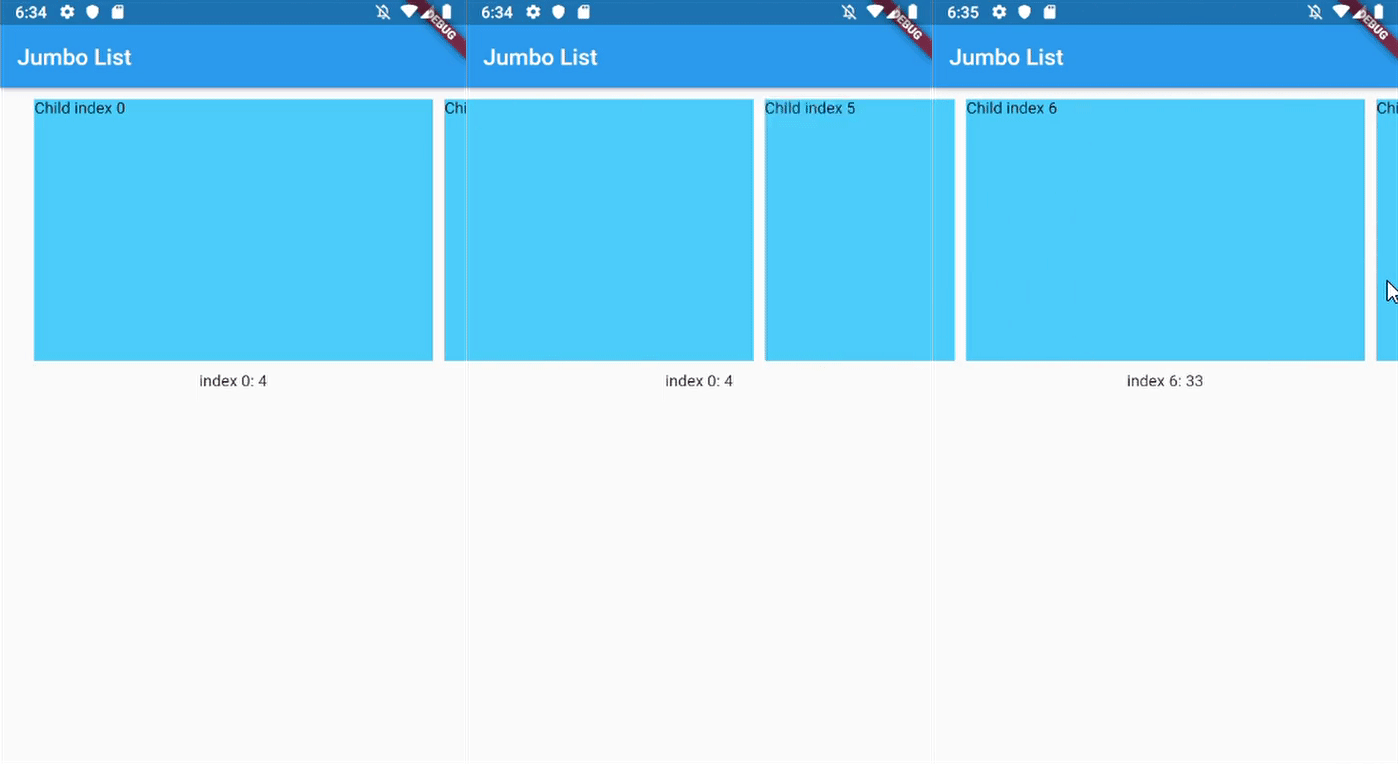
Jumbotron List Horizontal List Vertical List Dynamic Size Custom Dynamic Size
Horizontal Jumbotron List Horizontal List with infinite-loading Vertical list with InkWell ListItems Horizontal with dynamic item size Horizontal with custom dynamic item size

Getting Started

In your flutter project pubspec.yaml add the dependency:

dependencies:
  ...
  scroll_snap_list: ^[version]

Usage example

This library doesn't use other library, so it should work out of the box.

Import scroll_snap_list.dart.

import 'package:scroll_snap_list/scroll_snap_list.dart';

Add ScrollSnapList in your build method. Make sure to enter correct itemSize (helps with "snapping" process).

Expanded(
  child: ScrollSnapList(
    onItemFocus: _onItemFocus,
    itemSize: 35,
    itemBuilder: _buildListItem,
    itemCount: data.length,
    reverse: true,
  ),
),

Full example:

import 'dart:math';

import 'package:flutter/material.dart';
import 'package:scroll_snap_list/scroll_snap_list.dart';

void main() => runApp(HorizontalListDemo());

class HorizontalListDemo extends StatefulWidget {
  @override
  _HorizontalListDemoState createState() => _HorizontalListDemoState();
}

class _HorizontalListDemoState extends State<HorizontalListDemo> {
  List<int> data = [];
  int _focusedIndex = 0;

  @override
  void initState() {
    super.initState();

    for (int i = 0; i < 30; i++) {
      data.add(Random().nextInt(100) + 1);
    }
  }

  void _onItemFocus(int index) {
    setState(() {
      _focusedIndex = index;
    });
  }

  Widget _buildItemDetail() {
    if (data.length > _focusedIndex)
      return Container(
        height: 150,
        child: Text("index $_focusedIndex: ${data[_focusedIndex]}"),
      );

    return Container(
      height: 150,
      child: Text("No Data"),
    );
  }

  Widget _buildListItem(BuildContext context, int index) {
    //horizontal
    return Container(
      width: 35,
      child: Column(
        mainAxisAlignment: MainAxisAlignment.end,
        children: <Widget>[
          Container(
            height: data[index].toDouble()*2,
            width: 25,
            color: Colors.lightBlueAccent,
            child: Text("i:$index\n${data[index]}"),
          )
        ],
      ),
    );
  }

  @override
  Widget build(BuildContext context) {
    return MaterialApp(
      title: 'Horizontal List Demo',
      home: Scaffold(
        appBar: AppBar(
          title: Text("Horizontal List"),
        ),
        body: Container(
          child: Column(
            children: <Widget>[
              Expanded(
                child: ScrollSnapList(
                  onItemFocus: _onItemFocus,
                  itemSize: 35,
                  itemBuilder: _buildListItem,
                  itemCount: data.length,
                  reverse: true,
                ),
              ),
              _buildItemDetail(),
              Row(
                mainAxisAlignment: MainAxisAlignment.spaceEvenly,
                children: <Widget>[
                  RaisedButton(
                    child: Text("Add Item"),
                    onPressed: () {
                      setState(() {
                        data.add(Random().nextInt(100) + 1);
                      });
                    },
                  ),
                  RaisedButton(
                    child: Text("Remove Item"),
                    onPressed: () {
                      int index = data.length > 1
                          ? Random().nextInt(data.length - 1)
                          : 0;
                      setState(() {
                        data.removeAt(index);
                      });
                    },
                  ),
                ],
              )
            ],
          ),
        ),
      ),
    );
  }
}
Usage with dynamic item size

This feature is added since version 0.4.0.

We can customize item size with respect to distance between item and center of ScrollSnapList.

@override
Widget build(BuildContext context) {
  return MaterialApp(
    title: 'Horizontal List Demo',
    home: Scaffold(
      appBar: AppBar(
        title: Text("Horizontal List"),
      ),
      body: Container(
        child: Column(
          children: <Widget>[
            Expanded(
              child: ScrollSnapList(
                onItemFocus: _onItemFocus,
                itemSize: 150,
                itemBuilder: _buildListItem,
                itemCount: data.length,
                dynamicItemSize: true,
                // dynamicSizeEquation: customEquation, //optional
              ),
            ),
            _buildItemDetail(),
          ],
        ),
      ),
    ),
  );
}

Important parameters and explanation

Parameter Explanation
key Key for ScrollSnapList, used to call ScrollSnapListState
listViewKey Key for ListView inside ScrollSnapListState, often used to preserve scroll location
itemBuilder Same as ListView's itemBuilder
curve Animation curve when snapping
duration Animation duration
endOfListTolerance Pixel tolerance to trigger onReachEnd
focusOnItemTap Focus to an item when user tap on it. Inactive if the list-item have its own onTap detector (use state-key to help focusing instead).
focusToItem Method to manually trigger focus to an item. Call with help of GlobalKey<ScrollSnapListState>
margin Container's margin
itemCount Number of item in this list
itemSize Size used is width if scrollDirection is Axis.horizontal, height if Axis.vertical. Composed of the size of each item + its margin/padding.
onItemFocus Callback function when list snaps/focuses to an item
onReachEnd Callback function when user reach end of list. E.g. load more data from db
reverse Same as ListView's reverse to reverse scrollDirection
updateOnScroll Calls onItemFocus (if it exists) when ScrollUpdateNotification fires
initialIndex Optional initial position which will not snap until after the first drag
scrollDirection ListView's scrollDirection
listController External ScrollController
dynamicItemSize Scale item's size depending on distance to center
dynamicSizeEquation Custom equation to determine dynamic item scaling calculation
dynamicItemOpacity Custom opacity for offset item (single value)
selectedItemAnchor Anchor location for selected item in the list (Start, Middle, End)
shrinkWrap ListView's shrinkWrap
scrollPhysics ListView's scrollPhysics
clipBehavior ListView's clipBehavior
keyboardDismissBehavior ListView's keyboardDismissBehavior
allowAnotherDirection Allow List items to be scrolled using other direction
dispatchScrollNotifications Control if ScrollNotifications should be dispatched to further ancestors. Default: false

Other Notice

By default, SnapScrollList set focusOnItemTap as true. Means any tap event on items will trigger snap/focus event to that item.

This behavior use GestureDetector, so if the list's items have their own detector (e.g. InkWell, Button), SnapScrollList unable to trigger snap event on its own. To handle this, we may use GlobalKey<ScrollSnapListState> to trigger the event manually.

Add GlobalKey<ScrollSnapListState> in your widget

GlobalKey<ScrollSnapListState> sslKey = GlobalKey();

Add key parameter to SnapScrollList.

ScrollSnapList(
  onItemFocus: _onItemFocus,
  itemSize: 50,
  itemBuilder: _buildListItem,
  itemCount: data.length,
  key: sslKey,
  scrollDirection: Axis.vertical,
)

In your buildItem method, call focusToItem method.

Widget _buildListItem(BuildContext context, int index) {
  //horizontal
  return Container(
    height: 50,
    child: Material(
      color: _focusedIndex == index ? Colors.lightBlueAccent : Colors.white,
      child: InkWell(
        child: Text("Index: $index | Value: ${data[index]}"),
        onTap: () {
          print("Do anything here");

          //trigger focus manually
          sslKey.currentState.focusToItem(index);
        },
      ),
    ),
  );
}

Full example for this part can be found in example/vertical_list.dart.

About

Created by Vincent (MSVCode) Email: msvcode@gmail.com

所属分类

源码仓库

使用此插件的项目