Search Widget 


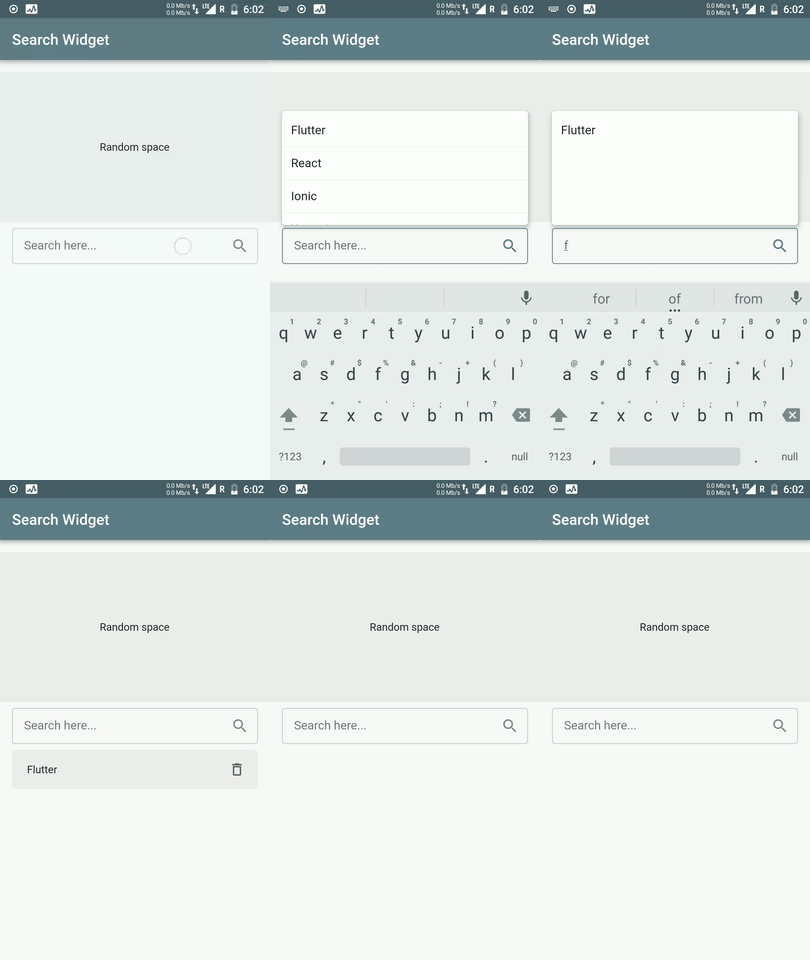
This Flutter package provides a Search Widget for selecting an option from a data list. Provides filtering of items based on the search text.

💻 Installation
In the dependencies: section of your pubspec.yaml, add the following line:

dependencies:
  search_widget: <latest version>
❔ Usage
Import this class
import 'package:search_widget/search_widget.dart';
Add Search Widget
- Accepts data list as input
- Option for getting selected item. Returns selected item or null if item is deleted
onItemSelected: (item) {
setState(() {
_selectedItem = item;
});
},
- Option for pop list item builder. This basically returns a widget to show as list item in popup
popupListItemBuilder: (LeaderBoard item) {
   return PopupListItem(item);
 }
- Option for filtering data list based on search query
queryBuilder: (String query, List<LeaderBoard> list) {
   return list.where((LeaderBoard item) => item.username.toLowerCase().contains(query.toLowerCase())).toList();
 }
- Option provided for selected list item builder which enables when a user selects an item from pop up list
selectedItemBuilder: (LeaderBoard selectedItem, deleteSelectedItem) {
   return SelectedItem(selectedItem,deleteSelectedItem);
 }
- Option for providing custom TextField. Accepts TextEditingController and FocusNode as parameter
textFieldBuilder: (TextEditingController controller, FocusNode focusNode) {
return TextField(
controller: controller,
focusNode: focusNode,
);
},
Full Implementation
SearchWidget<LeaderBoard>(
dataList: list,
hideSearchBoxWhenItemSelected: false,
listContainerHeight: MediaQuery.of(context).size.height / 4,
queryBuilder: (String query, List<LeaderBoard> list) {
return list.where((LeaderBoard item) => item.username.toLowerCase().contains(query.toLowerCase())).toList();
},
popupListItemBuilder: (LeaderBoard item) {
return PopupListItemWidget(item);
},
selectedItemBuilder: (LeaderBoard selectedItem, VoidCallback deleteSelectedItem) {
return SelectedItemWidget(selectedItem, deleteSelectedItem);
},
noItemsFoundWidget: NoItemsFound(),
textFieldBuilder: (TextEditingController controller, FocusNode focusNode) {
return MyTextField(controller, focusNode);
},
)
Key Highlights
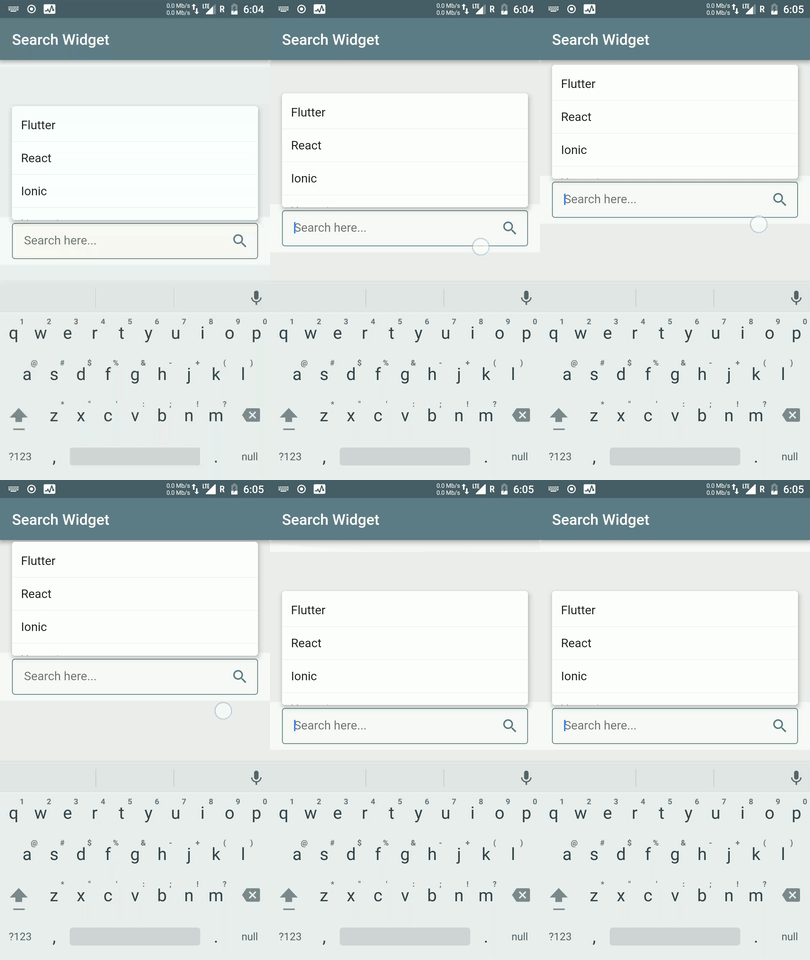
- Adaptive Popup Position to prevent popup getting hidden behind keyboard
- Popup to scroll with scroll gesture if this widget is used inside ScrollView
TODO
- [X] Give support for onItemSelected method to return selected item(s) directly
- [ ] Add support for selecting multiple items
- [ ] Add visibility bool to show selected item widget
⭐ My Flutter Packages
- pie_chart
 Flutter Pie Chart with cool animation.
- avatar_glow
 Flutter Avatar Glow Widget with glowing animation.
- json_table
 Create Flutter Json Table from json map directly.
- animating_location_pin
 Flutter Animating Location Pin Widget providing Animating Location Pin Widget which can be used while fetching device location.
⭐ My Flutter Apps
👍 Contribution
- Fork it
- Create your feature branch (git checkout -b my-new-feature)
- Commit your changes (git commit -m 'Add some feature')
- Push to the branch (git push origin my-new-feature)
- Create new Pull Request


