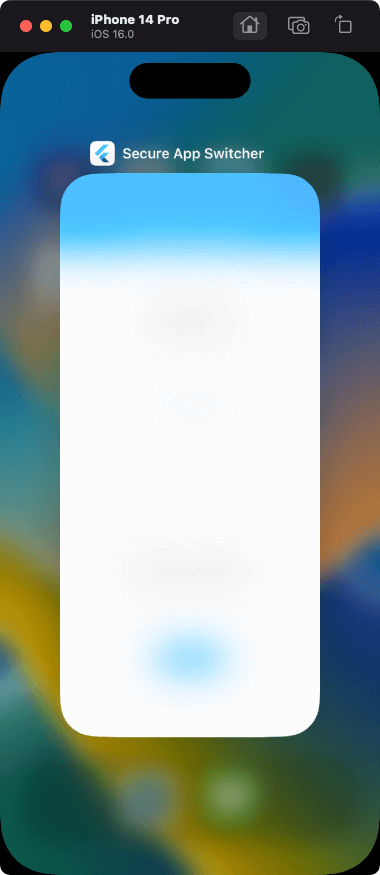
secure_app_switcher
Apply a safe masking effect to the app screen on the app switcher or task list.
Functions can be enabled/disabled within any process. It also provides a mechanism for switching functions on a screen-by-screen basis.
The effect is different for iOS and Android.
Usage
Use functions within arbitrary processing
import 'package:secure_app_switcher/secure_app_switcher.dart';
SecureAppSwitcher.on();
SecureAppSwitcher.off();
Use functions on specific screens
It is necessary to set secureAppSwitcherRouteObserver to switch the function at the time of screen transition.
Wrap the target screen widget with MaterialPageRoute and SecureAppSwitcherPage.
- secureAppSwitcherRouteObserver
@override
Widget build(BuildContext context) {
return MaterialApp(
title: 'Secure App Switcher',
onGenerateRoute: generateRoute,
navigatorObservers: [secureAppSwitcherRouteObserver],
initialRoute: '/',
);
}
- SecureAppSwitcherPage, MaterialPageRoute
Route<dynamic> generateRoute(RouteSettings settings) {
switch (settings.name) {
case "/":
return MaterialPageRoute(builder: (context) {
return const HomeScreen();
});
case "/screenA":
return MaterialPageRoute(builder: (context) {
return const SecureAppSwitcherPage(
style: SecureMaskStyle.dark,
child: ScreenA(),
);
});
}
}
iOS
For iOS, you can specify the type of mask effect.
SecureAppSwitcher.on(iosStyle: SecureMaskStyle.blurLight);
| Light |
Dark |
BlurLight |
BlurDark |
 |
 |
 |
 |
Android
FLAG_SECURE of WindowManager LayoutParams is used.
WindowManager.LayoutParams | Android Developers
| switching apps |
screenshot disabled |
 |
 |
- The type of mask effect cannot be specified like iOS.
- In Android 11 or later, the mask effect is reflected by switching other apps once according to the specifications of Android OS.
- Taking screenshots is not allowed when the feature is enabled.
Features and bugs
Please file feature requests and bugs on the issue tracker.