搜索插件、代码仓与 APP 分类

secure_application 封面
插件详情v4.1.0

secure_application

当用户离开应用时,确保应用内容的可见性安全。应用切换器中的内容将被隐藏,并且当用户返回时,锁定内容上方会显示霜冻屏障。

AndroidiOSWebWindows
近 30 天下载
2.2万
喜欢数
551
Pub 分数
140

安装插件

flutter pub add secure_application

插件介绍

基于插件公开信息、社区数据与项目使用情况整理的选型参考。

secure_application 包通过确保用户离开应用时敏感内容被隐藏,增强了应用的安全性。它防止内容在应用切换器中显示,并在返回锁定内容时应用霜冻屏障叠加层,以保护隐私。该包专为 Android、iOS、Web 和 Windows 设计,可无缝集成到 Flutter 应用中,以在后台转换期间保护用户数据。该包利用平台特定功能,在不牺牲可用性的情况下保持安全。

适合场景

  • 在应用切换期间保护敏感的用户界面元素
  • 在应用程序中保护个人或机密数据
  • 防止多用户环境中的截图泄露
  • 确保医疗或金融应用中的隐私
  • 遵守数据保护标准

主要特点

  • 在应用切换器中隐藏应用内容
  • 在返回时应用霜冻屏障叠加层
  • 跨平台支持(Android、iOS、Web、Windows)
  • 最小集成工作量
  • 平台原生安全机制

适合对象

  • 注重隐私的移动和桌面应用程序
  • 金融和医疗保健应用
  • 多用户设备环境
  • 需要符合GDPR或HIPAA合规性的应用
  • 开发者优先考虑用户数据保护

使用建议

  • 需要适当的平台权限
  • 可能会影响低端设备的性能
  • 霜冻屏障效应在所有屏幕类型上可能不可见
  • 不是完整应用加密的替代品
  • 用户体验可能因平台而异

原始 README

以下为关联源码仓库的 README 原文快照,最新内容请访问源码仓库。

previously nammed secure_window

secure_application

This plugin allow you to protect your application content from view on demand

Pluggin in iOS is in swift

Pluggin in Android is in Kotlin / AndroidX libraries

Pluggin is also working for web

Plugin work for windows (will lock when you minimize the window and lock screen)

Usage

Installation

Add secure_application as a dependency in your pubspec.yaml file (what?).

Import

Import secure_application:

import 'package:secure_application/secure_application.dart';

Add a top level SecureApplication

SecureApplication(
        onNeedUnlock: (secure) => print(
            'need unlock maybe use biometric to confirm and then use sercure.unlock()'),
        child: MyAppContent(),
)

Put the content you want to protect in a SecureGate (could be the whole app)

SecureGate(
          blurr: 5,
          lockedBuilder: (context, secureNotifier) => Center(
              child: RaisedButton(
            child: Text('test'),
            onPressed: () => secureNotifier.unlock(),
          )),
          child: YouProtectedWidget(),
)

Tips

Placement

Best place to add the secure application is directly inside the MaterialApp by using its builder:

class MyApp extends StatelessWidget {
  final navigatorKey = GlobalKey<NavigatorState>();
  @override
  Widget build(BuildContext context) => MaterialApp(
        navigatorKey: navigatorKey,
        localizationsDelegates: [
          DefaultMaterialLocalizations.delegate,
          DefaultCupertinoLocalizations.delegate,
          DefaultWidgetsLocalizations.delegate,
        ],
        // debugShowCheckedModeBanner: false,
        title: 'Your Fancy App',
        darkTheme: YourDarkTheme,
        theme: YourTheme,
        onGenerateRoute: _generateRoute,
        builder: (context, child) => SecureApplication(
          nativeRemoveDelay: 800,
          onNeedUnlock: (secureApplicationController) async {
            var authResult = await auth(
                askValidation: () => askValidation(context, child),
                validationForFaceOnly: false);
            if (authResult) {
              secureApplicationController.authSuccess(unlock: true);
            } else {
              secureApplicationController.authFailed(unlock: true);
              secureApplicationController.open();
            }
            return null;
          },
          child: child,
        ),
      );

  Route<dynamic> _generateRoute(RouteSettings settings) {
    switch (settings.name) {
      case '/splash':
        return MaterialPageRoute(builder: (context) => Container());
      default:
        return MaterialPageRoute(
            builder: (context) =>
                SecureGate(blurr: 60, opacity: 0.8, child: DecisionPage()));
    }
  }

  Future<bool> askValidation(BuildContext context, Widget navigator) async {
    if (navigator is Navigator) {
      final context = navigatorKey.currentState.overlay.context;
      return await showDialog<bool>(
        context: context,
        barrierDismissible: false, // user must tap button!
        builder: (BuildContext context) {
          return CupertinoAlertDialog(
            title: Text('Unlock app content'),
            content: Text(
                'Do you wan to unlock the application content? Clicking no will secure the app'),
            actions: <Widget>[
              CupertinoDialogAction(
                isDefaultAction: true,
                child: Text('No'),
                onPressed: () {
                  Navigator.of(context).pop(false);
                },
              ),
              CupertinoDialogAction(
                child: Text('Yes'),
                onPressed: () {
                  Navigator.of(context).pop(true);
                },
              ),
            ],
          );
        },
      );
    }
  }
}

Notice 3 importants part here:

  • Secure application is in MaterialApp/Builder so just above your app naviagator
  • I wrap the route i want to protect in onGenerateRoute with a SecureGate but you could put it anywhare you want if you only want to protect part of your page
  • Ask validation will display a dialog above everything to ask is you want to unlock app or not
react to failed auth
class SecureReacting extends StatefulWidget {
  @override
  _SecureReactingState createState() => _SecureReactingState();
}

class _SecureReactingState extends State<SecureReacting> {
  bool locked = false;
  StreamSubscription<SecureApplicationAuthenticationStatus> _authEventsSub;
  @override
  void initState() {
    super.initState();
    var lockController = SecureApplicationProvider.of(context, listen: false);
    _authEventsSub = lockController.authenticationEvents
        .where((s) => s == SecureApplicationAuthenticationStatus.FAILED)
        .listen((_) => lock());
  }

  void lock() {
    if (mounted) {
      setState(() => locked = true);
      Navigator.of(context).pop();
    }
  }

  @override
  void dispose() {
    _authEventsSub?.cancel();
    super.dispose();
  }

  @override
  Widget build(BuildContext context) {
    return locked ? Container() : Container();
  }
}

Notice 2 importants part here:

  • You are subscribing to a stream so don't forget to unsubscribe in onDispose
  • Since your animation from pop can take some time you might want also to have a locked variable here to display different content during transition

API Docs

API Reference

Basic understanding

The library is mainly controller via the SecureApplicationController which can be

secured

if the user switch app or leave app the content will not be visible in the app switcher and when it goes back to the app it will lock it

locked

the child of the SecureGates will be hidden bellow the blurry barrier

paused

even if secured SecureGates will not activate when user comes back to the app

authenticated

last authentication status. To help you manage visibility of some elements of your UI depending on auth status

  • secureApplicationController.authFailed() will set it to false
  • secureApplicationController.authLogout() will set it to false
  • secureApplicationController.authSuccess() will set it to true

You could use the authenticationEvents for the same purpose as it is a BehaviorSubject stream

Streams

There is two different BehaviorStream (emit last value when you subscribe):

  • authenticationEvents: When there is a successful or unsucessful authentification (you can use it for example to clean your app if authentification is not successful)
  • lockEvents: Will be called when the application lock or unlock. Usefull for example to pause media when the app lock

Example

Look at example app to see a use case

Authentication

This tool does not impose a way to authenticate the user to give them back access to their content

You are free to use your own Widget/Workflow to allow user to see their content once locked (cf SecureApplication widget argument onNeedUnlock)

Therefore you can use any method you like:

  • Your own Widget for code Authentication
  • biometrics with the local_auth package
  • ...

Android

On Android as soon as you secure the application the user will not be able to capture the screen in the app (even if unlocked) We might give an option to allow screenshot as an option if need arise

iOS

Contrary to Android we create a native frosted view over your app content so that content is not visible in the app switcher. When the user gets back to the app we wait for ~500ms to remove this view to allow time for the app to woke and flutter gate to draw

Widgets

SecureApplication

Api Doc this widget is required and need to be a parent of any Gate it provides to its descendant a SecureApplicationProvider that allow you to secure or open the application

You can pass you own initialized SecureApplicationController if you want to set default values

SecureGate

Api Doc The child of this widget will be below a blurry barrier (control the amount of blurr and opacity with its arguments) if the provided SecureApplicationController is locked

Native workings

Android

When locked we set the secure flag to true

activity?.window?.addFlags(LayoutParams.FLAG_SECURE)

When opened we remove the secure flag

activity?.window?.clearFlags(LayoutParams.FLAG_SECURE)

iOS

When app will become inactive we add a top view with a blurr filter We remove this app 500ms after the app become active to avoid your content form being breifly visible

Because we all want to see code in a Readme

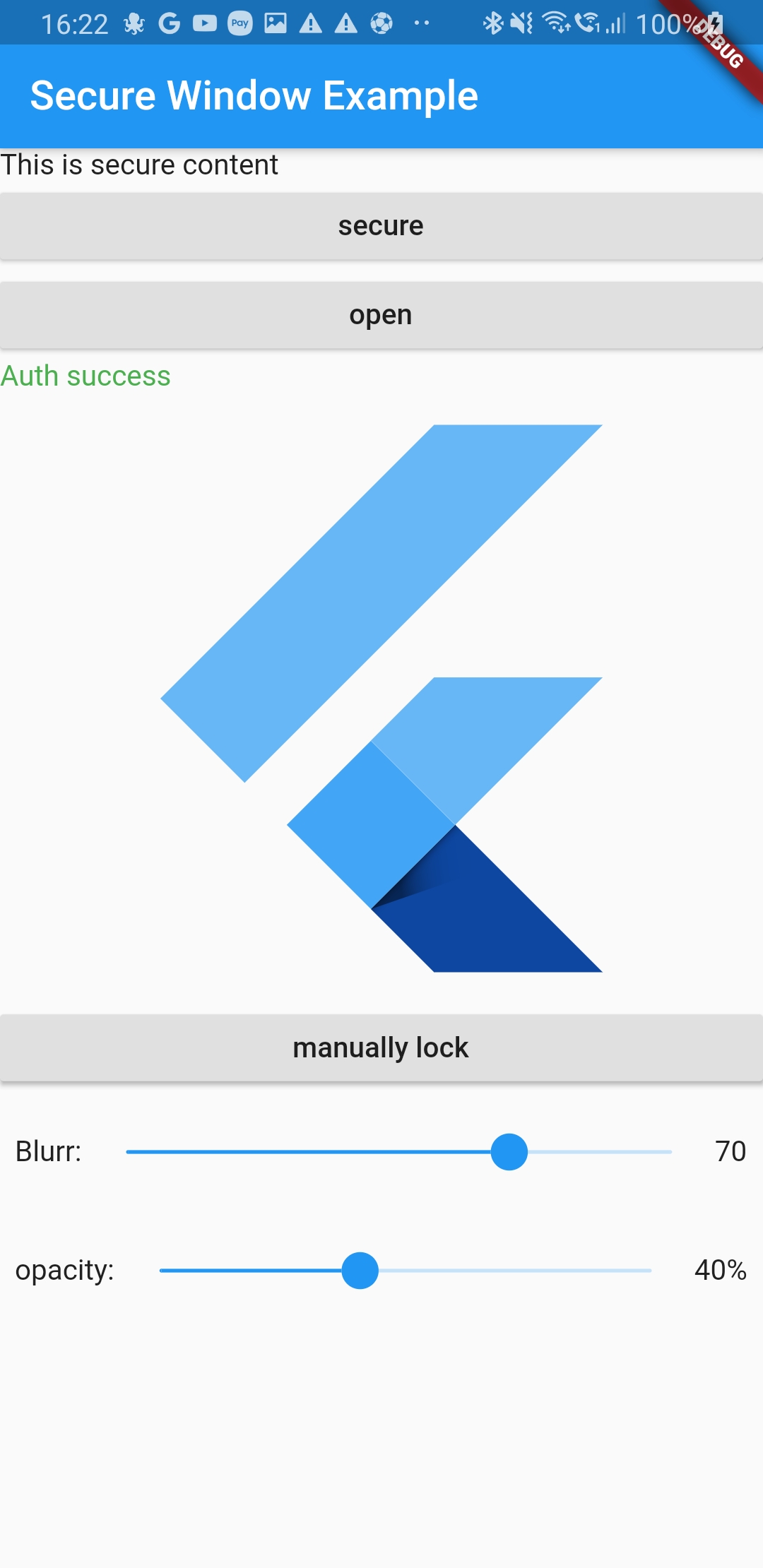
Widget build(BuildContext context) {
    var width = MediaQuery.of(context).size.width * 0.8;
    return MaterialApp(
      home: SecureApplication(
        onNeedUnlock: (secure) async {
          print(
              'need unlock maybe use biometric to confirm and then sercure.unlock() or you can use the lockedBuilder');
          // var authResult = authMyUser();
          // if (authResul) {
          //  secure.unlock();
          //  return SecureApplicationAuthenticationStatus.SUCCESS;
          //}
          // else {
          //  return SecureApplicationAuthenticationStatus.FAILED;
          //}
          return null;
        },
        onAuthenticationFailed: () async {
          // clean you data
          setState(() {
            failedAuth = true;
          });
          print('auth failed');
        },
        onAuthenticationSucceed: () async {
          // clean you data

          setState(() {
            failedAuth = false;
          });
          print('auth success');
        },
        child: SecureGate(
          blurr: blurr,
          opacity: opacity,
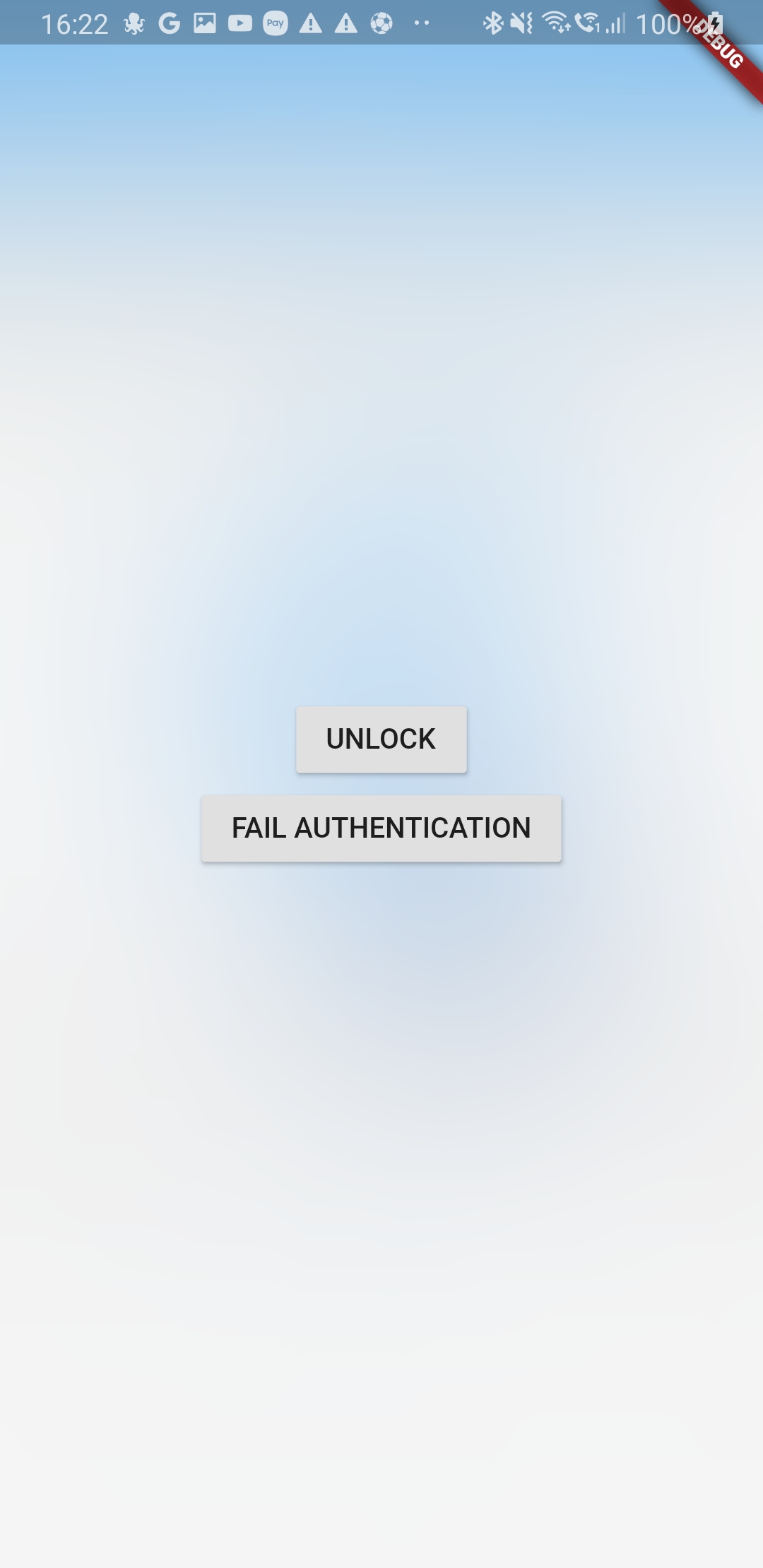
          lockedBuilder: (context, secureNotifier) => Center(
              child: Column(
            mainAxisAlignment: MainAxisAlignment.center,
            children: <Widget>[
              RaisedButton(
                child: Text('UNLOCK'),
                onPressed: () => secureNotifier.authSuccess(unlock: true),
              ),
              RaisedButton(
                child: Text('FAIL AUTHENTICATION'),
                onPressed: () => secureNotifier.authFailed(unlock: true),
              ),
            ],
          )),
          child: Scaffold(
            appBar: AppBar(
              title: const Text('Secure Window Example'),
            ),
            body: Center(
              child: Builder(builder: (context) {
                var valueNotifier = SecureApplicationProvider.of(context);
                return ListView(
                  children: <Widget>[
                    Text('This is secure content'),
                    RaisedButton(
                      onPressed: () => valueNotifier.secure(),
                      child: Text('secure'),
                    ),
                    RaisedButton(
                      onPressed: () => valueNotifier.open(),
                      child: Text('open'),
                    ),
                    if (failedAuth == null)
                      Text(
                          'Lock the app then switch to another app and come back'),
                    if (failedAuth != null)
                      failedAuth
                          ? Text(
                              'Auth failed we cleaned sensitive data',
                              style: TextStyle(color: Colors.red),
                            )
                          : Text(
                              'Auth success',
                              style: TextStyle(color: Colors.green),
                            ),
                    FlutterLogo(
                      size: width,
                    ),
                    RaisedButton(
                      onPressed: () => valueNotifier.lock(),
                      child: Text('manually lock'),
                    ),
                    Padding(
                      padding: const EdgeInsets.all(8.0),
                      child: Row(
                        children: <Widget>[
                          Text('Blurr:'),
                          Expanded(
                            child: Slider(
                                value: blurr,
                                min: 0,
                                max: 100,
                                onChanged: (v) => setState(() => blurr = v)),
                          ),
                          Text(blurr.floor().toString()),
                        ],
                      ),
                    ),
                    Padding(
                      padding: const EdgeInsets.all(8.0),
                      child: Row(
                        children: <Widget>[
                          Text('opacity:'),
                          Expanded(
                            child: Slider(
                                value: opacity,
                                min: 0,
                                max: 1,
                                onChanged: (v) => setState(() => opacity = v)),
                          ),
                          Text((opacity * 100).floor().toString() + "%"),
                        ],
                      ),
                    ),
                  ],
                );
              }),
            ),
          ),
        ),
      ),
    );
  }

所属分类

依赖

依赖清单 2 项

源码仓库

使用此插件的项目