搜索插件、代码仓与 APP 分类

sidebarx 封面
插件详情v0.17.2

sidebarx

flutter 多平台导航侧边栏 / 侧边导航栏 / 抽屉小部件

AndroidiOSWebmacOSWindowsLinux
近 30 天下载
2.1万
喜欢数
783
Pub 分数
160

安装插件

flutter pub add sidebarx

插件介绍

基于插件公开信息、社区数据与项目使用情况整理的选型参考。

SidebarX 是一个跨平台的 Flutter 包,提供可自定义的导航侧边栏或侧导航栏,作为 Android、iOS、Web、macOS、Windows 和 Linux 上的抽屉小部件。它通过流畅的过渡和响应式设计实现直观导航,非常适合需要持久导航菜单的应用程序。该组件支持紧凑和展开状态,适用于各种屏幕尺寸和用户偏好。利用 Flutter 的跨平台功能,SidebarX 简化了在不同设备上实现一致导航体验的过程。

适合场景

  • 具有持久导航的单页应用
  • 带侧边栏菜单的多屏幕仪表板
  • 需要统一导航的跨平台应用
  • 响应式布局,可适应不同屏幕尺寸
  • 需要抽屉式导航的桌面和网页应用

主要特点

  • 跨平台支持(Android、iOS、Web、macOS、Windows、Linux)
  • 可自定义侧边栏外观和行为
  • 支持紧凑和展开状态
  • 状态转换的平滑动画
  • 适用于不同屏幕尺寸的响应式设计

适合对象

  • 开发跨平台应用的开发者
  • 寻求一致导航模式的设计师
  • 优先考虑跨平台代码重用的团队
  • 具有复杂导航结构的应用程序
  • 需要现代、简洁侧边栏界面的项目

使用建议

  • 可能需要额外的样式设置以适应高度定制化的设计
  • 对非常大的导航列表的性能影响
  • 与完整的UI框架相比,内置主题选项有限
  • 需要理解Flutter的布局系统才能进行高级使用
  • 未针对极高频率的状态变化进行优化

原始 README

以下为关联源码仓库的 README 原文快照,最新内容请访问源码仓库。

SidebarX 🔥

Flutter multiplatform navigation sidebar / side navigationbar / drawer widget

Show some ❤️ and star the repo to support the project!

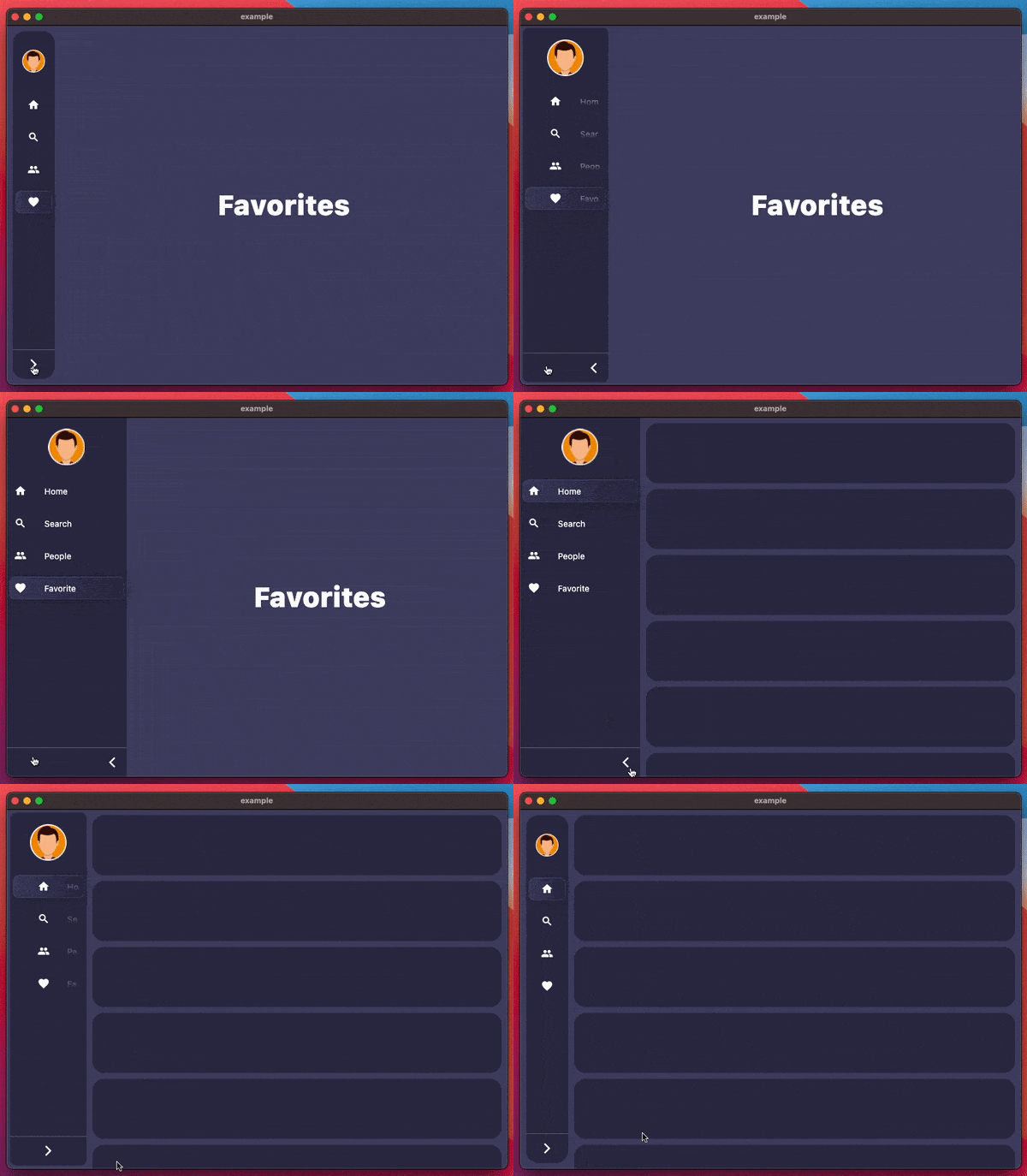
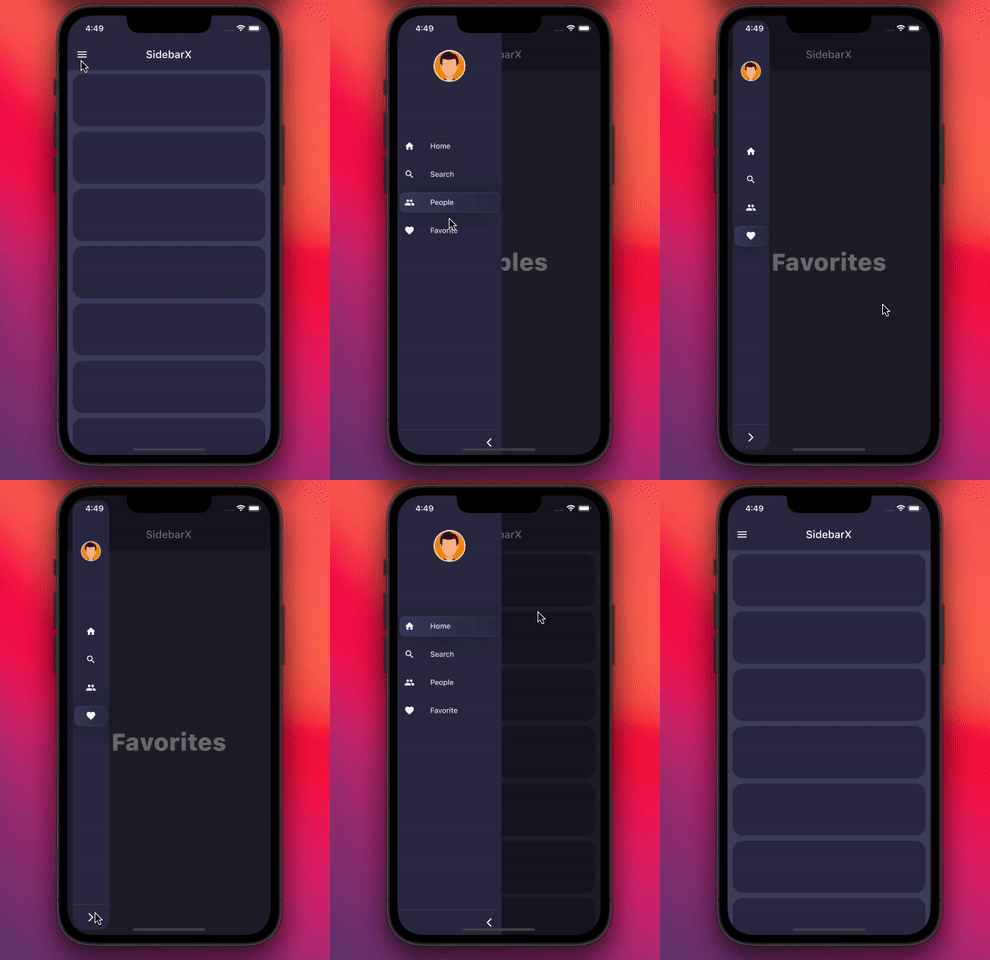
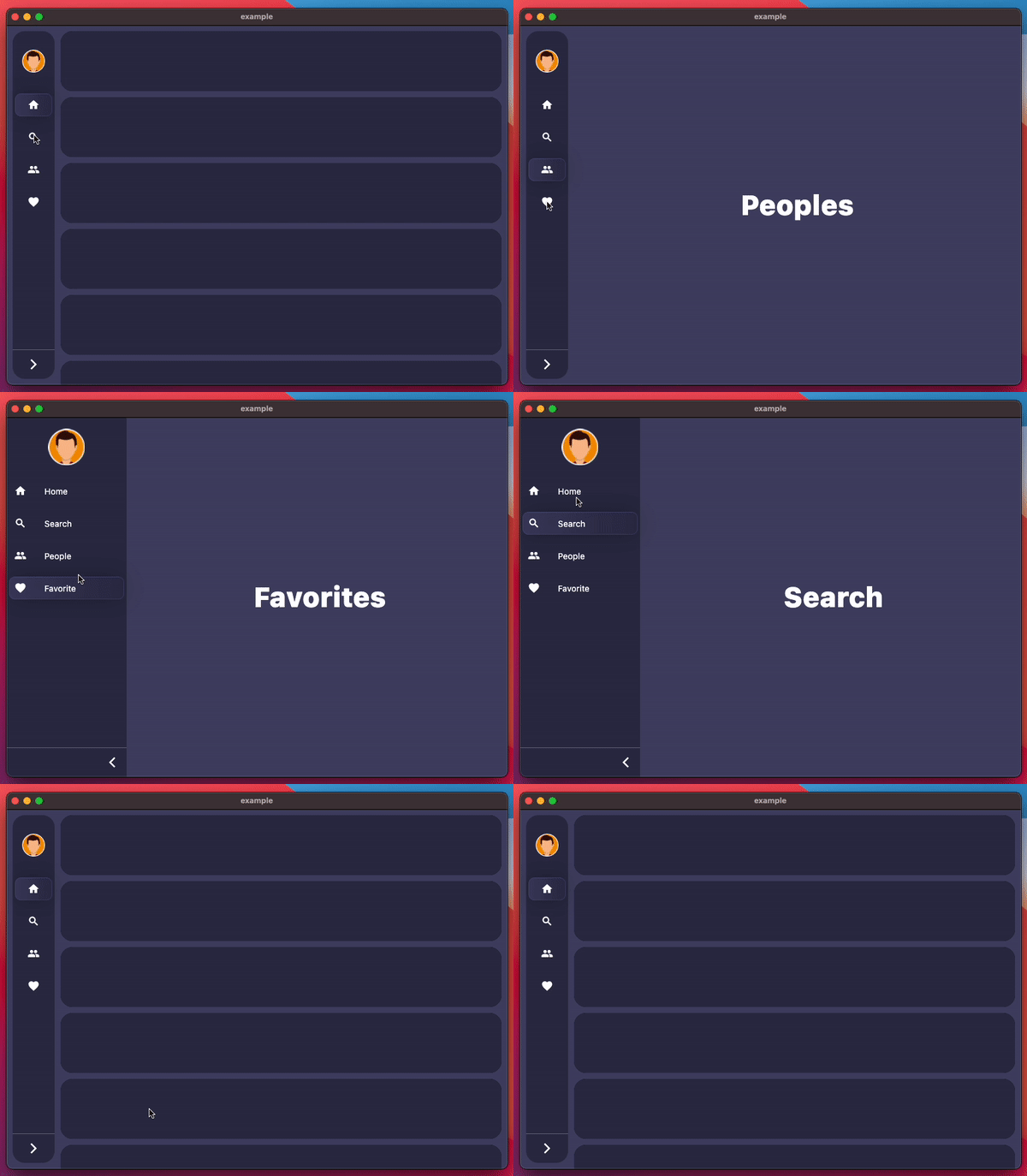
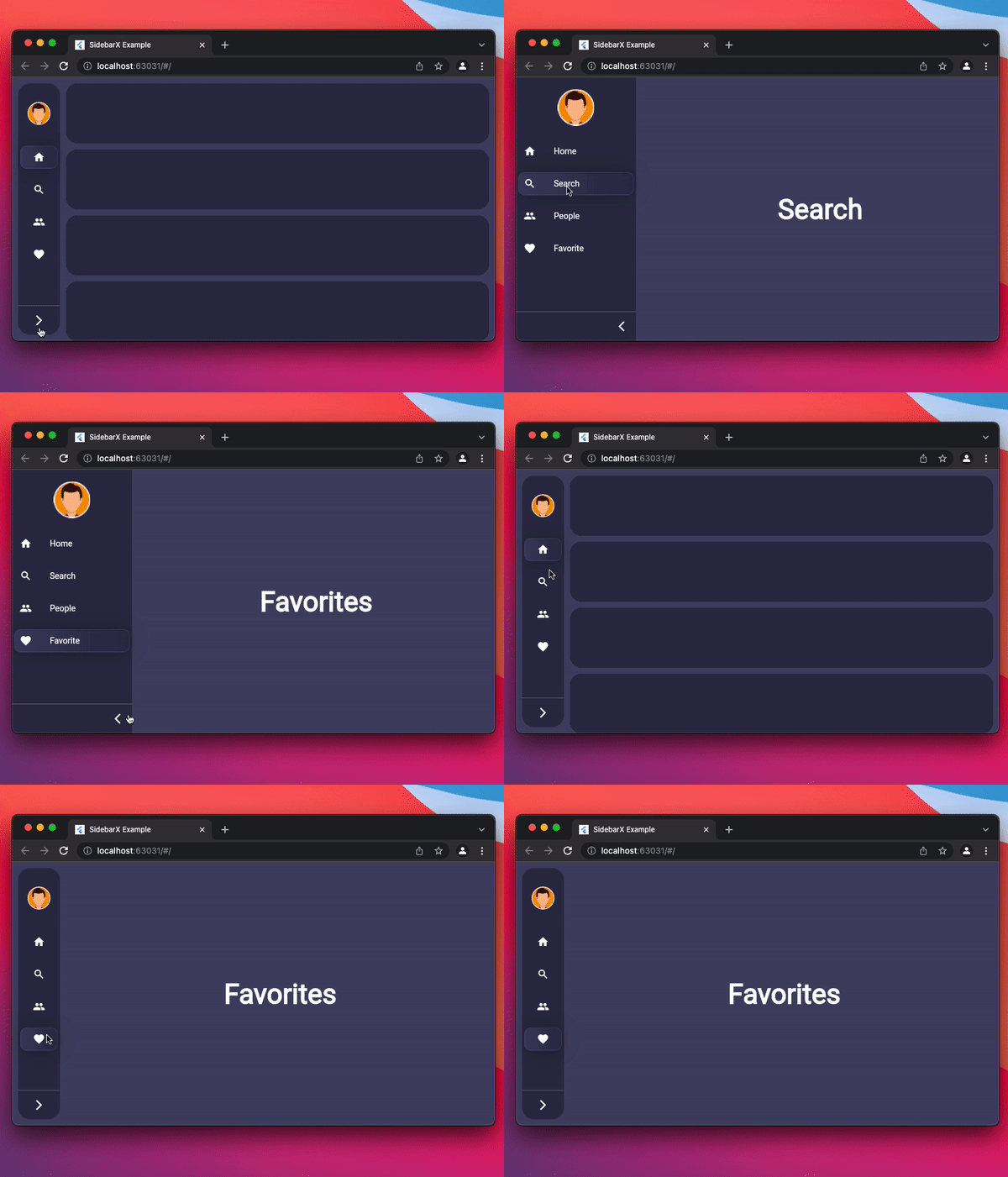
Mobile Desktop Web
Image Image Image

Pub Star on Github License: MIT Repository views

Pub likes Pub popularity Pub points

Getting started

Follow these steps to use this package

Add dependency
dependencies:
  sidebarx: ^0.17.2
Add import package
import 'package:sidebarx/sidebarx.dart';

Easy to use

The package is designed with maximum adaptation to large screens.
Therefore, adding a widget to your screen will be very simple.

    Scaffold(
      body: Row(
        children: [
          SidebarX(
            controller: SidebarXController(selectedIndex: 0),
            items: const [
              SidebarXItem(icon: Icons.home, label: 'Home'),
              SidebarXItem(icon: Icons.search, label: 'Search'),
            ],
          ),
          // Your app screen body
        ],
      ),
    )

Use with small mobile screens

On small screens and mobile devices, you can use the ready-made Sidebar widget as your application's drawer for excellent UX.
Otherwise, leave the code unchanged and get the same experience

    Scaffold(
      drawer: SidebarX(
        controller: SidebarXController(selectedIndex: 0, extended: true),
        items: const [
          SidebarXItem(icon: Icons.home, label: 'Home'),
          SidebarXItem(icon: Icons.search, label: 'Search'),
        ],
      ),
      body: const Center(child: Text('Your app body')),
    )

Additional information

The project is under development and ready for your pull-requests and issues 👍
Thank you for support ❤️


Thanks to all contributors of this package


For help getting started with 😍 Flutter, view [online documentation](https://flutter.dev/docs), which offers tutorials, samples, guidance on mobile development, and a full API reference.

所属分类

源码仓库

使用此插件的项目