搜索插件、代码仓与 APP 分类

插件详情v1.1.1

sticky_footer_scrollview

一个可滚动的 Flutter 小部件,其粘性底部栏将固定在屏幕底部或滚动内容的末尾。

AndroidiOSWebmacOSWindowsLinux
近 30 天下载
1180
喜欢数
24
Pub 分数
160

安装插件

flutter pub add sticky_footer_scrollview

插件介绍

基于插件公开信息、社区数据与项目使用情况整理的选型参考。

一个 Flutter 小部件,可实现滚动内容,并保持页脚固定在屏幕底部或可滚动内容的末尾。非常适合表单、聊天界面或任何需要持久操作栏的布局。页脚会根据滚动位置动态吸附,确保在移动设备、网页和桌面平台上的可用性。可无缝集成到现有的可滚动结构中,无需复杂配置。

适合场景

  • 聊天界面
  • 带有持久操作的表单输入
  • 可滚动列表中的底部导航
  • 动态内容与固定控件
  • 移动和网页应用页脚

主要特点

  • 屏幕底部的粘性页脚
  • 页脚固定在内容末尾
  • 跨平台支持
  • 与 ScrollView 的轻松集成
  • 可自定义的粘性行为
  • 适用于 Android、iOS、Web、macOS、Windows 和 Linux

适合对象

  • 开发具有持久页脚的可滚动 UI 的开发者
  • 需要响应式底部栏的应用
  • 实现粘性元素的设计人员
  • 跨平台 Flutter 项目
  • 需要动态定位的UI组件

使用建议

  • 可能需要仔细管理内边距
  • 行为取决于滚动范围
  • 不适合嵌套滚动场景
  • 大数据集的性能影响
  • 除了基本的粘性之外,自定义功能有限

原始 README

以下为关联源码仓库的 README 原文快照,最新内容请访问源码仓库。

sticky_footer_scrollview

pub package

A Flutter Widget that is scrollable with a sticky footer either stick to the bottom of screen of the end of the scroll body.

Background

This package using SingleScrollView and CustomMultiChildLayout to acheive a scrollable widget with a sticky footer. This allow a dynamic height of child widgets in scroll body.

At the same time, because of the SingleScrollView with Column approach, this is not recommended to use with lots of child widgets for performance reason. You may simiply test with the example to see whether it is fit for your case.

Usage

This shows Widget's full customizations:

StickyFooterScrollView({    
    this.footer,
    @required this.itemBuilder,
    @required this.itemCount,
    this.scrollController,
})
  1. footer is the footer widget that is placed either at the bottom of screen or the end of the scroll body.
  2. itemBuilder to build child widgets of scroll body
  3. itemCount is the nunber of child widgets in scroll body. Only allows >= 0.
  4. scrollController allows maunally jump to certain offset position.

Example

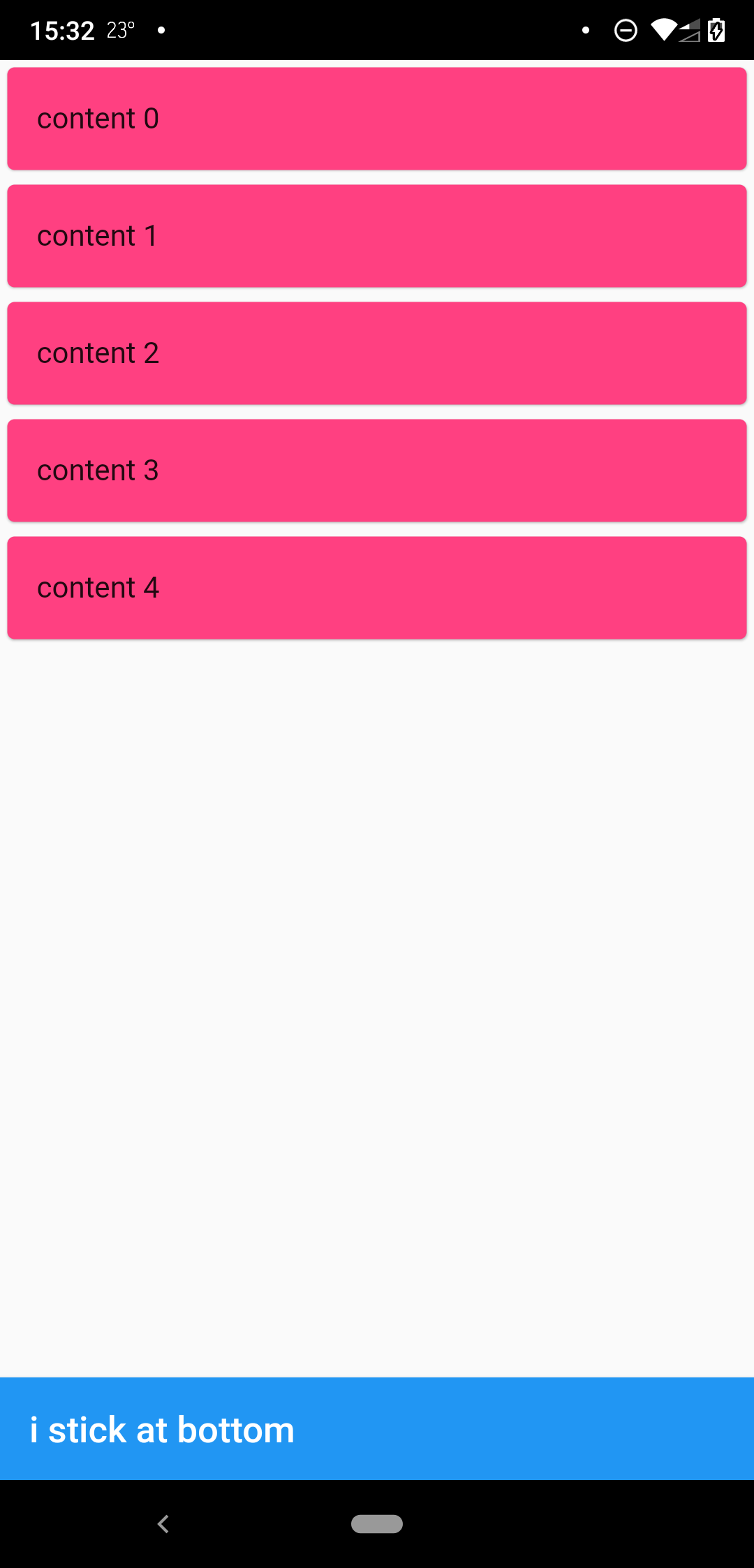
when scrollbody is shorter than the avialble widget height

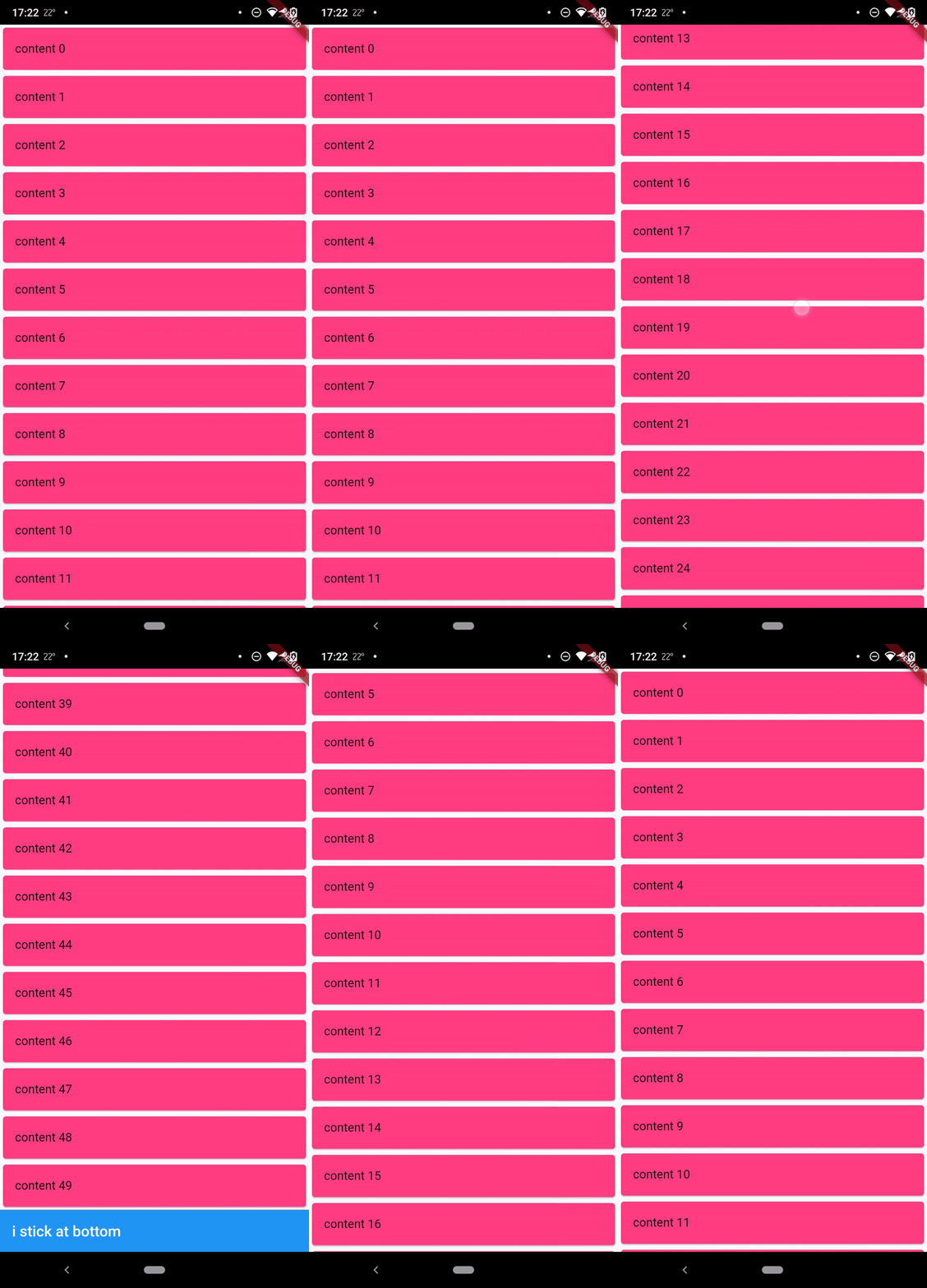
when scrollbody is longer than the avialble widget height

@override
  Widget build(BuildContext context) {
    return SafeArea(
      child: Scaffold(
        body: StickyFooterScrollView(
          itemCount: 50,
          itemBuilder: (context, index) {
            return Card(
              child: ListTile(
                title: Text('content $index'),
              ),
              color: Colors.pinkAccent,
            );
          },
          footer: AppBar(
            title: Text('i stick at bottom'),
          ),
        ),
      ),
    );
  }

Lisence

MIT

所属分类

源码仓库

使用此插件的项目

暂无相关数据。