system_fonts 包使 Flutter 应用程序能够访问和使用 Windows、macOS 和 Linux 上安装的系统字体。它允许开发者动态加载用户操作系统上已有的字体,确保跨平台的一致性排版,而无需捆绑字体文件。这对于需要原生文本渲染或希望利用平台特定字型的应用程序尤其有用。该包支持跨平台开发,配置简单。
适合场景
在桌面平台上加载系统字体
使用原生排版创建应用
避免字体文件捆绑
增强文本渲染的一致性
支持动态字体选择
主要特点
跨平台支持(Windows、macOS、Linux)
系统字体的自动检测
所需设置最少
无需包含字体资源
与 Flutter 的 TextStyle 集成
适合对象
桌面应用程序开发者
需要原生字体渲染的应用程序
项目中最小化资源大小
面向多个操作系统的开发者
注重排版准确性的应用
使用建议
仅限系统安装的字体
Android 或 iOS 上不可用
字体可用性取决于主机操作系统
可能无法与自定义或非标准字体一起使用
需要平台特定的测试
原始 README
以下为关联源码仓库的 README 原文快照,最新内容请访问源码仓库。
system_fonts
A Flutter package that allows users to easily load system fonts on Windows, MacOS, and Linux platforms.
Features
Load system fonts dynamically in Flutter applications.
Support for Windows, MacOS, and Linux platforms.
Supports ttf and otf font formats.
Simple API for loading and using system fonts in your Flutter project.
Installation
Add the following line to your pubspec.yaml file in the dependencies section:
dependencies:system_fonts:^VERSION
Usage
Font family names are the font file name in the system without extensions.
For example to change font family of Text widget to arial(arial.ttf), use loadFont(String fontName) method with parameter arial,
this function will load arial.ttf file in the system and return font family name.
You can load all the fonts on the system with loadAllFonts() method which returns all the available font family names
and then you can use any font in any widget.
You can specify a font folder to load every font inside it and then use them in flutter with addAdditionalFontDirectory(String path) method.
You can add any font from full path with loadFontFromPath(String path) method.
You can list all available font family names to use with getFontList() method.
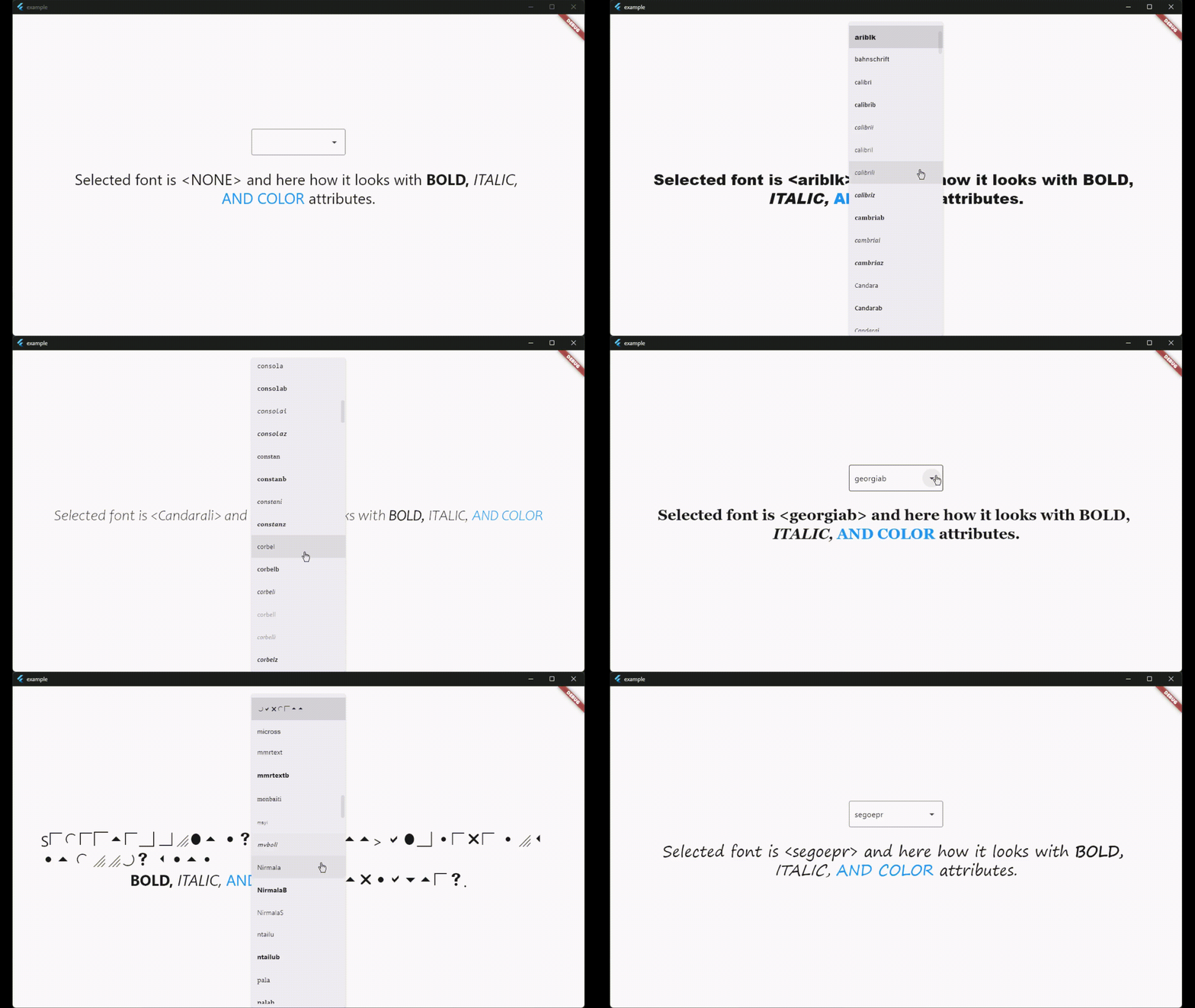
There is also a widget called SystemFontSelector() for list and select fonts and example app shows how to use it.
License
This package is licensed under the MIT License. See the LICENSE file for details.