搜索插件、代码仓与 APP 分类

time_chart 封面
插件详情v0.5.5

time_chart

一个可滚动的时间图表,适用于 Flutter。目前支持中文(简体)、韩语。

近 30 天下载
141
喜欢数
76
Pub 分数
50

安装插件

flutter pub add time_chart

插件介绍

基于插件公开信息、社区数据与项目使用情况整理的选型参考。

time_chart 是一个 Flutter 包,提供可滚动的时间图表,用于可视化时间数据。它支持多种语言,目前包括英文和韩文,使更多用户能够使用。设计上注重流畅滚动和响应式渲染,让开发者轻松展示时间序列数据。该包可无缝集成到 Flutter 应用中,非常适合仪表板、分析界面或任何需要时间轴可视化的应用。其轻量级特性确保在处理大型数据集时也能保持高效性能。

适合场景

  • 在仪表板中显示时间序列数据
  • 可视化用户随时间的活动
  • 实时应用中的跟踪指标
  • 创建交互式时间线
  • 监控系统性能日志

主要特点

  • 时间数据的可滚动界面
  • 支持英文和韩文本地化
  • 轻量级且高性能的渲染
  • 轻松集成到Flutter应用
  • 适用于各种屏幕尺寸的响应式设计

适合对象

  • 移动应用中的数据可视化
  • 分析仪表板
  • 基于时间的监控工具
  • 多语言应用程序
  • 寻求简单时间图表的开发者

使用建议

  • 仅限水平滚动
  • 除了 en 和 ko 之外,没有对其他语言的内置支持
  • 需要手动处理数据更新
  • 未针对极大数据集进行优化
  • 无内置的工具提示或注释

原始 README

以下为关联源码仓库的 README 原文快照,最新内容请访问源码仓库。

time_chart

pub package

An amazing time chart in Flutter.

How the animation works?

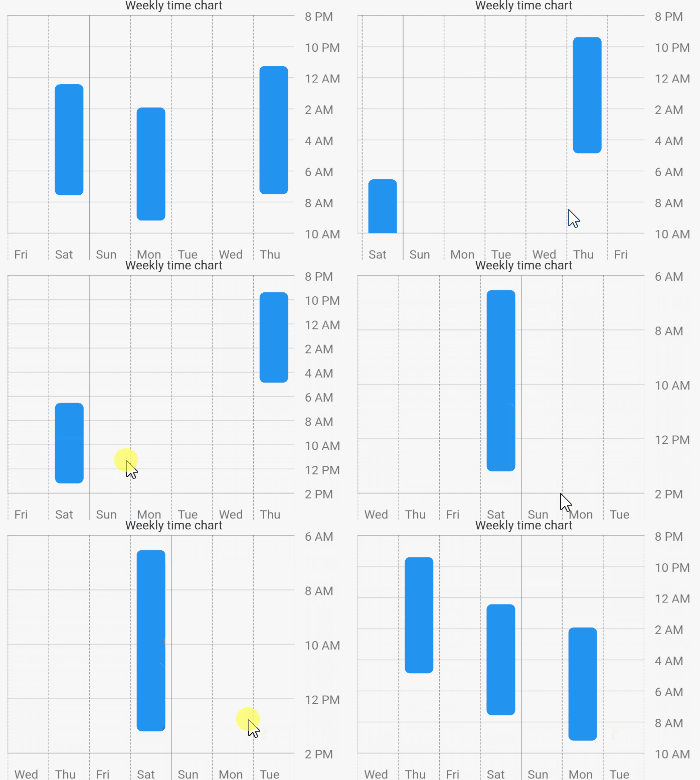
The animation is created by determining the top hour and the bottom hour. The top hour denotes the most top hour displayed at the current scroll position, while the bottom hour represents its opposite. When scrolling occurs, the animation is triggered by comparing the previous top hour and bottom hour with the top hour and bottom hour after scrolling.

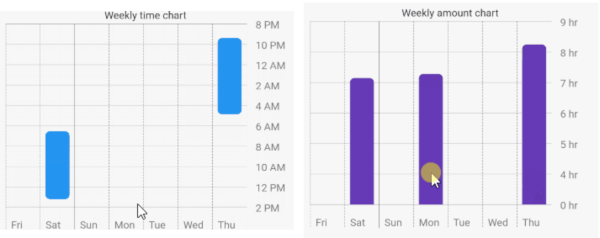
Chart Types
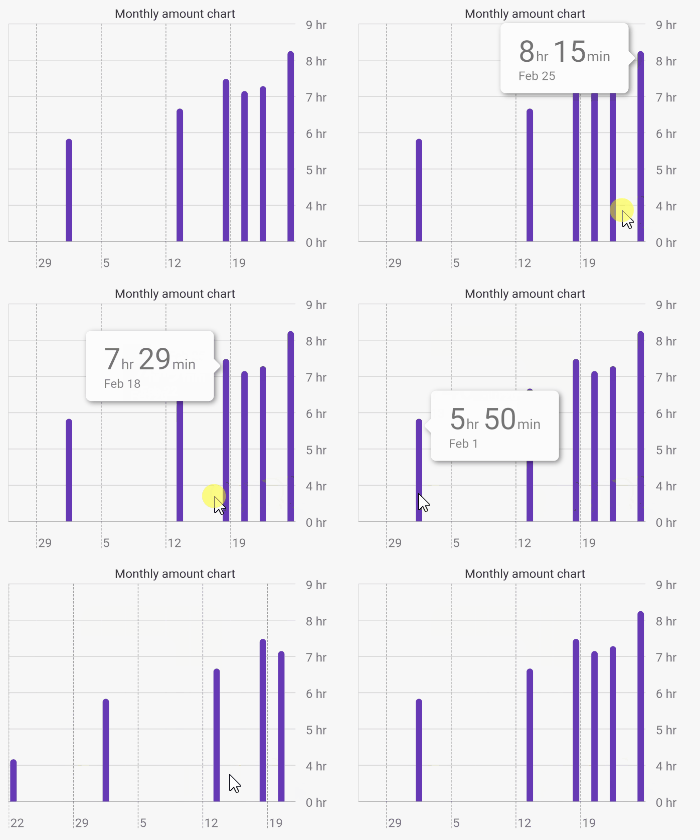
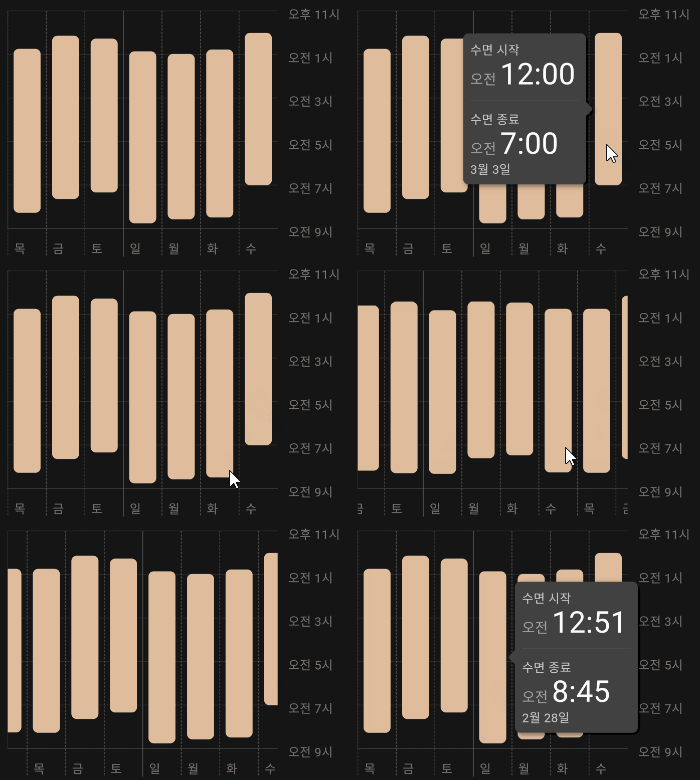
TimeChart AmountChart

Getting Started

1 - Depend on it

Add it to your package's pubspec.yaml file

dependencies:
  time_chart: ^0.5.4
2 - Install it

Install packages from the command line

flutter packages get
3 - Usage

Just input your DateTimeRange list to data: argument. The list must be sorted. First data is latest, last data is oldest.

Example

import 'package:flutter/material.dart';
import 'package:time_chart/time_chart.dart';

void main() => runApp(MyApp());

class MyApp extends StatelessWidget {

  // Data must be sorted.
  final data = [
    DateTimeRange(
      start: DateTime(2021,2,24,23,15),
      end: DateTime(2021,2,25,7,30),
    ),
    DateTimeRange(
      start: DateTime(2021,2,22,1,55),
      end: DateTime(2021,2,22,9,12),
    ),
    DateTimeRange(
      start: DateTime(2021,2,20,0,25),
      end: DateTime(2021,2,20,7,34),
    ),
    DateTimeRange(
      start: DateTime(2021,2,17,21,23),
      end: DateTime(2021,2,18,4,52),
    ),
    DateTimeRange(
      start: DateTime(2021,2,13,6,32),
      end: DateTime(2021,2,13,13,12),
    ),
    DateTimeRange(
      start: DateTime(2021,2,1,9,32),
      end: DateTime(2021,2,1,15,22),
    ),
    DateTimeRange(
      start: DateTime(2021,1,22,12,10),
      end: DateTime(2021,1,22,16,20),
    ),
  ];

  @override
  Widget build(BuildContext context) {
    final sizedBox = const SizedBox(height: 16);

    return MaterialApp(
      home: Scaffold(
        appBar: AppBar(title: const Text('Time chart example app')),
        body: SingleChildScrollView(
          child: Padding(
            padding: const EdgeInsets.all(16.0),
            child: Column(
              children: [
                const Text('Weekly time chart'),
                TimeChart(
                  data: data,
                  viewMode: ViewMode.weekly,
                ),
                sizedBox,
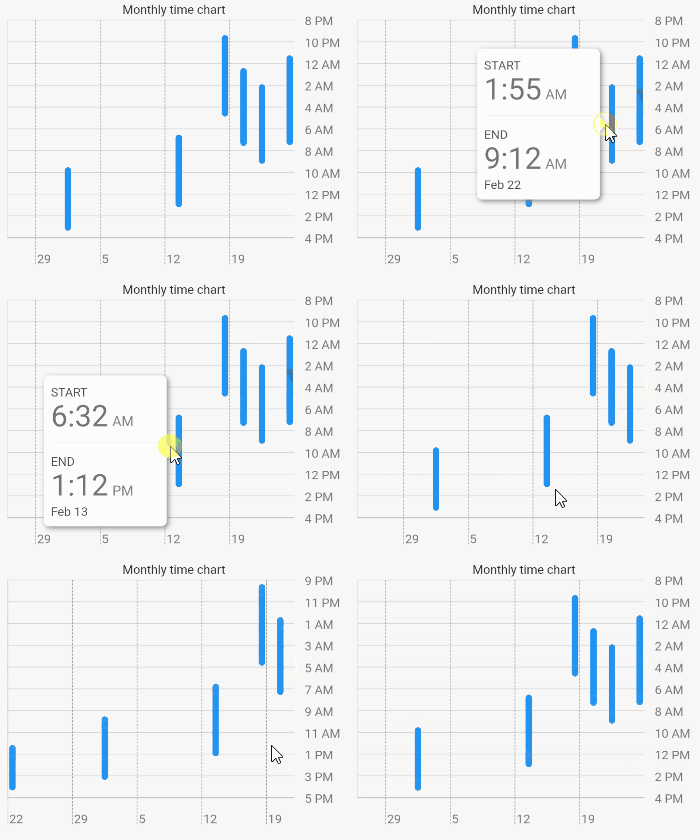
                const Text('Monthly time chart'),
                TimeChart(
                  data: data,
                  viewMode: ViewMode.monthly,
                ),
                sizedBox,
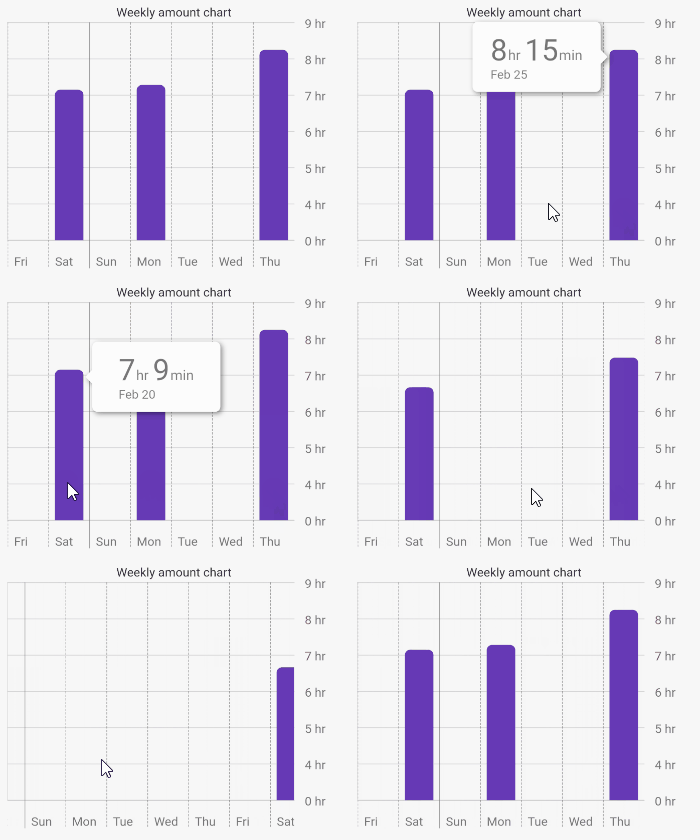
                const Text('Weekly amount chart'),
                TimeChart(
                  data: data,
                  chartType: ChartType.amount,
                  viewMode: ViewMode.weekly,
                  barColor: Colors.deepPurple,
                ),
                sizedBox,
                const Text('Monthly amount chart'),
                TimeChart(
                  data: data,
                  chartType: ChartType.amount,
                  viewMode: ViewMode.monthly,
                  barColor: Colors.deepPurple,
                ),
              ],
            ),
          ),
        ),
      ),
    );
  }
}

Supported languages

English Korean

You can also use korean language by Internationalizing Flutter apps.

所属分类

依赖

依赖清单 4 项

源码仓库

使用此插件的项目

暂无相关数据。