搜索插件、代码仓与 APP 分类

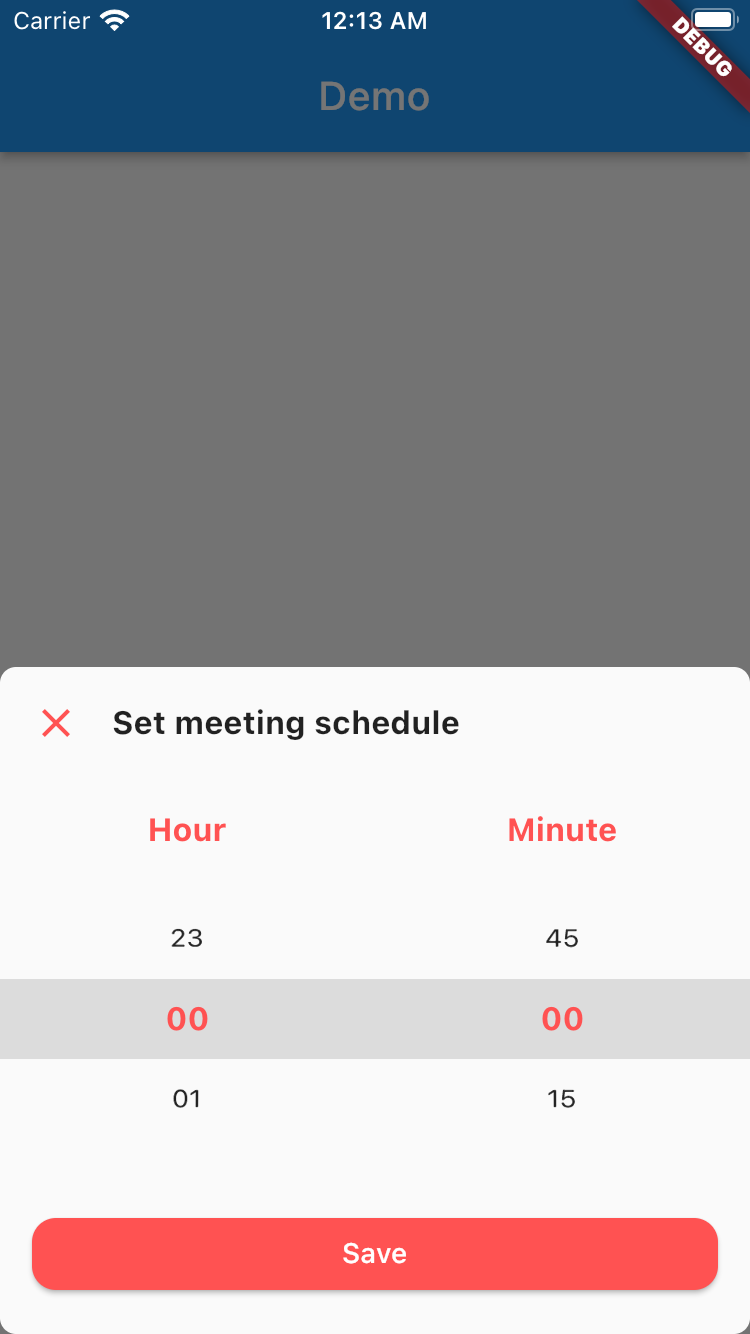
time_picker_sheet 封面
插件详情v0.0.2+1

time_picker_sheet

时间选择器弹出层库,可让你拥有美观的时间选择器弹出层,并支持自定义设计以满足你的需求。

近 30 天下载
7
喜欢数
26
Pub 分数
70

安装插件

flutter pub add time_picker_sheet

插件介绍

基于插件公开信息、社区数据与项目使用情况整理的选型参考。

一个 Flutter 包,为移动应用程序提供可自定义且视觉上吸引人的时间选择器面板。它使开发者能够集成一种时尚的底部弹出式时间选择器,具有灵活的设计选项,可与应用特定的主题和需求保持一致。该库设计简洁易用,可无缝集成到现有的 Flutter 项目中。它支持自定义样式和流畅的动画效果,提升用户在选择时间时的体验。

适合场景

  • 表单中的自定义时间选择
  • 使用现代底部表单增强用户界面
  • 在日程安排应用中集成时间选择器
  • 跨平台设计一致的时间输入
  • 创建响应式时间选择界面

主要特点

  • 可自定义的设计和主题支持
  • 底部弹出菜单动画和布局
  • 与 Flutter 小部件的轻松集成
  • 响应式且移动友好的界面
  • 支持上午/下午和24小时制

适合对象

  • 开发需要自定义UI的移动应用的开发者
  • 优先考虑时间输入用户体验的团队
  • 需要一致时间选择器外观的应用
  • Flutter 初学者探索交互式组件
  • 需要轻量级日期/时间选择器的项目

使用建议

  • 有限的平台特定自定义
  • 无内置验证或错误处理
  • 需要手动实现时间格式逻辑
  • 未针对桌面平台进行优化
  • 依赖外部依赖项以实现高级功能

原始 README

以下为关联源码仓库的 README 原文快照,最新内容请访问源码仓库。

Time Picker Sheet

A Time picker sheet library for flutter. You can also customize the widget inside the sheet to align with your requirement.


How to use

This is really simple and to the point actually, simply by doing this then your time picker sheet will goes up.

TimePicker.show(
    context: context,
    sheet: TimePickerSheet(
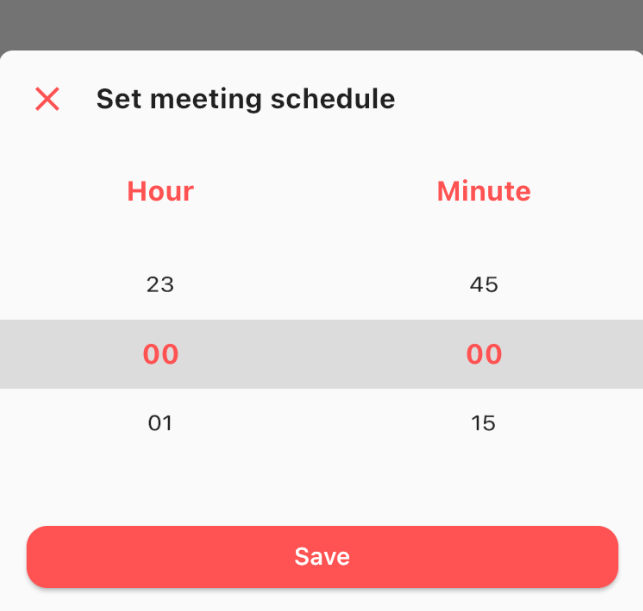
        sheetTitle: 'Set meeting schedule',
        hourTitle: 'Hour',
        minuteTitle: 'Minute',
        saveButtonText: 'Save',
    ),
);

If you wanna get the result from the time picker sheet then what you have to do is await the result. As you know if we wanna await the result we need to do it as an async process right? so please make sure to do so. The code must be like this

final result = await TimePicker.show<DateTime?>(
    context: context,
    sheet: TimePickerSheet(
        sheetTitle: 'Set meeting schedule',
        hourTitle: 'Hour',
        minuteTitle: 'Minute',
        saveButtonText: 'Save',
    ),
);

the result from the sheet is should be nullable DateTime, if user closed the sheet the result will be null, but if the user click on the save button then the result should be the selected time as a DateTime, so you can get the hour & the minute.

Customize

What you can customize?

  • Sheet title including the style
  • Sheet close icon including the color
  • Title hour including the style
  • Title minute including the style
  • Selected hour & minute including the style
  • Save button color & text
  • 1 or 2 digit format
    • the default format is 2 digit
  • Hour interval with min & max value
    • the default interval is 1, so the options will be started from 0 to 23
  • Minute interval with min & max value
    • the default interval is 15, so the options will be 0, 15, 30, 45
  • Initial date time
    • to make sure when your sheet goes up it select the right time. by default this is set to 00:00

All these things already have default value, so if you want to change one of them please make sure to set it via constructor.

所属分类

依赖

依赖清单 1 项

源码仓库

使用此插件的项目

暂无相关数据。